 CopilotKit
Free
CopilotKit
Free
CopilotKit is a front-end framework for Agent applications. It is publicly positioned as The Frontend Stack for Agents & Generative UI and supports integration with React, Angular, mobile terminals and Slack.
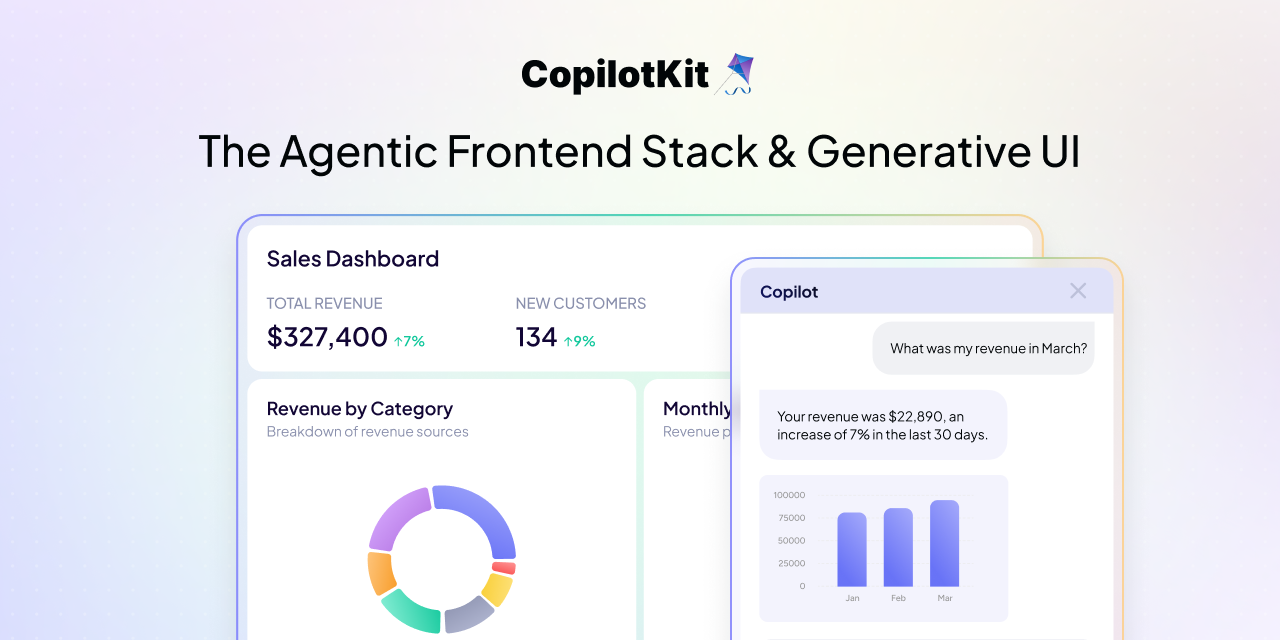
CopilotKit
Core parameters and statistics
CopilotKit positions itself as the "front-end development stack" of the Agent product - not a model inference engine or a workflow orchestrator, but an open source framework that specifically solves the problem of "how the agent and the user interact". The table below summarizes its key verifiable data:
| Projects | Public Information |
|---|---|
| Official positioning | The Frontend Stack for Agents & Generative UI |
| Open Source License | MIT |
| GitHub Stars | 33,869 |
| GitHub Forks | 4,289 |
| Open Issues | 533 |
| First created | 2023-06-19 |
| Latest version | v1.59.5 (2026-06-05) |
| Release interval | More than 1 time per day (published continuously in the past 7 days) |
| Core Framework | React, Angular |
| Extended integration | Mobile Slack, Web/API |
| Third-party dependencies | No forced model binding, can be connected to any LLM/Agent backend |
Positioning boundaries: The core of CopilotKit is the front-end interaction layer of the Agent product, not the basic model training framework, nor the back-end orchestration engine. The scenario it is most suitable for is "the model already exists and it is necessary to integrate the dialogue, tool call results and business process interface into one page." If the team's needs are only back-end automation, offline inference or pure command line tools, CopilotKit's front-end capabilities will bring little value.
Signal of version rhythm: Continuous releases (v1.59.3 → v1.59.4 → v1.59.5) in the past 7 days. An average release frequency of more than 1 time per day indicates that the project is in a high-intensity iteration period. For early users, this means fast feature repairs and frequent new features, but it also brings the need to lock production bound versions - it is recommended that production projects lock minor versions to avoid the risk of regression caused by daily updates.
User and market recognition
CopilotKit has formed a clear community leadership effect on the Agent front-end development track, but its influence is still mainly concentrated in the open source technology circle, and the enterprise-level commercialization signal is not yet clear.
GitHub ecological performance: 33.8k Stars and 4.2k Forks, ranking first in the "AI front-end framework" segment. Horizontal comparison: Vercel AI SDK (about 25k Stars) is a solution that is more lightweight streaming text rendering, while LangChain (about 100k Stars) is a framework that is more back-end orchestration. CopilotKit has the clearest positioning among the three - specializing in front-end delivery of "dialogue + operation" integrated interfaces.
Community Activity: 533 Open Issues are at a normal high level among projects with 33.8k Stars. On the one hand, it shows that the user group is actively using and reporting problems. On the other hand, it also implies that the project maintenance pressure is not small. The average release frequency of more than 1 time per day confirms the team's high-intensity issue response rhythm.
Project adoption signal: The documentation station is operated with an independent domain name (docs.copilotkit.ai), which means that the project has entered the sustainable maintenance productization stage from a personal open source demo. Actual use case sharing of CopilotKit has appeared in multiple unofficial technology blogs and community discussions, indicating that it has withstood a certain degree of verification in actual projects.
Market Blank: The public page does not disclose the number of enterprise customers, payment conversion rate or revenue data. This means that enterprise procurement decisions currently lack peer reference and need to complete proof-of-concept assessments on their own.
Cost advantage
CopilotKit's cost advantage first comes from its open source license, but the overall cost of ownership needs to be evaluated in the full link of "front-end framework + model calling + back-end orchestration".
C-side/individual developers: The MIT license means that individual developers can use all the code for free and complete the functional verification of UI and Agent interaction locally. Zero-cost startup is a big advantage for independent developers, open source enthusiasts and technology evaluation stages. The actual cost in individual scenarios mainly comes from the bound LLM API call fee - if a GPT-4o or Claude-level model is used, the token consumption in conversation-intensive scenarios may far exceed the value of the framework itself.
Developer/API integration scenario: MIT license lowers the threshold for secondary development and customization. Teams can embed CopilotKit into existing front-end projects without purchasing a commercial license or paying a per-seat SaaS subscription. There are three core costs at the developer level: one is the man-hours for front-end access and component customization, the other is the cost of calling the back-end Agent/model API, and the third is the infra expense of conversation context storage and state management. CopilotKit itself is not tied to a specific model vendor, and the team can switch between GPT, Claude, DeepSeek, etc. based on cost needs.
Enterprise/privatization scenario: The enterprise-side cost structure needs to shift from "framework license fees" to "governance and compliance costs". CopilotKit does not have built-in enterprise-level functions such as user rights management, operation audit logs, and sensitive content filtering. These require the team to supplement or integrate third-party services. In a privatized deployment scenario, the hosting cost of front-end static resources is extremely low, but the high-availability architecture of the back-end Agent service, the storage and compliance of conversation data, and the multi-context (development/test/production) CI/CD pipeline are the hidden costs.
| Cost dimension | CopilotKit (open source route) | Commercial Copilot platform (such as Intercom Fin, Zendesk AI) |
|---|---|---|
| License fee | 0 (MIT open source) | Billed by seat or conversation volume, thousands to tens of thousands of dollars per month |
| Model calling | Optional LLM, paid by token | Usually included in the platform fee |
| Front-end customization | Fully controllable, front-end engineering hours required | Limited by platform UI template and API openness |
| Compliance audit | Build it yourself | Built-in platform, but data is hosted on a third party |
| Maintenance iteration | Rely on community + self-maintenance | Supplier is responsible |
Main functions
The core function of CopilotKit is not to provide "a chat box", but to provide a set of component ecosystem and capability protocols that integrate conversational AI with business operation interfaces. The combined value of the following features is far greater than the sum of their individual features.
-
<CopilotKit />Root component and Provider system: As the top-level container of the application, it is responsible for managing the conversation state, context transfer and Agent connection life cycle. It allows developers to consume Copilot capabilities in any subcomponent just by wrapping it once at the application entry, without having to manually pass props or global state. Synergy: When paired withuseCopilotAction, the Provider automatically maintains an "action registry", and the executable operations registered by sub-components are automatically summarized into the conversation context. The Agent can dynamically discover and call these operations during the reasoning process - this solves the protocol alignment problem between the traditional "front-end registration - back-end invocation". -
useCopilotActionaction declarative API: This is the core abstraction of CopilotKit. Developers can use Hook in any React component to declare an "operation that the Agent can perform", including the operation name, description, parameter schema and corresponding execution function. During the dialogue reasoning process, the Agent will automatically match and invoke these operations according to the user's intentions, and the operation results will flow back to the dialogue flow to continue reasoning. Hidden linkage: MultipleuseCopilotActioncan be registered in different components, and the Agent can connect multiple operations in one reasoning - for example, first search the knowledge base, then generate a summary, and finally create a work order. The entire process is a natural conversation flow for users and a loosely coupled component registration for developers. -
useCopilotChatanduseCopilotReadablecontext injection:useCopilotReadableallows the component to mark any data (current page information, user selected content, form status, etc.) as "Agent readable", and the data will be automatically injected into the conversation context.useCopilotChatprovides a programmatic conversation control interface (send messages, switch topics, clear history). Synergistic effect: The combination of the two achieves "page as context" - users do not need to manually paste the content of the current page. The Agent has already understood what the user is currently doing, what data they are looking at, and what content they are editing, thus giving more accurate next action suggestions. -
Generative UI (generative interface): CopilotKit supports Agents to dynamically render React components in conversations instead of just outputting Markdown text. Agent can allow the front end to render charts, forms, tables, progress bars and even complete pages by returning specific response formats. Expert View: This is the most essential difference between CopilotKit and Vercel AI SDK - the latter focuses on streaming text rendering, and the former focuses on "interactive component rendering". In actual business, generating an "order approval card" is closer to the user's real workflow than generating a text describing the order status.
-
Multi-framework and multi-terminal extension: Official coverage of React, Angular, mobile terminal (React Native), Slack and Web/API. It is not a simple "chat box porting", but each end implements the consistent abstraction of the AG-UI protocol. Engineering Implications: A team can reuse the same set of Agent definitions and operation registration logic, and share them between different front-end forms, avoiding the duplication of "one implementation for the Web version and another for the mobile version".
-
AG-UI Protocol: CopilotKit defines a set of communication protocols between Agent and UI, which stipulates how the Agent requests UI operations, how the UI feedbacks execution results, and how the dialogue context flows between the two. This set of protocols is the fundamental reason why CopilotKit is different from the patchwork solution of "stuffing a chat box into the page".
Model and version evolution
The version evolution of CopilotKit reflects the capability transition of the Agent front-end framework from "chat component" to "full-stack interaction layer". The following is a summary of the major verifiable version nodes:
v1.0 series: Dialogue component foundation period (mid-2024)
- v1.0.x onwards: Positioned as a React chat component, providing basic conversation UI and large model streaming output rendering. This stage is essentially a "React component with backend chat", and the functional boundaries highly overlap with the Vercel AI SDK.
v1.30–v1.40: Action system and Generative UI introduced (2025)
- v1.30+: Introducing the
useCopilotActionmechanism, Agent can start to trigger front-end operations, evolving from "displaying text" to "driving interaction". This is the first key turning point that separates CopilotKit from pure chat components. - v1.40+: Generative UI capability is online, Agent can render custom React components in conversations. The product positioning has changed from "chat UI library" to "Agent interaction framework".
v1.50–v1.59: Multi-terminal expansion and protocol maturity (end of 2025–2026)
- v1.50+: Angular support, mobile terminal adaptation and Slack integration will be released one after another, and the AG-UI protocol will be standardized.
- v1.59.3 (2026-06-03): Continuously release pre-order nodes and fix issues reported by the community.
- v1.59.4 (2026-06-04): daily iteration, feature polishing and bug fixing.
- v1.59.5 (2026-06-05): The latest stable version that can be verified at present, maintaining a high-frequency rhythm of daily updates.
Version strategy observation
CopilotKit uses semantic versioning (SemVer), and the daily increment of the patch version number indicates that it is in a highly active period of "quick response to problems". For production projects, it is recommended to fix to the ~1.59 range and receive fixes in minor versions to avoid following each patch update. The team should also pay attention to the change log of the minor version, because new features and interface changes will be released in the minor version.
Technical advantages
The technical advantage of CopilotKit is not "faster reasoning" or "larger context" (these are taken care of by the underlying model), but that it rethinks the fundamental issue of "how the Agent and the front end should communicate."
Mechanism - AG-UI protocol-driven front-end runtime: The core of the CopilotKit architecture is a front-end runtime (Runtime), which maintains the two-way communication channel between Agent and UI. When the Agent needs to perform an operation, it will not directly operate the DOM or call the front-end function. Instead, it will send an "Action Request" through the protocol. The runtime will route this request to the React component registered with the corresponding useCopilotAction. After the component is executed, the result will be returned to the Agent through a callback to continue reasoning. This architecture is essentially different from the traditional one-way control flow of "front-end calling back-end API": Agent is no longer a passive API responder, but a participant who can actively initiate front-end operation requests.
Effect - Eliminate the intermediate transformation cost of "outputting the model to the business interface": In the traditional model, the development process is "model returns JSON/text → front-end parsing → manual mapping to UI components → user interaction → front-end re-encapsulation request → call back-end API". CopilotKit compresses this process into "Agent intent → automatically matches registered UI operations → execute directly". The middle layer (JSON parsing, manual mapping, request encapsulation) is automatically completed at runtime, and the code reduction can reach 40%-60% in a medium-complexity customer service desk scenario (estimated estimate, subject to actual project measurement data).
Scenario - "Dialogue + Operation" integrated interface: CopilotKit's architecture is most suitable for the following three types of systems:
- Customer Service Workbench: The user says "Check order 12345", the Agent automatically calls the
searchOrderoperation to render the order card, and then the user says "Refund this order", the Agent continues to call therefundOrderoperation to pop up a confirmation dialog box - the whole process is completed in the same conversation thread, without switching pages or manually filling out the form. - Operation backend: Operators query data, modify configurations, and perform batch operations through natural language. The Agent completes the execution and feedbacks the results through registered backend operations.
- Internal company assistant: Integration of knowledge Q&A and process operation - after asking "What is the vacation policy?" directly say "Help me submit an annual leave application for next Wednesday."
Architecture link diagram:
User Input → CopilotKit Runtime → AI Agent/LLM
                                     ↓
                              Action Request (protocol)
                                     ↓
                           useCopilotAction registered component
                                     ↓
                              Execution result → flow back to dialog
This is a complete interaction process: user expresses intention → Agent infers → triggers front-end operation → result back-annotation → Agent continues reasoning. Loop until the user is satisfied or the task is completed.
How to use
CopilotKit's access follows the model of "one Provider package + multiple Action registrations". Here's a complete example for a 3-minute quick start:
Boundary preparation and installation
npm install @copilotkit/react-core @copilotkit/react-ui
# or
yarn add @copilotkit/react-core @copilotkit/react-ui
Basic access (React application)
import { CopilotKit } from "@copilotkit/react-core";
import { CopilotSidebar } from "@copilotkit/react-ui";
import "@copilotkit/react-ui/styles.css";

function App() {
  return (
    <CopilotKit runtimeUrl="http://localhost:4000/copilotkit">
      <CopilotSidebar>
        <YourApp />
      </CopilotSidebar>
    </CopilotKit>
  );
}
runtimeUrl points to a CopilotKit Runtime backend (needs to be deployed separately or integrated into an existing Node.js service), which is responsible for communicating with the LLM/Agent. CopilotSidebar provides a sidebar conversation UI out of the box.
Register a business operation
import { useCopilotAction } from "@copilotkit/react-core";

function OrderSearch() {
  useCopilotAction({
    name: "searchOrder",
    description: "Query order details based on order number",
    parameters: [
      { name: "orderId", type: "string", description: "order number" },
    ],
    render: ({ args, status }) => {
      // status: "executing" | "complete" | "error"
      return <OrderCard orderId={args.orderId} />;
    },
    handler: async ({ orderId }) => {
      const data = await fetch(`/api/orders/${orderId}`);
      return data.json();
    },
  });
  // ...
}
Configuration instructions and entrance comparison
| Entry method | Applicable scenarios | Complexity | Requires deployment |
|---|---|---|---|
CopilotSidebar |
Quickly integrate sidebar assistant | Low, 5 minutes | Requires Runtime backend |
CopilotPopup |
Pop-up assistant in the lower right corner of the page | Low | Requires Runtime backend |
CopilotChat + custom layout |
Fully customizable conversation interface | Medium | Requires Runtime backend |
Call useCopilotChat directly |
Programmatic interaction without UI | High | Requires Runtime backend |
| Angular / React Native | Cross-end scenario | Medium | Requires Runtime backend |
Key Reminder: CopilotKit requires a runtime backend as the agent layer. It is officially recommended to use the @copilotkit/runtime package to start in Node.js. This runtime is responsible for managing LLM calls, tool execution and conversation state. This means that even if the front-end access is very simple, the team still needs to maintain a back-end service.
Engineering Pitfall Guide
Based on community feedback and architectural features, the following three types of problems require early planning and countermeasures during production implementation:
-
Dead-end loop and Token inflation control: When the Agent triggers a front-end operation, the same Agent decision may be triggered again after the operation result is reflowed, forming a loop of "dialogue → operation → result → dialogue → operation again". CopilotKit does not have a built-in cycle detection mechanism. The team needs to implement
max_action_steps(recommended 5-10 steps) and repeated action detection (the same operation will be interrupted if it is triggered continuously within 3 steps) in the runtime layer to prevent the single conversation token consumption from getting out of control. -
Front-end context overload:
useCopilotReadableinjected data will all enter the conversation context. If the page contains a large amount of list data or complex tables, the context may be overwhelmed by "useless data", which wastes tokens and reduces the quality of Agent inference. Recommended strategy: Only inject the data summary of the current viewport or user focus area; for long lists, first inject count + paging links to let the Agent request detailed information on demand. -
Security and permission boundaries:
useCopilotActionregistered operations may be triggered by any natural language instructions during Agent reasoning. If an operation involves irreversible actions such as data deletion, payment, and publishing, the Agent may execute it by mistake under the user's vague intentions. Suggested countermeasures: Add theconfirmparameter to sensitive operations (requiring the user to confirm twice), or verify the user permission token in the operation handler; for high-risk scenarios, set dry-run mode so that the operation only returns "the content to be executed" without actually executing it.
Product Pricing
CopilotKit itself is free, but the cost of using it depends on the technology path and deployment method your team chooses.
Public Pricing Signal: The core repository is MIT open source with no commercial licensing fees. Official pricing plans for the enterprise version have not been announced, nor have prices for Cloud hosting services been disclosed. If you need the officially provided managed runtime or enterprise-level support, you need to contact the team to obtain a business quotation, which is subject to the official real-time page.
Self-hosted cost structure:
- Front-end side: Zero cost. Static resources can be deployed on free or low-cost hosting platforms such as Vercel/Netlify/Cloudflare Pages.
- Runtime backend side: Server fee required to run the Node.js service. The monthly fee for single-instance lightweight deployment (1 vCPU + 2GB RAM) is about 50-200 yuan (variable according to cloud vendor pricing). High concurrency scenarios require multiple instances + load balancing, and the cost increases linearly.
- LLM Call Fee: This is the maximum variable cost of using CopilotKit. Taking GPT-4o-mini as an example, each conversation consumes about 2,000-5,000 tokens on average, and the average monthly cost of 1,000 conversations per day is about 200-600 yuan. If you use GPT-4o or Claude Opus, the cost goes up 5-10x.
- Conversation Storage and Persistence: CopilotKit does not have built-in dialogue history persistence, and the team needs to implement the storage layer (database + cache) by itself, which is a hidden cost that is easily overlooked.
Comprehensive holding cost deduction: For a customer service assistant application with 1,000 daily active users, using self-hosted CopilotKit + GPT-4o-mini, the total monthly infrastructure cost (server + LLM + storage) is about 1,000-3,000 yuan. Compared with commercial customer service AI platforms of the same scale (monthly fees of 5,000-20,000 yuan), CopilotKit has a cost advantage of 2-10 times, at the expense of needing to maintain the entire infrastructure by itself.
Application scenarios
CopilotKit's implementation scenarios are concentrated in organizations that have a strong need for "conversational operations" and whose front-end teams have certain React/TypeScript engineering capabilities.
-
Internal enterprise knowledge + process assistant: This is the strongest adaptation scenario for CopilotKit. Register the enterprise knowledge base (document FAQ, standard operating procedures) and business processes (leave approval, reimbursement and IT work order submission) through CopilotKit as operations callable by the Agent. Employees can complete the entire link of "check policies → fill in applications → submit for approval" through one dialogue portal, without the need to jump between different systems. Actual benefits: The operation time of a single process is shortened from 5-10 minutes to 1-2 minutes (estimated estimate, which varies depending on the complexity of the enterprise process), and the cognitive burden caused by cross-system switching is reduced.
-
Intelligent customer service and operation desks: Traditional customer service systems require agents to switch between multiple panels (query orders → view knowledge base → fill in work orders → send replies). Through CopilotKit, agents can complete all operations directly in the dialogue interface: enter "Check Order 12345", the Agent renders the order card; enter "Mark for Refund", the Agent calls the refund operation and automatically fills in the work order. Implementation Tips: It is initially recommended to run CopilotKit as "auxiliary mode" rather than "automatic mode" - the agent will give operation suggestions and the agent will execute them after confirmation. Automation permissions will be gradually opened after the accuracy rate stabilizes.
-
AI Copilot functionality within SaaS products: Embed CopilotKit into existing SaaS products to provide users with a "conversational product operation experience." For example, in the project management tool, the user can directly say "Create a new task for next week's Sprint and assign it to Zhang San with high priority." The Agent will call the
createTaskoperation and feedback the results. Value Point: Reduce the learning curve for new users and improve the operating efficiency of advanced users. For SaaS product teams, this is a point of competitive differentiation. -
Batch operation interface in the operation background: Operations personnel often need to perform multi-step operations of "screening users → sending messages in batches → generating effect reports". CopilotKit can organize these steps into a dialogue process. The operator describes the filtering conditions in natural language, and the Agent gradually calls the background operation to complete. Actual benefits: Reduce the click path for operators in the backend menu, simplifying from "5-8 steps of operation" to "1-2 sentences of natural language instructions".
Applicable people
Front-end engineering team: If the team already uses React or Angular and needs to embed AI conversational interaction in the product, CopilotKit is the most straightforward choice. It requires team members to have React Hooks, TypeScript, and basic state management understanding. Junior front-end developers can complete the integration in 1-2 days, but in-depth use (customizing Generative UI components, optimizing context injection) requires 2-4 weeks of experience accumulation.
Full stack and platform architecture team: The team responsible for the enterprise's internal tool platform or SaaS product architecture. The value of CopilotKit lies in providing unified Agent interaction layer specifications to prevent each business line from reinventing the wheel. The platform team can encapsulate a set of "Agent UI component library" within the enterprise based on CopilotKit for reuse by each business line.
Product and Operations Technology Team: It is necessary to gradually integrate AI capabilities into existing business systems rather than completely reconstruct them. CopilotKit's progressive access design (Provider package + registration action by business) allows the team to experiment on a single page or a single process first, and then expand after verifying the effect.
Does not fit boundaries:
- The team does not have React or Angular front-end engineering capabilities (pure back-end or pure mobile-native team).
- Only a simple "question-and-answer chat box" is required, and no Agent is required to drive business operations.
- The product form is a command line tool IDE plug-in or a background batch processing task, and there is no need for a graphical interface.
- The security audit requirements are extremely high, and the team is unable to supplement the permission verification and operation log system by itself.
Summary and Outlook
The core competitiveness of CopilotKit is that it accurately identifies the blank area of "Agent product front-end" and provides an engineered solution using the AG-UI protocol and React/Angular component system. It is not a universal Agent framework, but in the subdivision of "conversation + operation integrated interface", it is currently the most focused and mature solution in the open source community.
Current limitations: First, the runtime backend is forced to depend on Node.js, which means additional runtime maintenance costs for the Python technology stack team. Second, enterprise-level functions (RBAC, audit logs, sensitive content filtering, multi-tenant isolation) are completely missing, requiring the team to build it themselves or integrate a third party. Third, although the high-frequency release rhythm reflects activity, it also brings API stability risks - interface changes between minor versions require continuous follow-up by the team.
Ecological and Commercialization Outlook: There are two possibilities for the commercialization of CopilotKit: First, launch a managed Cloud Runtime (charged based on conversation volume) to reduce the team's back-end maintenance burden; second, provide enterprise-level plug-ins (auditing, permissions, compliance), taking the "open source core + commercial plug-in" route. The current public signals for both routes are unclear, and procurement decisions should be based on TCO assessments of the current self-hosted model.
Procurement/Adoption Risk Assessment: For teams planning to use CopilotKit for production systems, it is recommended to complete the following three verifications before making a decision: (1) Complete a proof-of-concept on the target business process, focusing on testing the accuracy and user acceptance of Agent operation calls; (2) Evaluate the stability of the runtime backend under high concurrency, especially the fault-tolerant handling of LLM timeouts and operation execution failures; (3) Confirm with the legal/compliance team whether the self-built solution can meet data audit and permission control requirements. It is recommended to pilot a non-critical process for 1-2 months to collect sufficient usage data and stability indicators before promoting it to core business.
Related tools:  CrewAI,
  LangChain
Version Info
- v1.59.5 :The latest stable version of official Releases continues the iteration of Agent front-end components and runtime capabilities.
- v1.59.4 :The mainline version was released the day before, reflecting the high-frequency repair and continuous delivery rhythm.
- v1.59.3 :Form a continuous iteration link with subsequent versions to verify release stability.
User Reviews