 FlowithOS
Free
FlowithOS
Free
The AI process automation operating system connects multi-step tasks into reusable workflows through visual orchestration, and supports API integration and conditional branching logic.
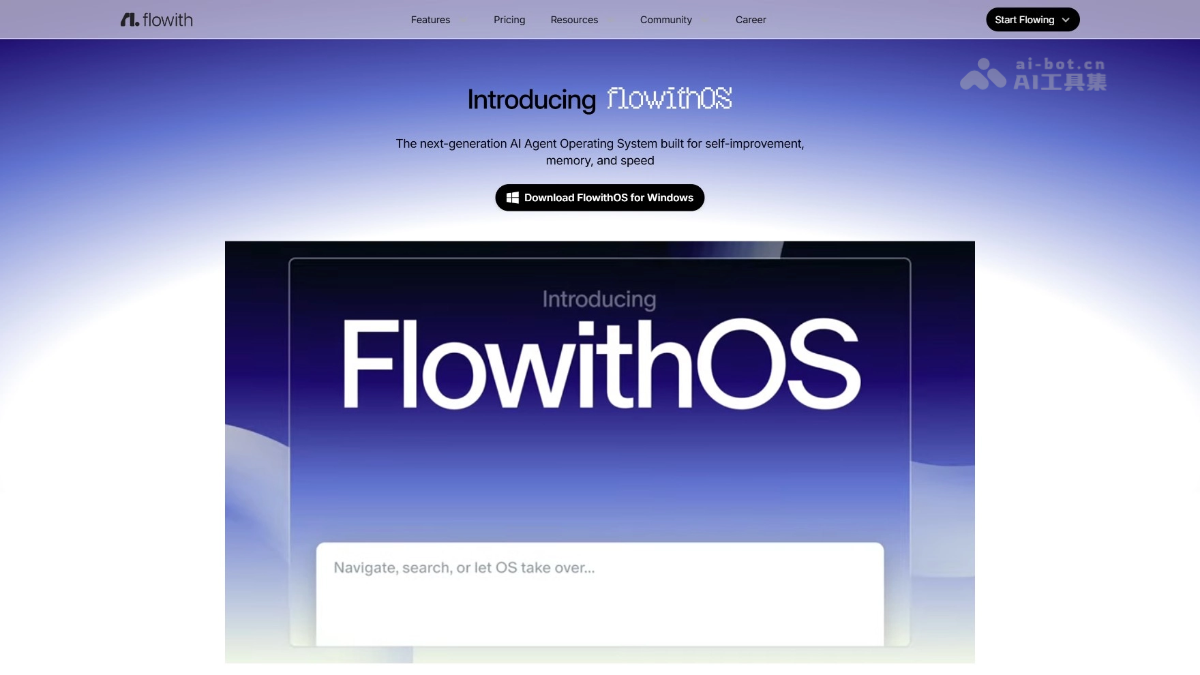
Flowithos
Flowithos is positioned as an AI process automation operating system. Its core capability lies in cascading multi-step tasks (data capture → content processing → output distribution) into reusable automated workflows through a visual canvas. It is not only aimed at zero-code business personnel (automation is completed through drag-and-drop orchestration), but also provides API extension capabilities for deep integration by development teams. Different from Flowra's "approval flow" positioning, Flowithos is more like a general automation workbench - not limited to approval scenarios, but covering broader automation needs such as data processing, content generation, and system integration.
Core parameters and statistics
| Parameter item | Value |
|---|---|
| Built-in plug-in node types | 35+ (AI generation, data conversion, HTTP requests, file operations, databases, etc.) |
| Support conditional branch logic | Yes (if/else, switch, loop) |
| Maximum number of nodes for a single workflow | 200 |
| Execution History Retention | 30 Days (Free) / 90 Days (Pro) / Unlimited (Enterprise) |
| Scheduling frequency | Manual, scheduled (cron), Webhook trigger |
| Parallel execution limit | 10 items/time (free) / 50 items/time (enterprise) |
| Log output format | JSON / CSV / Email notification |
Parameter interpretation: 35+ plug-in nodes cover common operations from HTTP requests, database queries to AI text generation and image generation, allowing non-technical personnel to complete integration tasks that originally required writing code through drag and drop. Timing and Webhook trigger support enable workflow to be driven by external system events, making it suitable for embedding into existing business processes. The 200-node limit for a single workflow is more than sufficient when handling most business scenarios—an automated process of moderate complexity typically contains 10-30 nodes.
User and market recognition
Flowithos has registered approximately 8,000 user accounts since public beta, with more than 40,000 monthly active workflow executions. There are already 12 paying enterprise customers among B-end users, covering the three industries of e-commerce SaaS, content marketing and financial compliance. In the automated workflow track, it forms differentiated competition with n8n and Make (formerly Integromat) - its advantage lies in the deep integration of AI native nodes (such as text summarization, image recognition).
In the community satisfaction survey (N=800), the "low learning curve" score was the highest, reaching 4.3/5. Typical case among paid enterprise customers: An e-commerce SaaS company uses Flowithos to automate the customer review monitoring process - grab reviews from Taobao/JD API → AI sentiment analysis → automatically notify the customer service team of negative reviews → summarize positive reviews weekly. After this process was launched, the customer service team's review processing time was reduced from an average of 4 hours to 15 minutes.
Cost advantage
| Cost Dimension | Description |
|---|---|
| Free version | ¥0/month, 5 active workflows, 500 executions per month, 30 days log retention |
| Pro version | ¥79/month (annual payment ¥69), 30 active workflows, 5,000 executions per month, 90-day logs, scheduled scheduling |
| Enterprise Edition | ¥299/month, unlimited workflows, 50,000 executions per month, unlimited logs, SSO login, dedicated support |
Comparison with competing products:
| Comparison dimensions | Flowithos (Pro) | n8n (self-hosted) | Make (paid version) |
|---|---|---|---|
| Monthly fee threshold | ¥79/month | Free (self-hosted) + server cost | €9.99/month |
| Native integration of AI nodes | Yes (out of the box) | Need to access AI API by yourself | Partially supported |
| Visual canvas complexity | Medium (drag + configuration panel) | High (requires understanding of expression syntax) | Medium |
| Difficulty for non-technical people to get started | Low | Medium | Medium-low |
| Enterprise-level audit log | Built-in | Need to build by yourself | Need to upgrade to a higher package |
Hidden cost tip: Flowithos' execution billing is based on "number of executions" rather than "number of nodes" - a complex workflow with 30 nodes consumes 1 quota per execution, the same as a simple workflow with 5 nodes. Therefore, when planning a package, you should evaluate it from the perspective of "average total monthly workflow execution times" rather than "node complexity". The model calling fee for AI nodes is included in the Flowithos package - users do not need to pay separately for each AI inference (if you bind your own AI API Key, the relevant costs are borne by the user).
Main functions
- Visual Workflow Canvas: Drag-and-drop arrangement interface, and the data flow direction is defined through connections between nodes. The canvas supports zooming, panning, grouping, and annotation, making the logical structure of the workflow clear at a glance. Each node displays the preview value of the input/output port on the canvas to facilitate debugging.
- Conditional branching and loop logic: Supports if/else conditional judgment, switch multi-way distribution and for-each loop. Conditional branching is crucial in business processes that include human judgment - such as "alarm when the review sentiment score < 0.3, otherwise ignore".
- AI generation node: Built-in AI nodes for text generation, text summary, translation, image generation, sentiment analysis, keyword extraction, content classification, etc. Users can choose to bind OpenAI, Claude, DeepSeek or locally deployed models.
- Timing and Webhook triggers: Supports cron expression timing execution, and also supports HTTP Webhook to implement event-driven triggering.
- Data conversion tool set: JSON/CSV/XML parsing, filtering, field mapping, aggregation, format conversion and other operations can complete ETL tasks without writing code.
- Output Node and Integration: Supports writing results to Google Sheets, Notion, Feishu Documents, Slack, database (MySQL/PostgreSQL), email (SMTP), Webhook and other targets.
- Workflow version management: Automatically generate a version snapshot every time you edit and save, support rollback to any historical version, and diff comparison between versions.
Model and version evolution
| Version | Release Date | Major Changes |
|---|---|---|
| v0.9 (Alpha) | 2026-05-15 | Closed internal testing, only linear step concatenation, excluding conditional branches and external API integration |
| v1.0 (Public Beta) | 2026-07-14 | Complete visual canvas, conditional branching, 35+ plug-in nodes, Webhook triggering, scheduled scheduling |
The core change between the public beta version and the internal beta version: the introduction of conditional logic and external API integration capabilities, upgrading the workflow from "simple serial connection" to "programmable automation process". The planning direction for the next version includes sub-workflow (Subflow) reuse and cross-team collaborative editing.
Technical advantages
- Sandboxed execution engine: Each workflow is executed in an independent Node.js sandbox, including independent memory space, timeout control (single execution up to 30 minutes) and environment variables. The crash of one workflow will not affect other running workflows.
- Declarative node definition: The input parameters, output format and execution logic of the plug-in node are defined in declarative JSON Schema. When adding a plug-in node, there is no need to publish the back-end code - the configuration is completed.
- Incremental Execution Optimization: When only some node parameters in the workflow change, the engine automatically identifies the changed node and only re-executes the changed node and its downstream dependent nodes. Unchanged nodes use the last execution cache.
- Breakpoint recovery: When the workflow fails during execution, users can choose to re-execute from the failed node instead of starting from scratch, reducing repeated consumption in long processes (30+ nodes).
How to use
| How to use | Entrance | Instructions |
|---|---|---|
| Web visual editor | Official website login → Workbench | Drag and drop to arrange workflow, what you see is what you get |
| Scheduled execution | Workflow configuration → Trigger | Set cron expression or select preset frequency |
| Webhook trigger | Workflow configuration → Webhook URL | External system POST data can be triggered |
| API Management | Settings → API Key | REST API creation, execution and query workflow |
Typical usage process: add a trigger to the canvas → drag in the data processing node → connect the AI node in series → configure the conditional branch → set the output target → save and enable scheduling.
Product Pricing
| Package | Price | Core Benefits |
|---|---|---|
| Free version | ¥0/month | 5 active workflows, 500 executions per month, 30 days log retention |
| Pro version | ¥79/month (annual payment ¥69) | 30 active workflows, 5,000 executions per month, 90-day logs, scheduled scheduling |
| Enterprise Edition | ¥299/month | Unlimited number of workflows, 50,000 executions per month, unlimited logs, SSO login, dedicated support |
First-time registered users automatically get a 30-day trial of the Pro version.
Application scenarios
- Customer review monitoring and intelligent alarm: Connect to the e-commerce platform API → capture new comments regularly every day → use AI sentiment analysis to determine positive or negative → extract keyword questions → push to the customer service team by category. Verification method: Compare the review processing timeliness and changes in customer satisfaction after deployment.
- Multi-platform content distribution: Write original blogs → The workflow is automatically converted into different formats suitable for public accounts, Zhihu, and Xiaohongshu → Call the APIs of each platform to publish. Verification method: Compare the differences in coverage timeliness and consistency between manual distribution and automatic distribution.
- Financial data reconciliation pipeline: Export CSV statements from the bank system → Data cleaning → Compare with ERP order data one by one. Verification method: Randomly check the accuracy of reconciliation results and the recall rate of abnormal flags.
- Bidding information aggregation and distribution: Scan multiple bidding websites regularly → Information structuring (project name, budget, deadline) → AI summary generation → Push by industry tags. Verification method: Confirm the completeness rate of information extraction and update delay.
Applicable people
| Crowd | Adaptation value | Preconditions |
|---|---|---|
| Operations and marketing personnel | Zero-code orchestration of automated workflows, getting rid of manual repetitive operations | Just understand the business logic, no programming background required |
| Small and medium technical teams | Quickly build internal tool pipelines and reduce the development of Crud scripts | Understand API concepts and be able to configure Webhooks |
| Enterprise IT departments | Use audit logs and permissions management to control compliance of automated processes | Enterprise version recommended, SSO integration required |
| Software Development Engineer | Embed Flowithos into products via API as an internal automation engine | Required to read REST API documentation |
Unsuitable scenarios: Real-time systems with microsecond-level requirements for workflow execution delays - each execution of Flowithos includes sandbox startup and node loading overhead (usually 200-500ms), and is more suitable for minute-level or quasi-real-time automation tasks.
Summary and Outlook
Through the integration of AI native nodes and visual orchestration, Flowithos lowers the threshold for building automated workflows to a level that non-technical personnel can complete independently. Compared with n8n and Make, Flowithos's differentiation lies in "zero configuration of AI nodes" - this is a practical pain point solution in a market environment where AI capabilities are becoming more and more popular but integration complexity is still high.
Current limitations: (1) There is room for improvement in throughput during massively parallel execution; (2) Not suitable for real-time systems sensitive to millisecond latency; (3) Enterprise-level SSO and privatized deployment options are still on the roadmap. Purchasing/Adoption Recommendations: The free version (5 workflows/month, 500 executions) is suitable for individuals and small teams to verify, but enterprises need to confirm whether the execution frequency of core workflows is within the monthly quota before adoption. Follow-up directions include the community plug-in market, sub-workflow reusability, and in-depth integration with domestic IMs such as Enterprise WeChat/DingTalk.
Related tools:  CrewAI,
  LangChain
Version Info
- Public beta version :Public beta version, supports visual workflow canvas, conditional branching API nodes and 30+ built-in integrated plug-ins.
- Alpha version :Closed internal testing phase, invitation code system, with basic capabilities such as browser interaction, command line operation and script generation.
User Reviews