 Genmail
Free
Genmail
Free
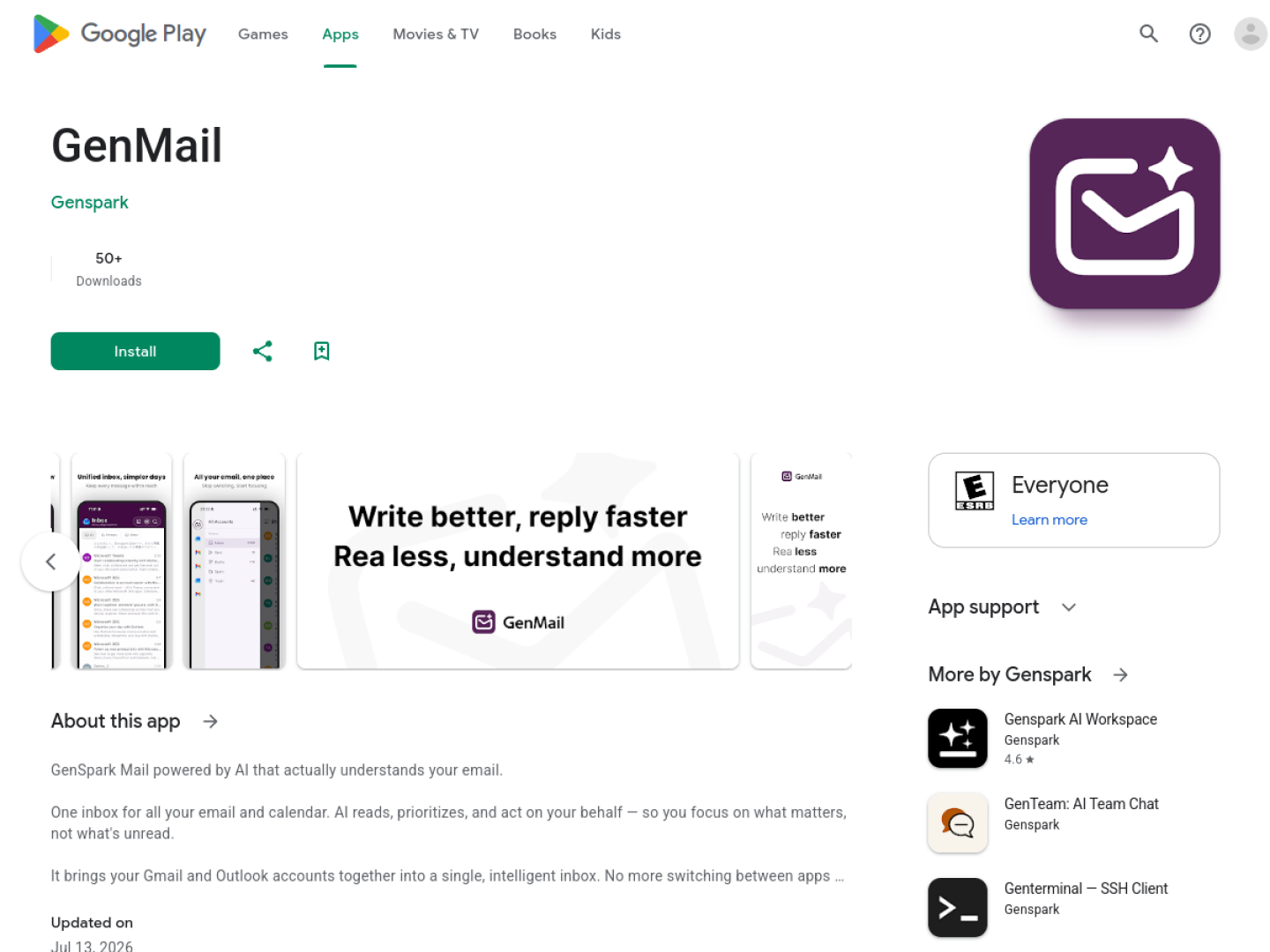
GenMail was launched by Genspark. It uses AI automatic sorting, intelligent replies and unified management of multiple accounts to solve pain points such as email overload, confusion of multiple accounts, and delayed replies in the workplace.
GenMail
Core parameters and statistics
| Project | Specifications |
|---|---|
| Product Name | GenMail |
| Category | ai-agents |
| Delivery form | Android application |
| Development Team | Genspark (valuation $2.6 billion, annualized revenue $200 million+) |
| Core capabilities | Intelligent email sorting, AI automatic reply, unified management of multiple accounts, meeting invitation identification |
| Compatible email | Gmail, Outlook, etc. (via IMAP/SMTP protocol) |
| Supported Platforms | Android |
| Supported languages | Chinese, English |
| Target users | Medium and high-frequency email professionals, multi-account users, and multinational collaboration teams |
| User scale | Undisclosed (public beta stage) |
| Pricing Model | Free Download + Premium Subscription |
| Data security | Sensitive data is processed on the client side, and only semantic analysis is processed on the cloud |
GenMail is an AI email assistant for Android launched by AI unicorn Genspark. The core proposition is to reduce the time that professionals spend processing emails every day from hours to minutes. GenMail builds an AI agent layer on top of existing mailboxes such as Gmail and Outlook—automatically identifying and classifying important emails, filtering spam, generating reply suggestions, and extracting meeting invitations.
User and market recognition
Gradually build user awareness in the field, and product capabilities are used by content creators and teams to improve work efficiency. Some industry users have incorporated it into their daily workflow. It is recommended to refer to the latest official disclosures for specific user scale and industry adoption rate data.
Cost advantage
| Cost dimensions | GenMail | Traditional manual processing |
|---|---|---|
| Single-day email processing time | Estimated reduction of 50-70% (deduction) | 30-60 minutes/day |
| Multiple account management | One-stop access, free | Need to switch applications one by one |
| Reply time | AI generates first draft + send with one click | Read letter by letter + write letter by letter |
| Risk of missed reading | AI automatically highlights important emails and meeting invitations | Manual review is required |
For a professional who handles 50+ emails a day, if you save 20 minutes a day, the value of a year’s time far exceeds the cost of the subscription. Compared with Shortwave ($9/month), GenMail’s free version already covers the core functions of smart sorting and email summarization.
Main functions
- Intelligent email sorting: Automatically classify emails into "important", "pending", "promotion", "subscription notification", "junk", etc. based on semantic understanding. Applicable tasks: Email classification management → Usage value: Reduce manual screening time.
- AI automatic reply: Generates high-quality reply suggestions based on email content and historical reply patterns, supporting one-click sending or custom editing. Applicable tasks: Email reply efficiency → Value of use: Reduce response time from writing one letter to another to review + clicks.
- Unified management of multiple accounts: Supports one-stop access to mainstream mailboxes such as Gmail and Outlook, with independent context for each account. Applicable tasks: Multi-mailbox integration → Usage value: One App manages all mailboxes.
- Automatic recognition of meeting invitations: Automatically extract meeting invitation information from emails and highlight it in the form of cards. Applicable tasks: Schedule management → Usage value: Ensure that important meetings are not missed.
- Email summary generation: Automatically generate a 100-200 word summary for long emails. Applicable tasks: Quick browsing → Value of use: No need to read the entire letter one by one.
- Low priority email filtering: Automatically classify promotional emails and system notifications into separate folders. Applicable tasks: Inbox slimming → Use value: Keep your inbox tidy.
Model and version evolution
| Version | Time | Core Changes |
|---|---|---|
| v0.9 early version | ~2026-07 | Basic email sorting and summarization functions |
| v1.0 public beta version | 2026-07-14 | Added AI automatic reply, multi-account management, conference recognition, classification optimization |
The version record shall be subject to the official release notes.
Technical advantages
- Device-cloud combined privacy architecture: Sensitive data is initially classified and desensitized on the device side, and only the semantic features are anonymized and sent to the cloud for in-depth analysis. For enterprise users who have strict security compliance requirements for email data, it is recommended to confirm that the data processing architecture complies with the enterprise's security policy before promoting its use.
- Genspark Agent Framework: The model has the closed-loop capability of "understanding → judgment → execution → confirmation", and its automated decision-making capabilities are better than traditional rule engines.
- Multiple email context isolation: The processing context of each email account is completely isolated. AI learns the communication style of each account separately to avoid confusion in reply styles between different accounts.
- Universal compatibility based on IMAP/SMTP: Compatible with mainstream email services such as Gmail, Outlook, Yahoo Mail, iCloud, etc., without using email-specific APIs, lowering the integration threshold.
How to use
| Steps | Actions |
|---|---|
| 1 | Search and install GenMail on Google Play |
| 2 | Add email account (Gmail/Outlook, etc.) |
| 3 | AI starts automatically sorting existing mail |
| 4 | View the summary of emails in the "Important" category |
| 5 | View AI suggestions, send them with one click or edit them |
| 6 | Check the "Promotion/Subscription" category regularly and process it in batches |
After installation, it is recommended to give AI a 2-3 day learning period to allow the system to establish a preliminary portrait of the user's email processing mode.
Product Pricing
| Level | Core benefits | Applicable objects |
|---|---|---|
| Free version | Intelligent sorting, email summary, basic reply suggestions (limited times) | Light email users |
| Premium version | Unlimited AI replies, customized reply templates, unlimited management of multiple accounts | High-frequency email users |
| Enterprise Edition | Team mailbox management, audit log, administrator console | Enterprise Team |
Pricing is subject to real-time information within the app and official website. There are different pricing in different regions.
Application scenarios
- Daily email processing for professionals: For professionals who process a large number of work emails every day, AI sorting and reply suggestions can compress the processing time from 30-60 minutes to 10-20 minutes. Verification method: Compare the average daily email processing time before and after use.
- Multiple account management scenario: Users who manage 3-4 email accounts at the same time can save 15-30 minutes of switching time every day. Verification method: Test the switching smoothness and context retention between accounts.
- Business people with intensive meetings: Managers and project managers who receive 10+ meeting invitations per day to ensure that important meetings are not missed. Verification method: Compare the meeting omission rate before and after use.
Applicable people
- Medium and high-frequency email professionals: Process more than 30 emails on average per day, and the efficiency of AI sorting and reply suggestions has been most significantly improved.
- Multiple Account Email Users: Freelancers, entrepreneurs and project managers who manage multiple email accounts at the same time.
- Cross-border collaboration team members: Teams that need to communicate frequently through English emails.
- Not suitable for boundaries: Only supports Android platform; industries with extremely high confidentiality requirements for email content need to follow IT security policies. For enterprise users who have strict security compliance requirements for email data, it is recommended to confirm that the data processing architecture complies with the enterprise's security policy before promoting its use.
Comparison of competing products
| Comparison dimensions | GenMail | Shortwave | Gmail built-in AI |
|---|---|---|---|
| Core differences | Agent framework + multi-account unification | AI priority mailbox | Basic intelligent functions |
| Price | Free + Premium Subscription | $9/mo | Free (Workspace included) |
| Platform Coverage | Android | Web/iOS/Android | Web/Android/iOS |
| Multiple account support | Gmail + Outlook | Main Gmail | Within Gmail |
| Data Privacy | On-device processing + anonymization in the cloud | Cloud processing | Google Cloud |
| Developer | Genspark (valued at $2.6 billion) | Shortwave |
Summary and Outlook
GenMail addresses the pain points of email that every working person uses every day but finds it difficult to use every day. Positioned as an "AI Agent mailbox", it creates a value layer outside of Gmail and Outlook - it does not replace your mailbox, but makes your existing mailbox smarter. Genspark’s corporate background and technology accumulation provide a credible implementation basis for this vision.
Risk Disclosure: GenMail is currently in the public beta stage, and functional stability and response quality need to be more extensively verified. Currently only supports the Android platform, iOS users need to wait for subsequent versions. The quality of AI automatic replies is affected by the complexity of the email content - simple confirmation emails work best, while emails involving negotiations or sensitive topics are recommended to be written manually. For enterprise users who have strict security compliance requirements for email data, it is recommended to confirm that the data processing architecture complies with the enterprise's security policy before promoting its use. It is recommended to give AI a 2-3 day learning period to establish a preliminary portrait of user email processing patterns before evaluating the core functions.
Related tools:  CrewAI,
  LangChain
Version Info
- Public beta version :Genmail, version details are subject to the official website announcement. , supports intelligent mail sorting, AI reply and multi-account management.
- earlier version :An early trial version that provides basic mail sorting functions.
User Reviews