 HeyGen CLI
Free
HeyGen CLI
Free
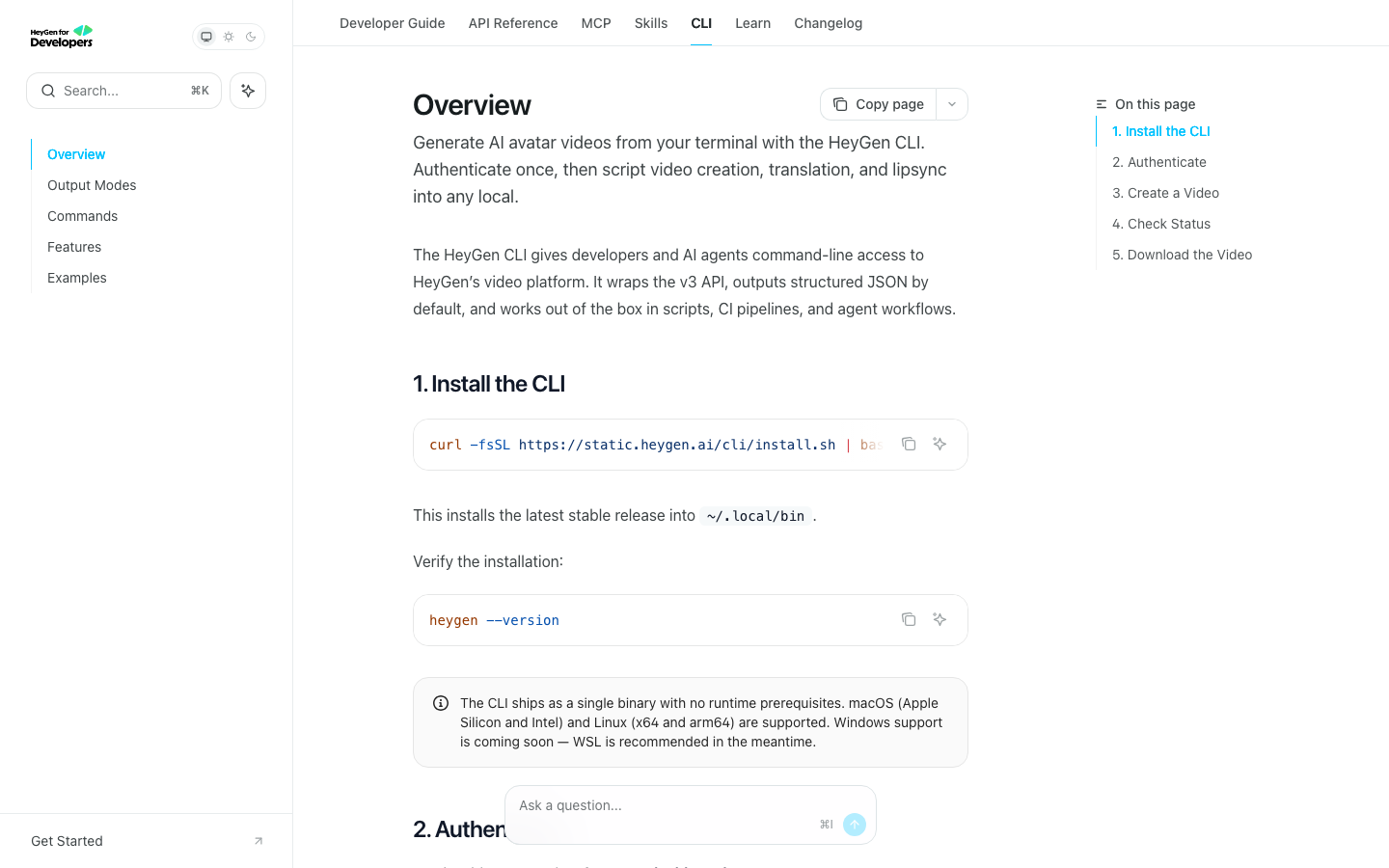
HeyGen CLI is HeyGen's official command line interface and tool chain for AI Agent, used to natively generate and manage HeyGen AI videos in terminals, scripts, and AI assistants. Supports video generation, translation, lip sync, asset management and webhooks.
Full review of # HeyGen CLI
Core parameters and statistics
| Project | Specifications |
|---|---|
| Product Positioning | HeyGen official command line and Agent tool chain |
| Developer | HeyGen |
| Design Concept | Agent-first, structured JSON output |
| Core Competencies | Video generation, translation lipsync, resource management |
| Authentication method | Contextual variables, persistent credentials OAuth |
| Supported Platforms | macOS, Linux, Windows Terminal + CI/CD |
| Integration scenarios | Claude Code, GitHub Actions, Shell scripts |
User and market recognition
HeyGen CLI is a key product that HeyGen extends from "Web-side AI video platform" to "developer infrastructure". Its design idea is very clear: let developers generate and manage AI videos in the terminal, in scripts, in CI pipelines, and in AI Agents, just like calling curl.
Publicity Verification: "Agent first"'s CLI does provide structured JSON output and non-interactive authentication, suitable for embedding in automated processes. However, video generation itself is an asynchronous and time-consuming operation (usually tens of seconds to several minutes). The CLI's "get it out and get it" experience is limited by the speed of the video rendering pipeline itself, and the process of waiting for the video to complete in the shell is not smooth.
Cost advantage
The CLI itself is free to use, but video generation costs HeyGen account credits. HeyGen Subscription Plan:
| Plan | Price | Main Benefits |
|---|---|---|
| Free | $0/month | 3 videos/month |
| Creator | $29/month | 600 credits |
| Pro | $49/month | 1,000 credits |
| Business | $149/month + $20/seat | Custom quota |
| Video Agent | 20 credits/minute | Additional billing |
The Free Truth: The CLI tool is free to download and use, but credits are required for each video generated. For heavy automation users, the monthly fee is not the main cost, but the consumption of credits. The consumption of 20 credits per minute in Video Agent mode means that a 3-minute video consumes 60 credits, and only about 10 3-minute videos can be generated under the Creator package (600 credits/month).
Hidden costs: In batch video generation scenarios, credits are consumed quickly. If you need to generate 10 videos every day, the monthly credit requirements may reach thousands or even tens of thousands, and the additional expenses for additional packages or upgrade packages need to be calculated in advance.
Main functions
- Video generation (video-agent): Use prompt to describe the requirements, and the CLI directly triggers AI video generation. It is suitable for "making videos as soon as you speak" in AI assistants such as Claude Code.
- Video Management: Query, update and delete videos, suitable for status management of automated video pipelines.
- Avatar and Voice Management: List and manage available digital and voice resources.
- Translation and Lipsync: Supports video translation and multi-language lip synchronization, suitable for global content production.
- Webhooks Management: Configure the callback notification after the generation is completed, suitable for asynchronous video generation pipeline.
- Structured JSON Output: All command output and managed errors are structured JSON for easy parsing by scripts and agents.
Model and version evolution
Mainline release
- ~2026-06: The first public version of HeyGen CLI is released, supporting video-agent, video management avatar/voice management and webhooks.
Technical advantages
- Algorithm Optimization: Special optimization at the model or algorithm level has been carried out for the corresponding scenario to achieve a balance between response speed and result quality.
- Low-latency architecture: Adopts streaming or asynchronous processing architecture to reduce user waiting time and is suitable for high-frequency interaction scenarios.
How to use
- Install HeyGen CLI (refer to official documentation)
- Configure authentication: export HEYGEN_API_KEY=your_key
- Create a video:
heygen video-agent "Create a 30s product intro video" - Management resources:
heygen avatar list,heygen voice list - Integrate into CI/CD: Call the CLI from GitHub Actions or Shell Scripts
Product Pricing
| Plan | Price | Main Benefits |
|---|---|---|
| Free | $0/month | 3 videos/month |
| Creator | $29/month | 600 credits |
| Pro | $49/month | 1,000 credits |
| Business | $149/month + $20/seat | Custom quota |
| Video Agent | 20 credits/minute | Additional billing |
The CLI tool itself is free, and video generation consumes HeyGen account credits.
Application scenarios
- Batch video generation CI/CD: Generate product videos in batches through HeyGen CLI in the CI pipeline, and automatically update the demo video every time the code is released. Complete from manual upload→generate→download with one command.
- AI Agent video capability: In AI assistants such as Claude Code, let the Agent directly call Heygen CLI to generate videos. The developer says "make a 30-second introduction video for the new feature" and the Agent automatically completes it.
- Localized video translation pipeline: Batch translate existing AI videos into multi-language versions through CLI, and work with lipsync to maintain lip synchronization.
Applicable people
- Developers: For developers who need to integrate AI video generation into existing workflows, CLI is a more suitable tool form than Web UI.
- AI Agent users: Users who use AI programming assistants such as Claude Code can trigger video generation through Agent natural language.
- DevOps & Automation Teams: Operations and engineering teams who need to incorporate video generation into their CI/CD or automation pipelines.
Summary and Outlook
HeyGen CLI represents the evolution direction of the AI video platform from "web tool" to "developer infrastructure". Its design follows the "Agent-first" principle - all output is structured JSON, supports non-interactive authentication, and is suitable for embedding in automated processes. The current version covers core video generation and management capabilities. In the future, you can focus on the depth of integration of the MCP protocol and CLI support for more advanced video customization parameters.
Current limitations: The documentation and ecology of CLI itself are still in the early stages, and some advanced functions may not be fully covered; it depends on the availability of the HeyGen platform, and platform service interruptions will directly affect the use of CLI; localized deployment or privatization solutions need to contact the HeyGen business team.
Dissuade scenario: If you only need to occasionally generate 1-2 videos, the operation path of Web UI mode is more intuitive. The advantages of CLI are mainly reflected in batching and automation scenarios. The cost of configuring and learning the CLI in a single use scenario is not worth the investment.
Human-machine collaboration boundary: 100% automation: batch submission of video generation tasks, status query, and resource management through CLI. Manual intervention is required: quality acceptance of generated videos, confirmation of Avatar selection, and review of highly sensitive content involving brand image.
Related tools: runway, pika
Version Info
- HeyGen CLI :The first public CLI version supports video-agent, video management avatar/voice management and webhooks.
- HeyGen CLI :The first public CLI version, no official precise date yet.
User Reviews