 HubSpot
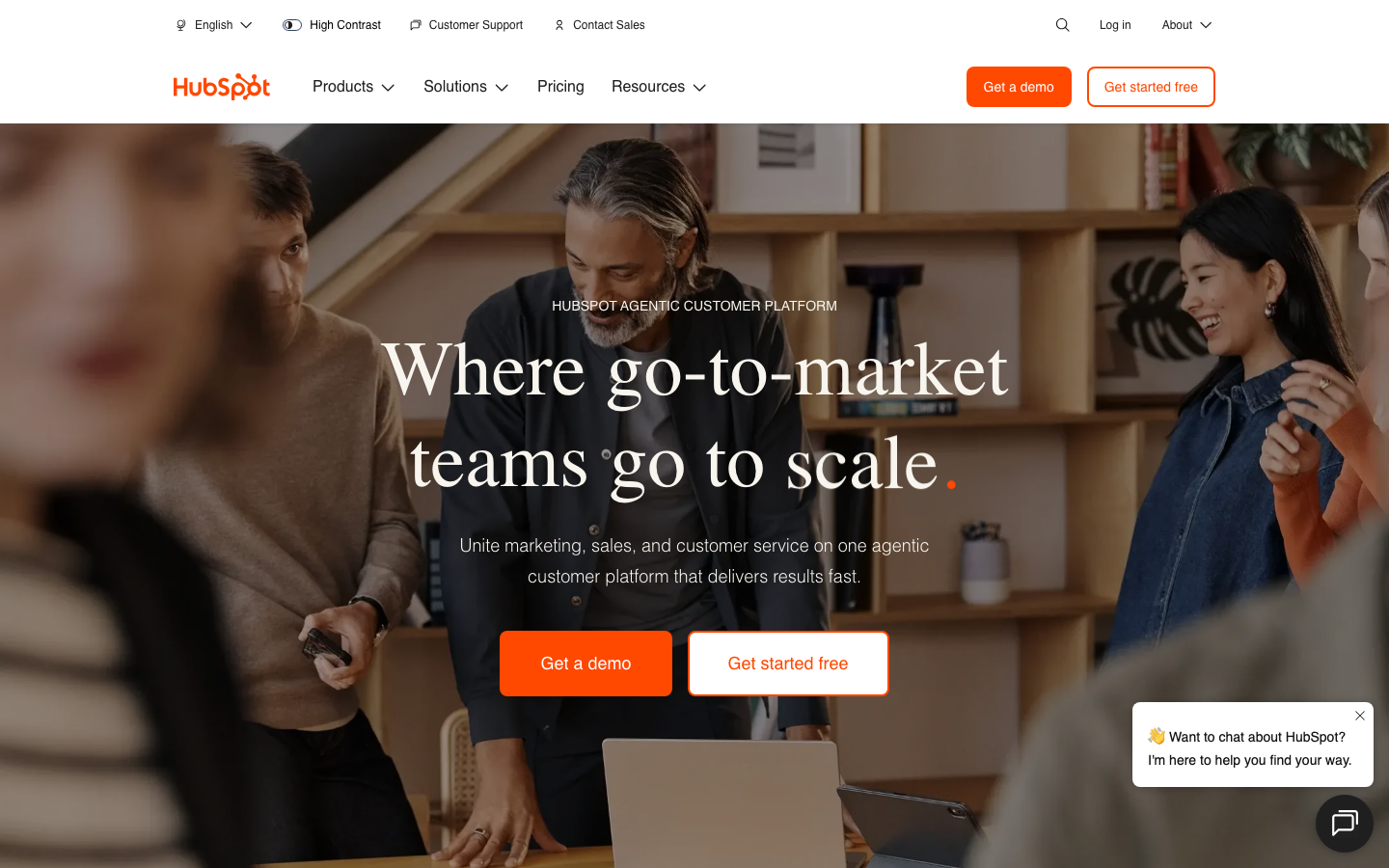
HubSpot is the world's leading CRM platform, integrating sales, marketing, customer service and content management functions into one, providing AI-driven intelligent sales and automation capabilities.
hubSpot
HubSpot’s core parameters and statistics
Specific technical parameters (such as model size, context length, supported file formats, etc.) are subject to the official product page.
HubSpot’s User and Market Recognition
The market's recognition of HubSpot is multi-level, including the financial transparency of listed companies and the continued endorsement of industry analysts.
Financial and Customer Fundamentals: As a NYSE-listed company, HubSpot regularly discloses financial data. As of 2025, its annual revenue has exceeded US$2 billion, serving more than 200,000 customers in more than 120 countries and regions. The operating revenue growth rate remains above 20% (based on the latest quarterly report), with additional purchases from existing customers (Net Revenue Retention) contributing to the main growth, indicating that its "freemium → Hub-by-Hub upgrade" monetization model is still effective in the scale-up stage.
Industry Analyst Organization Positioning: HubSpot has long been in the Leaders Quadrant in the CRM and Marketing Automation Magic Quadrants of Gartner, Forrester and other organizations. It is especially regarded as a "lightweight alternative" to Salesforce by small and medium-sized enterprises and the mid-range market - the functional coverage is close but the implementation cycle is significantly shortened. The reason is that HubSpot's product design concept is "out of the box" rather than a "highly customizable platform".
Market Acceptance of AI Capabilities: Breeze AI is HubSpot’s core response to the generative AI wave. However, the quality of AI content generation in vertical industries (such as law, medical) is still limited by the depth of knowledge of general models; the accuracy of intelligent prediction functions is highly dependent on the customer's own data accumulation - when new customers have less than 3 months of data, the prediction model will hardly produce effective signals.
Community and Partner Ecosystem: HubSpot has a mature partner network (Solutions Partners) and application market (App Marketplace), integrating more than 1,500 third-party application connectors by 2025. However, the depth of its connector ecology is uneven: the connectors of mainstream SaaS (Slack, Shopify, Salesforce) are well maintained, while long-tail tools often rely on community maintenance, and disconnections may occur after API changes.
HubSpot’s Cost Advantage
HubSpot's cost structure needs to be broken down into layers because it presents a completely different cost picture for customers of different sizes. The following is expanded into three layers: C-side/personal API/developer, enterprise/privatization.
C-side/individual users: Free CRM is completely free for individual users and micro teams, with unlimited users, including contact management, transaction pipeline, email tracking and data dashboard. This is one of the most cost-effective entry-level CRMs on the market. Competing products (such as Salesforce Starter, Zoho CRM free version) often have more stringent restrictions on the number of users or functions. But the hidden cost is: the free version does not provide automated workflows, does not provide API access, and does not support custom reports - once the business grows to need these capabilities, you must upgrade to the paid package.
API and Developers: HubSpot provides public REST API and Webhook interfaces, and API calls are allocated according to package levels. The API call limit of the Starter package is low (about 250,000 times/month), and the limit of the Professional and above packages is significantly increased (subject to the official developer documentation). For integration scenarios that require high-frequency data synchronization (such as e-commerce orders being written to CRM in real time), API quotas and overage fees must be carefully evaluated - overage calls are billed in thousands, and there is no public pricing formula and business confirmation is required.
Enterprise-level customers: When an enterprise needs to purchase multiple Hubs at the same time, the total cost may rise quickly: a typical "Marketing Hub Professional + Sales Hub Professional + Service Hub Professional" combination costs about $300-1,350 per month. Annual subscriptions typically offer 10-20% discounts, but the per-seat price, data storage caps, API calls, and service availability SLAs in the contract terms are implicit negotiation points. In addition, the Enterprise version requires a minimum annual commitment (usually $50,000+/year), which means that the selection verification cost is higher - it is recommended to use the Professional package to run through the core process first, and then evaluate whether you need Enterprise's permission classification and SSO integration.
Hidden costs and non-monetary costs: Although the HubSpot ecosystem is "low-code" friendly, the cost of personnel training during the implementation process cannot be ignored. Due to the large functional system of the platform (6 Hubs + respective settings and automation logic), it usually takes 2-4 weeks for a new team to achieve basic proficiency. In addition, data migration costs—field mapping, deduplication, and cleaning work when importing historical data from other CRMs (such as Salesforce, Zoho)—often require the intervention of external partners, and this cost should be included in the total cost of ownership (TCO).
Key Features of HubSpot
HubSpot breaks down the functionality into six major Hubs (product lines), each Hub targets a business function, but enables cross-Hub behavior tracking of customers through a shared data layer. The following breaks down the core values one by one by Hub:
- Smart CRM (Free+): Contact Management, Company View, Deal Pipeline, Activity Logging. The free version already includes AI-driven lead scoring (predicting the probability of closing based on contact interaction behavior) and company insights (automatically linking public data such as LinkedIn). Applicable tasks: Small and medium-sized enterprises can quickly build sales channels without any upfront investment. Verification collection points: The free version has a limit of only 10 data custom fields, and needs to be upgraded after expansion.
- Marketing Hub: Email marketing (supports A/B testing and delivery time optimization), social scheduling and monitoring, landing page and form creation, SEO recommendations, and advertising management. Synergy: AI content agency can automatically generate email copy and landing page copy, and at the same time extract keywords in the copy to reverse optimize SEO strategies - this realizes the integration of "content production → delivery → effect attribution", eliminating the need for marketers to manually copy content to multiple tools under the traditional model.
- Sales Hub: Sales sequence automation (automatically follow up on email sequences), email tracking (open/click real-time notifications), meeting scheduling links, call recording and transcription, smart quotes and electronic signatures. Core Difference: Sequence automation supports conditional branches (such as "The customer opened the email but did not click the link → Send a follow-up email with different content 3 days later"), which is equivalent to automating the execution of the sales staff's "golden 24-hour follow-up rule" and reducing reliance on human experience.
- Service Hub: work order management (multi-channel aggregation: email, chat, social DM), knowledge base (supports AI to automatically generate knowledge articles), conversational robots and NPS surveys. AI Efficiency Point: AI can automatically classify and prioritize work orders (such as "contains the 'refund' keyword → mark as high priority and route to senior customer service"), reducing manual sorting time. But AI classified
The accuracy rate may be lower than 80% on long-tail problems, and manual review rules need to be configured.
- CMS Hub: Visual page builder SEO smart recommendations, content personalization (based on contact lists), membership content management and CDN acceleration. Selection value: Its core selling point is not "page construction", but "two-way interaction between page content and CRM data" - for example, after a website visitor downloads a white paper, CRM automatically creates a record for the contact and triggers a salesperson follow-up reminder. However, the traditional approach requires the two systems of marketing automation and CMS to be manually connected through API.
- Operations Hub: data synchronization (automated cleaning and deduplication), data quality dashboard, behavioral event triggers and custom reports. Hidden value: Operation Hub solves the problem of data consistency in multi-Hub scenarios. If a business uses both a Marketing Hub and a Sales Hub but is missing an Operations Hub, lead data may have field mapping errors or duplicate records between the two Hubs. Therefore, the purchase of operating hubs is basically a "necessity for multi-hub configuration" rather than a value-added option.
HubSpot’s model and version evolution
HubSpot's product iterations are not named by version numbers like large models, but are promoted in the rhythm of Annual Product Release + continuous rolling updates. The following is a compilation of publicly verifiable key milestones:
2024 and before: Platform foundation consolidation period
- 2006: HubSpot was founded and positioned as Inbound Marketing software.
- 2014: Listed on the New York Stock Exchange (NYSE: HUBS), raising $125 million.
- 2018: Launch of free CRM to lay the "freemium" growth engine.
- 2021: Release CMS Hub and Operation Hub, completing the five (last six) product line matrix.
- 2023: Launch of ChatSpot.ai, a conversational CRM assistant, bringing generative AI into the product system for the first time.
2024–2025: AI deep integration period
- 2024: Launch of the Breeze AI brand, integrating AI content generation, intelligent prediction and data cleaning into a horizontal capability layer. Content AI (integrated copywriting generation for blogs, emails, landing pages, and social media) was released at the same time.
- 2025 (~2025-Q4): Release AI Content Agent, supporting automatic scheduled release and A/B test optimization. Enhance the accuracy of sales forecast models and introduce multi-variable attribution capabilities.
2026: Agent and automation deepening
- 2026 to present: The official continues to iterate. The latest version status is subject to the hubspot.com/releases page. Public changes include: AI Agent behavior orchestration between multiple hubs (such as "the customer submits a refund request in the service hub → AI automatically checks the customer's transaction history in the sales hub → determines the priority of the refund and then routes it to manual work") and the parameterized configuration of AI nodes for automated workflows.
Version Maintenance Strategy: HubSpot does not provide a "rollback to the previous version" option, and all feature updates are pushed to all accounts by default. This reduces version compatibility maintenance costs, but enterprises cannot independently control the pace of functional changes in key business processes. For high compliance scenarios, it is recommended to use HubSpot's "Sandbox Context" to verify the impact of new features on existing processes in advance. The availability and configuration of Sandbox Context are subject to official documents.
HubSpot’s Technical Advantages
HubSpot's technical advantage does not come from a single algorithm or model performance, but from the unification of data architecture and the embedded fusion of AI and business logic.
Unified Customer Data Platform (CDP): All Hubs share the same customer data model. When the Marketing Hub records an email open event, the Sales Hub records a call summary, and the Service Hub records a ticket, these events are automatically merged into the same contact timeline, eliminating the need for manual data integration. In contrast, Salesforce's product lines (Sales Cloud / Service Cloud / Marketing Cloud, etc.) have historically resulted in relatively fragmented data models, and integration requires the additional purchase of MuleSoft or Data Cloud. This is HubSpot’s most lethal technical selling point for the mid-range market.
AI embedded design (Breeze AI): Breeze AI is not an independent product, but is embedded in each Hub as an "intelligent layer". Its technical implementation is to abstract LLM reasoning, predictive models and automated rule engines into platform-level services, and the business configuration interface can be called without writing code. For example: Click "AI Generation" in the email editor of the Marketing Hub, and the model automatically extracts the customer's industry, position, and recent interaction behavior in the CRM as context to generate a personalized email body. The engineering cost of this design is that AI models have limited customization capabilities, and companies cannot fine-tune the underlying models with their own data.
Flexibility of the automation rule engine: HubSpot's workflow engine supports multiple trigger conditions (such as the combined Boolean logic of "contact attribute changes + time delays + behavioral events"), conditional branches, delayed execution and cross-Hub actions (create tasks, send emails, update CRM fields, trigger Webhooks). This means that business people can build complex rules such as "Customers browse the pricing page more than 3 times but do not submit the form within 7 days → automatically create high-priority sales tasks and assign them to the most recently contacted salesperson" without the need for engineers to intervene.
API and Integration Architecture: HubSpot provides RESTful API and Webhook subscription, supporting OAuth 2.0 authentication. For deep integration scenarios, its API's field coverage (approximately 400+ object types) and document clarity rank first in the CRM industry. However, the rate limiting strategy of the API may become a bottleneck in high-speed data synchronization scenarios. For batch writing, it is recommended to use the batch endpoint (Batch API) instead of calling one by one to reduce the probability of rate limiting hits.
How to use HubSpot
The usage of HubSpot is divided into three layers of access paths based on different roles and usage depth:
| How to use | Suitable for role | Features | Cost |
|---|---|---|---|
| Log in directly from the web | All business users | Visit hubspot.com to register for free CRM, use it right in the browser, no installation required | Free version $0 |
| Mobile App (iOS/Android) | Sales and field service personnel | Push notifications, call records, mobile work order processing, supports offline data caching | Free version synchronization available |
| API integration | Developers and IT teams | Synchronize data with own systems (e-commerce ERP, self-built BI, third-party SaaS) through REST API | Quota by package |
Typical landing path (for first-time users):
- Register for free CRM: Register with your business email at hubspot.com and import your contact list (supports CSV or direct integration with Google Sheet/Outlook, etc.).
- Configure sales pipeline: Customize the sales stage in the "Transaction" module (such as "Initial Communication → Requirement Confirmation → Solution Demonstration → Business Negotiation → Signing"). This step can be completed within 30 minutes.
- Connect to AI content agency: Enable Breeze AI in Marketing Hub, configure the brand tone (tone, taboo words, target audience), and AI can start generating emails and landing page drafts - it is recommended to manually review the first 10 outputs to calibrate the style.
- Build an automated workflow: Select a matching scenario (such as "New Lead Nurturing Sequence") from the template library (about 50+ premade templates) or create it from scratch, and set trigger conditions and AI node parameters.
- Integrate third-party tools: Search and connect common tools such as Slack, Shopify, Mailchimp, etc. in the App Marketplace. Pay attention to check the maintenance date and permission scope of the connector.
- Set Permissions and Data Governance: Configure user roles (Administrator/Standard User/Read-Only), data visibility rules (Public/Private/Team-based), and SSO (Enterprise Plan) in Settings.
Acceptance focus: The first two weeks should focus on testing the triggering accuracy of the automation rules (using test data to simulate the real process) and the consistency of the AI content output (whether it deviates from the brand tone). If you find that the quality of AI-generated content is unstable, you can improve it by adjusting the contextual variables in the prompt template (such as "Company Name" and "Industry Keywords").
HubSpot Product Pricing
HubSpot's pricing system is a typical three-tier structure of "Freemium → Tiers → Enterprise". Each Hub is priced independently, and multiple Hub combinations can enjoy overall discounts.
FREE CRM: Core contact management, deal pipeline, activity logging, email tracking, forms and live chat. Unlimited users, no monthly fees. However, automation function API access, custom reports, and AI functions are limited.
Starter Package (starting at about $20/month for each Hub):
- Unlock automated workflows (limited execution volume) and underlying AI capabilities.
- Remove brand watermark from free version (forms, chats, emails).
- Suitable for small and micro teams of 1-5 people.
Professional Package (approximately $100-450/month for each Hub):
- Complete automated rules engine (unlimited execution volume), advanced AI prediction and content generation, and custom report ABM functions.
- Supports multi-user collaboration and team management.
- Suitable for growing teams of 5-50 people. This is HubSpot’s “sweet spot”—the core needs of most B2B businesses are covered here.
Enterprise Package (approximately $1,500-5,000/month for each Hub):
- Permission classification (role level, data level, field level), multi-language portal, custom report builder, revenue attribution SSO enforcement, audit logs.
- Supports medium and large organizations with more than 50 people.
- Enterprise version usually requires annual contracts and business negotiations, and the final unit price may be 15-30% lower than the list price.
Multi-Hub Bundle Discount: When subscribing to more than 3 Professional packages at the same time, the overall monthly fee can be reduced by 10-20%. There is also a 10-20% discount on annual prepayments. Specific quotations are subject to the official flagship page and sales quotation.
Implicit Pricing Truth: Incremental costs beyond the listed price include: AI function call quota (charged based on the number of calls after the free quota is exceeded), data storage expansion (paid monthly after the allocated space is exceeded), API over-call fees, Sandbox bounded fees (Enterprise package usually includes 1 free Sandbox, additional fees are required). These incremental costs may account for 15-30% of the total cost in the monthly bill. It is recommended to clarify the "full-scenario bill example" with sales before choosing.
HubSpot application scenarios
HubSpot's application scenarios are highly focused on "customer-centered standardized processes". The following quantitative deductions are marked as reasonable estimates based on public information and are unofficial commitments.
- Marketing-sales-service full process management for B2B enterprises: From marketing customer acquisition (email delivery, social scheduling, landing page conversion) to sales follow-up (sequence automation, email tracking, meeting arrangement) to customer service (work order management, knowledge base, chat robot), a single platform completes customer life cycle tracking. Cost reduction deduction: Assume that a 50-person B2B company previously used four systems: Salesforce (sales) + Mailchimp (marketing) + Zendesk (service) + WordPress (CMS). After migrating to HubSpot, the manual work of cross-system data synchronization (about 8-10 hours per week) can be reduced to nearly zero. At the same time, the lead response time brought about by data unification is shortened from 24 hours to within 2 hours. Human-machine collaboration boundary: The draft marketing emails and work order response suggestions automatically generated by AI can be 100% completed by AI, but high-value/high-risk content such as price negotiations, contract terms, and brand crisis response still require manual approval and confirmation (Human-in-the-loop).
- Content-driven SMB growth engine: Automatically generate and optimize blog, landing page, and email content through CMS Hub and AI content agent, and cooperate with SEO tools to increase natural traffic. Cost reduction deduction: The content operations team (2 people) of a 10-person SaaS company used to be able to produce 1-2 blog drafts per person per day. After using the AI content agent, each person can complete 5-8 first drafts + SEO optimization + social distribution drafts per day, and the content output efficiency is increased by about 3-4 times. Adaptation Prerequisite: AI content still has limitations in fact checking and industry terminology accuracy - paragraphs involving product data, compliance statements, and customer cases must be manually reviewed.
- Sales Standardized Outreach and Lead Nurturing: Ensure every lead is followed up on a preset cadence with sequence automation and email tracking. Cost reduction deduction: The SDR team switched from manual follow-up (about 30-50 personalized emails per day) to AI-assisted sequence
Automation (approximately 80-120 messages per day, including conditional branching and automatic retry), the effective reach per person increases by 2-3 times. Hard Constraint: Sequence automation needs to explicitly configure the unsubscribe link and consent receipt in GDPR/CCPA compliant regions, otherwise it may lead to legal risks.
- Cross-department customer data unification and collaboration: Operation Hub automatically cleans duplicate contacts, unifies customer views, and sets behavioral event triggers. Adaptation premise: This scenario is most valuable when the number of customers exceeds 10,000 and 3+ Hubs are used at the same time; small teams that only use free CRM will not have strong perception.
Who is HubSpot suitable for?
HubSpot's adaptability varies significantly in different roles and scenarios, as explained below:
- Founder/CEO and business leader of SMB: I hope to use one system to manage the entire process from marketing to after-sales, and do not want to lose data consistency by switching between multiple tools. HubSpot’s free CRM + upgrade-on-demand model makes it a top choice for “minimum viable CRM investments.” Not suitable for the boundary: If the enterprise already has a mature Salesforce ecosystem and the depth of customization is high, the migration cost (data migration + process reconstruction + personnel retraining) may exceed the value of the tool itself.
- Marketing Operations and Content Team: For teams that need AI-assisted content production, SEO optimization, social scheduling, and email marketing integration, the AI synergy of HubSpot Marketing Hub + CMS Hub (content generation → SEO optimization → delivery → effect attribution) can significantly shorten the "topic selection-publishing-evaluation" cycle. Does not fit the boundaries: For teams that require highly customized designs (such as complex interactive pages, custom CSS/JS large-scale coverage), CMS Hub is not as flexible as the combination of WordPress + professional themes.
- Sales Development Representatives (SDRs) & Account Executives (AEs): For sales teams who need sequence automation, email tracking, and meeting scheduling tools, HubSpot Sales Hub’s ease of use (especially codeless conditional branching sequences) significantly outperforms Salesforce’s equivalent capabilities. Prerequisite: The release of the value of sequence automation requires the team to first accumulate the SOP of the "golden follow-up rhythm", otherwise the sequence configuration may become an "automatic accelerator for spam".
- Customer Success and Customer Service Team: Service Hub’s multi-channel work order collection + AI automatic classification + knowledge base suggestion combination, suitable for medium-complexity (non-technical) customer service scenarios. Unfit Boundary: For scenarios that require in-depth technical troubleshooting (such as DevOps troubleshooting, code-level error analysis), the accuracy of AI work order classification and reply suggestions is insufficient, which instead increases the burden of manual noise filtering.
- IT & System Integrators
: Need to connect to HubSpot API for data synchronization, customized reports or building internal portal. Prerequisites: Integration work requires at least 1 developer who understands REST API and OAuth 2.0; for scenarios that require real-time bidirectional high-frequency data synchronization, frequency control strategies and Webhook reliability need to be carefully evaluated.
Summary and Outlook
HubSpot’s core competitiveness lies in the combined strategy of “integrated data model × AI embedding × freemium”. It is not the CRM with the deepest functions (it is not as good as Salesforce’s industry cloud ServiceNow’s ITSM in vertical scenarios), nor is it the lowest-priced option (the price jump after the free version is significant), but it is the “most integrated out-of-the-box” CRM platform on the current market, especially suitable for mid-market companies’ pursuit of “sufficiency + ease of use”.
Current limitations and uncertainties: The content generation quality of the AI function (Breeze) fluctuates greatly in long-tail scenarios, and the effectiveness of intelligent prediction depends on the customer's own data accumulation; the API frequency control strategy may become a bottleneck in high-speed integration scenarios; the pure SaaS delivery model excludes industries with hard requirements for data sovereignty; the learning curve of the functional system still requires 2-4 weeks for non-technical teams to adapt.
Procurement/Adoption Risk Assessment: It is recommended to use the free CRM as a starting point and let the core business team verify the match between the data model and the process in actual use. The Professional package can be gradually upgraded according to the rhythm of "one Hub → run for 30 days first → evaluate the effect → expand to the next Hub" to avoid low utilization due to immature internal processes after purchasing multiple Hubs at one time. Enterprise package purchases need to clarify the following terms before signing the contract: annual price locking mechanism (to prevent large price increases at renewal), API quota and overage rates, data export rights (to prevent vendor lock-in), how to configure SSO and audit logs, and the coverage of GDPR/CCPA in the data processing agreement (DPA). For companies that already have Salesforce and are highly customized, it is recommended to position HubSpot as a "supplementary tool for specific business lines (such as marketing automation or customer service)" rather than a full replacement solution to reduce migration risks.
Related tools:  Notion AI, google-workspace
HubSpot How to use
- Web client: You can use it by visiting the official website and registering an account. Most functions do not require installation.
- API access: Provides RESTful API, developers can obtain the API Key and integrate it into their own applications.
Version Info
- HubSpot Platform Latest :There is no official precise date yet, and AI functions and platform integration capabilities will continue to be iterated.
- HubSpot 2025 Update :There is no official precise date for the introduction of AI content agency, intelligent prediction and enhanced automated workflow.
User Reviews