 HubSpot Service Hub
HubSpot Service Hub is an intelligent customer service platform in the HubSpot CRM ecosystem. It integrates AI chatbots, work order management and knowledge base to provide end-to-end customer service.
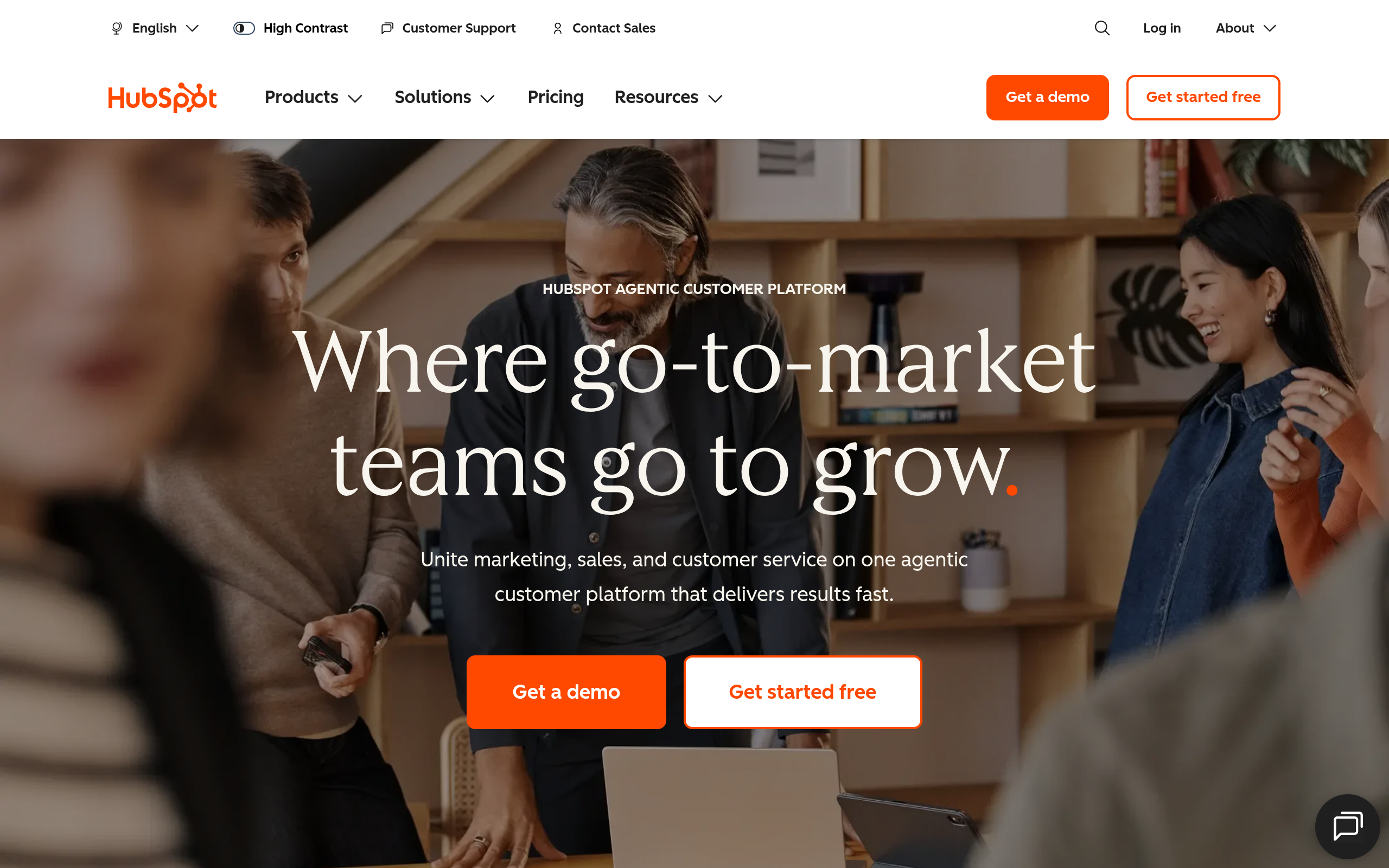
HubSpot Service Hub
Core parameters and statistics of HubSpot Service Hub
| Projects | Data |
|---|---|
| Product positioning | CRM-native AI intelligent customer service and customer success platform |
| Platform | HubSpot Smart CRM (including Marketing Hub, Sales Hub, Content Hub, Data Hub) |
| Core modules | Help Desk workspace Customer Success workspace AI chatbot, knowledge base, customer feedback and NPS, SLA management, omni-channel communication |
| AI Brand | Breeze AI (HubSpot unified AI layer, including Customer Agent, Knowledge Base Agent, Prospecting Agent) |
| Customer scale | Over 299,000 customers worldwide (as of 2026) |
| Compliance Certification | SOC 2 Type II, ISO 27001, GDPR, regular penetration testing and vulnerability scanning |
| Supported languages | 10+ language interface and content |
| Enterprise Customer Examples | Weight Watchers, MarineMax, Monday.com, CASIO, Reddit, Babbel, MYOB, Kahoot, Canadian Red Cross |
| Industry Honors | G2 2025 Spring Leader, Momentum Leader, Most Implementable, Best Relationship |
| ROI data | 57% improvement in ticket closing rate (6 months), 39% improvement in ticket processing time, 72% reduction in ticket processing time Service leaders believe HubSpot has increased customer lifetime value |
Core Difference: Service Hub is not a standalone customer service tool, but a native customer service module of HubSpot CRM. When a customer service agent opens a ticket, they see not an isolated conversation, but a complete CRM portrait of the customer—contact information, past transactions, marketing interactions, product usage behavior, contract expiration dates, and historical tickets. This "data does not move" architecture is the most essential difference between it and independent customer service platforms such as Zendesk, Intercom, and Freshdesk.
User and market recognition of HubSpot Service Hub
Market Coverage: HubSpot officially disclosed that more than 299,000 enterprise customers around the world use the HubSpot platform. Service Hub is one of the core modules of the CRM ecosystem, covering a wide range of customer bases from startups to listed companies (such as Reddit, CASIO, Monday.com). HubSpot itself is a New York Stock Exchange-listed company (HUBS) with annual revenue exceeding $2 billion.
G2 Ratings: Service Hub received multiple Leader badges in the G2 2025 Spring Review, including Customer Service Category Leader, Momentum Leader, Most Implementable, and Best Relationship. These reviews come from real user ratings, reflecting its advantages in terms of implementation efficiency and user relationships.
Customer ROI data: The official ROI report shows that after 6 months of using Service Hub, the company's average work order closing rate increased by 57%; Breeze Customer Agent helped the customer service team reduce work order processing time by 39%; 72% of service team leaders said HubSpot increased customer lifetime value. These numbers come from HubSpot’s official ROI report and can be used as a baseline before making a purchase, but the exact numbers vary by business size and industry.
Third-party integration ecosystem: HubSpot App Marketplace provides more than 1,500 integrated applications, and Service Hub can connect to mainstream business systems such as Shopify, Salesforce, Slack, Jira, and Zapier. Compared with independent customer service platforms, Service Hub's integration depth is the highest within the HubSpot ecosystem. Outside the ecosystem, it is limited by the capability boundaries of HubSpot's open API.
Cost Advantages of HubSpot Service Hub
The cost structure varies depending on the usage method: C-side users can usually experience core functions through the free version, and high-frequency usage requires subscribing to paid packages; developers/API users are billed based on the number of calls; enterprise-level users need to contact the business to obtain customized quotations. The specific price is subject to the official real-time pricing page.
Main features of HubSpot Service Hub
-
Breeze Customer Agent (AI customer service agent): Based on HubSpot CRM data and knowledge base, automatically handle customer inquiries in email and online chat. Agents can independently complete tasks such as answering FAQs, order inquiries, and guidance on returns and exchanges, and hand over complex issues to humans. Core indicators: Official data shows that it can reduce work order processing time by 39%. Hidden linkage: Customer Agent automatically updates CRM contact records, creates work order summaries, and triggers NPS surveys after resolving the conversation, forming a complete linkage of "customer service response → data writeback → satisfaction tracking" without manual intervention in data entry.
-
Help Desk workspace: Omni-channel work order management panel, unified collection of customer requests from email, chat, social media, and phone messages. Supports automatic assignment rules, custom view SLA tracking and skill routing (Enterprise). Collaboration with other modules: Work orders are directly associated with CRM contact/company records, and the sidebar instantly displays customer life cycle stages, past work order history, and recent marketing email opening records, reducing customer service switching costs between different systems.
-
Customer Success Workspace: A management panel specifically for Customer Success Managers (CSM), providing customer health scores (Health Score), renewal risk warnings, and proactive task suggestions. CSMs can see ticket trends, product usage behavior, and NPS changes for their customers in one view. Expert View: This is the key to distinguishing Service Hub from pure customer service platforms - it does not just "receive work orders", but actively identifies customers who need intervention, and upgrades customers from passive response to active retention.
-
Knowledge Base and AI Search: Built-in knowledge base builder, supporting rich text editing, multi-level classification and SEO optimization. AI search automatically matches knowledge base articles FAQs and past ticket solutions as customers enter their questions. Breeze Knowledge Base Agent (Beta) can automatically convert successfully solved work orders into knowledge base articles, achieving zero manual accumulation of knowledge assets.
-
Omni-channel communications: Unified inbox integrating website chat, email (with tracking), social media messages, phone calls (with IVR routing and call recording). Breeze AI automatically classifies and prioritizes messages by intent, eliminating the need for customer service to manually filter.
-
Feedback Management and NPS/CSAT Survey: Satisfaction survey is automatically triggered after the work order is resolved, supporting three questionnaires: NPS, CSAT, and CES. AI automatically analyzes the emotional tendencies and topic clustering of feedback texts to help teams identify high-frequency complaint points. Data loop: Feedback data is automatically written back to CRM contact records, affecting customer health scores and triggering CSM proactive service processes.
-
Conversation Intelligence: AI-driven call analysis that automatically generates call summaries, identifies customer sentiment trends, and extracts key topics and action items. Suitable for quality monitoring and training material mining for service teams.
-
SLA Management and Automation: Supports conditional SLA rules (Enterprise) based on work order attributes (priority, customer level, product line), and automatic upgrade notifications when timeout. Combined with HubSpot's automated workflow, it can automatically create tasks, notify supervisors, and adjust work order priorities after SLA is triggered.
Model and version evolution of HubSpot Service Hub
Mainline release
-
2024.1 — Service Hub with ChatSpot (~2024-01): Introducing ChatSpot AI assistant, customer service can query CRM data through natural language; add AI reply suggestion function, automatically generate response draft based on historical work orders and knowledge base. There is no official precise date yet.
-
2024.2 — Omnichannel Update (~2024-07): Upgrade the omnichannel communication module, integrate social media messages into the unified inbox; add SLA management and automated workflow template library. There is no official precise date yet.
-
2025.1 — Customer Success Workspace (~2025-01): Launch of Customer Success Workspace, introducing health scores and renewal alerts; Conversation Intelligence module GA. There is no official precise date yet.
-
2025.2 — Service Hub AI Update (~2025-05): Breeze AI brand is unified, Breeze Customer Agent (AI customer service agent), Breeze Knowledge Base Agent (Beta), and intelligent work order classification are launched; the pay-per-volume HubSpot Credits model is introduced. There is no official precise date yet.
-
2026.1 — Breeze Agents deepening (~2026-02): Customer Agent upgrades multi-round dialogue capabilities and supports cross-channel context retention; Knowledge Base Agent enters Beta; new predictive lead scoring and AI call transcript enrichment are added. There is no official precise date yet.
Version evolution
Service Hub's AI capabilities have gone through three stages: 1.0 Assistant Stage (ChatSpot AI Assistant + Reply Suggestions) → 2.0 Automation Stage (Customer Agent independently handles work orders + intelligent classification) → 3.0 Agent Stage (Breeze Agents matrix + automatic generation of knowledge base + cross-channel context retention). Currently in the transition period from 2.0 to 3.0, Knowledge Base Agent and Custom Agents are still Beta features.
Update rhythm: HubSpot adopts a continuous release model, with major feature version updates about 2-3 times a year, interspersed with minor version improvements and security patches. The specific roadmap is subject to HubSpot’s official release notes.
Technical advantages of HubSpot Service Hub
CRM native data architecture: Service Hub shares the same data model and storage layer with HubSpot's Marketing Hub, Sales Hub, Content Hub, and Data Hub. This means that every contact, company, and transaction record in the customer service ticket is not an independent copy, but unified data shared with the marketing and sales teams in real time. Mechanically, Service Hub does not have a separate "customer service database", and all data is directly read and written to the main CRM storage. Effectively, customer service does not need to wait for data synchronization, integration maintenance, or data inconsistency between the CRM and customer service platforms.
Contextual relevance of Breeze AI: Breeze AI is not a generic LLM wrapper, but a vertical model that plugs directly into the CRM data graph. When the Customer Agent handles a customer inquiry, it can retrieve the customer's contract information, past work orders, product usage behavior, and marketing interaction records as response context. Contrast that with standalone AI agents like Intercom Fin, which must query external CRMs via APIs to supplement context, with higher latency and data integrity dependent on the quality of the integration.
Value-based billing for HubSpot Credits: The billing model adopted by Breeze AI is not consumed by Token, but by business results (each resolved conversation, each recommended lead, each answered question). This model directly links AI costs and business value, which is more friendly to customer service teams whose usage frequency fluctuates greatly, and avoids the hidden waste of "AI runs a large number of invalid conversations but still needs to pay" under the Token billing model.
Security & Compliance Architecture: HubSpot disclosed that its AI infrastructure follows least privilege access controls, encryption in transit/at rest, full operational logging and monitoring. Third-party AI providers are contractually prohibited from using customer data for model retraining. HubSpot releases public Model Cards to explain the data usage and security protection measures of each AI function, and enterprise security teams can review them directly in the Trust Center. Compliance certifications include SOC 2 Type II, ISO 27001, GDPR.
Engineering deployment restrictions (need to pay attention): Service Hub only provides SaaS cloud hosting mode and does not support private deployment or hybrid cloud solutions. For companies in finance, medical, government, etc. that have data residency requirements, they need to confirm whether HubSpot's data center regional coverage meets compliance requirements (HubSpot provides regional options such as the United States, Europe, and Australia, please refer to official documents for details). In addition, the reasoning delay of the AI function is about 1-3 seconds (based on the official demonstration), and there may be an experience gap in real-time voice scenarios.
How to use HubSpot Service Hub
Entry Path: Service Hub runs completely within the HubSpot platform and does not require separate installation. After the user logs in through a HubSpot account, select "Service" in the navigation bar to enter.
Quick activation process:
- Sign up for a HubSpot account (free) and select the Service Hub product.
- Configure the work order pipeline (Pipeline) and custom fields to match the business classification system.
- Set automation rules: work orders are automatically assigned SLA thresholds and escalation notifications.
- Configure Breeze Customer Agent: connect to the knowledge base, set automatic solution scope, and train AI response style.
- Embed a website chat window or connect to an email channel (supports IMAP/SMTP docking of Gmail and Outlook).
- Enable feedback surveys and NPS tracking.
Mobile support: HubSpot provides native applications for Android and iOS. Service Hub's work order management, chat response, and knowledge base viewing functions can be fully used on the mobile terminal. Customer service staff can receive work order notifications on the mobile terminal and respond quickly.
How to connect with third-party systems:
- HubSpot App Marketplace: Offers 1,500+ pre-built integrations covering Shopify, Salesforce, Slack, Jira, Zapier, Mailchimp, and more.
- HubSpot API: REST and GraphQL APIs are available for custom integrations, and API call credits increase with subscription tiers.
- Webhook: Supports event-driven external system notifications.
- Operations Hub (requires additional subscription): Provides data synchronization and field mapping functions for two-way synchronization of CRM data with external systems.
Typical onboarding cycle: HubSpot officially provides a 14-day free trial (Professional tier). According to official guidelines, basic configuration (work order pipeline + automatic allocation + chat window embedding) can be completed within 1-2 days; it is recommended to reserve 1-2 weeks for the training and tuning of AI customer service agents for knowledge base construction and dialogue sample optimization. Skill routing and conditional SLA deployment at the Enterprise tier requires an additional 1-2 weeks.
Product Pricing for HubSpot Service Hub
Platform Subscription Pricing (detailed in the cost advantage section above):
- Free: $0/month
- Starter: $20/agent/month
- Professional: $100/agent/month
- Enterprise: $150/agent/month
AI pay-as-you-go (HubSpot Credits):
- Customer Agent: $0.50/resolve
- Prospecting Agent: $1.00/recommendation
- Data Agent: $0.10/answer
Free quota and trial: New users can enjoy a 14-day free trial of the Professional tier without binding a credit card. Starter and above plans include monthly AI Credit quota, the specific quota is subject to the official pricing page.
Discounts and Annual Payments: HubSpot offers annual payment discounts (approximately 10-15% discount), the specific ratio needs to be confirmed during the ordering process. Educational institutions and non-profit organizations may apply for additional discounts.
Hidden fees to note:
- AI overage fee: If the number of customer service sessions exceeds the monthly Credit quota, the excess portion will be automatically deducted based on the unit price, with no hard upper limit. AI costs may increase significantly in high session volume scenarios, and it is recommended to set a monthly budget cap.
- Operations Hub Fee: If you need two-way synchronization of CRM data with external systems, you need to subscribe to Operations Hub additionally (Starter $30/month Professional $80/month Enterprise $195/month).
- Call charges: Integrated phone functions require additional purchase of Calling SDK or third-party call integration, and non-platform built-in free functions.
- Storage Excess: File attachment storage (work order attachments, knowledge base images) has quota limits, and additional storage needs to be purchased if exceeded.
Purchase Suggestion: It is recommended that new users focus on verifying the following three points during the 14-day trial period: ① Breeze Customer Agent's accuracy in processing target languages (especially non-English) and industry terms; ② The recall quality of knowledge base AI search; ③ The match between the automatic assignment rules of work orders and existing business processes. Once you are satisfied with the trial, you can sign an annual contract.
Application scenarios of HubSpot Service Hub
-
Customer technical support for SaaS products: A user submits a ticket through in-app chat, and the customer service agent immediately sees the user's CRM panorama in Service Hub - product version, past tickets, contract expiration date, recent marketing interactions. Benefits: Customer service does not need to repeatedly ask "what version are you using" and "what problems have been reported before", and the average call time is shortened by 30-40% (deduced value, subject to actual experience). Breeze Customer Agent can automatically handle L1 issues such as password reset, package inquiry, and user guide, while manual customer service focuses on complex troubleshooting of L2/L3.
-
Pre-sales consultation and after-sales processing for e-commerce: AI chatbot automatically answers high-frequency questions such as delivery time, return and exchange policy, and inventory inquiries. When a customer requests a return or exchange, the Customer Agent automatically creates a work order, fills in customer information, assigns it to an after-sales specialist, and automatically sends a refund progress notification after the work order is resolved. Benefits: Pre-sales consultation is covered 7×24, and the entry and classification of after-sales work orders are reduced from an average of 5 minutes to instant. Boundary: For high-risk operations such as refund amount approval and malicious return determination, manual confirmation points must be set up.
-
Customer Success Management for B2B Enterprises: CSMs monitor the health scores of their customers through the Customer Success workspace. When a customer's work order volume suddenly increases, NPS drops, or product usage frequency decreases, the system automatically generates an early warning task. CSM can view all the customer's work order history, contract terms and renewal dates with one click, and proactively arrange a return visit. Benefits: From passive response to active retention, the customer churn warning cycle is advanced from "post-event analysis" to "intervention during the event". Deduction Quantification: For a CSM team covering 200 customers, after using health score automated monitoring, the number of customers each CSM can manage increased from 80-100 to 120-150, and the early warning response time was shortened from 7 days to 48 hours.
-
Unified management of multi-channel customer service: Unify website chats, support emails, and social media private messages into the Service Hub inbox. AI automatically identifies the channel source and conversation intention, tags it, and routes it to the corresponding team. Benefits: Customer service does not need to switch between 3-4 backends, and a single customer service can handle 5-8 multi-channel conversations at the same time (deduced value, depending on complexity). Human-machine collaboration boundary: AI is responsible for intent classification, labeling and reply suggestions, but the content of the first reply and sensitive conversations (complaint escalation, legal disputes) must be reviewed manually.
-
Internal IT Service Desk: Use Service Hub's work order management SLA and knowledge base capabilities to support the internal IT support process of the enterprise. Employees submit IT requests (software installation, permission applications, fault reports), which are automatically classified by the system and timed according to SLA, and IT personnel handle them in the Help Desk. Benefits: Unify the "service request portal" within the enterprise to avoid missing work orders caused by Feishu/DingTalk/emails being scattered. However, Service Hub lacks ITIL's native change management, configuration management and release management modules in terms of IT service management. It is recommended to use Jira Service Management for in-depth IT service desk scenarios.
Applicable groups of HubSpot Service Hub
-
Customer service/service team among existing users of HubSpot CRM: This is the core adaption group of Service Hub. Complete all customer service work directly in CRM without additional integration, data migration, or cross-system switching. Customer service can see the customer's complete lifecycle data and complete ticket processing within the same system. Prerequisite: The team already uses (or plans to) use HubSpot CRM as the customer data master.
-
Customer Success Manager (CSM) Team: The Customer Success workspace’s health scores, alert tasks, and renewal management capabilities are especially suitable for CSM teams in the B2B SaaS industry. However, it should be noted that the health score calculation rules need to be customized and tuned based on your own business data, and the out-of-the-box general rules may not be accurate enough.
-
All-round customer service team for small and medium-sized enterprises: For teams of 10-50 people with flexible customer service roles (customer service does sales and marketing at the same time), Service Hub's full-module integrated design reduces the cost of switching between multiple tools. One person can complete work order management, chat response, knowledge base construction and satisfaction tracking in Service Hub.
-
Technical decision-makers who focus on data unity: When a CTO/technical director evaluates a customer service platform, if the core requirement is "unity of customer service data and CRM data" rather than "absolute depth of customer service functions", Service Hub is a rare native integrated solution on the market.
-
Not suitable for the crowd:
- Non-HubSpot CRM users: Unless you plan to migrate to the HubSpot ecosystem as a whole, using Service Hub alone will need to bear the cost of CRM integration and the complexity of data synchronization. At this time, independent platforms such as Zendesk and Intercom are more cost-effective.
- Highly complex customer service scenarios (finance, insurance, medical care): Scenarios that require highly customized workflows, strict compliance audit logs, and privatized deployment options may not be satisfied by Service Hub's SaaS-only model and limited customization capabilities.
- Large-scale Customer Service Center (500+ Agents): In terms of large-scale routing WFM (manpower scheduling), quality management and advanced reporting, Service Hub is not as deep as professional CCaaS platforms such as Genesys and Nice CXone.
- Users who need offline/intranet connections: Service Hub does not have offline capabilities and privatization options. It is not applicable to users with unstable network or data that must be kept in the internal network.
Summary and Outlook of HubSpot Service Hub
Core Competence: The essence of Service Hub is not a "better customer service platform", but a "CRM native customer service module". Its irreplaceability comes from the data architecture level - customer service data shares the same storage as marketing and sales data, rather than being spliced through integration. The actual value brought by this design is: customer service does not need to copy and paste customer information between different systems, CSM does not need to manually correlate work order history and transaction data, and management does not need to worry about inconsistencies in customer data between CRM and customer service platforms. In the context of "data is an asset", this architectural advantage has long-term retention value.
Current Limitations and Uncertainties:
- AI Intelligence Level: Breeze Customer Agent's performance in handling multiple rounds of complex conversations and industry-specific terminology still lags behind competing products focusing on AI customer service such as Intercom Fin and Zendesk Answer Bot, especially in non-English scenarios.
- Platform lock-in risk: Service Hub’s in-depth functionality is highly dependent on the overall HubSpot ecosystem. Once Service Hub is chosen, the migration cost to switch to other customer service platforms is much higher than switching between independent customer service platforms.
- Deep functional compromise: As a functional module of the CRM platform, Service Hub is not as good as professional CCaaS solutions in some professional customer service areas (such as IVR advanced routing WFM, quality assurance scoring).
- AI metering cost uncertainty: Although the billing model is linked to value, AI fees may increase non-linearly in high session volume scenarios, lacking the transparency and predictability of Token billing.
Follow-up observation points:
- GA time and effect of Knowledge Base Agent (Beta) - If work orders can be automatically converted to knowledge base articles stably, the labor cost of knowledge base maintenance will be significantly reduced.
- The degree of openness of Custom Agents (Beta) – whether enterprises can train private AI customer service agents to handle highly customized business processes.
- HubSpot’s continued investment in AI – the Breeze brand has been unified, but can it close the intelligence gap with independent AI customer service platforms within 12-18 months.
- Functional expansion of the Enterprise layer - whether shortcomings will be filled in aspects such as advanced routing, multi-language NLP, compliance auditing, etc.
Acquisition/Adoption Risk Assessment: If you are an existing HubSpot CRM user, Service Hub is the "Default Option" level recommendation - lowest migration cost and integration risk, clearest ROI path. If you are evaluating CRM options and make customer service data unification a priority, ask HubSpot for an overall quote that includes Service Hub and compare the total cost of ownership of a "standalone CRM + standalone customer service platform." For non-HubSpot users, it is recommended to evaluate Service Hub after deciding to migrate to the HubSpot ecosystem, and not to migrate CRM for the customer service platform. All pricing data and AI billing information are subject to HubSpot’s official real-time page, and a 14-day trial is required to verify the actual performance of the core scenario before purchasing.
Related tools:  Notion AI, google-workspace
How to use HubSpot Service Hub
- Web client: You can use it by visiting the official website and registering an account. Most functions do not require installation.
- API access: Provides RESTful API, developers can obtain the API Key and integrate it into their own applications.
Version Info
- Service Hub AI Update :Launched Breeze AI customer service agent and intelligent ticket classification. There is no official precise date yet.
- Service Hub with ChatSpot :Introducing ChatSpot AI assistant and AI reply suggestions. There is no official precise date yet.
User Reviews