 HuggingChat
Free
HuggingChat
Free
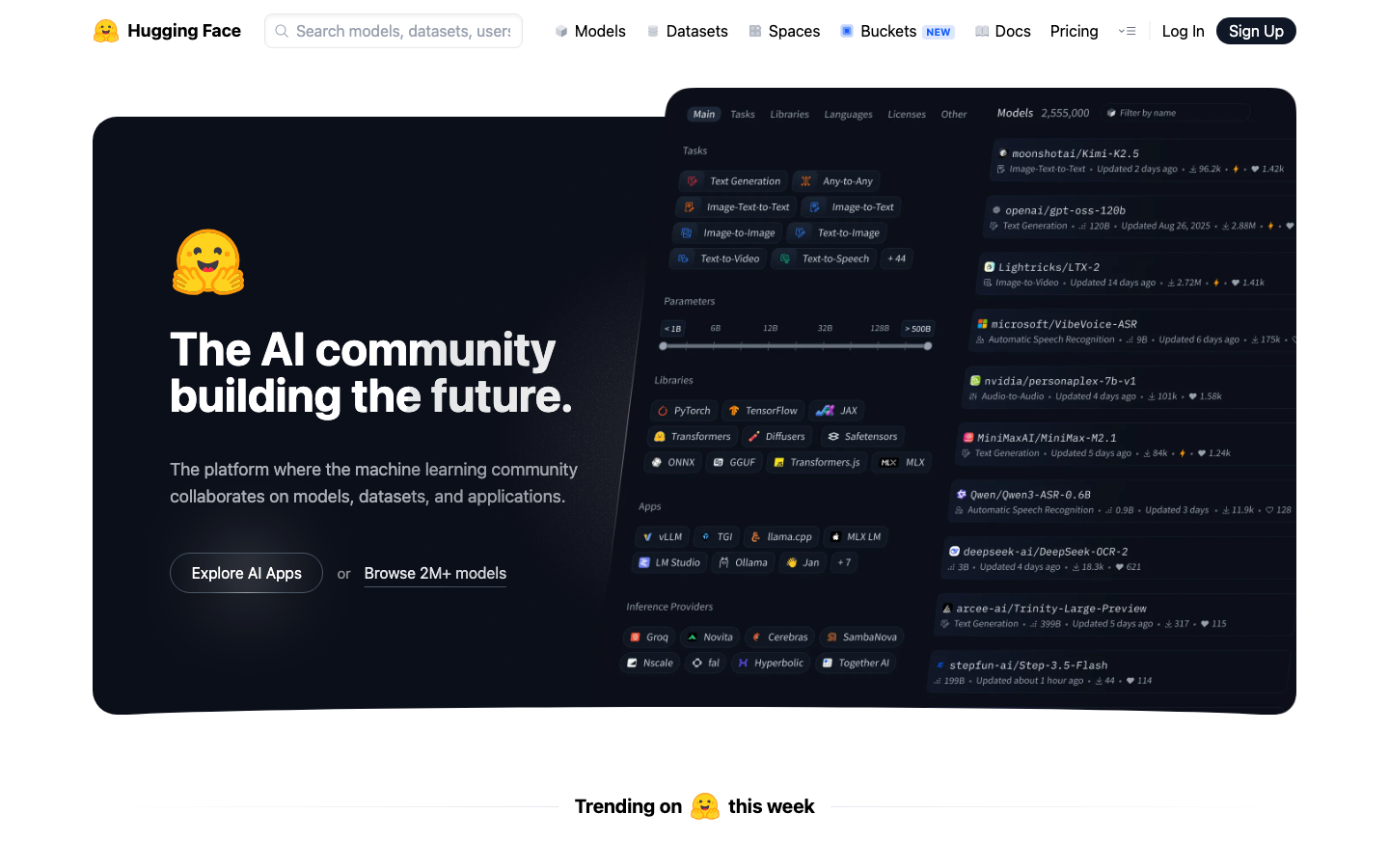
HuggingChat is an open source AI chat client launched by Hugging Face. It is based on the community's most advanced open source large language model and provides a free and transparent conversation experience.
HuggingChat
Core parameters and statistics
HuggingChat is an open source AI chat client officially launched by Hugging Face. It is driven by the open source project chat-ui (built by SvelteKit) and is positioned as "the ultimate experience entrance of the open source model". Different from the black-box operation of closed-source business assistants, the core logic of HuggingChat is to allow users to directly communicate with the most cutting-edge open source models on Hugging Face Hub - dozens of models such as Llama, Qwen, DeepSeek, Mistral, Phi, GPT-OSS, Kimi, SmolLM, etc. can be selected, and the system can also be automatically routed to the most appropriate model through Omni mode. The platform is completely free, with no hard usage quota restrictions (based on fair use principles). Headquartered in Paris, France, with a valuation of US$4.5 billion (2024), Hugging Face is the core infrastructure of the global AI open source ecosystem.
| Projects | Public Information |
|---|---|
| Official positioning | Open source AI chat client / Open source model experience entrance |
| Underlying project | chat-ui (SvelteKit, TypeScript, Apache-2.0) |
| Hosting form | HuggingChat hosted version + self-deployment chat-ui |
| Model routing | Omni mode (local heuristic routing)/manual model selection |
| Number of available models | Dozens of open source models (continuously updated) |
| Backend Inference | Hugging Face Inference Providers (OpenAI Compatible API) |
| MCP Tools | Support (Pre-configured + User-defined MCP Server) |
| Multimodal | Supports image input (routed to multimodal model) |
| Open Source License | Apache-2.0 (chat-ui) |
| GitHub Stars | ~10,800 stars, 1,700 forks, 161 contributors |
| Latest version | v0.10.0 (2026-05-11, GitHub Releases) |
| Support Platform | Web |
The essence of Omni mode: HuggingChat’s most critical upgrade in 2026 is Omni intelligent routing. When a user selects Omni conversation mode, the system automatically selects an appropriate backend model based on the characteristics of each message (whether it contains images, whether MCP tools are enabled, whether it is plain text). The multi-modal model is used for picture input, the Agent capability model is used for tool calls, and the default high-performance model is used for plain text. This routing logic is completely heuristically executed locally on the client, without the need for additional calls to external routing models, and the delay is almost zero. For daily conversations without special needs, Omni mode is the most worry-free option.
Iteration rhythm: GitHub Releases shows that chat-ui has released 18 versions from 2024 to now, and will maintain an update frequency of 1-2 times per month in 2026. Version number v0.x is still in a rapid iteration period, and the introduction of Breaking Changes is not ruled out. Self-deployment users should pay attention to Release Notes.
Ecological Location: HuggingChat is not an independent commercial product, but the "showroom" and "test field" of the Hugging Face ecosystem. Its purpose is to allow users to experience the open source model with zero threshold, and ultimately guide users to paid services such as Hugging Face’s Inference API and Enterprise Hub.
User and market recognition
HuggingChat's market recognition is reflected in the three dimensions of open source community participation, industry media coverage and third-party ecological integration, rather than traditional revenue or DAU figures (the latter is not officially disclosed).
Community popularity: The GitHub warehouse has about 10,800 stars, 1,700 forks, and 161 contributors, indicating that the project has surpassed the early stage and formed a stable external contribution ecosystem. It is worth noting that Claude (Anthropic's AI) also appears in the contributor list - this shows from the side that chat-ui's code maintainability and development experience have been recognized by the AI programming tool itself.
Industry Reference: HuggingChat is included in many global AI tool navigation sites (such as the chat demo entrance officially recommended by Hugging Face, which appears in the main navigation bar of the Hugging Face official website.
Third-party integration: HuggingChat's underlying open source project chat-ui is used by a large number of self-deployed users and enterprises to build internal AI chat interfaces. It can access any OpenAI compatible API (including Ollama, llama.cpp, OpenRouter, Poe, etc.) through simple contextual variable configuration. This means that its actual "user volume" is much higher than the direct visits to the hosted version of HuggingChat.
Media evaluation: Major technology media and AI blogs generally position HuggingChat as "the best entry point to experience open source models", but some reviews point out that the response speed is occasionally slower than closed source competing products because the backend relies on the shared inference resources of the Hugging Face community and may encounter queues during peak hours.
Cost advantage
The cost structure of HuggingChat needs to be broken down into four tiers: C-side free tier, self-deployment cost, Inference API cost and Enterprise plan.
C client/individual users: completely free. The hosted version of HuggingChat (hf.co/chat) is free and open to all users, with no fees or subscriptions and no hard daily message limits. This is the traffic attraction strategy of the Hugging Face ecosystem - to demonstrate the capabilities of the open source model through a free chat experience, attracting users to try its paid API and enterprise services. The free tier may experience response delays during peak hours, but will not enforce throttling.
Developer/Self-deployment: Zero licensing fees + infrastructure costs. The chat-ui open source project adopts the Apache-2.0 license and can be freely cloned, modified, and commercially deployed. Self-deployment only requires an OpenAI compatible API backend (which can be Ollama, llama.cpp, OpenRouter, or Hugging Face Inference Providers). Minimum configuration: A single ordinary server or development machine can run. If you use the local Ollama model, the inference cost is only the electricity fee; if you call a third-party API, it is performed according to the billing standards of each API.
Inference API (Pay-As-You-Go): Hugging Face offers Inference API and Inference Providers routing services, prices vary by model. Take the mainstream open source model as an example:
| Model | Input price (per million tokens) | Output price (per million tokens) | Description |
|---|---|---|---|
| Llama 4 (Meta) | About $0.10-0.25 | About $0.40-1.00 | Depends on provider |
| Qwen 3 (Alibaba) | About $0.08-0.20 | About $0.30-0.80 | An open source model with outstanding cost performance |
| DeepSeek-V4-Flash | About $0.02-0.14 | About $0.07-0.28 | Lower through DeepSeek official website API |
| Mistral Large | About $0.20-0.50 | About $0.60-1.50 | Mistral AI official pricing |
| Phi-4 (Microsoft) | About $0.05-0.15 | About $0.15-0.50 | Small parameter model, suitable for lightweight tasks |
Note: The above prices are the public reference prices of Hugging Face Inference Providers and mainstream third-party service providers. The actual price is subject to the time of call. The hosted version of HuggingChat uses Hugging Face's internal reasoning resources and does not involve direct payment by users.
Enterprise/Enterprise Hub: Hugging Face Enterprise Hub provides private deployment VPC, SSO, security auditing, dedicated inference endpoints and other functions. Please contact sales for the price. The main value of the enterprise version does not lie in HuggingChat itself, but in its privatized model hosting, team collaboration and compliance governance capabilities. If the enterprise only needs an internal chat interface, it is usually more economical to self-deploy the open source chat-ui + its own model inference endpoint.
Cost comparison of free vs self-deployed vs enterprise plans:
| Solution | License fee | Infrastructure | Operation and maintenance cost | Applicable scale |
|---|---|---|---|---|
| HuggingChat hosted version | Free | Zero | Zero | Personal experience, light use |
| Self-deployment chat-ui + Ollama | Free | One server ($50-200/month) | Low (single-machine operation and maintenance) | Small team, development and testing |
| Self-deployed chat-ui + API | Free | One server ($10-50/month) | Low | Lightweight production, prototype verification |
| Enterprise Hub | Business Pricing | Hugging Face Hosting | Medium | Enterprise Compliance, Large Scale Production |
Main functions
The functional design of HuggingChat revolves around the core task of "open source model experience". By continuously adding capabilities such as intelligent routing, multi-modality, and tool invocation, it has gradually evolved from a simple chat interface to a master console for open source AI capabilities.
-
Omni Intelligent Model Routing: HuggingChat’s core feature upgrade in 2026. The system automatically selects the optimal model based on user input content - routing to the multi-modal model when inputting images, routing to the Agent capability model when the MCP tool is enabled, and using the default high-performance model for plain text conversations. Routing logic is executed locally on the client with zero additional latency. Users can also manually switch to a specific model at any time, overriding Omni's automatic selection. Synergy effect: Omni mode fully automates the decision-making of "selecting a model", which is a very high threshold for ordinary users, while retaining the switching freedom of advanced users, solving the core pain point of "too many open source models and not knowing how to choose".
-
Multi-model manual switching and comparison: Users can switch between dozens of open source models (Llama 4, Qwen 3, DeepSeek-V4, Mistral Large, Phi-4, GPT-OSS, Kimi, SmolLM, etc.) at any time in the same dialogue interface. The answering style and capabilities of each model are clear at a glance. Expert View: This is not only a list of functions, but also an "invisible model evaluation workflow" - product managers can use it to complete A/B testing of the same problem on 5-8 models in a few minutes, without the need to repeatedly switch between multiple tabs.
-
MCP Tool Integration: HuggingChat supports access to external tools through Model Context Protocol (MCP). The list of trusted MCP Servers (such as Web Search via Exa, Hugging Face MCP Login) can be pre-configured, and user-defined additions are also supported. When the MCP tool is enabled, the model will automatically call appropriate tools to complete information retrieval, code execution and other operations, and return the results for subsequent inference. Expert View: This is the key capability for HuggingChat to evolve from "pure chat" to "Agent portal". The preconfigured MCP tool lowers the threshold for use, but the real value is that users can mount their own business tools (internal API query, database reading, etc.) and turn HuggingChat into an internal AI operation interface within the enterprise.
-
Image input and multi-modal understanding: Support users to upload images, and the system automatically routes to open source multi-modal models that support visual understanding (such as Llama 4 Vision, Qwen-VL, DeepSeek-VL2, etc.). It is suitable for scenarios such as chart interpretation, object recognition, and document scanning content understanding. Implementation Tips: Multi-modal models have uneven parsing capabilities for complex layouts and dense text tables. It is recommended that key information be verified twice.
-
Completely open source and self-deployable: The front-end chat-ui is completely open source (Apache-2.0) on GitHub, supports one-click deployment through Docker, and has built-in MongoDB for optional persistence. Users can freely modify the interface, add custom models, configure custom MCP tools, and integrate their own back-end inference endpoints. Synergy: Open source + Dockerization + OpenAI compatible interface means that chat-ui can be connected to any large model backend (local Ollama, cloud Together AI, OpenRouter, etc.), forming a flexible loosely coupled architecture of "AI chat frontend + arbitrary reasoning backend".
-
Conversation History and Settings Persistence: Stores conversation history, user settings, file references and statistics via MongoDB. Supports customizing system prompt words, model parameters (Temperature, Max Tokens), interface themes and languages.
-
Markdown and rich output formats: Supports rich text output such as code highlighting, mathematical formulas (LaTeX), tables, lists, etc. Code blocks automatically detect the language and provide a copy button, suitable for technical Q&A, documentation generation and code review scenarios.
Model and version evolution
The version evolution of HuggingChat can be observed from two dimensions: the open source version line of the front-end chat-ui and the functional evolution of the HuggingChat hosted version.
chat-ui open source version line
| Version | Release Date | Key Changes |
|---|---|---|
| v0.10.0 | 2026-05-11 | Latest version; Omni routing switches from Arch-Router model to local heuristic routing; MCP tool integration is improved |
| v0.9.x | 2026-Q1 | Introducing the initial version of Omni mode; supporting Arch-Router-1.5B model routing; multi-modal model support |
| v0.8.x | 2025-Q4 | MCP tool framework construction; model parameter coverage (Temperature, etc.); setting page reconstruction |
| v0.7.x | 2025-Q2-Q3 | Dialogue history persistence; model switching experience optimization; custom system prompt words |
| v0.6.x | 2025-Q1 | First public release of stable version; complete basic chat function; multi-language UI support |
Function evolution of HuggingChat hosted version
2024 (starting period): HuggingChat was initially launched as a Demo application on Hugging Face Spaces, providing basic Llama and Mistral model chat interfaces. The function is simple, but the positioning of "free experience open source model" quickly gained attention.
2025 (feature-rich period): Gradually introduce network search functions (manually enabled), support custom system prompt words, and expand model selection from the initial three or four to dozens. The chat-ui project transformed from experimental code into a stable open source project, receiving extensive external contributions from the community. Multi-modal model support will be introduced in the second half of 2025, and users can upload images for visual understanding.
2026 (Omni intelligent routing era):
- Omni mode release: Originally based on Katanemo's Arch-Router-1.5B model to implement intelligent routing, it can automatically match the most appropriate model from 115 open source models. Free users are allowed 1000 API calls per day (routing mode).
- Routing architecture upgrade: Subsequently switching from the Arch-Router model to client-side heuristic routing - no external routing model is needed anymore, decisions are made directly based on input features (whether a graph is included, whether tools are enabled). The latency is lower, but the routing dimension is simplified from "semantic-level granular routing" to "task-level classified routing".
- MCP Tool Integration: Officially introduce MCP support, allowing users to mount external tool servers, and upgrade HuggingChat from the chat interface to the Agent portal.
- Inference backend unification: Backend inference is unified and migrated to Hugging Face Inference Providers (OpenAI compatible API), abandoning the previous multi-vendor independent integration solution, reducing maintenance costs but reducing the diversity of model sources.
Analysis of key turning points
-
From Arch-Router to local heuristic routing: This is HuggingChat’s most noteworthy technology decision in 2026. Although Arch-Router-1.5B can achieve semantic-level fine routing (selecting the most matching domain expert model based on the problem semantics), the maintenance cost and reasoning delay are high. After switching to local heuristic routing, although the routing accuracy decreases (it is only classified into three grades based on whether it contains images and whether tools are enabled), the advantages of zero delay and zero additional cost are more pragmatic for free products. This trade-off reflects the resource constraints of open source free products.
-
MCP Tool Integration: Marks the transformation of HuggingChat from a simple "chat interface" to an "Agent workbench". MCP is an open protocol proposed by Anthropic, and Hugging Face's support for it shows the trend of industry protocol standardization. Currently, MCP is still in its early stages on HuggingChat, with a limited number of tools, but the architecture leaves room for future expansion.
Technical advantages
The technical value of HuggingChat lies not only in the front-end chat UI itself, but also in its "back-end independent" architectural design, engineering implementation of the Omni routing mechanism, and the depth of integration of the MCP tool protocol.
Architecture design: Backend-independent loose coupling. chat-ui only relies on the OpenAI compatible API - this means that it can interface with any server that is compatible with the protocol, including Hugging Face Inference Providers, Ollama, llama.cpp server OpenRouter, Poe, Together AI, and privately deployed vLLM/TGI endpoints. The two contextual variables OPENAI_BASE_URL and OPENAI_API_KEY can complete the switch. This design allows chat-ui not to be bound to a specific inference vendor, and users can freely migrate between different backends, avoiding vendor lock-in. For enterprise self-deployment scenarios, this means that chat-ui can be connected to the existing internal inference cluster without additional adaptation.
Engineering trade-offs for the Omni routing mechanism. Early versions of Omni Mode used the Arch-Router-1.5B model for semantic-level routing — a model that understood the semantic categories of user questions and assigned them to corresponding expert models in 15 categories of tasks. However, this approach introduces additional reasoning delay (the routing model itself requires one reasoning) and operation and maintenance complexity. The evolution direction in 2026 is to move routing from "model reasoning" to "local heuristic rules": detecting request characteristics (whether it contains pictures → multi-modal routing; whether MCP → Agent routing is enabled; otherwise → default routing), completely completed on the client side, with zero millisecond delay. Engineering Implications: In a production system, "good enough rules" may be more practical than "perfect AI routing" - especially for free products, where every millisecond of delay directly affects the user experience, and the marginal accuracy improvement of routing is imperceptible to most users.
MCP Tool Protocol Integration. HuggingChat is one of the earliest chat frontends that supports MCP (Model Context Protocol). MCP exposes external tools to the model through the standardized JSON-RPC protocol, and the model calls the tools and consumes the returned results through the Function Calling mechanism. In the implementation of HuggingChat, the MCP Server is preconfigured in contextual variables, and the user switches it on and off in the UI and performs health checks. The list of tools exposed by each MCP Server is displayed in the UI, and the calling process is transparent to the user (displaying parameters, progress bar, and results). Engineering Value: The standardization of MCP means that HuggingChat can reuse any existing tool ecosystem that is compatible with the MCP protocol (the current Hugging Face warehouse describes about 400 MCP Servers), without the need to develop a separate adaptation layer for each tool.
Conversation persistence integrated with MongoDB. chat-ui uses MongoDB as the backend database to store conversation history, user settings, file references, and statistics. MongoDB's document model is a natural match for the unstructured nature of conversational data. When MONGODB_URL is not set, it automatically falls back to embedded MongoDB (persisted to the local ./db directory) and can be started with zero configuration. This design lowers the threshold for self-deployment—developers can experience full functionality by running npm run dev locally without starting an additional database service.
Dockerized deployment capabilities. Two Docker images are provided: chat-ui (pure front-end) and chat-ui-db (built-in MongoDB). The latter can start a complete chat service through a docker run command, which is suitable for quick experience and lightweight production deployment. All contextual variables are injected via the -e parameter, no need to modify the code.
Project pitfall guide (self-deployment scenario):
-
MongoDB Connection Stability: When using the MongoDB Atlas free cluster, network delays may cause connection timeouts. It is recommended to use a MongoDB instance deployed in the same region in the production environment, or point the
MONGODB_URLto local containerized MongoDB. If the MongoDB connection fails during initial startup, chat-ui will be downgraded to non-persistence mode (session-level data is not saved). Be careful not to ignore this warning in a production environment. -
Fallback chain for model routing failure: In Omni mode, if the preferred model returns an error, the system will fallback in the order of "fallback_models →
LLM_ROUTER_FALLBACK_MODEL→ hard error in the routing configuration". If all models are unavailable, the conversation will be interrupted. It is recommended to configure at least 2-3 fallback models when self-deploying, especially when using community-provided inference endpoints (availability is unstable). -
MCP Server Authentication and Security: MCP Server’s API Key and authentication credentials are stored in clear text through contextual variables. When self-deploying, ensure that the access permissions of the contextual variable files are strictly controlled (submission to Git repository is prohibited). For sensitive operations (deletion, writing, payment), it is recommended that the MCP server side implement a confirmation point and do not rely entirely on the model to judge the rationality of the operation.
How to use
HuggingChat provides multiple usage paths, from zero-threshold web experience to in-depth self-deployment integration.
Hosted version (zero threshold)
Visit hf.co/chat to start a conversation without signing up. After registering a Hugging Face account, you can get more features: conversation history persistence, customized system prompt words, and model parameter adjustment. Usage process:
- Open the browser and visit hf.co/chat
- Select a model (select Omni to let the system automatically route, or manually select a specific model)
- Enter questions or instructions in the input box
- (Optional) Upload images to support multi-modal understanding
- (Optional) Enable MCP tools or web search in settings
- Check the model’s reply and you can continue to ask questions or switch the model to regenerate.
Self-deployment chat-ui (developer path)
Requires Node.js 18+ and optional MongoDB. Fastest way to start:
# Clone repository
git clone https://github.com/huggingface/chat-ui
cd chat-ui

#Create a contextual variable file
echo 'OPENAI_BASE_URL=https://router.huggingface.co/v1
OPENAI_API_KEY=hf_<YOUR_HF_TOKEN>' > .env.local

#Install dependencies and start
npm install
npm run dev -- --open
Just access http://localhost:5173 with your browser.
Docker quick start (including MongoDB):
docker run -p 3000:3000 \
  -e OPENAI_BASE_URL=https://router.huggingface.co/v1 \
  -e OPENAI_API_KEY=hf_<YOUR_HF_TOKEN> \
  -v chat-ui-data:/data \
  ghcr.io/huggingface/chat-ui-db:latest
Description of key configuration items:
| Contextual variables | Purpose | Default value |
|---|---|---|
OPENAI_BASE_URL |
OpenAI compatible API address | https://router.huggingface.co/v1 |
OPENAI_API_KEY |
API authentication key | None (required) |
MONGODB_URL |
MongoDB connection string (optional) | None (use embedded DB) |
PUBLIC_APP_NAME |
Application display name | ChatUI |
LLM_ROUTER_ROUTES_PATH |
Custom routing policy JSON path | None (use default route) |
MCP_SERVERS |
List of preconfigured MCP Servers | None |
Comparison of three usage paths
| Path | Who's Right | Launch Time | Cost | Data Sovereignty |
|---|---|---|---|---|
| HuggingChat hosted version | All users (zero threshold) | Instant | Free | Hosted by the host |
| Self-deployment + Ollama local model | Tech enthusiast, privacy sensitive | 30 minutes | Hardware cost only | Fully local |
| Self-deployment + third-party API | Developer, prototype verification | 10 minutes | API pay-as-you-go | Depends on API provider |
| Self-deployment + enterprise inference cluster | Enterprise, compliance scenarios | Hours | Infrastructure + O&M | Fully self-managed |
Product Pricing
HuggingChat's pricing system does not follow the traditional SaaS tiered subscription model, but uses "free traffic + ecological monetization" as its core logic.
C client/individual users: completely free. The hosted version of HuggingChat is free and open to all users, with no limit on usage times, no limit on conversation rounds, and no credit card required. The free service is based on the principle of fair use (Fair Use), and Hugging Face does not disclose the specific abuse threshold. During off-peak hours, response times are comparable to the paid API experience; delays or queuing may occur during peak hours (especially early adopters following a new model release).
Developer/API Calls: HuggingChat itself does not directly provide paid APIs. But its backend (Hugging Face Inference Providers) provides Pay-as-you-go API services and supports millions of models. The price fluctuates according to the model size and call volume. The typical range is $0.02-0.50/million tokens for input and $0.07-1.50/million tokens for output. For high-frequency calls, Hugging Face provides Inference Endpoints (dedicated inference endpoints) billed by GPU hour, starting at approximately $0.60-2.00/hour (depending on the GPU model).
Hugging Face Pro Subscription: Hugging Face offers a Pro subscription ($9/month), mainly for model developers and heavy users, providing higher priority API calls, larger storage space and early feature experience. The Pro subscription is available across all Hugging Face platforms, not just HuggingChat.
Enterprise/Enterprise Hub: Provides private deployment VPC isolation SSO/SCIM, security audit, dedicated inference endpoint and other functions for enterprises. Please contact sales for price. The relationship between the Enterprise Edition and HuggingChat needs to be clarified: Enterprise Hub is the Enterprise Edition model hosting platform, and the HuggingChat chat interface can be used as the front end of the Enterprise Edition. However, the core value of the Enterprise Edition does not lie in the chat interface itself, but in the enterprise-level model governance and compliance capabilities.
Commercial Authorization Notes: chat-ui itself adopts the Apache-2.0 license, and there are no restrictions on commercial use. However, the underlying open source models used by HuggingChat each have their own license agreements (such as Llama Community License, Qwen Commercial License, Mistral Commercial License, etc.). When deploying HuggingChat to a commercial scenario, you need to confirm the commercial use terms of the selected model one by one. In particular, scenarios where monthly active users exceed a specific threshold may require additional authorization from model publishers such as Meta and Alibaba.
Application scenarios
HuggingChat's scenarios cover four dimensions: personal experience, development and testing, education and business integration. The following five scenarios have been widely verified:
-
Open source model selection and evaluation: When teams or researchers choose open source models, HuggingChat is the most natural "quick comparison". Switch between multiple models such as Llama, Qwen, DeepSeek, and Mistral within a single interface, and perform A/B comparison of the output quality and style of the same prompt, which improves work efficiency several times compared to deploying multiple models separately. Cost reduction and efficiency improvement: The traditional method requires building an inference context for each model separately (deployment of each model takes at least 15-30 minutes). After using HuggingChat, the selection and comparison time is shortened from "half a day to a day" to "30 minutes to 2 hours".
-
Internal team knowledge Q&A: Build an AI Q&A assistant within the team through self-deployment chat-ui + enterprise private model or API backend. The MCP tool can be connected to the company's internal knowledge base API and database query interface, allowing the model to reference real-time business data when answering. Human-computer collaboration boundary: In the internal knowledge question and answer scenario, the business recommendations (such as financial analysis, compliance judgment) output by the model need to set up a manual confirmation point - it is recommended to add a "This output has not been manually reviewed" prompt on the chat-ui front end, and key decisions still need to be reviewed manually.
-
AI Education and Technical Training: HuggingChat is an ideal "experiment bed" for AI education. Students can experience the difference in model output of different architectures (MoE vs Dense, large parameter size vs small parameter size) on the same interface, and intuitively feel the impact of model scale, training data, and architecture design on the quality of generation. Teachers can preset comparisons of different models for classroom demonstrations. Quantitative deduction: In traditional AI courses, students need to configure their own GPU context and model deployment process to experience different models, which takes about 2-4 hours to prepare. Through HuggingChat, the time "from scratch to running through the first comparison experiment" can be reduced to 5 minutes.
-
Multimodal Document Analysis: Upload documents containing charts, tables, scans, or product images and let multimodal models extract information, summarize key points, or answer questions. It is suitable for scenarios such as summary of contract terms, understanding of product instructions, and preliminary analysis of research reports. Implementation Tips: The current open-source multi-modal model’s parsing accuracy for complex tables (approximately 60-80%) is lower than the multi-modal capabilities of closed-source GPT-4o/Claude (approximately 85-95%). It is recommended to combine the secondary verification process in information extraction scenarios.
-
Agent prototype development and API verification: Developers use HuggingChat's MCP tool or manual model selection function to quickly verify the model's performance in Agent tasks (tool calling, multi-step planning), and evaluate the Tool Calling accuracy of the model without writing code. Cost reduction and efficiency improvement: Traditional Agent development requires integrating model APIs, building tool lists, and debugging Function Calling parameters in the code. The first verification usually takes 3-8 hours; HuggingChat provides ready-to-use Agent dialogue context, compressing the proof-of-concept time to 15-30 minutes.
Not suitable for scenarios: HuggingChat is not suitable for production-level API agents that require extremely high answer consistency (such as automatic generation of financial compliance reports), require ultra-long context reasoning (the current model context window varies depending on each model, and some models are only 8K-32K), and have extremely high real-time requirements. For key business scenarios that require SLA guarantees, dedicated computing power, and data isolation, it is recommended to use Hugging Face Enterprise Hub directly or switch to the enterprise version of commercial closed-source products.
Applicable people
HuggingChat covers a full spectrum of users from AI novices to enterprise IT teams through hosted free version + self-deployed open source version. Each group of people has different entry points and value points:
-
AI enthusiasts and ordinary users: Experience the latest open source models (Llama 4, Qwen 3, DeepSeek-V4, etc.) for free through the HuggingChat hosted version, without any technical background. Suitable for daily Q&A, information retrieval, writing assistance, translation and other light tasks. Unfit Boundary: For users who have high requirements for the stability of answer quality (such as brand content creation that requires a consistent answer style every time), because the output styles of different models are significantly different, it is recommended to use a specific model rather than the Omni mode.
-
Machine learning researchers and students: Use HuggingChat as a model comparison test bed to quickly evaluate the output differences of different models. For model comparison experiments in research papers, you can first use HuggingChat for preliminary screening, and then conduct more rigorous benchmark testing on the candidates. Implementation Tips: The results of the HuggingChat comparison are qualitative feelings rather than quantitative evaluations. Model comparisons in formal papers still need to be evaluated using standard Benchmarks in a controlled environment.
-
Software developers and AI application builders: Quickly build internal AI assistant prototypes through self-deployment chat-ui; use HuggingChat to test the Tool Calling and Agent capabilities of different models to provide a reference for Agent application selection. Purchasing Prerequisites: If you just want to verify AI capabilities, the HuggingChat hosted version is enough; if you need to integrate the chat interface into your own products, it is not recommended to directly Fork chat-ui - it is best to use it as a reference implementation and build your own chat interface based on the OpenAI compatible API protocol to avoid inheriting the dependency burden of chat-ui.
-
Product Manager and AI Solution Architect: When making proposals to customers, use HuggingChat to compare the output of different models for the same requirements, helping customers intuitively understand the differences in selection of open source models and assist in decision-making. Not suitable for boundaries: HuggingChat does not provide API-level SLA and performance guarantees, and cannot be delivered directly as a "self-contained chat interface" in customer delivery solutions - it is recommended to use it in the POC stage, and use a commercial-grade front end for formal delivery.
-
Enterprise IT & Compliance Team: When evaluating the feasibility of the open source model within the enterprise, first deploy private chat-ui + inference endpoints for internal pilots. Purchase Prerequisites: Enterprises should have basic Docker/Kubernetes operation and maintenance capabilities; the commercial license of the selected open source model must be confirmed one by one before the pilot (for example, the commercial license of Meta Llama requires Meta separate authorization after the MAU exceeds 700 million); it is recommended to use a MongoDB cluster instead of an embedded DB for production deployment.
Summary and Outlook
The core value of HuggingChat lies in the "zero-threshold open source AI experience entrance" - it packages the most cutting-edge open source models on Hugging Face Hub into a simple and free chat interface, allowing anyone to experience the latest open source AI technology without any technical threshold.
Current Core Advantages:
- Free and no usage restrictions, the lowest-cost way to experience the open source model
- Omni intelligent routing lowers the threshold for model selection, and ordinary users do not need to worry about underlying model switching
- chat-ui open source + Docker deployment, the threshold for self-deployment is extremely low
- MCP tool support lays the architectural foundation for future agentization
- Deeply bound to the Hugging Face ecosystem, new models can be experienced online within a few days after release
Main Current Limitations:
- The overall capabilities of open source models still lag behind top closed source models (GPT-5, Claude Opus 4.x), with obvious gaps in dimensions such as creative writing, long-tail knowledge coverage, and complex reasoning.
- After Omni routing was downgraded from Arch-Router to local heuristic rules, the routing granularity degraded from "semantic level" to "task level", and different expert models can no longer be assigned to different semantic categories.
- Lack of mobile App (Web only), not friendly enough for mobile office scenarios
- The hosted version has unstable response speed during peak hours and relies on the shared inference resources of the Hugging Face community
- The context windows of each model vary greatly (ranging from 8K-128K) and do not support a unified ultra-long context experience.
- The MCP tool ecosystem is still in its early stages, and the number and stability of available tools need to be improved.
Follow-up observation points:
- Will Hugging Face introduce a more stable paid acceleration channel at the inference level (similar to ChatGPT Plus’s priority scheduling)
- Whether Omni routing will return to model-based routing strategy (such as introducing lightweight routing model)
- Whether chat-ui will support richer Agent interaction modes on the front end (such as multi-step reasoning visualization, tool call result preview)
- Whether the overall capability improvement speed of the open source model can shorten the gap with the closed source model - this determines the "ceiling" of HuggingChat
Procurement and Adoption Risk Assessment:
- Individual users: Zero cost and zero risk. It is recommended as an auxiliary tool for daily experience of the open source model. However, for main productivity, it is recommended to use it with a more powerful closed source model.
- Developers/Small Teams: Self-deployed chat-ui is extremely low-cost and suitable as a prototype environment and model evaluation workbench for internal AI tools. We recommend using commercial-grade inference APIs (such as Together AI, Fireworks AI) instead of Hugging Face to share inference resources to obtain a more stable SLA.
- Medium and large enterprises: Before promoting HuggingChat within the enterprise, three verifications need to be completed: (1) Whether the commercial licensing terms of the selected open source model cover the expected number of monthly active users; (2) The operation and maintenance capabilities of the self-deployed architecture (MongoDB cluster, inference endpoint high-availability MCP Server security hardening); (3) Data outbound compliance - if using Hugging Face Hosted versions or overseas inference providers need to confirm whether the data can be exported abroad. If not, all domestic infrastructure must be self-deployed. The overall recommendation is to pilot it with 1-2 non-critical business teams first, and then gradually expand the scope after passing the test.
Related tools:  DeepSeek,
  ChatGPT
Version Info
- HuggingChat 2026 Q2 :No official precise date yet; integrates the latest open source models Llama 4, Qwen3, DeepSeek-V4, etc.
- HuggingChat 2025 Q4 :There is no official precise date yet; network search function and customized system prompt words have been introduced.
User Reviews