 Humata
Free
Humata
Free
Humata is a AI office tool for document Q&A and knowledge base retrieval. It is officially positioned to convert files into a fast and intelligent knowledge base, supporting cross-file questions, source OCR, team permissions and enterprise security control.
Humata
Core parameters and statistics
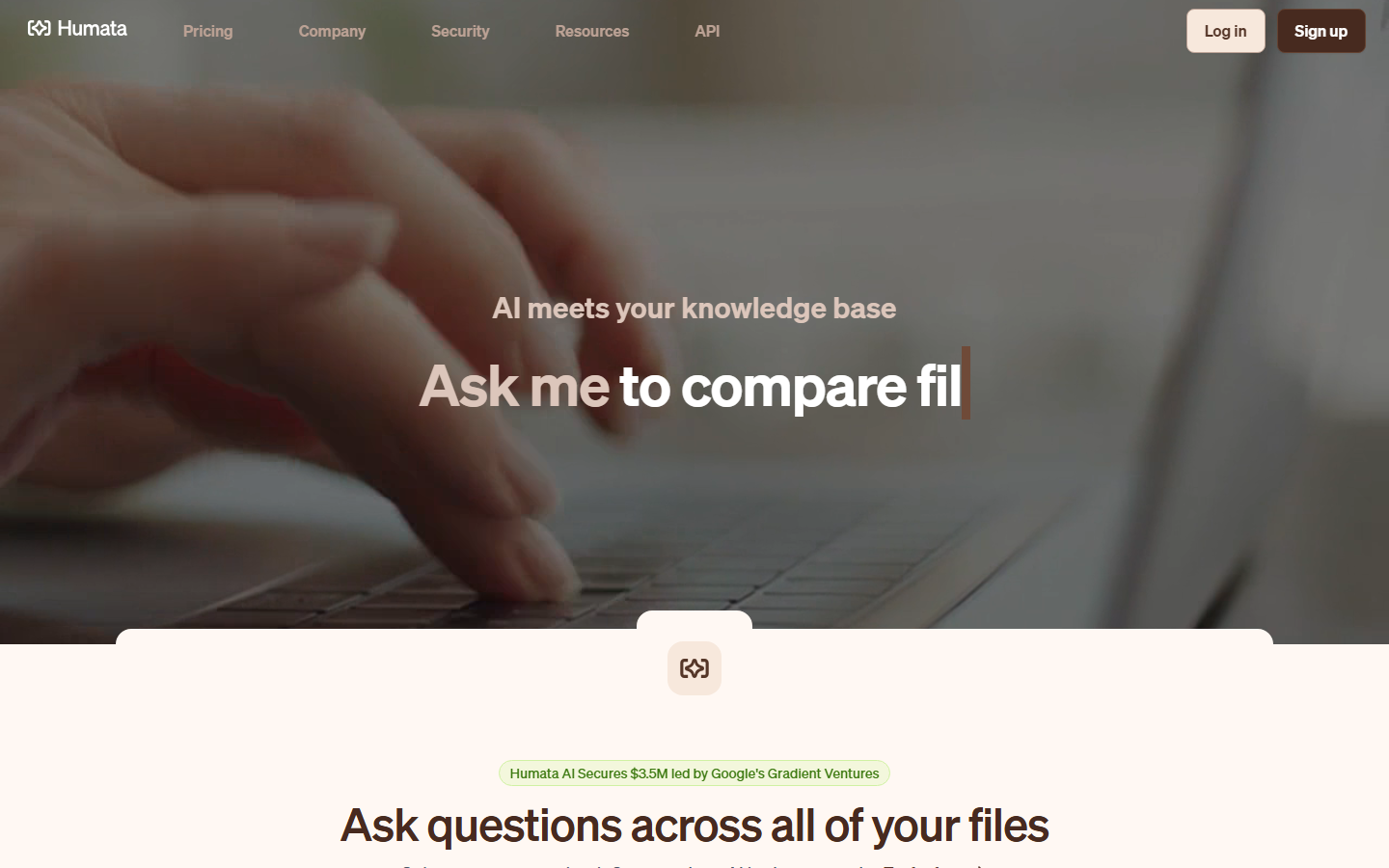
Humata is officially positioned as "AI meets your knowledge base". The product description emphasizes converting user documents into a fast and intelligent knowledge base for instant analysis, insights and answer generation. It’s not a general-purpose chatbot, but a document Q&A workbench built around PDFs, scanned text, and team document libraries.
| Projects | Public Information |
|---|---|
| Official positioning | AI agent that turns your documents into a fast, intelligent knowledge base |
| Core tasks | Document Q&A, cross-document retrieval, summary analysis, review of citation sources |
| Main entrance | Web application API document entrance |
| Document Capabilities | PDF Document Library Q&A; Pricing Page Disclosure OCR to answer questions in images or scanned text |
| Latest public capabilities | GPT-5 support, OCR, Response Personalization, team authority SOC-2 certificate |
| Free quota | Free plan 1 user, 60 free pages per month |
| Paid public level | Expert USD 9.99/month; Team USD 49/user/month; Enterprise customization |
| Enterprise Security | SHA 256, TLS 1.3, SAML 2.0, OAuth, MFA, SOC-2 Type II |
Product Boundary: Humata's strength is "turning existing documents into questionable knowledge bases", especially suitable for multi-page PDFs, research materials, contracts and internal databases. It is not equivalent to an enterprise search suite RPA automation platform or a complete DMS document management system; if complex approval flows, record lifecycle management and cross-system work order orchestration are required, it usually needs to be combined with other systems.
User and market recognition
Humata’s market recognition mainly comes from financing, word-of-mouth in education/research scenarios, and enterprise security capabilities, rather than the number of public active users. The homepage of the official website displays the news entry "Humata AI Secures $3.5M led by Google's Gradient Ventures", indicating that it has received early institutional financial support; the company page and homepage also display reviews from professional users, among which UC Irvine teacher reviews emphasize classroom and student project scenarios.
Growth and Financing Signals: The $3.5M seed round is a verifiable public market signal that the product has moved from an early stage PDF Q&A tool to a stage of commercial expansion around 2023. The official website does not disclose current ARR, number of paying customers, retention rate, or enterprise customer list, so these metrics should be considered undisclosed.
Scenario recognition: Judging from the public copy, Humata regards "ask questions across all of your files" as its core value, and compresses the actions originally scattered in PDF readers, folder searches, manual summarization and question and answer tools into one interface. For research, auditing, education, and professional service scenarios, this value is easier to quantify than pan-chat, because it can be measured by "the time it takes to find answers, the number of citation reviews, and the hit rate of multi-person shared file libraries."
Cost advantage
Humata's cost advantage is not "completely free", but splits personal trials, professional use by small teams, and enterprise security needs into clear levels: low-frequency users can start with the Free plan, high-frequency teams can be expanded based on seats and page volume, and enterprise capabilities are confirmed through customized contracts.
C-side/Individual: The Free plan is $0 and includes 1 user and 60 free pages per month. It is suitable for students, researchers or personal knowledge workers to verify the quality of PDF Q&A. The hidden costs on the personal side are mainly document sorting and review: if the original PDF scan quality is poor and the table structure is complex, it is still necessary to manually check whether the answer citations are accurate.
Developer/API: The official website has API navigation and independent document entrance, indicating that Humata provides an integration-oriented development path; the public pricing page does not steadily disclose the independent call price, rate limit and SLA details of the API. Developers should refer to the official API documentation and real-time business page.
Enterprise/Private: Enterprise displays custom/user/month, the number of users is Unlimited, free pages is Custom, and includes enterprise security capabilities. When evaluating enterprises, look beyond explicit costs for SSO/SAML, SOC-2 report acquisition methods, data retention, auditing, permission levels, and legal provisions; these determine the total cost of ownership, not just the price per page.
| Plan | Public price | Number of users | Monthly free pages | Excess pages |
|---|---|---|---|---|
| Free | $0 | 1 | 60 | Not applicable |
| Expert | $9.99/month | 3 | 500 | $0.02/page |
| Team | $49/user/month | 10 | 5,000 | $0.01/page |
| Enterprise | custom/user/month | Unlimited | Custom | Custom |
Main functions
- Questions Across Documents: Organize Q&A around a document library rather than a single chat window, ideal for comparing multiple contracts, papers, policies or reports in the same context.
- Citation source review: The key to document Q&A is not to "generate a seemingly reasonable summary", but to be able to return to the source page and evidence fragments to help users review the conclusion.
- OCR Scanned Text Q&A: Pricing page description OCR can convert images or scanned text into a digital format that can respond to questions, making it more valuable for scanning PDFs, photographic materials, and old archives.
- Response Personalization: The public menu includes response personalization, which means that the team can adjust the response style or output preferences to a certain extent to suit the professional context of different departments.
- Team Permission Control: Team/Enterprise files expose department level permissions and folder level permissions, which is helpful for organizing access boundaries by department, project, or data sensitivity.
- Enterprise-level security control: The security page discloses SAML 2.0, OAuth, MFA and SOC-2 Type II, indicating that it implements identity and compliance control for enterprise knowledge base scenarios.
The acceptance of these functions should focus on "whether references are stable, whether long files are completely covered, whether OCR of scanned documents is available, and whether permission isolation complies with organizational boundaries." For individual users who only need to occasionally summarize a single PDF, Humata's team power and enterprise security value won't be fully unlocked.
Model and version evolution
Humata is a continuously iterative cloud product, and the official semantic version number has not been disclosed. A more reasonable way to understand versions is to divide them according to public capability milestones and business stages.
Current online main line
- Humata Web 2026 Q2 online version: The official website and pricing page publicly display GPT-5 support, OCR, Response Personalization, team authority SOC-2 certificate, API document entrance and Free/Expert/Team/Enterprise pricing structure. This phase is suitable as a baseline version for current procurement and piloting.
Public Growth Milestones
- Seed round and market expansion stage (~2023-06): The homepage of the official website displays the $3.5M financing news entry, and the investor is Google's Gradient Ventures. This juncture shows that the product has moved from early documentation Q&A demonstrations to commercialization with financial support.
Enterprise Security Milestones
- Enterprise Security Capability Phase (~2026-06): The security page publicly discloses security and governance capabilities such as SHA 256, TLS 1.3, SAML 2.0, OAuth, MFA, SOC-2 Type II, Breach Notification, Business Continuity, Disaster Recovery, and Incident Response. For business users, this affects procurability more directly than the model name itself.
Technical advantages
Humata's technical advantage comes from the combination of "document parsing + retrieval Q&A + citation review + permission management" rather than a single large model parameter.
Mechanism to effect: After the file enters the knowledge base, the system needs to complete text extraction, page number/paragraph structure retention, semantic retrieval and answer generation first. This link allows users to ask questions across documents and connect answers back to the source content, reducing the risk of making judgments based solely on generated text.
OCR to applicable scenarios: OCR converts the content in scanned text or images into searchable text, allowing old contracts, scanned invoices, textbook images and paper files to enter the question and answer process. Its effectiveness depends on scan quality, layout complexity and table structure, so high-risk scenarios still require manual review.
Security Control to the Enterprise: SAML 2.0, OAuth, MFA and SOC-2 Type II make Humata more suitable for enterprise file libraries rather than just personal PDF tools. Permission capabilities, when matched with department and folder structures, allow teams to share materials in the same space while reducing the risk of unauthorized access.
How to use
The entrance to Humata is mainly a web application, and the official website provides Log in, Sign up, Get Started and API navigation.
- Registration and Database Creation: Go to the official website or app.humata.ai to create an account and create file spaces according to projects, topics or departments.
- Upload file: Upload PDF or scanned files that require OCR and wait for the system to complete parsing and indexing.
- Ask questions: First use summary questions to confirm the scope of the document, and then conduct fact extraction, comparison, risk point location or clause explanation.
- Review Sources: Review the citation sources and original text pages for important answers to avoid directly taking the content generated by the model as a conclusion.
- Team Extension: When using the team, assign permissions according to folders, departments and roles, and then use shared question templates to unify search habits.
- API integration: Developers can enter the API documentation from docs.humata.ai. Specific authentication, rate limits and fees are subject to the official documentation.
Small-scale pilots are more appropriate to select real document sets of 50 to 200 pages and observe answer hit rates, citation traceability, and manual review time, rather than testing summary performance with only a short sample of documents.
Product Pricing
Humata’s pricing page openly adopts a “free to start and cheap to scale” structure, tiered by number of users, monthly free pages, excess pages, and enterprise capabilities.
- Free: $0, 1 user, 60 free pages per month, suitable for personal verification.
- Expert: $9.99/month, up to 3 people, 500 free pages per month, excess pages $0.02/page, suitable for small professional teams.
- Team: $49/user/month, up to 10 people, 5,000 free pages per month, excess pages $0.01/page, suitable for teams that require authority and higher page volume.
- Enterprise: custom/user/month, Unlimited users, Custom pages, enterprise support and security capabilities, business confirmation is required.
The exposure table also displays differential items such as GPT-5 support, chat support, enterprise support, department-level permissions, folder-level permissions OCR, responsive personalized SOC-2 certificate, Uptime SLA, and Early access to new features. Prices and rights may be adjusted according to the official website. Formal purchases are still subject to the official real-time page and contract.
Application scenarios
- Research and literature review: Put papers, white papers, reports and interview materials into the same knowledge base to quickly locate differences between evidence paragraphs and conclusions. The focus of acceptance is citation accuracy and cross-document consistency.
- Legal and Compliance Preliminary Screening: Q&A on terms and risk points of contracts, policies, and regulatory documents. It is intended to assist initial reading and should not be used as a substitute for attorneys, compliance officers, or the formal review process.
- Financial and audit data retrieval: Ask questions around audit drafts, financial reports, scanned copies of invoices and system documents to reduce manual page turning time. OCR and form extraction quality are key prerequisites.
- Q&A on Education and Classroom Materials: Teachers and students can establish a Q&A space around course handouts, reading materials, and project materials to improve the efficiency of material understanding and classroom discussion.
- Enterprise Knowledge Base Q&A: Organize SOPs, product manuals, customer information and internal policies into a questionable document library to support operations, customer service, sales and training teams.
Applicable people
- Researchers and Students: Work with large volumes of PDFs, papers, and classroom materials, and value citation review.
- Professional service roles such as legal, consulting, and auditing: Need to quickly locate terms, evidence, and points of difference in long documents, but still retain manual final judgment.
- Enterprise Knowledge Management and Operations Team: It is necessary to turn internal documents into a searchable question and answer library, and use department/folder permissions to control access.
- Developers and product teams: If you want to integrate the documentation Q&A capabilities into your own products or internal processes, you can pay attention to API documentation and billing boundaries.
The boundary of incompatibility is also clear: if the team information is not structured and the quality of the documents is poor and no one reviews it, AI Q&A can only amplify the information noise; if strong process approval, electronic signature, record life cycle management or complete enterprise search governance are required, Humata should be used as the document Q&A layer rather than solely responsible for the entire system.
Summary and Outlook
Humata's core competency is to transform PDFs and team document libraries into knowledge spaces that can be asked, reviewed, and permissions managed. Compared with lightweight ChatPDF tools, it emphasizes team authority OCR, enterprise security and API; compared with a complete enterprise search platform, its boundaries focus more on document question and answer and knowledge base retrieval.
Current limitations and uncertainties include: the official undisclosed number of complete active users, number of enterprise customers, API detailed prices, privatized deployment terms and standardized version logs; OCR, long document coverage and reference positioning effects also need to be verified with real document sets. It is recommended to use Free or Expert to pilot on a clear data set when implementing, and record four types of indicators: "question hit rate, reference review time, scanned document identification quality, and team permission matching degree"; before expanding to Team or Enterprise, confirm the SOC-2 report to obtain SAML/SSO, data retention, page overage billing, and API usage terms.
Related tools:  Notion AI, google-workspace
Version Info
- Humata Web 2026 Q2 online version :Currently, the official website publicly displays GPT-5 support, file library Q&A, citation source OCR, team authority SOC-2 certificate and API document entrance. There is currently no official semantic version number and precise release date.
- Humata Enterprise Security Capability Stage :The security page publicly discloses SHA 256, TLS 1.3, SAML 2.0, OAuth, MFA, SOC-2 Type II, business continuity and disaster recovery and other capabilities. There is no official precise release date yet.
- Humata Seed and Public Growth Stages :The home page of the official website publicly displays the "Humata AI Secures $3.5M led by Google's Gradient Ventures" news entry, marking that the product has entered the stage of public financing and market expansion; there is no official precise release date yet.
User Reviews