 Imagine by Magic Studio
Free
Imagine by Magic Studio
Free
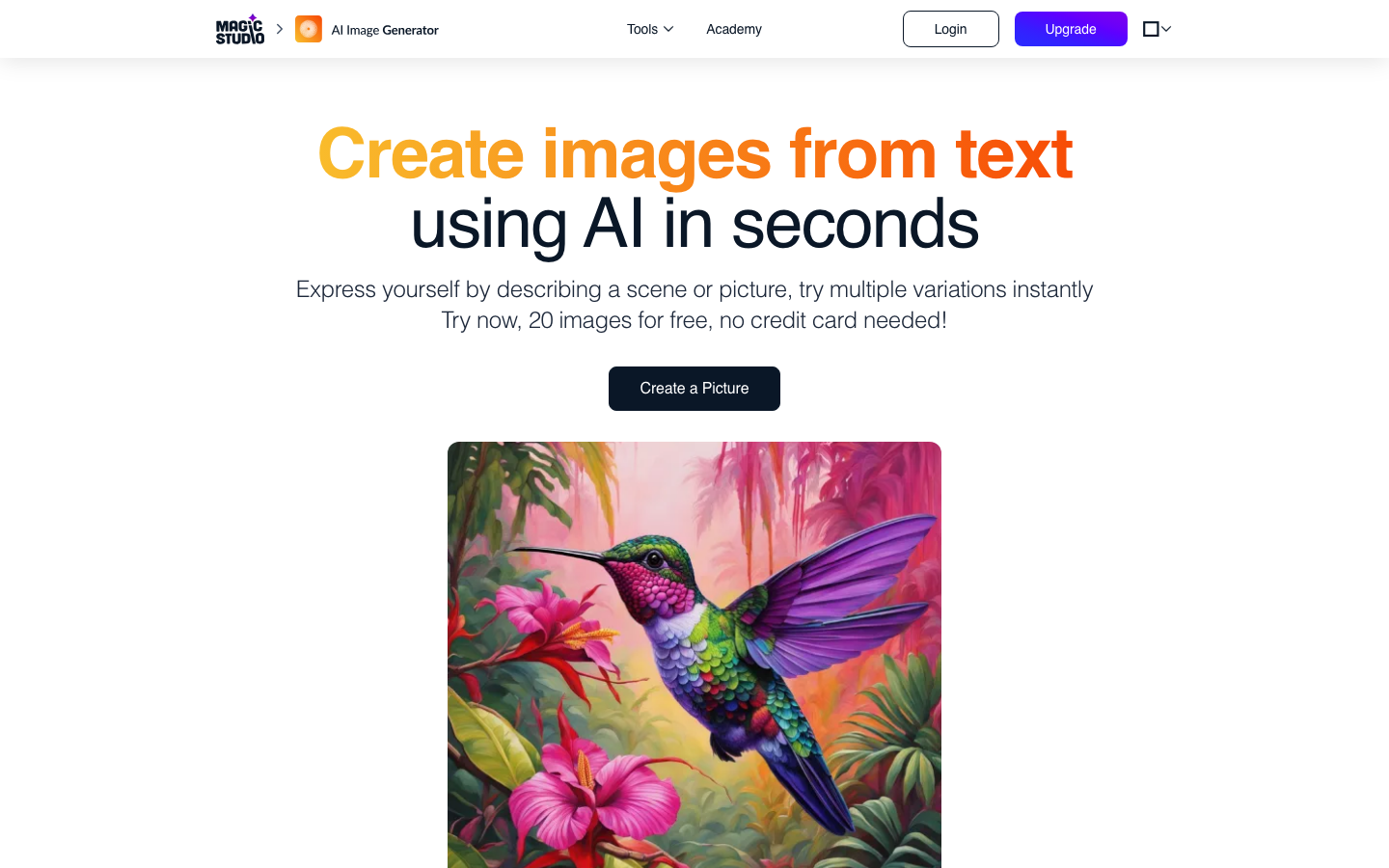
Imagine by Magic Studio is the built-in AI image generation module of the Magic Studio design platform. It supports Vincentian drawings, multi-style switching, and is deeply linked with editing tools such as background removal and repair. It provides a one-stop workflow of "generate → edit → export", covering social media matching images, e-commerce product images, design concept previews and other scenarios.
Imagine by Magic Studio
Core parameters and statistics of Imagine by Magic Studio
Imagine by Magic Studio is the built-in AI image generation module of the Magic Studio (formerly known as Magic Eraser) design platform, positioned as an "AI image generator embedded in the design workflow." It is not an independent Midjourney competitor, but the front-end module responsible for "generating visual materials from 0 to 1" in the Magic Studio ecosystem - the generated content can be directly entered into the platform's editing tools such as background removal, repair, color correction, and size adjustment to complete the process from generation to rendering. Magic Studio has served more than 20 million users overall and processed more than 150 million images. Its customers include well-known organizations such as Uber, Unilever, Booking, Bloomberg, and Caltech.
| Projects | Public Information |
|---|---|
| Product positioning | AI image generation module with built-in design platform |
| Platform | Magic Studio (formerly known as Magic Eraser) |
| Core Competencies | Vincentian pictures, multi-style switching, image editing linkage |
| Product form | Web, iOS App, Android App |
| Business Model | Freemium (Free + Pro Subscription) |
| Place of Attribution | US (aarzoo, Inc.) |
| Number of public users | 20 million+ |
| Public processing volume | 150 million+ images |
| Latest version | Continuous iteration with Magic Studio platform |
Brief review in one sentence: Imagine by Magic Studio is not another Midjourney replacement, but an "AI image generation module embedded in the design workflow" - after generation, you can edit, remove the background, and adjust the size directly in Magic Studio without switching between multiple tools.
Core Difference: Unlike pure generation tools such as DALL-E and Midjourney, the advantage of Imagine is not the absolute leadership in generation quality, but that it is naturally bundled with a complete set of editing pipelines. The user does not need to leave the Magic Studio interface during the entire process from entering the prompt word to getting the available finished picture.
User and market recognition of Imagine by Magic Studio
Magic Studio's market recognition is reflected in three levels: user scale, customer quality, and industry reputation. The three factors jointly shape its differentiated position in the AI design tool track.
User Scale: Public data from Magic Studio’s official website shows that the platform has served more than 20 million users and processed more than 150 million images. This data ranks in the first echelon among similar AI design tools, and verifies that the market demand for the product in the "lightweight image editing + AI generation" scenario is real and sustained.
Customer Quality: The corporate customers displayed on the official website include Uber, Unilever, Booking, CBRE, Colliers, Bloomberg, Sotheby's, Caltech, etc. This shows that Magic Studio not only has penetration among individual users, but has also been adopted by medium and large enterprises as a daily design aid. For small teams and startups, the adoption record of these large customers is also an indirect signal of trust.
Industry reputation: The user reviews displayed on the pricing page are mainly based on "easy operation and amazing results". Most of the reviews come from operations and marketing personnel with non-design backgrounds. This confirms the core value of Magic Studio - allowing people without Photoshop skills to complete professional-level image processing. It belongs to the AI design tool track like Canva AI, Adobe Firefly, and Clipdrop, but Magic Studio has established a stronger user mentality in the segmented scenario of "foolish watermark removal/background removal".
Known limitations: The official website does not disclose specific revenue data, paying user conversion rate or NPS. Since the viral spread of Magic Studio's core feature (Magic Eraser) on social media has brought a large number of free users, the paid conversion rate may be lower than that of professional design tools (such as Figma, Adobe). The actual activity level and renewal rate of enterprise customers are subject to official business provision.
Cost Advantages of Imagine by Magic Studio
The cost strategy of Imagine by Magic Studio can be summarized as "Free traffic Pro unlocks productivity", forming a clear gradient in the three dimensions of free quota, paid price and competitive product comparison.
C client/individual user: The free plan provides 40 AI generation quotas per month, downloads are watermarked, and resolution is limited. For individual users who occasionally need to generate illustrations, the free quota is basically enough. The monthly payment of the Pro plan is $14.99/month, and the annual payment is equivalent to $4.99/month ($59.88/year). The core difference is unlimited generation times, watermark-free downloads and high-resolution output.
Small and medium-sized teams/content creators: The Pro annual payment plan is the most cost-effective option. Get unlimited AI generation + full-platform Pro access + batch editing capabilities at a price of $4.99/month, which is mid-to-low among similar tools. Considering that the Pro permission also covers a series of editing tools such as Magic Eraser (watermark removal) and Background Remover (background removal), for operators who need to frequently process images, the actual value of the packaged solution is higher than that of a single Vincent image tool.
API/Developers: Magic Studio does not expose a standalone build API. This means developers can't embed Imagine's generation capabilities into their own applications or workflows. If the team needs to automate batch generation, it needs to evaluate whether there are other alternatives (such as DALL-E API, Replicate).
Enterprise/Privatization: The pricing page does not display the specific price of the enterprise plan, but provides the "Contact sales" entry. Enterprise editions may include bulk generation, white label licensing, team collaboration management, and priority support. Specific terms require business communication.
Price comparison with competing products:
| Products | Free Credit | Individual Pay | Features |
|---|---|---|---|
| Imagine by Magic Studio | 40 times/month (with watermark) | Pro: $4.99/month (annual payment)/$14.99/month (monthly payment) | Bundled editing suite, suitable for high-frequency editing scenarios |
| Midjourney | No free plan | $10-30/month (Basic-Standard) | High quality generation, requires Discord operation, no built-in editing |
| DALL-E 3 (ChatGPT Plus) | Limited (ChatGPT free version) | $20/month (Plus) | Integrated ChatGPT, first-class generation quality, limited editing capabilities |
| Canva AI | Limited free generation | Pro: $12.99/month | Huge template library, but AI generation is only an auxiliary function |
| Adobe Firefly | 25 times/month (free version) | $4.99/month (standard) | Integrated Adobe ecosystem, strong creative control, steep learning curve |
[The truth about free]: The 40 times/month quota of the free plan is obviously not enough for users who update their social media accounts daily. It is recommended to pay directly with Pro annually. Another limitation of free is that the output is watermarked - for commercial scenarios, the watermark means that the image cannot be used directly, effectively forcing the decision to pay.
[Hidden Cost]: Imagine is part of the Magic Studio ecosystem. The Pro subscription purchases a permission package rather than a single Vincent diagram function. If the user only needs Vincent pictures and does not need editing functions such as background removal and watermark removal, the Pro subscription may contain a large number of "unused capabilities". It is recommended to evaluate whether you really need the full Magic Studio editing suite before subscribing.
Key features of Imagine by Magic Studio
Imagine's functional design revolves around the three-step workflow of "generate → edit → export". The core value lies in reducing tool switching rather than providing the most generation parameters.
-
Text-to-Image: Enter a natural language description to generate a preview grid of 4 images. Applicable tasks: rapid realization of creative visualization, initial generation of design materials. Unlike Midjourney, which requires specific command formats, Imagine's prompt words accept plain natural language descriptions, making them more friendly to novices.
-
Multiple Style Switching: Supports multiple style presets such as Photorealistic, Digital Art, Illustration, and 3D Render. Applicable tasks: Quickly match the visual tone according to the type of project—realistic style for social media illustrations, illustration style for brand posters, and 3D rendering style for product display.
-
Size ratio control: Supports common ratios such as 1:1 (square, suitable for avatars/thumbnails), 16:9 (horizontal, suitable for YouTube covers/web banners), 4:3 (classic ratio, suitable for printing/presentations), 9:16 (vertical, suitable for Instagram Stories/mobile screensavers). Applicable tasks: Adapt to the output requirements of different platforms and media, without the need for manual cropping after generation.
-
Editing workflow linkage: The generated images can be sent to other Magic Studio tools with one click - background removal (Background Remover), watermark/object removal (Magic Eraser), background blur (Background Blur), color correction, etc. Applicable tasks: One-stop pipeline from generation to refinement, eliminating the need for multi-step operations of downloading → uploading → editing.
-
Multi-platform coverage: In addition to the web version, native apps for iOS and Android are provided. The mobile version also supports Wensheng diagram and editing functions. Applicable tasks: Quickly generate and edit images on mobile devices, suitable for light use in outdoor or commuting scenes.
[Expert View]: The core difference between Imagine and Midjourney is not in the production quality (the gap between the two is narrowing), but in the workflow position - Midjourney is generated in Discord and needs to be exported to other tools for editing. This "export → import" switch will accumulate into significant time costs in mass production; after Imagine is generated, it can be edited, background removed, and color corrected directly in Magic Studio, eliminating the cost of tool switching. For light users who need to "generate → quickly edit → use", Imagine has a smoother experience. But the price is that Imagine does not provide the fine control parameters (such as CFG Scale, Style Raw, Seed lock) like Midjourney, which is a trade-off for professional users who pursue the ultimate generation control.
Model and version evolution of Imagine by Magic Studio
As a comprehensive AI design platform, Magic Studio does not disclose the specific generative model names and architectural details behind the Imagine module. The following outlines the version context based on publicly verifiable platform milestones.
Platform predecessor: Magic Eraser era (2020-2023)
- Magic Eraser released: Magic Studio initially became popular on social media with its Magic Eraser (AI watermark/object removal) function, and accumulated an early user base with its minimalist experience of "one-click erasure".
- Tool Matrix Expansion: After the success of Magic Eraser, Magic Studio successively launched single-function tools such as Background Remover (removing the background), Background Blur (background blur), and Restoration (repairing old photos), gradually forming an AI picture editing matrix.
Imagine Vincent diagram module launched (2024-2025)
- Imagine function online: Around 2024-2025, Magic Studio will add the AI Imagine module (Imagine) to the tool matrix, extending the capability from "editing" to "generating", forming a complete combination of "generating + editing". The specific launch date is subject to the official announcement.
- Multiple Styles and Ratio Support: Imagine continues to iterate the style preset library and output ratio options after its launch, but the official has not released an independent version update log.
Current status
- Latest status: Imagine, as the core functional module of the Magic Studio platform, continues to iterate, and all functional updates are released with the platform as a whole. The current price page shows that the Pro plan supports "UNLIMITED AI Generations" and "HIGH Resolution Downloads". Unlimited generation and high-resolution output are the core selling points of the current version.
- Version Notes: Since Imagine is not an independent product, there is no independent version number system. Function updates are subject to Magic Studio platform updates.
Technical advantages of Imagine by Magic Studio
Imagine's technical advantages are not reflected in hard indicators such as "the largest model parameters" or "the fastest generation speed", but in the system-level efficiency improvements brought about by its deep coupling with the Magic Studio editing workflow.
Architectural positioning: Generation is the starting point for editing: Images generated by Imagine are automatically retained in Magic Studio's content pool, and users do not need to manually save and re-upload to enter the editing process. This mechanism seems simple, but it eliminates the friction cost between generation tools and editing tools - in the traditional workflow, downloading images from Midjourney → opening Photoshop → importing images → adjusting layers requires at least 4-5 steps, while Imagine compresses it into one click.
Synergy of editing tool matrix: Magic Studio has tools such as Magic Eraser (watermark/object removal), Background Remover (background removal), Background Blur (background blur), AI Restoration (old photo restoration), etc. The output of Imagine can be directly input into these tools. Take a typical product picture production as an example: first use Imagine to generate a product scene picture, then use Background Remover to cut out the picture and change the background, and finally use Magic Eraser to erase stray light, all completed within the platform.
Zero-deployment, zero-configuration SaaS experience: Compared with Stable Diffusion, which requires local deployment (GPU + Python + model weight, which has a very high threshold for non-technical personnel), and compared with Midjourney, which requires Discord registration and channel operation, Imagine runs directly in the browser and can be used by entering magicstudio.com. This experience has significant advantages for content creators and e-commerce sellers with non-technical backgrounds.
Mobile native support: Provides iOS and Android native apps, and the mobile terminal also supports complete generation and editing functions. This means that users can select pictures in the mobile phone album → remove the background → AI generates a new background → download, and the entire process is completed on the mobile device. For social operation scenarios that require quick drawing production, mobile terminal capabilities are a point of differentiation that cannot be ignored.
Technical limitations: Since the underlying model information is not disclosed, users cannot determine whether the improvement in generation quality is caused by model upgrades or Prompt optimization; the lack of API interface means that Imagine cannot be embedded in automated pipelines or batch generation workflows; the accuracy and experience of mobile editing are still significantly different from those of desktop Photoshop, and fine cutout scenes still require the intervention of professional tools.
How to use Imagine by Magic Studio
There are two ways to use Imagine: web and mobile, and the core operation steps are highly consistent.
Web page usage steps:
- Visit
magicstudio.com/ai-image-generator/or directly enter the Magic Studio homepage and select AI Image Generator. - Use natural language to describe the desired image in the input box (such as "a serene mountain lake at sunset, photorealistic").
- Select a style preset (Photorealistic / Digital Art / Illustration / 3D Render, etc.).
- Select the output ratio (1:1 / 16:9 / 4:3 / 9:16).
- Click Generate and wait about 15-30 seconds to obtain 4 preview images.
- Select the satisfactory result to download, or click Edit to enter the Magic Studio editing tool for subsequent processing.
Mobile terminal usage steps:
- Search "Magic Studio" in iOS App Store or Google Play Store to download and install.
- After registering/logging in, select the AI Image Generator function.
- Enter description + select style + select scale → Generate.
- Edit or download.
Comparison of usage:
| Entrance | Suitable for the scene | Features |
|---|---|---|
| Web side | Desktop office, fine editing | Open the browser and use it, with richer editing tools |
| iOS App | Mobile office, on-the-go creation | Native experience, supports direct import and editing of camera roll |
| Android App | Android ecosystem users | Same as iOS App, same functions |
Practical suggestions that affect generation quality:
- The descriptor is recommended to include four elements: subject, context, light, and style (such as "a golden retriever playing in autumn leaves, warm sunlight, photorealistic"), which is of significantly higher quality than a single subject description (such as "a dog").
- If you are not satisfied with the first time results, you can adjust the descriptors and regenerate them, or choose a preferred style variant. Imagine does not offer advanced control parameters such as Seed Lock and Negative Cue Words, which is both a simplification and a limitation.
- The generated results can be edited directly in Magic Studio. It is recommended to use Background Remover to cut out the image first and then overlay other backgrounds to obtain a more controllable synthesis effect than direct text rendering.
Product Pricing for Imagine by Magic Studio
The pricing structure of Magic Studio is two-tiered: Free and Professional, targeting both individual and team usage scenarios.
| Project | Free | Pro (monthly payment) | Pro (annual payment) |
|---|---|---|---|
| Monthly fee | $0 | $14.99/month | $4.99/month ($59.88/year) |
| AI generation times | 40 times/month | Unlimited | Unlimited |
| Download resolution | Limited | High resolution | High resolution |
| Watermark | Yes | No watermark | No watermark |
| Platform Permissions | Web + Mobile Basic | Web + Mobile Pro | Web + Mobile Pro |
| Batch editing | Single processing | Batch support | Batch support |
| Covered Tools | Basic Use of All Tools | All Tools Pro Permissions | All Tools Pro Permissions |
Pricing Strategy Analysis:
- Annual payment vs monthly payment: Annual payment is equivalent to 67% off, and the annual payment price of $4.99/month is a lower pricing range among AI image generation tools. For users with continuous generation needs (such as daily social media updates, e-commerce batch product images), annual payment is a significantly more economical option.
- Free quota evaluation: 40 times/month of free generation is basically enough for users who publish 2-3 social media images per week, but for users who update daily or scenarios where multiple image selections need to be generated, the free quota will be exhausted quickly. The download of the free plan is watermarked, and commercial scenarios require upgrading to Pro.
- Enterprise Price: The pricing page provides the "Contact sales" enterprise consultation portal. Specific team seats, batch generation quotas and business discounts are subject to the official quotation.
Pricing comparison summary: In the price range of $5-15/month, Imagine’s core competitive products include Canva Pro ($12.99/month), Adobe Firefly Standard ($4.99/month), and Midjourney Standard ($30/month). The cost-effective advantage of Imagine lies in "one subscription = generation + full-featured editing suite" rather than pure generation capabilities.
Application scenarios of Imagine by Magic Studio
The applicable scenarios for Imagine focus on "rapid production and iteration of lightweight visual materials", covering the following four typical scenarios:
-
Quick generation of social media images: Generate images for WeChat public accounts, Xiaohongshu Instagram, Twitter and other platforms. The traditional process: the designer receives the request → finds a library → cuts and colors → publishes the picture (about 20-40 minutes). Imagine workflow: Enter description → Generate → Magic Studio resize → Download (about 3-5 minutes). Deduction: The production time of a single picture is shortened from 20-40 minutes to 3-5 minutes, and the efficiency is increased by about 5-8 times. Implementation Tip: It is recommended to generate different composition versions of 4 preview images at the same time to improve the efficiency of image selection.
-
E-commerce product diagram assistance: Generate product scene diagrams, concept display diagrams or promotional poster backgrounds. Traditional process: physical shooting → scenery → photo editing (requires photography equipment + venue + post-production). Imagine workflow: Enter product description + "in a lifestyle setting" → Generate scene graph → Remove the background to synthesize the product → Publish the picture. Deduction: From about 1-2 hours of set shooting to about 10-15 minutes of AI generation + editing. Implementation Tips: AI-generated scene images still have limitations in the realism of details. It is recommended to be used as a quick concept test rather than a finished image. The final image will still require manual refinement or physical shooting.
-
Design Concept Preview: Quickly generate visual concepts in design projects for clients to confirm direction. Traditional process: the designer hand-draws a sketch or searches for reference drawings → communicates with the customer for modifications → multiple rounds of confirmation → enters production. Imagine workflow: Enter the requirement keywords→Generate concept maps in 4 directions→Customer preliminary selection→Lock the direction and refine it. Deduction: From about 3-5 days for multiple rounds of communication to about 1-2 days for 1-2 rounds of confirmation. Implementation Tips: The concept map generated by AI is mainly used for communication direction and is not suitable for direct delivery as a final draft. Manual secondary creation is required to achieve brand-level quality.
-
Personal daily image processing: restoration of old photos, travel photos to passersby, changing the background of ID photos, etc. Traditional process: learn Photoshop operations→process step by step→may not achieve the desired effect. Imagine workflow: upload images → select the corresponding Magic Studio tool → one-click processing. Deduction: The learning operation time is shortened from about 30 minutes to about 1-2 minutes for click-and-use. Implementation Tips: For complex scenes (such as translucent objects, fine hair strands to remove the background), Imagine's automated processing may not be accurate enough, and manual adjustment or the use of professional tools is required.
Dimensionality reduction strike scenario: Teams that need to quickly produce visual materials but do not have professional design tools (Photoshop, Illustrator) - the Imagine + Magic Studio suite covers the complete workflow of "generate → edit → export", using a web browser as the entry point, no need to download and install, no GPU configuration required, and is extremely friendly to non-technical teams. Especially suitable for cross-border e-commerce operation teams (batch modification of product images, changing backgrounds, and adding text) and individual self-media creators (daily generation of multi-platform and multi-size images).
Human-machine collaboration boundary: Sections that can be 100% automated include standard operations such as image generation, basic size adjustment, background removal, watermark removal, and background blurring. Sections that require manual confirmation include whether the generated content conforms to brand visual specifications, whether it involves copyright disputes (assessment of similarity between AI-generated images and existing works), and whether it is used for high-value commercial printing (requires manual refinement). Irreversible operations (such as paid publishing, printing orders) must be preceded by manual review.
Who is suitable for Imagine by Magic Studio?
Imagine's positioning determines that it is most suitable for the user group who "need visual materials but are not design professionals", and it is also of supplementary value to professional designers in specific scenarios.
-
Social Media Operations and Content Creator: Daily need to produce pictures for various platforms (WeChat official account, Xiaohongshu, Douyin, Instagram, Twitter), but there is no full-time designer in the team. Imagine helps free you from the tedious process of "finding a library → cropping → coloring" and directly generates images that match the content theme. Not suitable for boundaries: A series of visual outputs that require a highly consistent brand (such as an official account with strict brand VI specifications). The AI-generated style lacks consistency. It is recommended to combine the template library and manual design.
-
E-commerce sellers and operations team: E-commerce merchants need a large number of product pictures, scene pictures, and promotional pictures, but the cost of physical photography is high and the cycle is long. Imagine is suitable for quickly generating concept drawings and auxiliary materials, reducing the trial and error cost of early visual testing. Not suitable for borders: For images on key conversion pages such as main images and detail pages, it is recommended that you still use professional photography or refinement. AI-generated pictures may be biased in restoring product details, which may mislead consumers and may lead to an increase in return rates.
-
Small and Micro Enterprises and Individual Entrepreneurs: Limited budget, no design team, but still need visual output in daily operations. Imagine + Magic Studio’s free/low-price plan offers a more economical solution than hiring a designer. Not suitable for boundaries: When highly original designs such as brand logos and VI systems are required, AI tools cannot replace the creative judgment of professional designers.
-
Workers in non-design positions: Marketing, sales HR, administrative and other positions occasionally need to produce simple promotional pictures, event posters or pictures for internal announcements. Imagine has a shorter learning path than learning Canva or Photoshop, and it's almost "typing and drawing". Not suitable for borders: For printed materials that require precise size and typesetting control (such as brochures, roll-ups), it is recommended to use professional typesetting software.
People to be discouraged from quitting: Professional graphic designers, brand visual directors, advertising creative directors—such groups need fine pixel-level control and unique creative expression. The uncontrollability and style homogeneity of AI generation tools are flaws. In addition, it is not recommended to use any AI generation tools for projects that have strict legal requirements for the copyright ownership of generated images (such as designs for which trademarks are being applied for, pictures used as evidence in litigation).
Summary and Outlook
Imagine by Magic Studio has found a unique ecological niche in the AI image generation tool market - it does not compete head-on with Midjourney and DALL-E 3 in terms of generation quality, but through the workflow advantage of "generation + editing integration", it serves the user group that has a higher priority on "efficiency" rather than "ultimate quality".
Current core advantage: The deep integration of Imagine and the Magic Studio editing tool matrix forms a complete solution of "generate → background removal → color adjustment → size adjustment → export", and all five steps are completed within the same platform. The public data of 20 million+ users and 150 million+ image processing proves the authenticity of the market demand for "lightweight AI design". Pro's annual pricing of $4.99/month is competitive in its class, especially considering it comes bundled with a full suite of editing tools.
Current main limitations: Imagine does not disclose underlying model information, so users cannot judge the upper limit and evolution direction of generation capabilities; it lacks API interfaces and cannot embed automated workflows or achieve batch generation; it does not provide advanced control parameters such as seed locking and negative prompt words, so professional users will feel "not enough"; the generation quality is close to the mainstream level in realistic themes, but there is still a perceptible gap with Midjourney V6+ in terms of artistic style and complex composition.
Follow-up observation points: Whether Magic Studio will launch an independent API to expand the developer market; the iteration frequency and effect improvement of the generated model; whether the price of the Pro plan will change with the increase in functions; whether the pricing and functional details of the team/enterprise plan will be more transparently displayed on the official website; whether the copyright protection terms of AI-generated content will be adjusted with changes in industry regulation.
Purchase and Adoption Risk Assessment: For individual creators and social media operations, the risk of paying $59.88 per year is extremely low - even if the generation effect does not meet expectations, it can be evaluated after one or two months of use. It is recommended to use the free quota to experience the generation quality first, and then upgrade to Pro after making sure it meets your needs. For e-commerce teams, it is recommended that AI-generated images be used only for concept testing and auxiliary materials. The main image and detail pages still require manual refinement or professional photography. For enterprises, it is important to confirm: ① Whether the commercial licensing terms of Magic Studio allow the generated content to be used for commercial purposes (the scope of authorization of the free version and the Pro version may be different); ② Whether the generated content involves copyright risks (AI training data may contain copyrighted materials, and the responsibility is attributable when the generated results are similar to existing works); ③ Whether the team collaboration function meets the needs of multi-account management and approval processes. The above terms are subject to the latest terms of the Magic Studio official website. It is recommended to complete a compliance review before large-scale use. The Pro plan with an annual payment of $59.88 is currently the lowest-risk paid starting point and is suitable as a basic package for team pilots.
Related tools:  Midjourney, stable-diffusion
Version Info
- Imagine by Magic Studio :The Magic Studio platform has an embedded AI image generation module, which continues to iterate with the platform, and there is currently no independent version number.
- Imagine by Magic Studio :The initial version integrates Vincent diagram and basic style switching functions.
User Reviews