 Krea
Krea
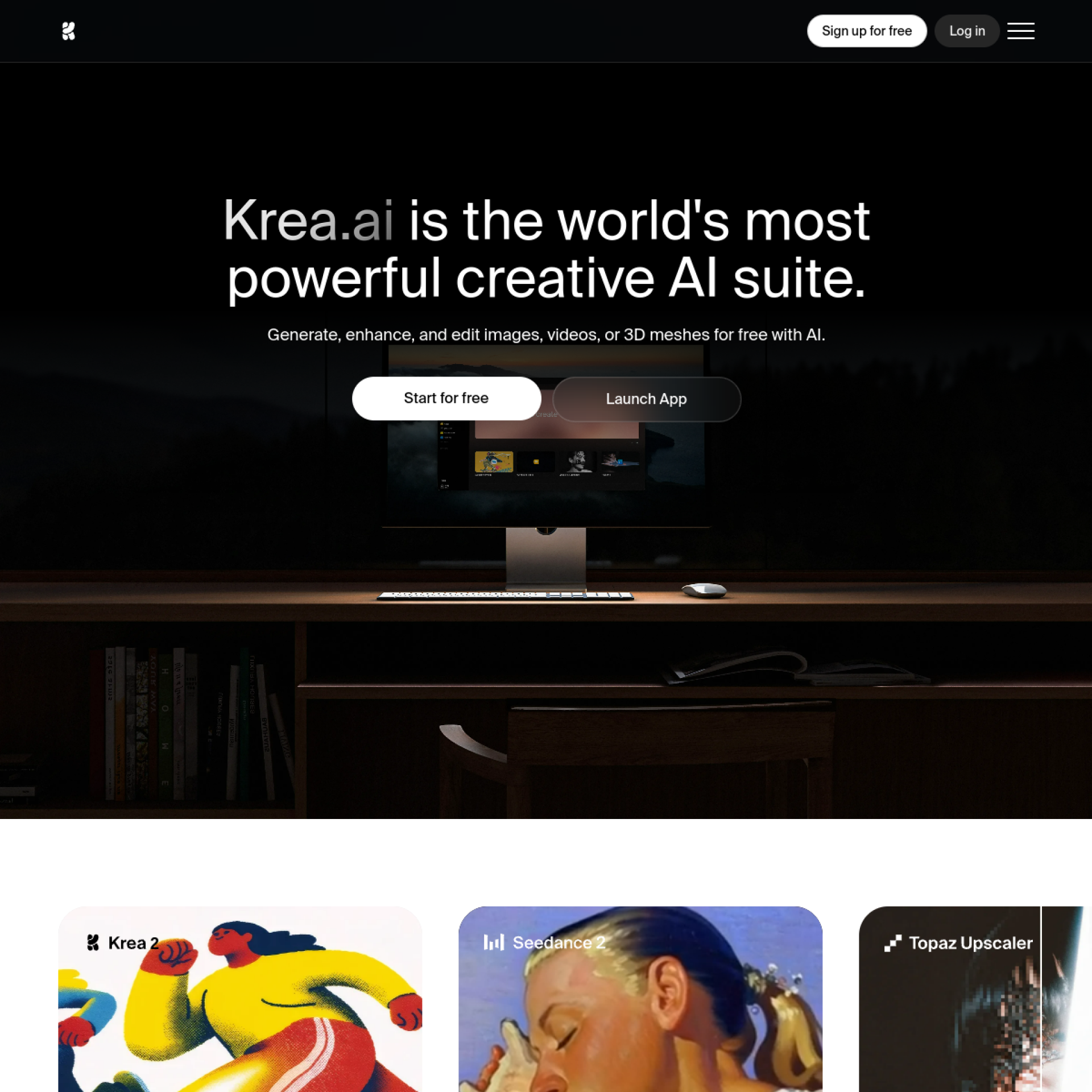
Krea is an AI Visual Design platform that focuses on real-time creative experience. It supports image and video generation and reduces the trial and error cost of creation through real-time canvas.
Krea
Krea’s core parameters and statistics
Krea's product positioning is a "real-time AI visual creation platform", but its actual capabilities span far beyond a single point tool - it also covers image generation, video generation 3D generation, image enhancement and amplification LoRA fine-tuning, real-time rendering and generative editing, and will enter the self-developed model track in June 2026 as the Krea 2 open source basic model.
| Dimensions | Key information |
|---|---|
| Product Positioning | Real-time AI Visual Creation Suite (Creative AI Suite) |
| Core capabilities | Real-time canvas, image/video/3D generation 22K enlargement LoRA fine-tuning, generative editing |
| Number of models covered | 64+ models (including Veo 3, Kling, Hailuo, Flux, Ideogram, Runway, Gemini, etc.) |
| Style Library | 1000+ Style Presets |
| Self-developed model | Krea 2 (DiT architecture, open source weights, including Raw and Turbo versions) |
| Rendering latency | Real-time image generation < 50ms; Flux 1024px FP16 about 3s |
| Maximum output | Image native 4K, upscaled to 22K; video up to 8K/120fps |
| User scale | Official website public > 30,000,000 users covering 191 countries |
| Enterprise customers | Lego, Samsung, Nike, Microsoft, Shopify, Amazon Studios, etc. |
| Competitive range | Highly interactive AI visual platform, between Midjourney (pure raw graphics) and Adobe (professional pipeline) |
Positioning Interpretation: Krea is neither a pure drawing tool (such as Midjourney) nor a traditional design suite (such as Adobe Creative Cloud). It cuts a middle zone of "real-time interactive creation" between the two - using real-time canvas to reduce the psychological cost of trial and error, using multi-model aggregation to reduce tool switching costs, and using the self-developed model Krea 2 to prove the depth of the underlying technology. This positioning will be mainly driven by experience differences before 2026. After entering the Krea 2 era, competition in model capabilities will begin to be superimposed.
Efficiency deduction: The generation time of a single 1024px image on standard hardware for traditional Flux and other models is usually in the range of 8-15 seconds. Krea’s official website is labeled 3s/1024px FP16, indicating that its inference pipeline has been deeply optimized (presumably a combination of self-developed VAE and timestep distillation). For business scenarios with high-frequency image output (such as batch generation of e-commerce main images), this 2-5 times speed difference directly translates into an increase in per capita production capacity.
Krea’s users and market recognition
Krea's market recognition will undergo a qualitative change in 2026 - from a "live experiment in the design community" to a formal creative platform with 30 million users and multiple world-class brand identities. The official website’s Trusted by over 30,000,000 users from 191 countries and brand walls (Lego, Samsung, Nike, Microsoft, Shopify, Amazon Studios, Gensler, Perkins&Will, etc.) are the most direct quantitative signals.
C-side communication power: The underlying logic behind Krea’s emergence is not parameter competition, but experience differences. The pain point of "not having to wait 30 seconds to change prompt words" is a real daily friction for designers and content creators. Real-time feedback is naturally suitable for live creation, teaching demonstrations and short video dissemination, which explains why it has a very high natural dissemination rate in overseas design communities (Twitter/X, YouTube, Reddit). The official YouTube channel and GitHub organization further support the two-way community building between developers and creators.
Corporate Recognition Signal: The architectural firm Gensler, advertising group McCann, creative agency VML, etc. appear on the brand logo wall, indicating that Krea has entered the evaluation and trial stage of professional creative agencies from "personal designer toys". For B-side procurement, these signals are more valuable than abstract user numbers - they mean that Krea has at least passed the first round of screening in terms of delivery quality, brand safety and team collaboration. However, brand wall does not mean comprehensive or in-depth deployment, and enterprise-level functional coverage still needs to be independently verified before purchasing.
Open Source Community and Academic Recognition: The Krea 2 Technical Report released in June 2026 disclosed in detail the full-link technical details from data cleaning, model architecture to training infrastructure, which is not common among commercial AI companies. The release of open source weight (Krea 2 Raw / Krea 2 Turbo) on GitHub and Hugging Face has further gained attention from the open source community and academia, providing an independent endorsement for Krea's technical credibility that is different from marketing volume.
Publicity Verification: The official website calls itself "the world's most powerful creative AI suite" - this statement has an obvious marketing premium. But the combination of the four points of "multi-model integration (64+ models) + real-time canvas + image/video/3D integration + self-developed Krea 2 open source" indeed constitutes a product depth that is rare on the market. It is no exaggeration to say that Krea is at least one of "currently the most radical attempts at integrating AI creation suites."
Krea’s cost advantage: from tool chain compression to trial and error efficiency
Krea's cost logic is not to "lower the monthly fee by a few dollars than competing products", but to change the hidden cost structure of the creative team by compressing the tool chain length and single trial and error time.
| Plan | Public Price | Monthly Quota (Compute Units) | Core Equity Difference |
|---|---|---|---|
| Free | $0 | 100 CU/day | Experience Krea 2, live models, limited access to image/video/3D features |
| Basic | $9/month | 5,000 CU/month | Business authorization, full image/3D model 22K, enlarged LoRA≤50 pictures, some videos |
| Pro | $35/month | 20,000 CU/month | All video models Nodes Workflow automation AI Nodes Agent, CU volume discount |
| Max | $105/month | 60,000 CU/month | Unlimited LoRA (≤2000 files), extended concurrency, unlimited Relaxed builds |
| Business | $200/month | 80,000 CU/month | ≤50 seats, shared Node Apps, LoRA ≤20000 images, role permissions, model access control |
| Enterprise | Business customization | Customization | Exclusive SLA, audit log Slack Connect, custom computing package, unlimited Relaxed |
C client/personal cost: The free tier’s 100 compute units per day is enough to experience Krea 2, real-time canvas and basic drawing/editing functions. It is a typical “enough for early adopters but not enough for mass production” design. The payment threshold for individual creators actually starts from $9/month - this price is lower than the Midjourney basic version ($10/month) and the Adobe Firefly package (about $15-25/month), but the difference is that Krea is billed by computing units instead of monthly sheets, and high-frequency consumption scenarios (video 4K, LoRA training) will quickly push up usage.
Developer/Team Hidden Cost: Krea is not an open API infrastructure and is not billed by token. Its cost should be measured in terms of "how many point tools does a creative team replace with Krea?" If the team originally subscribed to Midjourney ($10-60/month) + Runway ($15-95/month) + Topaz ($199 buyout) + standalone LoRA training tool, Krea’s $35-105/month actually compresses the total cost of ownership of the tool chain. On the other hand, if a team only needs a single model and the usage is very low, Krea's kit pricing is not that cost-effective.
The truth about free: The free tier does not require a credit card and is a good entry point to experience the product. But commercial high-frequency production almost certainly requires entering the paid tier. The real cost bottleneck is not the monthly fee, but the consumption rate of compute units by high-resolution generation, video generation and LoRA training - these hidden deduction items need to be deduced based on the actual workload before purchasing, rather than just looking at the starting price.
Krea’s main features
Krea's functional matrix is organized around four layers: "real-time creation - multi-model generation - enhancement/editing - asset precipitation":
- Realtime Canvas: Krea’s signature experience. When the user drags, modifies prompt words, and adjusts parameters, the screen is continuously updated with a delay of less than 50ms, which is similar to the interaction density of traditional design software. Suitable for creative pre-brainstorming, style exploration and client on-site proposals. Hidden Linkage: The output of the live canvas can be fed directly into the enhancement or video link, without the need for an export-import intermediate step.
- AI Image Generation: Supports 20+ image models, 1000+ style presets and native 4K output such as Krea 2 (self-developed), Flux, Ideogram, Gemini, etc. The official website indicates that the generation speed of Flux 1024px FP16 is about 3s. Expert view: The real value of the functional layer is not that there are many models, but that users can switch model comparison results on the same interface, avoiding the cross-tool switching loss of "finishing Midjourney and then switching to DALL-E".
- AI video generation: Aggregates mainstream video models such as Veo 3, Kling, Hailuo, Wan, Runway, Sora 2, etc., and supports Wensheng video, Tusheng video, dynamic style transfer and Lipsync. Also released in October 2025 is the Krea Realtime 14B live video model. Linkage value: The still image generated by the image link can be directly used as the starting point of the video, eliminating the breakpoint of "PS export -> download -> import video tool" in the traditional process.
- Image/Video Enhancement and Upscaling: Supports image upscaling to 22K resolution, video upscaling to 8K and frame interpolation to 120fps. Integrated 7 magnification models including Topaz Photo and Topaz Gigapixel. Real scenes: Suitable for converting rough 3D renderings into photo-quality architectural renderings, repairing old scanned photos, or upgrading mobile phone footage to commercial grade.
- LoRA fine-tuning and asset management: Users can train exclusive LoRA models by uploading several pictures of the same face, product or style. The Business plan supports up to 20,000 training images, and LoRA can be shared within the team. Implicit value: Brand teams can make visual specifications, product angles, and personas reusable
LoRA assets to avoid the efficiency loss of re-debugging prompt words every time a picture is released.
- Generative Editing: Supports 10 editing models (including Nano Banana, Flux Kontext, Qwen, etc.), which can add and delete objects, fuse images, change expressions and lighting. When combined with the real-time canvas, the editing function of "selected area -> description modification -> real-time preview" can be realized.
- 3D Generation and Nodes Workflow: Support for Vincent 3D and Diagram 3D. Pro and above plans provide Nodes visual workflow editor and AI-powered Nodes Agent, which are suitable for building complex automated generation pipelines.
Krea’s model and version evolution
Krea's version evolution can be divided into two parallel dimensions: platform product version and self-developed model version.
Platform product version
| Version stage | Time | Iteration focus |
|---|---|---|
| First version online | 2022-10 | Basic image generation and visual parameter adjustment |
| Realtime Canvas | 2024-04 | Real-time Canvas goes online to establish Krea’s interactive differentiation |
| Video capability Beta | 2025-09 | Image to video creation pipeline opening |
| Krea-1 Realtime | 2026-02 | Enhanced real-time canvas detail control and continuity |
| Krea 2 / Open Source Model | 2026-06 | The first self-developed basic model, open source weights and technical report |
Self-developed model version (Krea 2 series)
On June 23, 2026, Krea released the Krea 2 technical report, officially entering the self-developed basic model track:
- Krea 2 Raw: Complete precision basic model, based on DiT (Diffusion Transformer) architecture, using single-stream Transformer Block + GQA + Gated Sigmoid Attention + SwiGLU + Zero-Centered RMSNorm. The text encoder uses Qwen 3 VL, which supports multi-language and multi-modal input. Training uses a multi-stage pipeline (Pretraining -> Midtraining -> SFT -> PO -> RL -> Timestep Distillation), and the training infrastructure is self-developed and built based on PyTorch DTensor + FSDP2 + Tensor Parallelism.
- Krea 2 Turbo: A version of few-step inference distilled through TDM (Trajectory Distribution Matching), which makes a trade-off between generation quality and inference speed.
- Krea Realtime 14B (2025-10): Real-time video generation model, focusing on frame consistency of long videos. The official website does not disclose the detailed architecture, but it states that it focuses on "real-time, long-form AI video generation".
Version highlights: Krea’s upgrades focus on three main lines—lower latency real-time interaction, more aggregation access to third-party cutting-edge models, and kitization capabilities that extend from images to video/3D/audio. The release of Krea 2 marks a shift from a "model aggregation platform" to a dual-track strategy of "self-developed model + aggregation platform", which is a rare hybrid positioning in the AI vision tool track.
Krea’s technical advantages
Krea’s technical advantages can be broken down from three levels: model layer, platform layer and experience layer:
Model layer: Technical depth of self-developed Krea 2: Krea 2's DiT architecture introduces a number of optimizations from the LLM field based on the standard Diffusion Transformer - GQA (Group Query Attention) improves inference efficiency, Gated Sigmoid Attention improves training stability, SwiGLU MLP replaces traditional GeLU, and Zero-Centered RMSNorm reduces computing overhead. The training pipeline adopts an LLM-style multi-stage strategy, forming a complete link from Pretraining to RL to Distillation. It is worth noting that Krea 2 does not use AI to generate images for pretraining, and builds an automatic annotation system based on SAE (sparse autoencoder) during data cleaning to deal with visual artifacts. Mechanism -> Effect: The collective effect of these engineering choices is that Krea 2 is in the top ten on the Artificial Analysis leaderboard and ranked second among independent laboratory models, while maintaining the transparency of open source reproducible technology.
Platform layer: Unified orchestration and experience abstraction of 64+ models: Krea does not bind a single model, but abstracts different capability domains such as images, video 3D, enhancement, and editing in the same interface. Users select models according to tasks instead of switching products according to tools. Why this matters for creative teams: Because model preferences vary greatly from task to task - product images might be better suited to Flux or Ideogram, stylized illustrations might be better suited to Krea 2 or Midjourney, video might be better suited to Veo or Kling. Krea encapsulates this layer of complexity in the platform layer, and users only need to care about "what effect do I want to do".
Experience layer: Real-time interaction reduces the black-box feeling of AI creation: The core problem of most AI visual tools is "you don't know why it is like that". Krea uses sub-50ms real-time canvas feedback, visual style reference maps, real-time parameter sliders and the image editor's "select-modify-preview" mechanism to transform the generation process from "black box submission" to "interactive shaping". This is not just a UX preference, it directly changes the mental model of the creative workflow - from "write prompt words and other results" to "tune, watch and iterate".
Unfit Boundary: Krea has obvious advantages in inspiration exploration, concept testing and multi-model comparison scenarios. However, it is not suitable for enterprise-level production pipelines driven by strong process approvals (such as strict multi-level audits, automatic compliance checks of brand assets, fine-grained version freezing and release control), unless the organization builds its own governance layer on top of Krea.
Quantitative deduction for cost reduction and efficiency improvement: Taking the early visual exploration of the advertising creative team as an example, the traditional process (Midjourney drawing -> download -> switch to Photoshop / Canva adjustment -> then switch back to the drawing tool to fine-tune prompt words -> repeat) a single "idea -> discussion-ready sketch" takes about 20-40 minutes. Under Krea's real-time canvas, the same task can be compressed to 5-10 minutes, and the core comes from two factors: real-time feedback reduces iteration wait time from 10-30 seconds to sub-seconds, and the unified platform eliminates the context break of cross-tool switching. This is a workflow deduction and is an unofficial commitment.
How to use Krea
Krea uses the web as its main delivery form. No installation is required. You can use it by visiting app.krea.ai. The following are typical entry and usage paths:
| Entrance | Access Method | Typical Tasks |
|---|---|---|
| Krea Web App | Browser access app.krea.ai | Full-featured creation portal, covering image/video/3D/enhancement/editing |
| Krea 2 dedicated page | Home Krea 2 entrance or /image/k2 | Experience self-developed model generation, including style reference and Prompt Expander |
| Realtime Canvas | /realtime | Real-time creation, style exploration, live demonstration |
| AI video generation | /video | Wensheng video, Tusheng video, dynamic style transfer |
| Image enhancer | /enhancer | Enlarge/fix/increase resolution |
| LoRA training | /train | Upload pictures to train exclusive styles or character models |
| Assets management | /assets | Material storage LoRA management and team sharing |
Typical creative process: Open the real-time canvas -> Select a style preset or upload a reference image -> Quickly iterate through drag and drop and prompt words -> Lock the direction and switch to the standard generation mode for refinement -> Improve the resolution through the enhancer -> If video/3D is required, directly send it to the corresponding workflow -> Export or save to the asset library for reuse in subsequent projects.
Get started quickly in 3 minutes: The first step is to visit app.krea.ai and register a free account to try Krea 2 or Realtime mode directly. The second step is to upload a reference picture (product or portrait) to observe the style maintenance ability and real-time feedback speed. The third step is to send the same material to the enhancement link and video generation link in sequence to verify the value of the platform - the core is not how good a single image is, but whether all sections are completed within the same workflow.
Human-machine collaboration boundary: In Krea's workflow, sections that can be highly automated include sketch generation, visual direction exploration, batch style changes, first version image enhancement, and LoRA training data preprocessing. The areas where humans must retain control are the finalization of brand aesthetics, final acceptance of commercial materials, review of character/product consistency, final confirmation of content delivered by high-value customers, and compliance checks involving brand safety. Particularly in the Business/Enterprise plan, while role permissions and model access controls are provided, these are governance tools rather than replacements for approval automation.
Krea’s Product Pricing
Krea adopts a combined pricing model of "free entrance + subscription tiering + compute unit billing". All packages support monthly payment and annual payment (annual payment saves approximately 40%).
Free Tier ($0/month): 100 compute units per day, you can experience Krea 2, real-time models, some image/video/3D functions, no credit card required. Positioning is the entrance to product experience rather than a production-level solution.
Personal Creation Tier (Basic $9/month -> Pro $35/month): $9 covers 5000 CU/month, major upgrades are business licensing, full image/3D model access, and 22K upscaling. $35 adds 20,000 CU/month and unlocks all video models and Nodes workflow automation. For independent creators, $35 is the entry-level entry point for the "полноценная Production Platform".
High Throughput Tier (Max $105/month): 60,000 CU/month + unlimited LoRA training (2000 files) + scaled concurrency + unlimited Relaxed builds. Suitable for individuals or small teams whose main content output is AI-generated pictures/videos.
Team and Enterprise Tier (Business starts at $200/month/Enterprise business pricing): Business includes 50 seats, 80,000 CU/month, role permissions and model access control. Enterprise provides audit log SLA, Slack Connect, custom computing packages, etc. This is the pricing tier where Krea enters the formal creative agency shopping list.
Purchasing Judgment Suggestions: Individual creators directly evaluate whether the monthly CU consumption is suitable for the $35-105 range; the core issue of team purchasing is not the monthly fee, but "Can Krea replace the total cost of ownership of the current N single-point tools". If a team subscribes to both image generation + video generation + augmentation tools + LoRA training, Krea’s Business plan ($200/month) may be lower than the current tool combo cost. On the other hand, if the team already has a mature Adobe/3D/video production pipeline, it needs to focus on verifying the integration cost of Krea into the existing workflow rather than making a direct comparison.
Application scenarios of Krea
- Advertising and brand visual concept exploration: In the early stage of creativity, 10-20 visual directions need to be quickly produced for the team to screen. Krea's real-time canvas and multi-model switching change the process from "submit by round" to "draw while chatting", significantly shortening the time between creative briefing and internal review. Key points of verification: The ability to maintain brand visual standards - LoRA training can solve this problem to a certain extent, but it requires an early investment in training time.
- Batch creation of social media content: cover images, information cards, short video slices and stylized posters are high-frequency needs. Krea's video generation and image editing capabilities allow the same material to produce multi-format variations of still images + motion effects + videos, which is suitable for social media operation teams to complete multi-end adaptation within one platform. Key points to verify: Speed consistency of batch output - the CU quota of the free and basic tiers may not be enough to support high-frequency output.
- E-commerce product vision and A+ content: Generation of product main images, scene images, and short tutorial videos. Krea’s 22K upscaling and 8K video capabilities allow even low-budget teams to produce near-professional studio-quality footage. Verification Key: Product consistency and detail restoration - the quality of LoRA training directly affects commercial availability.
- Visual aid for architectural design: Krea’s official website shows its cooperation with architectural firms such as Gensler and Perkins&Will. 3D renderings are converted into photorealistic visualizations through Krea enhanced links, which is a feasible way for architects to quickly produce plan presentations. Verification focus: Structural accuracy and detail preservation - AI enhancement may produce illusions on textures, requiring manual review.
- LoRA-driven character/IP consistent production: scenes such as brand mascots, virtual anchors, comic characters, etc. Through LoRA training, the character's appearance, painting style and key elements are precipitated into reusable assets, and subsequent direct calls are generated to avoid the need for each prompt word description.
Inconsistency.
Dimensionality reduction combat scenarios: High-frequency proof of concept, cross-model style comparison, visual exploration before customer proposals, single creator, multi-role and multi-format content production - these scenarios are where Krea's platform value is most intensive.
Not suitable for boundaries: Enterprise-level production pipelines driven by strong process approvals, organizations that require strict local privatization and cannot accept any network dependence, users with extremely low budgets and only need a single model for drawing-in these cases, Krea's suite pricing and platform features have become a cost burden.
Applicable groups of Krea
- Visual Designer and Illustration Creator: Can best appreciate the difference in trial and error efficiency brought by real-time canvas - the change in experience from "waiting for 30 seconds to see a result" to "looking at it while dragging" directly shortens the path from inspiration to visual confirmation.
- Content Marketing and Social Media Operation Team: People who need to produce covers, posters and short video materials at a high frequency. Krea's image-video-enhancement link allows teams to complete continuous production from still images to motion effects within one platform, reducing the communication cost of switching between tools.
- Product and Brand Team: In the visual direction exploration and style definition stages, Krea's multi-model comparison and LoRA asset accumulation can make brand visual decisions more data-based (A/B comparison of the same prompt word output from different models), rather than relying on intuitive judgment.
- Architecture and Spatial Design Agency: Krea's 22K upscaling and enhancement links transform rough 3D renderings into photorealistic visualizations for quick client presentations. However, attention should be paid to the cost of manual review of structural details.
- Independent Creators & Freelancers: Workflows covering image, video, enhancement, and LoRA training for $35-105/month without having to subscribe to 3-4 point tools at the same time.
People who are advised to quit: Organizations that are heavily engineering and require audit-level process control; users with extremely low budgets who only need a single model (such as Midjourney only); creators who are not sensitive to generation speed and value the ultimate single-sheet quality; and enterprises that require 100% local privatization and no network dependence - Krea's web platform form is naturally not suitable for these scenarios.
Summary and Outlook
The core value of Krea is to change AI creation from the batch processing mode of "waiting for results" to the real-time interactive mode of "watching while doing". This difference is easily underestimated in the text description, but in the actual workflow it will change the way the creative team collaborates - because inspiration exploration, customer communication and sample iteration all become closer to the operating rhythm of traditional design software. The release of Krea 2 in 2026 further complements the underlying capabilities of the self-developed model, upgrading Krea from the "model integration layer" to the dual-track positioning of "underlying model + integration layer".
There are three key nodes worth observing in the future: first, whether the iterative rhythm of self-developed models (Krea 2 series) and the multi-model aggregation strategy can maintain experience consistency - these are two different product philosophies, and users' expectations for the "best experience" depend on which direction dominates; second, whether the suite integration of video 3D and audio can truly form a smooth end-to-end production chain rather than a pile of functions; third, Business/Enterprise Can layer-level asset management, collaboration governance, and commercial licensing boundaries keep up with the depth of needs of enterprise creative agencies, especially the "unsexy but necessary" things like brand security, training data copyright, and audit compliance.
Procurement/Adoption Risk Assessment: If a team's core pain points are creative upfront efficiency and cross-model switching costs, Krea has unique value in the current market - no other product offers the combination of real-time canvas + 64+ model aggregation + self-developed models + open source technology transparency. However, if the organization is more concerned about strong governance, deep integration (such as bridging with the Adobe ecosystem), strict training data boundaries and fine-grained permission audits, it needs to focus on verifying before purchasing: the copyright ownership and privacy protection policy of Krea LoRA training data; whether the role permission granularity of Business and above plans meets actual control needs; and the platform's support for the process of "key business materials must be manually finalized". Krea is a creative accelerator, not a creative management platform - it is of great value when used in the right scenario, but purchasing it as an all-round design operating system will have an expected gap.
Related tools:  Midjourney, stable-diffusion
Comparison of competing products
| Comparison dimensions | The tool | Competitor A | Competitor B |
|---|---|---|---|
| Core Differences | — | — | — |
| Price | — | — | — |
| Target User | — | — | -- |
Version Info
- Krea-1 Realtime :Krea-1 Realtime enhances the real-time canvas feedback speed and detail control, expands the continuous creation capabilities from images to videos, and improves the workflow efficiency of professional users.
- Video capabilities Beta :Gradually expand video generation and dynamic creation capabilities, integrating images into the video process.
- Released by Realtime Canvas :The real-time canvas is online, and users can see the generated feedback synchronously when making adjustments.
- The first version of Krea is online :Release basic image generation and visual parameter adjustment capabilities.
User Reviews