 LiveChat AI
LiveChat is a fully functional enterprise-level customer service chat platform that provides real-time chat, work order management, AI intelligent replies, and customer satisfaction tracking, emphasizing customizability and depth of data analysis.
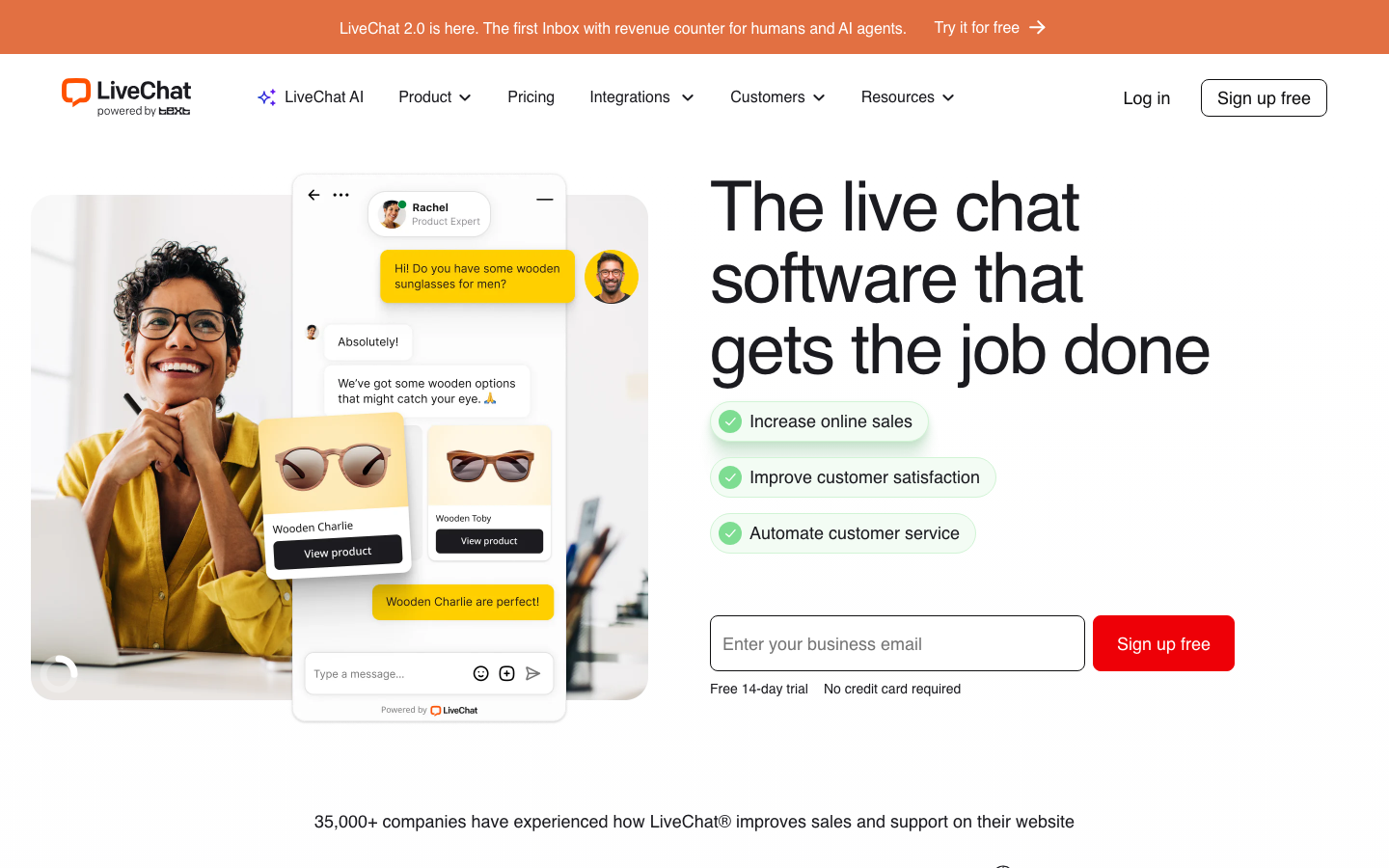
LiveChatAI
Core parameters and statistics of LiveChat AI
LiveChat was founded in 2002 and is one of the oldest products in the customer service chat tool track. Its core competitiveness does not lie in "the most cutting-edge AI functions", but in "maturity and customizability" - product stability, rich third-party integration ecosystem and in-depth report analysis system after more than 20 years of iteration. The following is an overview of the core parameters:
| Projects | Public Information |
|---|---|
| Official positioning | Enterprise-level customer service chat and help desk platform |
| Core Competencies | Real-time chat, work order management, AI intelligent reply, report analysis |
| Depth of AI capabilities | Intelligent reply suggestions, automatic labeling, automatic classification of work orders, and conversation summaries |
| Deployment method | SaaS cloud (multi-region servers: US East, US West, EU, Australia) |
| Integration Ecosystem | Native integration with 200+ applications (Salesforce, Shopify, Zendesk, HubSpot, Slack, Mailchimp, WooCommerce) |
| Enterprise Customers | More than 36,000, covering 150+ countries |
| API openness | REST API + Webhook + Chat Widget JS SDK, supports deep customization |
| Latest version | 2026.7 |
| Supported platforms | Web, iOS, Android, Desktop (Windows/macOS) |
| Available languages | en-US, pl, de, fr, es (the customer service interface supports multiple languages, and the AI reply adapts to the corresponding language) |
| Data Compliance | SOC 2, GDPR, HIPAA (Enterprise Edition) |
| Listing Information | Listing on the Warsaw Stock Exchange (WSE) 2019 |
Interpretation of Core Differences: The advantages of LiveChat are reflected in the three levels of "deep customization". First, the API is highly open - the REST API covers almost all objects (conversations, visitors, work orders, reports), and developers can build a fully customized customer service workbench. Second, triggers and automation rules are flexible - supporting compound condition triggers based on visitor behavior (number of pages visited, dwell time, geographical location, source channel, number of historical conversations, custom events) instead of simple keyword matching. The third is the richness of report dimensions - 30+ preset indicators + custom dashboard + data export API, supporting BI tools (Tableau, Power BI) to directly access analysis.
An easily overlooked positioning difference: LiveChat is not an "AI customer service startup", but a "mature customer service platform + AI enhancement". This means that its AI capabilities are superimposed on the work order flow, permission system, and reporting engine accumulated over twenty years, rather than LLM encapsulation from scratch. For companies that already have a mature set of customer service SOPs, the value of this "stock compatibility" is often more important than the novelty of AI functions.
Users and market recognition of LiveChat AI
LiveChat's market position is based on more than 20 years of accumulation of enterprise-level services. Its user structure is mainly medium and large B-side enterprises, and the C-side is almost invisible - this is in sharp contrast to the positioning of Intercom, Tidio, etc., which cover both small teams and e-commerce sellers.
Enterprise Adoption: More than 36,000 enterprise customers, covering 150 countries and regions. The customer list includes well-known brands such as Allianz, BT, Dyson, Fujitsu, and Porsche. These customers mostly choose the Team or Business version of LiveChat instead of the low-price entry version - indicating that its core value lies in work order flow and report analysis, rather than low-cost customer acquisition.
Transparency Advantages of Listed Companies: LiveChat was listed on the Warsaw Stock Exchange (WSE) in 2019 (ticker code: LVC). As a listed company, its financial data, customer growth and R&D investment are regularly disclosed. This is an important difference from most unlisted customer service SaaS products (such as Crisp, Tidio) - listing means a more standardized governance structure and a more transparent product development roadmap, but it also means that short-sighted pressure on quarterly performance may affect the long-term AI investment rhythm.
Industry Analyst Recognition: LiveChat has long been in the Leader quadrant in G2's Live Chat and Help Desk categories. In the G2 score as of mid-2026, LiveChat scores higher than Zendesk and Intercom in the "Ease of Use" and "Time to Go Live" indicators, but lower than Intercom Fin and Zendesk Answer Bot in the "AI capabilities" dimension - this score distribution is highly consistent with product positioning.
Dual differentiation of user reputation: On third-party platforms such as G2 and Capterra, LiveChat’s user reviews are obviously polarized. Positive comments focused on "perfect integration ecosystem", "comprehensive reports", and "quick customer service response"; negative comments focused on "expensive", "slow AI function updates", and "steep learning curve for advanced functions". This contradiction between pricing and AI capabilities is where competing products come in. Intercom and Tidio are competing for LiveChat’s existing customers with more price-competitive AI automation solutions.
Market structure positioning: In the customer service chat track, LiveChat is in the "high-end mature platform" camp, directly competing with Zendesk and Salesforce Service Cloud; while in the AI native customer service track, it faces flanking impacts from Intercom Fin, Crisp AI, and Tidio AI. In other words, it is the first echelon in the "customer service workflow" dimension, but is following in the "AI automation" dimension.
Cost Advantages of LiveChat AI
LiveChat's pricing strategy reflects the typical characteristics of mature enterprise-level SaaS - clear functional stratification but high overall price. It is suitable for medium and large teams with clear ROI expectations, and is not friendly to small and micro teams and independent developers.
C-side/Personal User: Not available
LiveChat does not offer a personal or forever free version. The only thing that is close to free is the 14-day full-featured trial (no need to bind a card), but after the trial period, the minimum entry price is $20/month/seat - which means the minimum annual cost for 1 person is $240, which is a high threshold for individual users or side projects.
Small and medium-sized teams/start-ups: price comparison
The following is a comparison between LiveChat and its main competitors in terms of entry-level price and feature coverage (both based on annual payment, monthly payment is usually 15-20% more expensive):
| Product | Monthly fee/seat for starter version | Availability of free version | AI function coverage | Applicable team size |
|---|---|---|---|---|
| LiveChat | $20 | 14-day trial | Basic Smart Reply | 1-4 people |
| Intercom | $39 | Limited Free | Fin AI Reply (additional billing) | 2+ people |
| Tidio | $29 | Free forever | Lyro AI automation | Unlimited |
| Crisp | $25 | Free version forever | AI automatic reply (limited) | Unlimited |
| Zendesk | $55 | Limited trial | Answer Bot (additional billing) | 1+ people |
As can be seen from the table, LiveChat is not the most expensive in terms of entry price - it is cheaper than Zendesk and slightly lower than Intercom - but it lacks the key "customer acquisition funnel" entrance of the permanent free version. The free versions of Tidio and Crisp can attract a large number of small and micro teams to try out and then gradually convert them into paid users, while the 14-day trial mode of LiveChat is more suitable for investigation customers who "already have clear purchase intentions."
API/Developer Cost: Undisclosed
LiveChat provides REST API and Webhooks, but its API calls are not billed per volume and are included in the seat subscription. This means that developer teams need to purchase seats before using the API - there is no independent "API only" pricing plan for developers who just want to integrate LiveChat functionality into their own products, which may constitute an implicit barrier.
Enterprise/Privatization Costs: Quotation System
Enterprise edition is priced on a quote basis and is suitable for larger deployments of 25+ seats. The basic annual fee is usually no less than $30,000/year (estimated based on 50 seats), plus optional advanced support packages and customized services, the total annual ownership cost is approximately $50,000-150,000. Enterprise edition includes SSO/SAML, audit logs, a dedicated customer success manager, custom SLA, and data residency options.
Hidden Cost Tip: Migration costs are the most underestimated expense in LiveChat. The switch of the customer service system involves work order data migration, Chat Widget redeployment, integration reconfiguration with CRM/ERP, and retraining of the customer service team. If a business is already using Zendesk or Intercom, productivity may drop by 15-25% in the first two months of switching to LiveChat. It is recommended to use the trial period to complete a minimum viable test (MVT) before migration - select a customer service group to conduct a trial run for two weeks to quantify the benefits and losses of the migration.
Main features of LiveChat AI
LiveChat's functional system covers all the relevant aspects of "Visitor Reach → Dialogue Management → Work Order Flow → Quality Analysis". The following is an analysis of the five core functional modules and their "hidden linkage":
1. AI smart reply suggestions (Smart Replies)
- Surface Ability: Based on the conversation context and historical solutions, AI generates 3-5 reply suggestions in real time, which can be selected by customer service with one click. Supports auto-fill based on specific phrase templates to ensure consistent brand tone.
- Expert View: The actual value of AI reply suggestions lies not only in "reducing typing", but also in pushing standard answers accumulated in the enterprise knowledge base to the conversation site in real time. When customer service selects an AI suggestion, the system will record the source of the suggestion (which entry in the knowledge base) and whether it was adopted, forming relevant data of "knowledge base hit rate" and "suggestion adoption rate". This set of indicators can be used to identify high-frequency questions and inefficient entries in the knowledge base, driving the continuous optimization of the knowledge base. This is a deep linkage between the AI reply function and the knowledge management function, but most users only focus on "how much faster typing is" and ignore this layer.
2. Work order management (HelpDesk)
- Surface Capability: Convert chat conversations into work orders with one click, support custom status flow (New → Processing → Waiting for Customer → Resolved → Closed), SLA tracking, team assignment and priority setting.
- Expert View: The native association between work orders and chat records is the core difference between LiveChat and the "pure chat tool + external work order system" solution. When customer service is handling a historical conversation that has been converted into a work order, they can directly see the complete context of the conversation without having to repeatedly switch between the chat system and the work order system. This continuous design of "conversation is a ticket" reduces the customer service context switching cost from 3-5 minutes per time in the traditional solution to almost zero.
3. Automated triggering and intelligent routing (Triggers & Routing)
- Surface Capability: Automatically trigger chat invitations based on visitor behavior (page visits, length of stay, geographical location, source channels, frequency of visits, historical conversation records) and assign them to the most appropriate customer service group according to preset rules.
- Expert View: The real power of Triggers lies in Composite Conditional Orchestration - you can set "when a visitor visits the pricing page > 3 times + comes from a specific region + carries UTM parameters for paid advertising + historical conversations are unresolved", trigger invitations for specific words and assign them to senior sales customer service. This multi-condition combination has a significant impact on the conversion rate than a single condition trigger: According to LiveChat official case data, active chat invitations based on behavioral triggers have a conversion rate 3-5 times higher than passively waiting for customers to initiate a conversation. The problem is that the configuration of compound conditions relies on the logical ability of operators. A large number of users only use "page trigger" a single condition, which is far from realizing the potential of this function.
4. Customer Satisfaction Tracking (CSAT)
- Surface Capability: Automatically send a satisfaction score invitation (1-5 points) after the conversation, supports custom survey questions and trigger timing, and summarizes the data into a team-level service quality report.
- Expert View: The value of CSAT data is not in the score itself, but in the cross-analysis of the score and customer service behavior, ticket attributes, and conversation length. For example, when CSAT scores are negatively correlated with response time (the faster the response, the lower the score), it means that customer service may have sacrificed answer quality in pursuit of response speed. In this case, performance appraisal indicators should be adjusted instead of continuing to compress response time. This cross-analysis capability can be implemented in LiveChat's custom reporting module, but most teams only use CSAT as the input of "customer service rankings".
5. In-depth reports and analysis (Reports & Analytics)
- Surface capabilities: More than 30 preset indicators, covering dimensions such as response time, resolution rate, customer satisfaction, busy hour distribution, conversation volume trends, customer service efficiency, etc., and supports custom dashboards and scheduled email sending.
- Expert View: The differentiated value of LiveChat reports lies in data exportability and BI integration. Through the REST API, time series data such as conversation volume CSAT and response time can be exported in batches and correlated with business data (such as order volume, return rate, and advertising delivery) for analysis in Tableau or Power BI. For example, when the volume of customer service conversations and the order conversion rate increase simultaneously, indicators such as "for every 10 seconds the customer service response speed increases, the conversion rate increases by Y%" can be quantified to directly link customer service costs with business benefits. This kind of design thinking that "customer service data is not the end point but the BI input" is relatively rare among similar products.
Function linkage overview
The above five functions do not exist in isolation, they form a synergistic effect through the following:
Visitor behavior → Trigger triggers chat → AI suggestion assisted reply during conversation → Conversation converted to work order (with complete context)
→ Ticket SLA tracking → Conversation end CSAT score → Score and response time/resolution rate report
→ Report discovery bottlenecks → Optimize Trigger rules and AI suggestion knowledge base → Return to the first step
The integrity of this relationship depends on the team's ability to continue to operate each section - if only chat is used without enabling tickets and reports, most of the above synergies will be lost.
Model and version evolution of LiveChat AI
LiveChat’s product evolution path can be divided into four stages, each stage reflecting changes in technology trends in the customer service industry and corporate needs.
The first stage: pure chat tool (2002-2008)
LiveChat was founded in 2002. It was originally a simple web instant messaging tool. Its core function is to embed a chat box in the lower right corner of the website to allow visitors to communicate with online customer service in real time. At this stage, the product has a single function, and its competitive advantage lies in "stability" - it has worked hard on browser compatibility and server stability, laying a technical foundation for subsequent enterprise-level expansion.
Phase 2: Help Desk Prototype (2009-2015)
As enterprise customers' demands for "traceable and manageable chat records" increase, LiveChat began to introduce ticketing and visitor tracking functions. The Tickets module launched in 2013 allows chat conversations to be turned into trackable tickets, marking LiveChat's transformation from a "communication tool" to a "customer service management platform". At the same time, iPhone and Android mobile apps were released to support mobile customer service office scenarios.
The third stage: platformization and listing (2016-2022)
This stage is a period of rapid improvement in LiveChat's product features and market position. Key milestones include:
- 2017: Released the ChatBot (chatbot) module, which supports rule-based automatic responses and is the prototype of AI functionality.
- 2019: Listed on the Warsaw Stock Exchange. In the same year, it acquired the help desk platform HelpDesk and the chat robot platform BotEngine, forming a product matrix of "chat + work orders + robots".
- 2020: Launch of OpenWidget - an open source chat widget SDK that allows developers to customize the UI and behavior of Chat Widgets.
- 2021: Introducing AI smart reply suggestions (Smart Replies), which generates reply suggestions in real time based on the NLP model, becoming the first milestone of its AI function.
- 2022: Acquisition of KnowledgeBase knowledge base platform, which complements the "self-service" section and forms a three-piece set of "Chat → Work Order → Knowledge Base".
Phase 4: AI enhancement and refinement (2023 to present)
- 2024: Launch of AI-driven Auto Tagging and Auto Ticket Categorization, automatically labeling tickets based on conversation content and assigning them to the corresponding customer service group.
- 2025: Introducing AI Chat Summary, customer service can quickly understand the core points of the previous dialogue when taking over processing, and reduce the time of reading the full log.
- 2026: Continue to optimize the accuracy and context understanding of AI reply suggestions, and introduce LLM-based intent recognition for more accurate conversation routing.
Summary of version context
| Year | Version/Milestone | Type of Change | Value to Customer |
|---|---|---|---|
| 2002 | Product release | Initial | Basic capabilities of web real-time chat |
| 2013 | Tickets module | Function expansion | Upgrade from chat tool to help desk |
| 2017 | ChatBot | Automation | Rules-Driven Autoresponders |
| 2019 | IPO / Acquisition of HelpDesk and BotEngine | Strategy | Formation of a complete product matrix + listed company governance |
| 2021 | Smart Replies (AI) | Intelligent Augmentation | NLP-driven real-time reply suggestions |
| 2022 | Acquisition of KnowledgeBase | Completion | Self-service knowledge base → Reduce customer service pressure |
| 2024 | Auto Tagging & Auto Routing | AI Enhanced | AI-driven automatic classification and allocation of work orders |
| 2025 | AI Chat Summary | AI Enhancement | Conversation Summary Reduces Customer Service Switching Costs |
| 2026 | LLM intent recognition | AI enhancement | More accurate routing and reply suggestions |
Characteristics of version iteration rhythm: LiveChat's version updates are known for their "robustness" - they do not pursue a radical AI function release rhythm, but each new function is fully tested and grayscaled before being fully pushed. The advantage of this strategy is high stability and fewer regression bugs. The cost is that the launch speed of AI functions lags behind competing products such as Intercom by 6-12 months.
Technical advantages of LiveChat AI
LiveChat's technical advantage lies not in the advancement of its AI model (it does not develop large models in-house), but in its "engineering depth" - seamlessly embedding AI capabilities into every step of the customer service workflow.
Multi-region hybrid architecture and data residency
LiveChat has deployed 5 data centers around the world (Eastern United States, Western United States, European Union, Australia, Singapore, Asia), adopting a multi-region hybrid architecture. Customer service conversation data is stored in the area closest to the visitor by default to reduce network latency. The Enterprise version supports Data Residency—enterprises can specify that data can only be stored in specific regions (such as the European Union) to meet GDPR compliance requirements. For financial services, healthcare, and government customers, this capability is a prerequisite for procurement—in contrast, some competing products are only deployed in a single region and cannot meet regulatory requirements for data localization.
Chat Widget Performance and Compatibility
LiveChat’s Chat Widget is the part with the deepest technical expertise. After twenty years of iteration, Widget has developed engineering advantages in the following aspects:
- Compatibility: Supports all historical versions of mainstream browsers such as IE11+, Chrome, Firefox, Safari, Edge, etc., and will not cause functional abnormalities on old corporate intranet browsers.
- Performance: The Widget loading volume is about 120KB (about 40KB after gzip), which is loaded asynchronously and does not block the main rendering thread of the page. Under the condition of slow 3G network, the first interactive time (FID) of the widget is controlled within 2 seconds.
- Depth of Customization: Through the OpenWidget SDK, developers can completely cover the UI and behavior of the Widget - from bubble style, dialog box layout to message flow logic, all can be implemented through JavaScript programming, not just CSS skinning.
Engineering design of AI reasoning
LiveChat's AI capabilities do not rely on a single model, but adopt a three-layer architecture of "rule engine + ML model + LLM":
- Rules Engine Layer: Process deterministic logic (such as "Visitor stays on checkout page > 60 seconds → trigger order help invitation") without GPU inference and latency < 10ms.
- ML model layer: handles classification and recommendation tasks (automatic labeling, work order classification, reply suggestion sorting), based on the lightweight Transformer model, with an average inference delay of 50-150ms.
- LLM layer: Processes generative tasks (conversation summarization, complex question answering), based on GPT or self-developed model API, with a delay of 500ms-3s.
This layered design ensures that 80% of daily scenarios are responded to by the first two layers with extremely low latency, and only 20% of complex scenarios trigger LLM inference - ensuring user experience while controlling costs. In contrast, some AI-native customer service tools hand over all requests to LLM for processing, which is slow and expensive in simple question and answer scenarios.
Security and Compliance System
What enterprise customers care most about is not the coolness of AI features, but data security and compliance. LiveChat creates barriers to competition in the following ways:
- SOC 2 Type II Certification: Annual audit covering the three dimensions of security, availability and confidentiality.
- GDPR Compliance: Supports Data Subject Rights Request (DSR), Data Processing Agreement (DPA), and data residency options.
- HIPAA Compliance: Enterprise version supports signing of Business Associate Agreements (BAA) for healthcare customers.
- SSO/SAML: Enterprise version supports mainstream IdPs such as Okta, Azure AD, and OneLogin.
- Audit Log: The Enterprise version provides audit logs for administrator operations and supports SIEM integration (Splunk, Datadog).
Technical comparison with competing products
| Technical Dimension | LiveChat | Intercom | Zendesk | Tidio |
|---|---|---|---|---|
| Data Center Distribution | 5 Regions | 3 Regions | 4 Regions | 2 Regions |
| SOC 2/GDPR/HIPAA | Full Coverage (Ent) | SOC 2/GDPR | Full Coverage | SOC 2/GDPR |
| API Completeness | REST + Webhook + JS SDK | GraphQL + Webhook | REST + API Key | REST + Webhook |
| Widget size (gzip) | ~40KB | ~60KB | ~80KB | ~50KB |
| AI reasoning architecture | Rules + ML + LLM three layers | LLM native | ML+LLM | Rules + ML |
| Data export capability | API + CSV + BI integration | API + CSV | API + CSV | CSV only |
Hidden costs of technical advantages: LiveChat’s technology stack is highly mature, but it also brings technical debt. Widget's compatibility with old browsers relies on a large amount of polyfill code, and subsequent maintenance costs are high. Although the three-layer AI architecture is highly efficient, the maintenance of the rules engine requires continuous investment in operational manpower. This is different from the "smarter the more you use" path of the LLM native solution. LiveChat's rules require continuous manual iteration.
How to use LiveChat AI
The access path of LiveChat is divided into two dimensions: "front-end configuration" and "back-end management". The following is a typical deployment process.
Standard deployment process
- Registration and Activation: Visit
www.livechat.comto register an account and choose a 14-day free trial (no card required). After registration, enter the Console and the system will automatically generate a default Chat Widget. - Widget Deployment: Obtain the embed code (a
<script>tag) from the "Installation" page of the console and paste it before the</body>tag of the website HTML. LiveChat supports multiple deployment methods:- Manual Embedding: Copy the code directly into the HTML file.
- CMS plug-in: It can be installed with one click through the plug-in market on Shopify, WooCommerce, WordPress and other platforms.
- GTM Deployment: Load the widget through Google Tag Manager without modifying the source code.
- Customer service team configuration: Invite team members to join on the "Agents" page and assign permissions (administrator vs customer service vs observer). Each agent needs to install the desktop app or log into the web console to host conversations.
- Triggers settings: Set trigger rules on the "Automation" page. It is recommended to start with three basic triggers for first-time configuration:
- Visitor stays on page > 30 seconds → Show passive invitation
- Visitor visits "Pricing Page" → triggers sales team invitation
- Visitor's second visit → Display "Welcome back" personalized invitation
- AI Reply Configuration: Enable Smart Replies on the "AI" settings page and import or write knowledge base entries (FAQ). The quality of AI responses directly depends on the completeness of the knowledge base - it is recommended to import at least 50-100 standard question and answer pairs to obtain usable recommendation quality.
Multi-platform usage matrix
| Method | Entrance | Suitable scene | Precautions |
|---|---|---|---|
| Web console | app.livechat.com | Daily customer service management, report viewing | The most complete functions, recommended for managers |
| Desktop App | Windows/macOS client | Full-time customer service | Supports system notifications, multi-windows, shortcut keys |
| Mobile App | iOS/Android App Store | Mobile Office, Duty | Some advanced reporting functions are not available |
| API integration | REST API + Webhook | Custom development | Seat required to obtain API Key |
| Chat Widget | Website embed code | Guest side | Cross-browser compatibility needs to be tested after deployment |
Integrated configuration points
- CRM Integration (Salesforce / HubSpot): Single sign-on + conversation transcripts automatically written to CRM contact timeline. Note: Two-way synchronization requires Enterprise version API quota support.
- E-commerce integration (Shopify/WooCommerce): The Widget will automatically read the visitor's shopping cart information (products, amount, order status), and customer service can directly view it during the conversation. This feature is available in Business edition and above.
- Slack Notification: Push events such as new conversations, work order updates, low CSAT scores, etc. to the designated Slack channel, which is suitable for team members who are not in the LiveChat front desk to quickly perceive the customer service status.
Product Pricing for LiveChat AI
LiveChat adopts a "tiered subscription by seat" pricing model and does not provide pay-as-you-go or API separate pricing plans. The following is the price system as of mid-2026 (annual price):
| Version | Monthly fee/seat | Minimum seat | Key function coverage | Suitable scenarios |
|---|---|---|---|---|
| Starter | $20 | 1 | Real-time chat, basic reports, mobile app | Small and micro customer service team of 1-4 people |
| Team | $41 | 3 | + Work order management, automated triggering, advanced reporting, integration | Professional customer service team of 5-15 people |
| Business | $59 | 5 | +AI intelligent reply, unlimited integration, customized reports | Brand customer service center with 15-50 people |
| Enterprise | Quote | 25 | +SSO, Audit Log SLA, Data Residency, Customer Success Manager | Large Enterprise Help Desk of 50+ People |
The essence of the price difference: The $21 price difference from Starter to Team mainly buys "work order management" and "automation triggering" - these two functional modules are necessary for serious customer service operations, but are over-priced for teams that only need basic chat. The $18 price difference from Team to Business mainly buys "AI intelligent reply" and "unlimited integration" - if there is a standardized knowledge base and the conversation volume is large (an average of 50+ conversations per seat per day), the efficiency improvement brought by AI reply suggestions can cover the price difference.
Hidden Costs and Billing Traps:
- Seats are not shared: Although the Team version has a minimum of 3 seats, these 3 seats must be paid in full, and you cannot buy only 2 for the price of 5 seats. For teams that only need 1-2 people to chat, there is a "vacant seat" fee on top of the Starter version.
- Conversation volume limit: There is an upper limit on the conversation volume for the Business version and below (the specific value is subject to the latest official policy), and additional packages must be purchased for the excess. For batch customer service scenarios, it is recommended to test the peak and valley distribution of the average daily conversation volume during the trial period.
- AI function is not available in all versions: AI intelligent reply suggestions are only available in the Business version and above, and are not included in the Starter and Team versions. If the team has strong demand for AI responses, they need to directly choose the Business version - which means a two-level jump from Starter to Business, and the monthly fee increases from $20 to $59.
- Extra user types: LiveChat supports the "Observer" role (read-only permissions, does not occupy paid seats), suitable for management who need to view reports or quality inspectors who do not directly receive customers. Proper use of the Observer role can reduce the overall cost of a multi-role team.
ROI Deduction: Assuming a customer service team of 10 people, choose the Team version ($41/month/seat), the annual fee is about $4,920. If AI reply suggestions can increase the average number of conversations handled by each customer service agent per day from 80 to 100 (a 25% increase), it is equivalent to handling 25% more conversations without adding more staff. Based on an estimated customer service staff’s monthly salary of $3,000, this is equivalent to saving 2.5 full-time manpower or $90,000/year in labor costs. Although the AI function is in the Business version ($59/month/seat), its ROI is significantly positive in a scenario with an average of 80+ conversations per day. Note: The above are deduced values. The actual improvement will vary depending on the industry and the complexity of the speech.
Application scenarios of LiveChat AI
LiveChat's functional system covers a wide range of customer service scenarios. The following four scenarios have been verified on a large scale and correspond to different functional ratios.
1. E-commerce customer service operation
- Scenario Description: An online retailer uses LiveChat's native Shopify/WooCommerce integration to view visitors' shopping cart contents, order history, and returns and exchanges status directly within the conversation. AI intelligent reply suggestions automatically generate answers based on standard return and exchange policies, logistics timeliness and product specifications in the knowledge base. Triggers Automatically trigger order help invitations when a visitor stays on the checkout page for more than 30 seconds.
- Core Value: Order context can be obtained without switching windows during the conversation, and the average customer service handling time (AHT) is shortened by 30-45%. Proactive chat invitations increase checkout conversion rates by 10-20% (according to LiveChat public case data).
- Feature ratio: Chat Widget + Triggers + AI Smart Replies + Shopify/WooCommerce integration + CSAT
- Implementation Tips: The peak and valley difference in dialogue volume in e-commerce scenarios is large (it can reach 5-10 times the usual volume during major promotions). It is recommended to confirm with sales based on the Business version whether the upper limit of dialogue volume covers the peak value, and purchase additional packages if necessary.
2. SaaS product technical support
- Scenario Description: A SaaS company uses LiveChat’s ticket management module to handle technical support requests. Conversations are automatically converted into work orders, matching different SLA response windows according to severity levels (Critical / High / Medium / Low). AI automatic labeling labels the work order as "API issues", "billing issues", "feature requests", etc. based on the conversation keywords, and routes them to the corresponding technical team.
- Core Value: SLA tracking ensures that key issues are responded to within the agreed time, and CSAT scores are directly incorporated into the team's service quality assessment. Automatic labeling improves work order assignment accuracy from 65% manual to 85%+ AI (based on LiveChat official case data).
- Function ratio: HelpDesk + SLA + Auto Tagging + Auto Routing + Reports
- Implementation Tip: Technical support conversations often involve code snippets, log files and screenshots. It is recommended to enable the file transfer function in the settings (enabled by default). For API-related tickets, integrated code snippets of common SDKs can be preset in the knowledge base, and AI suggestions will embed them directly in responses.
3. Financial and Insurance Customer Service
- Scenario Description: Banks and insurance companies use LiveChat to handle customer inquiries and need to meet strict compliance requirements. The data residency option of the Enterprise version ensures that conversation data is stored in the country or a designated region; audit logs record each customer service operation; SSO/SAML integrates with the enterprise's existing identity management system.
- Core Value: Compliance level meets GDPR/SOC 2/HIPAA (depending on industry) requirements, audit logs can be used for customer complaint traceback and service quality review. Rules-based Triggers ensure sensitive topics (such as loan overdues, claims disputes) are automatically escalated to advanced customer service.
- Function ratio: Enterprise + Data Residency + SSO + Audit Logs + Advanced Triggers
- Implementation Tip: Conversation records in financial scenarios are regarded as financial transaction records, and the retention period is usually 5-10 years. The default retention period of LiveChat's conversation history is 24 months (Starter/Team) or as stipulated in the contract (Enterprise). It is recommended that the archiving strategy and data export interface be specified in the enterprise version contract.
4. Multilingual global customer service team
- Scenario description: A multinational company with global operations uses LiveChat's 5 regional data centers and 5 interface languages, which supports dividing customer service groups by region (for example, the EU customer service group handles European customers and the APAC customer service group handles Asia-Pacific customers). AI reply suggestions automatically match knowledge base entries based on the language of the conversation.
- Core Value: Distributed deployment reduces network latency for global users; multilingual interface reduces training costs for non-English customer service; multilingual support for AI replies reduces reliance on translation tools.
- Function ratio: Multi-region + Multi-language + AI Smart Replies (multi-lang)
- Implementation Tips: The accuracy of AI reply suggestions is highly dependent on the multi-language coverage of the knowledge base. If there is only an English knowledge base, the quality of AI suggestions in Chinese conversations will drop significantly. It is recommended that each language maintain an independent knowledge base rather than relying on automatic translation.
Not suitable for the scene
- Temporary activities/short-term customer service needs: LiveChat's 14-day trial period and monthly 15-20% premium make short-term use costs higher. It is recommended that short-term customer service needs give priority to the free version of Tidio or Crisp.
- Hyperscale Customer Service Center (200+ Seats): LiveChat's seat pricing is not competitive at this scale, and Zendesk and Salesforce Service Cloud often offer deeper discounts when deploying at scale.
- Scenarios that require deep AI automation: For example, 7×24 fully automated customer service (without manual intervention), Intercom Fin or Tidio Lyro’s AI-native solutions are more suitable.
Applicable groups of LiveChat AI
1. Customer service operation team of medium and large enterprises
- Roles: Customer Service Manager, Customer Service Supervisor, Quality Analyst
- Value: LiveChat's four-piece set of work order management + SLA tracking + CSAT + in-depth reports provides customer service teams with complete SOPs with a complete management solution from "dialogue → work order → service quality". Cost Reduction and Efficiency Increase Deduction: A 15-person customer service team on the Team version can shorten the problem escalation schedule from "manual inspection 2 hours/day" to "system automatic alarm 0 hours/day" through automatic SLA tracking and report analysis, saving at least 10 hours of management time per week.
- Prerequisites: The team has established basic customer service SOPs (such as response time standards, upgrade processes, knowledge base maintenance processes). LiveChat is a tool to "use the system to solidify the process" rather than "help you establish a process" for consultation.
2. E-commerce and retail brands
- Roles: E-commerce customer service, e-commerce operations manager
- Value: Native Shopify/WooCommerce integration allows customer service to obtain order context directly during the conversation, and Triggers automatically trigger abandoned cart retention invitations during major sales. Cost Reduction and Efficiency Increase Deduction: During the major promotion period, AI intelligent reply suggestions can shorten the average customer service handling time (AHT) from 4 minutes to 2.5 minutes (deduction value, based on official cases as a reference), helping the same team to undertake more conversations without increasing headcount.
- Prerequisites: E-commerce platforms such as Shopify/WooCommerce have been deployed, and standardized FAQ content is available for AI learning.
3. Enterprises in regulated industries that require strict compliance
- Role: Compliance Officer IT Procurement, Information Security Team
- Value: SOC 2 Type II + GDPR + HIPAA + SSO + Audit Log + Data Residency - LiveChat's coverage in the enterprise compliance dimension is difficult for emerging competitors such as Tidio and Crisp to catch up in the short term.
- Prerequisite: The enterprise already has a basic compliance system (such as SOC 2 or HIPAA certification requirements), LiveChat is the "icing on the cake" supplement rather than filling the compliance gap.
4. Not suitable for the crowd and scene
- Individual developers/freelancers: Introductory price $20/month/seat + no permanent free version, and do not need in-depth reporting functions. This type of people is more suitable for the free version of Tidio or Crisp.
- Team pursuing AI cutting-edge functions: If the core requirement of procurement is "the highest level of AI automation", LiveChat's AI capabilities are not as deep as Intercom Fin, and not as cost-effective as Tidio Lyro. It is recommended that teams that make AI automation their first priority re-evaluate - LiveChat is more suitable for "mature platform + moderate AI" rather than "AI native + basic customer service".
- Small micro teams in non-English markets: LiveChat’s support for Chinese, Japanese and other Asian languages is weaker than English and European languages, and the accuracy of AI reply suggestions in non-English languages has dropped significantly. If the customer service team's language is a non-European language, it is recommended to conduct an AI response accuracy test during the trial period.
Summary and Outlook of LiveChat AI
LiveChat's industry experience and product maturity make it the first choice for enterprise-level customer service procurement who "don't want to take risks" - it is not the cheapest, nor is it the most cutting-edge in AI, but it is a stable platform that has been verified by more than 36,000 companies for more than 20 years.
Core competitiveness
- Engineering Maturity: Two decades of product iterations have resulted in stability, browser compatibility, and API integrity that competitors will struggle to replicate anytime soon. For companies where "customer service is unavailable = business is damaged", this reliability is a core purchasing driver.
- Data and Report Depth: 30+ preset indicators + BI data export capability, ranking first among customer service SaaS products. This is a differentiating value for organizations trying to incorporate customer service data into enterprise-level BI analytics.
- Breadth of Compliance Coverage: The five-piece package of SOC 2 + GDPR + HIPAA + SSO + data residency is the most complete among competing products at the same price point. For regulated industries such as finance, medical care, and government affairs, this is an entry-level competitiveness.
Current limitations
- AI functionality is not as deep as LLM’s native competitors: Products such as Intercom Fin and Tidio Lyro have AI automation and conversation understanding capabilities that are better than LiveChat’s Smart Replies. LiveChat's three-layer architecture (rules + ML + LLM) is better than the pure LLM solution in terms of efficiency, but there is a gap in the depth of understanding of complex conversations.
- Pricing is too high for small and micro teams: Starter $20/month/seat + The strategy of no permanent free version makes it uncompetitive in the small and micro market, and it is easy to be eroded by Tidio, Crisp and other products that gain customers from the free version in the long tail market.
- AI functions are concentrated above the Business version: Starter and Team version users cannot experience AI reply suggestions, which means that low-budget teams are excluded from AI capabilities - and competing products usually devolve basic AI functions to lower versions to expand coverage.
- Knowledge base quality determines AI effect: The quality of LiveChat's AI replies is highly dependent on the completeness and maintenance frequency of the knowledge base. If the update of the knowledge base lags behind, the adoption rate of AI suggestions will drop rapidly. This has resulted in the partial transfer of responsibility for "whether the AI is effective or not" from the product side to the customer side - before purchasing, it is necessary to evaluate whether the team has the ability to continue to operate the knowledge base.
Competitive landscape and follow-up observation points
The competitive pressure LiveChat faces mainly comes from two directions: first, high-end squeeze - Zendesk and Salesforce Service Cloud are enhancing AI customer service capabilities through acquisitions and self-research; second, low-end subversion - Tidio and Crisp are attracting small and micro teams with free versions + low-priced AI automation solutions, and gradually penetrate upwards. LiveChat's public status gives it more financial flexibility to fight competition, but quarterly performance pressure limits room for aggressive price cuts or massive free-to-play strategies.
Follow-up observation points:
- Will LiveChat launch deeper LLM native AI features (such as fully automated conversations, multi-round intent recognition) in 2026-2027?
- Will the version strategy be adjusted and basic AI functions be transferred to the Team version to expand the AI user base?
- After Intercom was acquired by Zendesk and privatized, will LiveChat become the next target to be acquired by PE/major companies?
Procurement and Adoption Risk Assessment
Recommended trial path: Medium and large enterprises with clear customer service SOPs will start from the 14-day trial of the Team version, focusing on verifying three indicators: ① Whether the work order flow matches the existing process (customized status SLA rules); ② Whether the report dimensions can cover the current assessment indicators (CSAT, AHT, resolution rate); ③ Whether the adoption rate of AI reply suggestions in real conversations reaches 30%+ (less than 30% indicates that the knowledge base needs to be constructed first). Extended premise: The CSAT score of the pilot customer service group does not drop significantly, and the customer service team's acceptance rate is > 70%.
Scenarios where purchasing is not recommended: ① The customer service team has less than 3 people (serious waste of seats); ② The core requirement is "fully automated AI customer service" rather than "human-machine collaboration" (it is recommended to evaluate Intercom Fin or Tidio Lyro); ③ The enterprise data compliance policy requires privatized deployment (LiveChat only provides SaaS cloud solutions); ④ The budget flexibility is not enough to support the premium price of the Enterprise version but there are strong compliance requirements (consider Zendesk mid-range plan as an alternative).
Procurement Risk Assessment: As a listed company, LiveChat’s product roadmap is relatively transparent, but the gap between its AI capabilities and competing products may widen further in 2027. Therefore, it is recommended to include an "AI function upgrade guarantee" clause in the contract - ensuring that if a competing product releases a clearly leading AI function during the subscription period, LiveChat has a clear timetable to follow up or provide a compensation plan. At the same time, pay attention to the proportion of LiveChat's AI R&D investment (which can be obtained from the annual reports of listed companies). If R&D investment continues to decline, you need to be alert to the risk of declining product competitiveness.
Related tools:  Notion AI, google-workspace
Version Info
- LiveChat 2026 July Update :There is no official precise date yet. Optimize the AI intelligent reply suggestion algorithm and the accuracy of automatic classification of work orders.
- LiveChat 2026 February Update :There is no official precise date yet. Introducing AI-driven automatic labeling and ticket routing capabilities.
User Reviews