 Lucidspark AI
Free
Lucidspark AI
Free
Lucidspark is an AI collaborative whiteboard product in the Lucid software family, sharing the same platform ecosystem as Lucidchart (a professional flowchart tool). AI capabilities cover smart note generation, automatic chart creation and collaborative summary, and are aimed at product teams that require the dual capabilities of "whiteboard + flowchart".
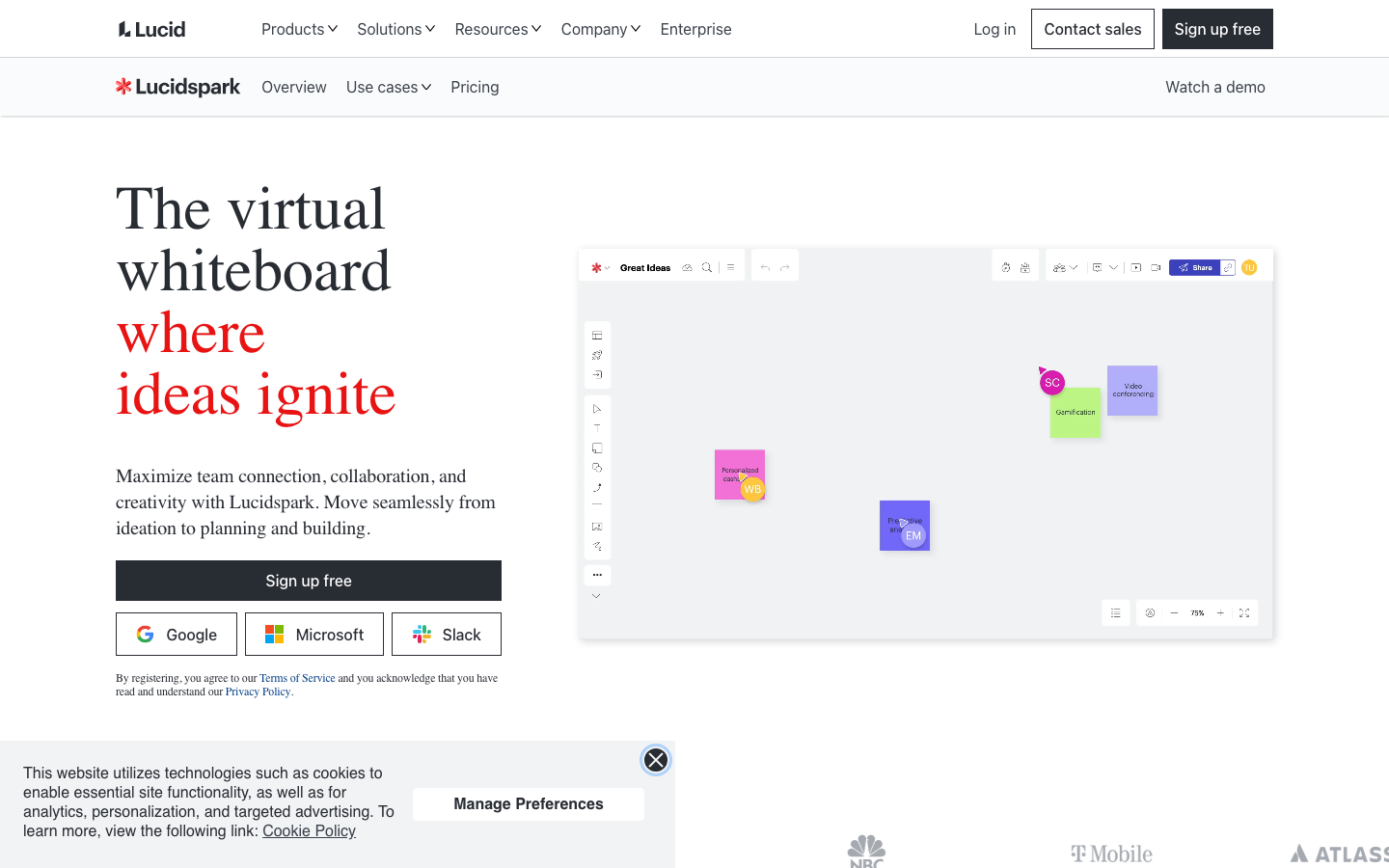
LucidsparkAI
Core parameters and statistics
Lucidspark is a whiteboard collaboration product in the Lucid software ecosystem, sharing the platform, account and integration system with Lucidchart (a professional flowchart/architecture diagram tool). Its core differentiation lies in the ability to switch between "whiteboard thinking" and "chart precipitation" - the results of divergent discussions on the whiteboard can be transferred to Lucidchart into structured documents with one click.
| Projects | Public Information |
|---|---|
| Official positioning | Team’s online collaboration whiteboard |
| Product Ecology | Lucidspark (whiteboard) + Lucidchart (professional chart) + Lucidscale (cloud architecture diagram) |
| Product Form | Web Online Whiteboard + Desktop App + Mobile App |
| AI capabilities | AI note generation, chart creation, content classification, collaborative summary |
| User scale | Lucid publicly claims to have over 50 million users |
| Enterprise customers | Publicly announced include Google, Amazon, GE, Toyota, etc. |
| Latest version | 2026-07 Monthly update |
| Supported platforms | Web, iOS, Android, Desktop (macOS/Windows) |
Ecological Difference: The biggest difference of Lucidspark is not the whiteboard itself, but the conversion link of "whiteboard -> Lucidchart". This is very natural in team collaboration scenarios where "first diverge and then converge -> the convergence result becomes a structure diagram", Miro and MURAL lack this tight integration.
User and market recognition
Lucidspark's recognition is highly tied to Lucidchart's maturity in the enterprise charting space.
User Coverage: Lucid Software publicly claims to have more than 50 million users, and its customer list covers large enterprises such as Google, Amazon, GE, and Toyota. As part of the Lucid ecosystem, Lucidspark benefits from Lucidchart’s enterprise-grade trust.
Competitive position: In the whiteboard track, Lucidspark's share is smaller than Miro, but its integrated capabilities of "whiteboard + professional diagrams" constitute differentiation in specific scenarios (process sorting, architecture design, technical documentation). The main competition is the combination of Miro + draw.io (third-party integration) or FigJam + Figma.
Lucidchart’s synergy: Many teams first use Lucidchart to make flow charts and architecture diagrams, and then naturally extend to Lucidspark to make collaborative whiteboards. Lucidechart’s 1000+ templates and rich shape library (AWS/Azure/GCP architecture diagrams, etc.) also enhance this appeal.
Cost advantage
The pricing of Lucidspark shares the same plan system as Lucidchart. Users who pay can choose the combination plan of whiteboard + chart according to their needs:
- C Client/Personal: The Free plan provides limited whiteboard and basic functions. The free tiers of Lucidchart and Lucidspark are separate, but the same account can switch seamlessly.
- Team: Subscribe by seat to unlock unlimited whiteboards, complete template library AI functions and Lucidchart integration. Suitable for small and medium-sized teams that need a combination of "whiteboard + flowchart".
- Enterprise: Annual contract includes SSO, advanced auditing, unified management console, custom branding and dedicated support. Business confirmation is required.
Hidden costs: The functional completeness of Lucidspark and Lucidchart is the best among individual products. The integrated "whiteboard + chart" plan may require a higher-level subscription plan to unlock all capabilities; migrating from Miro or MURAL involves a change in team habits.
Main functions
Lucidspark's AI capabilities are designed around the conversion link of "whiteboard thinking -> structured charts":
- AI note generation and brainstorming assistance: Enter a topic or question, and AI will automatically generate relevant note content to assist the team in quickly spreading ideas in the divergent stage.
- AI content classification and clustering: Notes and content on the whiteboard are automatically clustered by theme, reducing the time of manually moving and sorting items one by one.
- AI Whiteboard to Spark (Spark to Chart): After completing the divergent discussion on the whiteboard, AI will convert the structured content into Lucidchart professional charts (flow charts, architecture diagrams, mind maps, etc.) with one click, maintaining editability.
- AI Collaboration Summary: After the whiteboard collaboration ends, AI automatically extracts key topics, decisions, and to-do items to generate a structured review.
- AI Template Recommendation: Automatically recommend appropriate collaboration templates and chart types based on whiteboard content.
Acceptance focus: The accuracy of conversion from whiteboard to diagram (especially when complex relationships and multi-level structures are involved); the creative diversity of AI note generation (to avoid homogeneity); the processing capability of AI content classification when subject boundaries are blurred.
Model and version evolution
Continuous iterative updates, the latest version introduces performance optimization and new features. Historical version information can be viewed on the official release page. There is no complete public version evolution timeline yet. It is recommended to pay attention to the official announcement to understand the rhythm of feature updates.
Technical advantages
The technical difference of Lucidspark lies in the ecosystem of "whiteboard collaboration + structured charts":
Lucidchart's chart engine inheritance: Lucidchart has more than ten years of technology accumulation in the field of enterprise-level charts - data modeling of complex flow charts, automatic layout algorithms, shape libraries and connector logic. Lucidspark's AI chart creation capabilities inherit directly from the precision of this engine base, rather than a general-purpose AI drawing tool.
Unified platform account system: Lucidspark and Lucidchart use the same account, the same billing system and the same integration framework. Enterprises that already use Lucidchart can activate Lucidspark permissions at zero cost, with no additional installation or configuration required.
Integration Ecosystem Reuse: Lucid Ecosystem’s 100+ third-party integrations (Confluence, Jira, Slack, Teams, Google Workspace, etc.) work on both Lucidspark and Lucidchart, and whiteboard output can be directly embedded into the company’s existing document and project management processes.
Limitations: Lucidspark's whiteboard experience (canvas fluency, template richness, community activity) is not as good as Miro; Chinese support for AI functions is subject to Lucid's overall localization progress; as a latecomer product, it requires continuous investment in "whiteboard" market awareness.
How to use
| How to use | Suitable for the crowd | Entrance | Prerequisites |
|---|---|---|---|
| Lucidspark Web | All users | lucidspark.com | Register a Lucid account |
| Desktop App (macOS/Windows) | Heavy users | Lucid official website download | Installation and login |
| iOS/Android App | View on mobile | App Store / Google Play | Download and install |
| Lucidchart Integration | Lucidchart Users | Lucidchart → New Lucidspark | Lucidchart Account |
Typical collaboration process: Discuss on the Lucidspark whiteboard -> AI note generation and classification -> Send structured content to Lucidchart with one click -> Refine into professional diagrams in Lucidchart -> Embed in Confluence/Jira documents -> Continuous reference by the team.
First time user suggestion: If your team is already using Lucidchart, you only need to activate Lucidspark permissions in your account to experience it. If the team is starting from scratch, it is recommended to first use the Free plan to test the complete link of "Whiteboard -> AI Notes -> Chart Conversion" to evaluate whether the efficiency improvement meets expectations.
Product Pricing
The pricing model is subject to the official real-time page. Usually a freemium or subscription system is used, and basic functions can be used for free. Advanced functions or high-frequency use require paid subscriptions, and users are advised to evaluate the optimal solution based on actual usage.
Application scenarios
- Process sorting and architecture design (cost reduction and efficiency improvement deduction): The team discusses business processes or system architecture on the whiteboard, and AI automatically converts the structured whiteboard content into Lucidchart professional charts. The delivery time from "whiteboard discussion" to "formal document" is reduced from 3~4 hours to 1~1.5 hours (deduction value). But the technical details in the diagram (API names, dependency versions, data flow direction) need to be manually calibrated.
- Agile Review and Sprint Planning (Cost Reduction and Efficiency Increase Deduction): AI assists in note classification and action item extraction during Sprint Review, reducing post-review processing time by approximately 50% to 60% (deduction value). However, the person in charge of the action item and the acceptance criteria need to be discussed and confirmed by the team.
- Product requirements discussion and user story mapping (cost reduction and efficiency improvement deduction): Construct a user story map on the whiteboard, AI generates initial notes and categorizes them, and PM converts the convergence results into structured requirements documents in Lucidchart. The requirements sorting time is shortened by about 30%~40% (deduction value). However, the accuracy of the requirements details (acceptance conditions, boundary conditions) needs to be ensured manually.
Not suitable for scenarios: Scenarios where pure whiteboard collaboration does not require structured chart output (Miro is more flexible and has richer templates); teams are deeply dependent on the Miro/MURAL ecosystem and have no intention of switching; scenarios where only simple post-it collaboration is required (Microsoft Whiteboard is more lightweight); teams that have extremely high requirements for whiteboard fluency and rich community templates.
Applicable people
- Teams already using Lucidchart: Add Lucidspark whiteboard capabilities at zero cost, and whiteboard content can be directly converted into Lucidchart charts. Prerequisite: Already have a Lucidchart account.
- Product Manager and Process Analyst: Complete workflow from process grooming to structured diagrams. Prerequisite: Accept the collaboration method "Whiteboard Divergence -> Chart Convergence".
- Technical Document Writer: After the team discusses the system architecture, AI assists in converting the whiteboard content into an architecture diagram, reducing the conversion time from discussion to documentation. Prerequisite: The team has accumulated technical templates in Lucidchart.
Not suitable for people: Teams that do not need chart conversion and only need whiteboard collaboration (Miro is better); teams that are deeply bound to the Miro/MURAL ecosystem and have high migration costs; teams that have extremely high requirements for whiteboard real-time rendering performance and large-scale collaboration (the large canvas performance of Lucidspark needs to be tested); pure Chinese teams (the Chinese interface and AI support of Lucidspark need to be confirmed).
Summary and Outlook
The core value of Lucidspark AI lies in the synergy of "divergent thinking of whiteboard + professional diagramming of Lucidchart". It is not a "best whiteboard", but "a whiteboard that is best at converting whiteboard content into structured diagrams". For teams that already use Lucidchart or will soon use Lucidspark, Lucidspark is a natural extension; for teams that just want a whiteboard, Miro or MURAL may be a better fit.
The current main limitations include: the maturity of the whiteboard experience (template richness, community ecology) lags behind Miro; the AI function is prioritized in English, and Chinese support needs to be confirmed; the learning cost of the team migrating from competing products. Follow-up focus: Whether Lucidspark will launch more independent AI whiteboard functions to narrow the gap with Miro AI, the localization progress of Lucid AI in the Chinese scene, and the penetration rate of the Lucidspark + Lucidchart integrated solution in the enterprise market.
Purchase/Adoption Risk Assessment: Before purchasing, you should focus on confirming (1) whether the team really needs the "whiteboard -> professional chart" conversion link; (2) the specific available scope and call amount of the AI function in Lucidspark's Free/Team plan; (3) the existing usage of Lucidchart in the team (determining the marginal value of Lucidspark); (4) Lucidspark and Lucidchart in the Enterprise plan Whether the permission management is unified and whether the SSO/audit function covers both products.
Related tools:  Notion AI, google-workspace
Lucidspark AI 的版本演进
The evolution of Lucidspark AI is in sync with the development of the Lucid ecosystem:
Major Milestones
- 2024-10 (Lucidspark AI first release): The first batch of AI functions are online, including AI-assisted brainstorming, note generation and whiteboard content summary.
- 2025-08 (AI chart creation): The AI chart automatic creation function is released, and whiteboard content can be converted into Lucidchart professional flow charts with one click. This is a key feature that differentiates Lucidspark from competing products.
- 2026-03 (AI Note Classification): AI smart note generation and whiteboard content automatic classification functions are launched to enhance content organization capabilities after collaboration.
- 2026-07 (Latest Monthly Update): Continuously optimize the AI function and Lucidchart integration experience. Specific changes are subject to Lucid’s official release notes.
Version Info
- Lucidspark 2026-07 Release :The latest monthly update continues to optimize the AI auxiliary function and Lucidchart integration experience. There is no official precise version number yet.
- Lucidspark AI Extension :The AI smart note generation and whiteboard content automatic classification functions are online. There is no official precise date yet.
- Lucidspark 2025-08 Release :Introducing AI chart automatic creation capabilities, whiteboard content can be converted into Lucidchart professional flow charts with one click. There is no official precise date yet.
- Lucidspark AI first released :Lucidspark’s first batch of AI functions are online, including AI-assisted brainstorming, note generation and whiteboard content summary.
User Reviews