 Mentimeter AI
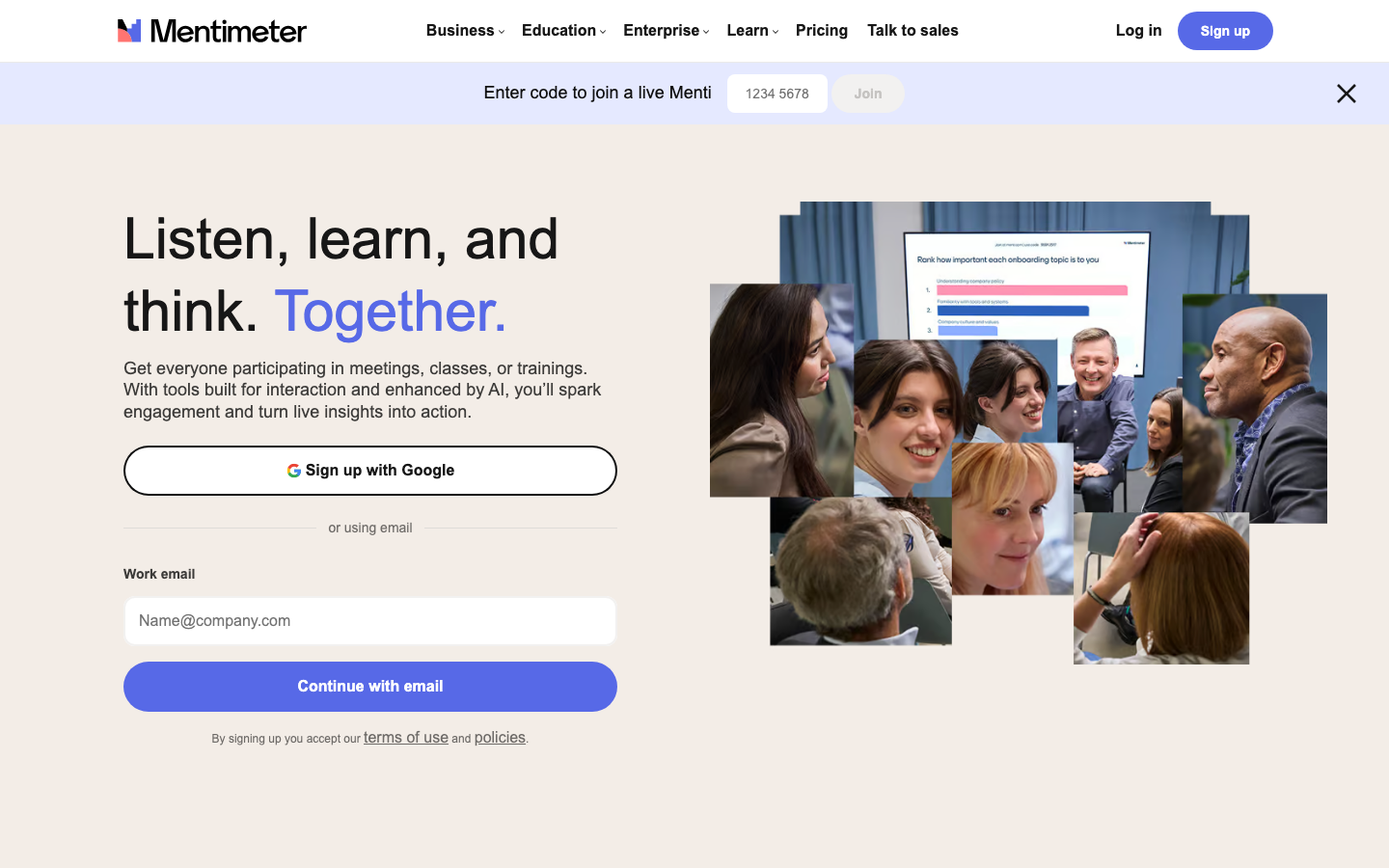
Mentimeter allows speakers to embed real-time polls, word clouds, Q&A, and quizzes into presentations, and audiences can participate via mobile phones, with AI-assisted generation of questions and summary results.
MentimeterAI
Mentimeter is not a "presentation production tool", but an "audience interaction engine" - it changes the presentation from "I speak and you listen" to "everyone creates together", and the AI capabilities are enhanced around "problem generation" and "result analysis". The following is a complete analysis from the core parameters, market recognition, cost structure, functions, versions, technology, usage paths, pricing, scenarios, crowds and risk boundaries.
Core parameters and statistics of Mentimeter AI
| Projects | Public Information |
|---|---|
| Official positioning | Real-time interactive demonstration and audience participation platform (Audience Response Platform) |
| Interaction type | Real-time voting, word cloud, ranking, Q&A, quiz, rating Quick Forms |
| AI capabilities | AI Menti Creator (automatically generate questions), AI result grouping and summary, keyword extraction |
| Deployment method | Web (speaker) + mobile/Web (audience participation), no need to install the client |
| User scale | Over 300 million participants worldwide, covering 130+ countries |
| Enterprise Customers | Spotify, Accenture, HP, Deloitte, Givaudan, Volvo, etc. |
| Industry coverage | Technology, education, finance, government, consulting, pharmaceuticals |
| Latest version | 2026.7 (2026 July Release) |
| Platform Support | Web, iOS, Android |
| Integrated Ecology | PowerPoint, Microsoft Teams, Zoom, Canvas, Blackboard, Moodle, Brightspace, Google Slides, Miro |
| Data export | Excel, PDF, Image |
| Security Certification | SOC 2 (Enterprise Edition), SSO/SAML, SCIM, Custom Data Retention Policy |
Core Difference: The core value of Mentimeter is not in "demonstration", but in "feedback" - the live voting results are displayed on the screen in real time, and the speaker can instantly adjust the content direction based on audience feedback. Its anonymous participation mechanism lowers the audience's psychological threshold and makes feedback more real.
Users and market recognition of Mentimeter AI
- Global Penetration Depth: Mentimeter has accumulated more than 300 million participants, covering education, corporate training, large conferences and the public sector. Its free model lowers the trial threshold, and a large number of users start with the free version and gradually upgrade to paid subscriptions.
- Enterprise Benchmark Customers: Customers displayed on the official website include world-renowned companies such as Accenture, Spotify, HP, Deloitte, Givaudan, etc., indicating its widespread use in internal training, all-staff meetings, and customer seminars in large organizations.
- In-depth development in the education industry: Mentimeter is deeply integrated with the four major LMSs of Canvas, Blackboard, Moodle, and Brightspace, supporting gradebook synchronization and anonymous answering, and has a high adoption rate in North American and European universities.
- Integration ecological barriers: Direct integration with office collaboration tools such as PowerPoint, Microsoft Teams, and Zoom, allowing it to be embedded into existing workflows instead of existing as an isolated tool. This integration strategy significantly reduces enterprise switching costs.
Cost Advantages of Mentimeter AI
C-side/Personal user layer
| Plans | Monthly Fees (paid annually) | Monthly Fees (paid monthly) | Monthly Participant Cap | Demo Capacity | Core Limits |
|---|---|---|---|---|---|
| Free | $0 | $0 | 50 people/month | 23 question types | Only 1 unlimited session per month |
| Basic | $11.99 | — | Unlimited | Unlimited question types | Single use only |
| Pro | $24.99 | — | Unlimited | Unlimited question types | Including collaboration space and advanced design |
Hidden Cost: The Free version's "50 participants per month" is capped after a single event with more than 50 people, and new demos cannot be launched after that (8-hour grace period). The Basic version lacks collaborative editing and branding customization, and multi-player teams will actually need at least the Pro version.
Developer/API layer
Mentimeter has not disclosed standalone API pricing for developers. Its integration capabilities are mainly provided through official pre-built connectors (PowerPoint, Teams, Zoom, LMS) and do not support custom extensions by external developers through the REST API. What this means: Enterprises that require deep customization cannot build their own integrations through the API and can only rely on the official roadmap.
Enterprise / Privatization Layer
| Project | Enterprise |
|---|---|
| Pricing model | Annual payment per seat, please contact sales for quotation |
| SSO/SAML | Support |
| SCIM automatic user configuration | Support |
| Brand White Label | Support |
| Workspace Insights | Support |
| Custom data retention | Support |
| Priority Support & Customer Success | Support |
| LMS Integration | Canvas, Blackboard, Moodle, Brightspace |
| Payment by bank transfer | Supported (selected countries) |
Explicit Cost: The price of the Enterprise Edition is not disclosed, and is subject to the official real-time quotation. Hidden Costs: Annual per-seat billing means annual budget lock-in for large organizations; workspace management requires additional investment in manpower and training.
Quick overview of three-tier cost comparison
| Tier | Minimum entry price | Core restrictions | Suitable scenarios |
|---|---|---|---|
| C-side/individual | $0 (Free) | 50 participants/month | Personal speech, small class teaching, trial evaluation |
| Team/Professional | $11.99–24.99/month (annual payment) | Per capita license required | Internal training for small and medium-sized teams, customer seminars |
| Enterprise | Customized quotation | Annual payment based on seats | All-hands meetings, cross-department collaboration, compliance requirements |
Main features of Mentimeter AI
- AI Menti Creator: Enter the presentation topic and target audience, and AI will automatically generate a complete interactive presentation containing multiple question types, supporting multiple choice questions, scored questions, open-ended questions and ranked questions. Synergy effect: Questions generated by AI can be inserted into existing demonstrations with one click, and AI will recommend more accurate combinations of question types based on historical demonstration data, reducing repeated trial and error.
- Real-time voting and word cloud: Audiences can participate in voting by scanning or entering codes on their mobile phones, and the results will be projected on the big screen in real time in the form of charts or word clouds. Expert View: Word clouds and voting results are not only displays, but also "live data collectors" - speakers can instantly adjust the direction of their speech based on real-time trends to achieve data-driven dynamic presentations.
- Onsite Question and Answer (Q&A): Audiences submit questions anonymously and vote to sort them, and the speakers answer according to popularity. Hidden linkage: AI automatically groups questions to remove duplication, and merges similar questions into "hot topics" to avoid repeated answers; the enterprise version supports audit mode, and sensitive questions can be pre-filtered.
- AI Result Summary and Insights: After open Q&A and comments are submitted, AI automatically extracts core opinions, emotional tendencies and keyword distribution. Expert Viewpoint: This function shortens the feedback analysis that requires 2-3 days of manual sorting after traditional activities to minutes, and supports cross-event comparison (Enterprise Edition).
- Quizzes and Contests (Quiz): Embed real-time quizzes with scoring and leaderboards, supporting multiple-choice questions, true-false questions, and timed responses. Suitable for training acceptance and meeting warm-up. Synergy effect: The test results are automatically added to the demonstration data panel and analyzed in a unified manner with the voting and question and answer data, forming a complete data relationship of "understanding before training - testing during training - retention after training".
- Quick Forms: Embed multiple questions in a single page, suitable for questionnaire collection scenarios, seamlessly connected with the demonstration process, without jumping to third-party forms
tool.
- Collaborative workspace (Pro and above): Multiple members share demo libraries, templates and themes, supporting permission classification (Admin/Member/Member Lite) and real-time collaborative editing. Hidden Value: Standardized templates ensure consistent presentation output across the company, reducing the risk of brand violations.
Mentimeter AI model and version evolution
Mainline release
- 2026.7 (2026 July Release): Enhance AI question generation capabilities, optimize real-time response performance for large-scale meetings, and introduce more fine-grained result grouping logic. The specific release time cannot be confirmed yet, please refer to the official update log.
- 2026.2 (2026 February Release): Introducing the AI summary function, which can automatically summarize voting results to generate text insights; improve the visualization and interaction mode of word clouds.
- 2025.8 (2025 August Release): Launched the public beta version of AI Menti Creator, which supports one-click generation of interactive demonstrations based on themes; new Quick Forms function; deep integration with Zoom (supports embedding voting directly within Zoom meetings).
- 2025.3 (2025 March Release): Redesign the speaker backend interface and introduce the slide import function (PowerPoint, Keynote, Google Slides); improve the management panel of the enterprise version.
- 2024.11 (2024 November Release): Launched an upgraded version of anonymous participation, supporting SSO participant verification (Enterprise Edition); added sentiment analysis tags.
Summary of evolution
The version evolution of Mentimeter follows the path of "interactive form expansion → AI enhancement → enterprise-level management". Versions before 2025 focus on rich interactive question types and platform compatibility; starting in the second half of 2025, AI capabilities will become the core point of difference - full-link AI embedding from question generation to result analysis. The 2026 version further optimizes large-scale concurrency scenarios and points to in-depth breakthroughs in the enterprise market.
Version information
| Version | Codename | Estimated date | Key changes |
|---|---|---|---|
| 2026.7 | July Release | ~2026-07 | AI problem generation enhancement, large-scale concurrency optimization |
| 2026.2 | February Release | ~2026-02 | AI result summary, word cloud improvement |
| 2025.8 | August Release | ~2025-08 | AI Menti Creator Public Beta Quick Forms |
| 2025.3 | March Release | ~2025-03 | New UI, slideshow import |
| 2024.11 | November Release | ~2024-11 | Anonymous participation in upgrades, sentiment analysis |
Mentimeter AI’s technical advantages
Architecture mechanism: Browser participates ad hoc, no installation required
Audiences can participate by scanning the code through their browser or visiting menti.com and entering the code, without registering or installing an app. The speaker uses a Web application to control the presentation process, and all data is synchronized in real time through WebSocket. This "zero client" architecture minimizes participation friction - viewers can complete their first vote within 3 seconds of scanning the QR code.
Anonymous feedback mechanism improves data authenticity
Mentimeter participates anonymously by default (Pro version and above can choose to turn on participant names). The anonymity mechanism makes the audience more willing to express their true opinions, which is especially suitable for employee satisfaction surveys, discussions of sensitive topics and feedback situations where superiors are present. Enterprise Edition supports SSO to verify real names, balancing anonymity and traceability when needed.
AI grouping and deduplication algorithm
After the open question is submitted, AI automatically clusters similar answers into "hot topics" and marks emotional tendencies. Compared with manual reading one by one, AI grouping increases the efficiency of feedback analysis from "about 300 items per person per hour" to "unlimited real-time processing." This mechanism is based on the semantic similarity model and supports multi-lingual mixed scenarios (English keywords and Chinese comments can be correctly clustered in the same word cloud).
WebSocket real-time synchronization
Polls, Q&A, and data updates are pushed via WebSocket, requiring no page refresh. In a concurrent scenario of 500 people, the result update delay is less than 500ms (the official has not disclosed the specific SLA, which is subject to actual experience). Technical Boundary: In situations where the network is restricted (such as a cross-border conference VPN control scenario), real-time performance may be affected by the quality of the underlying network.
Integration layer architecture
Mentimeter's integration strategy uses "pre-built connectors + deep embedding" rather than open APIs. PowerPoint add-in allows embedding polls directly in slides; Teams and Zoom integration enable voting panels to appear in the video conference sidebar; LMS integration supports gradebook write-back. Engineering Enlightenment: This closed but in-depth integration strategy reduces the difficulty of use for ordinary users, but limits the expansion space of the developer ecosystem.
How to use Mentimeter AI
Getting started steps
- Registration: Visit
mentimeter.comand use your Google/Microsoft account or email to register a free account. - Create presentation: Click "New presentation" to enter the editor. Option to create AI generation from blank or import into PowerPoint/Google Slides.
- Add interaction: Choose from 23 question types (multiple choice, word cloud, question and answer, scoring, ranking, etc.) and set the question content and options.
- Generated using AI: Click the AI Menti Creator icon, enter the presentation topic (such as "2026 Annual Strategy Review"), and AI will automatically generate a set of interactive questions, which can be previewed and added with one click.
- Demo release: Click "Present", the system will generate an exclusive code (such as
1234 5678) and QR code, and the audience can enter the code throughmenti.comto participate. - Real-time control: During the demonstration, you can switch questions, view real-time results, turn on word cloud animation, and control the Q&A review mode.
- Data review: After the demonstration, the complete data report can be viewed in the background and can be exported to Excel, PDF or pictures.
Integrated use
| Integrated objects | Usage | Applicable scenarios |
|---|---|---|
| PowerPoint | Install Mentimeter plug-in and embed voting in slides | Existing PPT presentation needs to add interactive sections |
| Microsoft Teams | Initiate polls and Q&A directly in Teams meetings | Remote meetings, online training |
| Zoom | Embed Mentimeter panels in Zoom meetings | Large-scale webinars, online training |
| Canvas / Blackboard / Moodle / Brightspace | Embed interactive demonstrations in courses and support gradebook synchronization | College classrooms, online education |
Key configuration instructions
- Participation method: Anonymous by default, the Pro version can turn on participant names; the Enterprise version supports SSO participant verification.
- Q&A Moderation: The Pro version and above support the moderation mode. Questions must be approved by the speaker before they are visible to all members.
- Data retention: The data retention period of the free version is subject to the official policy; the enterprise version can customize the data retention period.
Product Pricing for Mentimeter AI
Individual and team pricing (public)
| Plan | Annual unit price | Monthly unit price | Target users |
|---|---|---|---|
| Free | $0 | $0 | Personal trial, small-scale activities |
| Basic | $11.99/month | — | Personal speaker, independent trainer |
| Pro | $24.99/month | — | Team collaboration, brand customization needs |
Free Edition Quota: 50 participants per month (all demos combined), there is an 8-hour grace period after the limit is exceeded to complete the current demo, after which you need to upgrade to initiate a new demo. The free version includes the AI Menti Creator function (limited use), but slides cannot be imported, results cannot be exported, and private presentations cannot be set.
Upgrade path: Free → Basic (unlock unlimited participants, import and export, private demonstration) → Pro (unlock collaboration space, brand customization, Q&A review Quick Forms, Mentimote remote control).
Educational Edition
Discount plans are provided for teachers and educational institutions. The specific price needs to be confirmed on the education version page. The Education Edition is deeply integrated with LMS (Enterprise Edition license required) and supports gradebook synchronization and class management.
Enterprise Edition
Pricing method: Contact sales to get a customized quotation, paid per seat per year. Key features only in Enterprise Edition: SSO/SAML, SCIM user automation, custom data retention, workspace insights, brand white labeling, dedicated Customer Success Manager LMS integration.
Contract Notes: The Enterprise version is signed on an annual basis, and it is necessary to confirm whether the number of concurrent demos matches the number of seats; bank transfer payment is only available for the Pro and Enterprise versions, and only supports some countries.
Conference Package
A conference package (Conference Package) is provided for one-time large-scale events. You can use the Pro function for multiple people and multiple devices, and billing is based on the number of event days. Suitable for unconventional cyclical scenarios such as annual meetings and summits.
Mentimeter AI application scenarios
- All-hands meeting and Town Hall: Real-time voting is embedded in the CEO's speech to collect employees' opinions on strategic direction. The word cloud function instantly displays the popularity of cultural keywords. Questions and answers are organized to answer high-vote questions. Boundary of human-machine collaboration: CEOs can quickly grasp employee emotions through AI summaries, but decisions on major strategic adjustments still require human judgment, and AI only provides data support.
- Training and Knowledge Test: Use word clouds to "topic warm-up" before training, insert time-limited tests during training to check learning effects, and use Q&A to collect remaining questions after the training. Cost reduction and efficiency improvement: After traditional training, it takes 2-3 days to collect feedback questionnaires and manually compile statistics. Using Mentimeter, feedback collection and analysis can be compressed into "reporting immediately after the demonstration" (approximately 80% reduction in review time).
- Academic lectures and classroom teaching: Lecturers insert multiple-choice questions or open-ended questions on key knowledge points to understand students’ mastery in real time and adjust the teaching rhythm. Anonymous answering by students reduces the psychological burden of "fear of wrong answers", and the participation rate usually increases from 10-20% of traditional raising of hands to 70-90%. Not suitable for the boundary: For courses that require in-depth essay answering or programming practice, Mentimeter's limited question types (mainly closed-ended) cannot replace the formal homework system.
- Product launch and user survey: Embed ranking questions in the product launch live broadcast to allow the audience to vote on the priority of functions - more real-time than traditional questionnaires (distribution trends can be seen on the spot), and the anonymous mechanism reduces the "herd effect". The AI result summary can directly generate a list of the "top 5 features that users are most concerned about".
- Cross-departmental collaboration workshop: Using Mentimeter's collaborative workspace (Pro and above), marketing, product, and design teams can vote and submit ideas in real time in the same presentation, and word cloud visualization accelerates consensus formation. Hidden benefits: Compared with traditional whiteboard posting of sticky notes, Mentimeter’s digital
The archive can be exported directly to avoid the information gap of "the seminar ends and the results disappear".
Applicable groups of Mentimeter AI
- Speakers & Trainers: Anyone who needs to deliver information to an audience and get immediate feedback. Mentimeter transforms "one-way output" into "two-way dialogue" and is especially suitable for scenarios where opinions need to be gathered, understanding tested, or discussions triggered. Prerequisite: Speakers need to have basic presentation design and on-the-spot ability, and cannot rely entirely on AI generation - AI-generated questions still require manual review and fine-tuning.
- Enterprise HR and Internal Communication Team: Teams responsible for organizing all-hands meetings, employee surveys, and culture building can use Mentimeter's anonymous voting and AI summary functions to quickly understand employees' real thoughts. Non-fit boundary: For highly sensitive employee case investigations (such as whistleblowing, performance communication), Mentimeter's anonymity mechanism and legal compliance have not yet reached the standards of professional HR systems and should not be used as a substitute for professional employee relations platforms.
- Teachers & Educators: K-12 and higher education teachers leverage instant polls and quizzes to understand student mastery, and LMS integration reduces extra tool switching. Not suitable for boundaries: Younger students (K-5) may not be proficient in operating equipment, and the 50 students/month limit of the free version may not be enough in large classes; Mentimeter cannot be used in scenarios that require offline teaching (no network classrooms).
- Marketing and user researchers: In product concept testing, pricing research, and brand preference surveys, Mentimeter's ranking questions and scoring questions can quickly collect user preference rankings and are more dynamic than traditional questionnaires. Cost reduction and efficiency improvement: A traditional quantitative survey of 200 people takes about 5-7 working days from recruitment to report release. Using Mentimeter on-site collection can complete data collection and AI preliminary analysis within 1 hour, but the depth of the results (such as cross-analysis, statistical significance testing) still needs to be supplemented by professional research tools.
- Event planning and conference organizer: large-scale conferences, industry summits, hackathons
Loose organizers can use Mentimeter to manage interactions across multiple events, and the enterprise version of Workspace Insights can track engagement trends across events. Not suitable for boundaries: Mentimeter is not an event management platform and cannot handle functions such as ticketing, check-in, agenda management, etc.; in a concurrent scenario of 1,000+ people, you need to confirm the load capacity with the enterprise version support team in advance.
Summary and Outlook of Mentimeter AI
Core Competencies: Mentimeter has achieved the ultimate in the vertical scenario of "making presentations no longer boring" - it is not here to replace PPT, but to transform the interaction method of PPT. Its core competitive barriers come from three aspects: 1) The anonymous participation mechanism makes feedback more real and solves the pain point of "dare not say it in person"; 2) The end-to-end embedding of AI from question generation to result summary compresses the preparation and review time of interactive demonstrations from hours to minutes; 3) The deep integration with PowerPoint, Teams, Zoom and the four major LMS allows it to be embedded into existing workflows instead of adding tool burden.
Current Limitations:
- The free version has a strict limit of 50 participants/month, and large-scale trials require immediate upgrade;
- Does not support open API, developers cannot build their own integrations or extensions, and heavy customization needs to rely on the official roadmap;
- Interaction data types are mainly closed-ended (selection, rating, ranking), with limited in-depth analysis capabilities for open-ended text - AI summarization can extract keywords and emotional tendencies, but does not support fine-grained topic modeling or custom classification;
- Offline scenes are not available, and real-time interaction relies on a stable network;
- The pricing of the enterprise version has not been disclosed. Please contact sales for budget evaluation before purchasing.
Follow-up observation points:
- Whether AI extends from "passive generation" to "real-time conversational question and answer" - that is, the audience types questions, and AI directly generates answers or knowledge retrieval during the demonstration, rather than relying solely on the speaker's manual answers;
- Whether to open REST API or Webhook to allow enterprises to connect interactive data to internal data lakes or BI tools;
- Whether the AI result summary can support cross-session and cross-time trend analysis and evolve towards an "enterprise interactive data middle platform";
- Can a more fine-grained portrait of participants be provided while maintaining the advantage of anonymity (such as analysis of popularity differences among departments, ranks, and regions).
Procurement and Adoption Risk Assessment:
- Pilot path: It is recommended to start with the personal version (Basic $11.99/month), select 1-2 actual scenarios (such as regular department meetings or small trainings) and conduct a trial run for 1-2 months, focusing on verifying whether the audience participation rate is truly improved, whether the quality of the questions generated by the AI meets the standard, and whether the exported data meets the review requirements.
- Expansion Conditions: If the average participation rate of participants in the pilot phase is ≥ 60% and the feedback data has a measurable impact on meeting decisions (such as the voting results directly changing the program priorities), you can consider upgrading to the Pro version ($24.99/month) to expand to more teams.
- Key terms that need to be verified before enterprise purchase: 1) Whether the number of concurrent demonstrations and the number of seats in the enterprise version match the actual usage (scenarios in which multiple demonstrations are conducted simultaneously); 2) Whether the data storage location and data retention policy meet enterprise compliance requirements (if GDPR or SOC 2 reporting is required); 3) Service availability SLA in the contract (especially for multinational conference scenarios); 4) Upgrade/expansion lead time requirements - whether new seats need to be re-contracted; 5) Data export window period after contract termination. The above terms are not disclosed in detail in the public information on the official website and need to be confirmed one by one during business negotiations.
Related tools:  Notion AI, google-workspace
Version Info
- Mentimeter 2026 July Release :There is no official precise date yet. Enhance AI question generation capabilities and optimize real-time response performance for large-scale meetings.
- Mentimeter 2026 February Release :There is no official precise date yet. Introducing an AI summary function that automatically summarizes voting results to generate textual insights.
User Reviews