 Metabase AI
Free
Metabase AI
Free
Metabase is an open source business intelligence tool that is positioned to "allow everyone on the team to easily get answers from data." It provides a visual query builder, dashboards, and natural language queries (Metabase AI, based on the underlying model LLM), allowing users to gain insights from connected data sources without requiring SQL knowledge. Metabase supports a variety of databases (PostgreSQL, MySQL, BigQuery, Snowflake, etc.) and can be deployed self-hosted or hosted using Metabase Cloud. Its open source license is AGPL, and a paid version is available for commercial use.
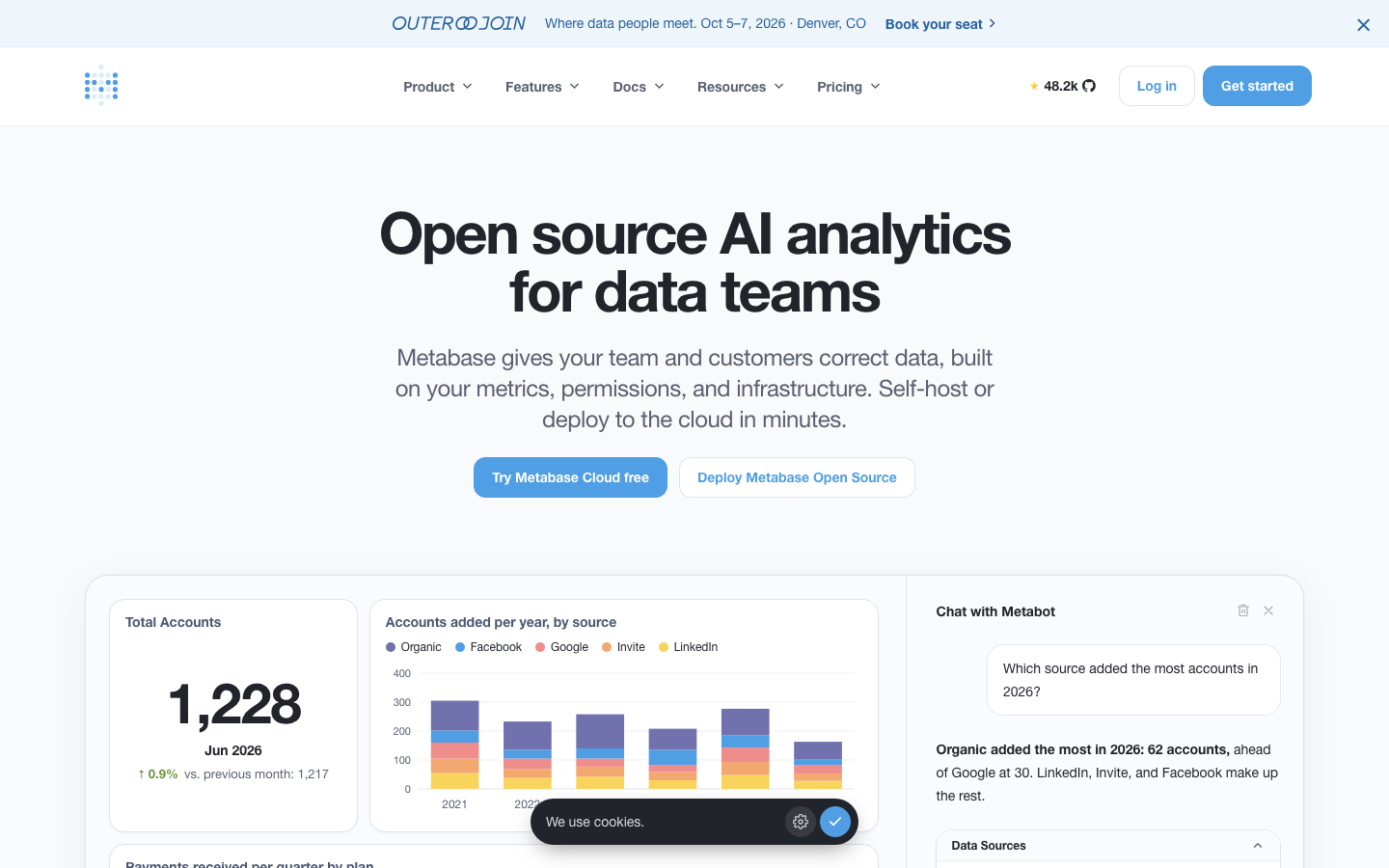
MetabaseAI
Core parameters and statistics
Metabase is one of the representative projects in the open source BI field. Together with Redash and Apache Superset, it forms the three giants of open source BI. Its core attraction lies in the minimalist experience of "deployment and online in 15 minutes".
| Projects | Public Information |
|---|---|
| Official positioning | The simplest, fastest way to get business insights from data |
| Product Form | Open Source AGPL + Cloud Hosting (Metabase Cloud) |
| Open source license | AGPL v3 (if you do not want to comply with the terms of AGPL for closed source use, you need to purchase a commercial license) |
| AI capabilities | Metabase AI (natural language query, based on LLM) |
| Core Interaction | Visual Query Builder + SQL Editor + Dashboard |
| Database support | PostgreSQL, MySQL, BigQuery, Snowflake, Redshift, Druid, etc. |
| Deployment method | Self-hosted (Docker/JAR), Metabase Cloud (SaaS) |
| Community size | GitHub (more than 40,000 stars, more than 5,000 forks) |
| Embedded | Support dashboard embedding (public/certified) |
| Latest version | ~0.52.x |
The appeal of open source: Metabase is one of the BI projects with the highest number of stars on GitHub. Its "out-of-the-box" deployment experience (download a JAR file to run) differentiates it from Superset (complex configuration) and Redash (weak visualization).
User and market recognition
Metabase has gained widespread adoption in the technology community due to its open source strategy.
Community size: There are more than 40,000 stars and more than 5,000 forks on GitHub, indicating that it has an active community of contributors and users. The quality of responses to issues and discussions ranks high among open source BI projects.
Enterprise customers: Paying customers include data and analysis teams of medium and large enterprises, covering technology, e-commerce, and media industries. The open source version is also used by a large number of small and medium-sized enterprises and small teams.
Analyst review: Metabase often receives word-of-mouth recommendations from users in the "ease of use" dimension - its visual query builder is considered one of the easiest BI front-ends to get started with.
Brand Positioning: Metabase is often compared to Tableau ("the lightweight alternative to Tableau"). The core difference between the two in terms of target users is that Metabase is more suitable for "technical members of the team to help the team build BI" rather than "professional analysts using professional tools" of Tableau.
Cost advantage
- C-side/Individual: Usually a free version is provided to experience the core functions, and high-frequency use requires a paid package subscription.
- API/Developer: Billed by call volume, suitable for development teams that can be flexibly integrated into their own systems.
- Enterprise/Privatized: Contact the business owner for customized quotation and deployment plan. The specific price is subject to the official real-time pricing page.
Main functions
Metabase's core capabilities are designed around "low-threshold access to data insights", and AI is the latest enhancement to this goal:
- Visual Query Builder: Build queries by dragging dimensions and indicators without writing SQL. This is the core difference of Metabase - the user selects "what they want to know" (summary, count, trend, ranking), and the system automatically generates the corresponding database query. Acceptance focus: The degree of support for complex query conditions (multi-condition filtering, aggregation, window functions, etc.).
- Metabase AI (Natural Language Query): Users describe the data they want in natural language (such as "Show new users every day in the last 30 days"), and AI automatically translates it into a query and displays the results in Metabase. Acceptance concerns: Quality of support for Chinese and other languages, and accuracy when it comes to complex business logic (such as how "monthly active users" is defined in the Metabase data model).
- Dashboard and dynamic filtering: Combine multiple charts into a dashboard, supporting dynamic filters and automatic refresh. Interactive filters allow business users to adjust views without editing query criteria.
- SQL Editor: For scenarios that require writing SQL, Metabase provides a standard SQL editor that supports syntax highlighting and query history. This feature is not visible to non-technical users.
- Data and Model Management: Data stewards can define business models (metrics, dimensions, and table relationships) in Metabase to enable visual and AI queries to understand business semantics.
- Embedded Dashboard: Embed the dashboard into the internal system through a public link or iframe, and support password protection (non-public access requires Enterprise version).
Model and version evolution
Continuous iterative updates, the latest version introduces performance optimization and new features. Historical version information can be viewed on the official release page. There is no complete public version evolution timeline yet. It is recommended to pay attention to the official announcement to understand the rhythm of feature updates.
Technical advantages
Metabase's technical advantage does not lie in the leadership of a single point of technology, but in the product philosophy of "just right simplicity".
Abstraction layer of visual query builder: Unlike Sigma (like a spreadsheet), Metabase's query abstraction is "business problem driven" - the user selects business intentions such as "I want to know trends/rankings/distributions", and the system automatically maps to the corresponding SQL query pattern. This abstraction layer is designed to enable non-technical users to complete 80% of common query requirements.
Mechanism -> Effect -> Scenario: Visual query maps SQL concepts (SELECT, WHERE, GROUP BY, ORDER BY) into business language (only look at a certain column, filter by a certain condition, group by a certain dimension, sort by a certain indicator) -> Non-SQL users complete most data query tasks without understanding the principles of database query -> Suitable for daily data query and light analysis scenarios of business teams.
"Prompt integration" strategy for AI queries: Metabase AI does not build a model independently. Instead, when a user asks a natural language query, it combines the existing data model (table relationships, field descriptions, defined indicators) in Metabase and sends it to LLM as a prompt context. This approach makes it easier for LLM to understand the definition of "monthly active users" in the Metabase data model.
Minimalist operation and maintenance experience: Self-hosted deployment only requires a JAR file for the Java runtime to start, and the Docker image only requires one line of commands. This operational friendliness makes Metabase the BI tool of choice for many startups and SMBs.
How to use
The deployment and usage portal of Metabase is relatively simple for all teams:
| How to use | Suitable for the role | Features |
|---|---|---|
| Metabase self-hosting | Team with operation and maintenance capabilities | Free, one-line command to start Docker |
| Metabase Cloud | Teams who don’t want to operate and maintain | SaaS hosting, pay-per-scale |
| Visual query | Non-technical business users | Drag-and-drop query construction |
| Metabase AI (natural language) | Various users | Enter questions and get data answers |
| SQL Editor | Data Analyst | Write SQL queries directly |
| Embedded Dashboard | Developer | iframe embedded in internal subsystem |
The deployment path is extremely simple: docker pull metabase/metabase or download the JAR file java -jar metabase.jar. After starting, you can complete the database connection configuration by accessing the browser. From deployment to the first dashboard going live is typically within 30 minutes, which is outstanding among BI tools.
Product Pricing
Metabase offers a full pricing structure of Open Source Free + Cloud Hosting + Enterprise Edition:
- Open Source Free Edition: completely free, AGPL licensed. Includes core BI features: visual query builder, dashboard SQL editor, and data model management. The AI natural language query function is also supported in some open source versions, but it relies on the external LLM API (the user needs to configure the Key by themselves).
- Metabase Cloud (Starter/Pro): Billed based on data query volume and user scale, including managed operation and maintenance and automatic upgrades. Suitable for teams that don’t want to operate and maintain Metabase themselves.
- Enterprise Edition: Includes advanced features (SSO, audit logs, row-level permissions, content moderation, etc.), billed per user. Suitable for the compliance and governance needs of large enterprises. The specific price is subject to the official real-time quotation.
- Additional cost of AI query: If you use the Metabase AI function, you need to provide the LLM API Key (OpenAI/Anthropic, etc.) by yourself, and the cost of the LLM call is borne by the user. This needs to be factored into your budget when using AI queries at scale.
Application scenarios
- Self-service data query for business teams: Marketing, sales, and operations teams can directly query data in existing databases through the visual query builder or Metabase AI without waiting for data analysts to schedule. The benefits are reflected in the reduction of the time from "I want this data" to "I saw the data" from days to minutes. Key points to check: Whether the visual query builder covers the team’s common query needs (rather than just doing simple counting and summing).
- Startups quickly build BI: Startups that do not have the budget to purchase commercial BI tools can use Metabase self-hosting to quickly build basic data dashboards and connect PostgreSQL or MySQL as the backend. A team of 5-10 people can meet >90% of daily query needs with Metabase + self-hosted database. Key points to check: As your data grows and your team expands, will you need to upgrade to Cloud or Enterprise editions?
- Embedded Customer Analysis: Provide customers with basic data analysis functions in SaaS products through embedded dashboards. Metabase's embedding capabilities are part of the open source free version (Public Embedding), which is better than the embedding capabilities of most commercial BI tools (which usually require an enterprise version).
- Operation Monitoring Dashboard: Configure a dashboard of key indicators (daily activity, revenue, conversion rate), allowing the operation team to grasp the business status in real time through automatic refresh and dynamic filters.
Applicable people
- Non-technical business people (core users): Get data directly with the visual query builder or Metabase AI, no SQL skills required. Prerequisite: The data administrator has completed the data model definition (field description, table relationship, indicator definition) in Metabase, otherwise the query may return meaningless results.
- Start-ups and small and medium-sized teams: Use the self-hosted free version to quickly build BI capabilities and get started at zero cost. Prerequisite: The team has basic Docker/Java operation and maintenance capabilities. Not suitable for boundaries: When the team expands to dozens of people, the permission management and auditing functions missing in the free version may become a bottleneck.
- Data Analyst: Complete daily queries in Metabase, and then do in-depth analysis in professional tools. Metabase is a "useful but not in-depth" tool for analysts.
- Data Administrator: Responsible for Metabase deployment and operation, data source connection and data model management.
Not suitable for the crowd: Large enterprise data teams that need to complete the entire link from ETL to AutoML in a single tool (Metabase's data processing and AI analysis are not deep enough); teams that need row-level permissions to control enterprise governance functions such as SAN/SSO but do not want to pay for them (the free version does not include these functions); scenarios with highly customized analysis needs and a huge amount of data (Metabase's query builder may not be able to cover complex analysis needs).
Summary and Outlook
Metabase's core competency is the "easiest and free" BI tool. It's not the most feature-rich BI platform, but it does the best job of "allowing non-technical people to check the data themselves." The combination of visual query builder + Metabase AI enables business personnel’s self-service capabilities to cover a wide range of daily scenarios.
Current limitations: The visual query builder has obvious limitations in complex query scenarios (multi-level aggregation, cross-data source JOIN, etc.); AI natural language queries rely on external LLM APIs (cost + privacy + latency issues); the open source AGPL license has compliance restrictions on certain commercial usage scenarios (especially external provision of SaaS services); enterprise governance functions (row-level permissions SSO, audit logs) require the Enterprise version.
Procurement/Adoption Risk Assessment: It is recommended to start with the open source free version and validate the visual query builder with 1-2 business teams. If AI querying becomes a core requirement, evaluate LLM APIs for cost, privacy, and data sovereignty compliance. Enterprises need to confirm before purchasing: whether the current team's query needs exceed the capabilities of the visual query builder; whether the AGPL license terms are compliant under the review of the enterprise's legal team (especially the scenario of providing external services); and the data model migration cost and team switching cost of migrating from Metabase to a more powerful BI tool.
Version evolution of Metabase AI
Metabase has gone through several key stages since its release in 2015:
Early days of open source (2015-2019)
Metabase started as a "database query interface more friendly than SQL", and its core functions are visual query builders and dashboards. The open source community is rapidly growing as a lightweight open source alternative to Tableau/Power BI.
Cloud and Enterprise (2020-2023)
Introducing Metabase Cloud hosting and Enterprise paid edition. The product has expanded from a pure "open source tool" to a three-tier business model of "open source + cloud SaaS + enterprise version". Continuous iteration of visual query builder and data model management.
AI era (2024 to present)
In addition to the visual query builder and SQL editor, Metabase AI natural language queries are introduced. Metabase's AI strategy is to use the basic model (LLM API) to understand user intentions and translate them into database queries, rather than self-developed models. This means that AI query quality and cost are directly related to the chosen LLM service (OpenAI/Anthropic, etc.).
Version Info
- Metabase 0.52 :Continue to enhance Metabase AI natural language query capabilities, improve the visual query builder, and expand data source connection coverage. There is no official precise date yet.
- Metabase 0.51 :Introduce Metabase AI function (natural language query) and implement it based on the basic model LLM. Enhance embedded sharing capabilities. There is no official precise date yet.
- Metabase 0.48 :Introducing Metabase Cloud hosting, improved visual query builder and data model management. There is no official precise date yet.
User Reviews