 MindPal
Free
MindPal
Free
MindPal is an AI-driven mind mapping tool. Users input topics or text, and AI automatically generates structured mind maps. It supports one-click generation of visual mind maps from notes, article PDFs and other content, and is suitable for brainstorming, knowledge organization and project planning scenarios. MindPal uses AI to lower the barrier to mind map creation.
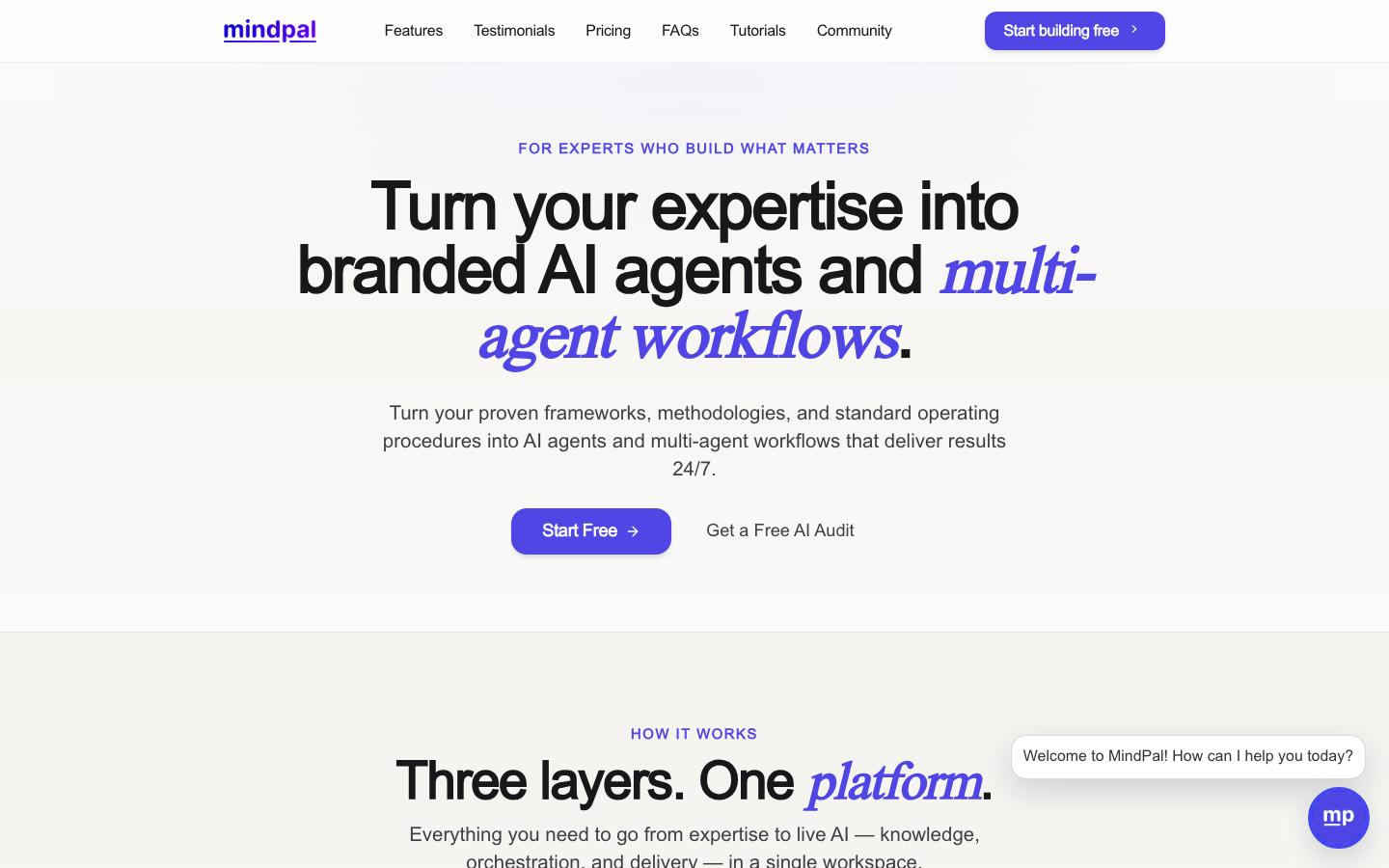
MindPal: AI automatic brain map generation tool, turning ideas into structures in one sentence
Core parameters and statistics
MindPal is an AI productivity tool with "text to mind map" as its core value proposition (determined as Type D - Productivity/Business Application). It does not provide the manual drag-and-drop canvas of traditional mind mapping software, but allows users to enter text (notes, article PDFs, keywords), and AI automatically analyzes the semantic level and generates a visual mind map. This set of logic flips the traditional process of "think about the structure first and then draw it" into "write it first, and AI will help you organize the structure".
| Projects | Public Information |
|---|---|
| Product positioning | AI mind map generation and knowledge visualization |
| Core capabilities | Unstructured text → Hierarchical brain map, multi-source import AI semantic analysis |
| Input method | Directly enter text / paste notes / upload PDF / enter keywords |
| Output format | Mind map (editable), picture export PDF export |
| Platform | Web |
| Home | US |
| Business Model | Freemium (Free + Paid Subscription) |
| Target Users | Students, knowledge workers, project managers, life-long learners |
| Language support | en-US |
| Starting price of paid version | About $10/month |
A brief comment: MindPal is essentially not a "mind mapping tool", but an "AI assistant that helps you automatically turn chaotic ideas into structural diagrams" - you write a note and it gives you a clear-level brain map. Its value does not lie in how beautiful the "painting" is, but in how clearly it is "reasoned".
User and market recognition
MindPal's track is the "AI + Mind Map" subcategory, which has experienced the evolution from purely manual (Xmind, MindManager) to AI-assisted (GitMind AI, Whimsical AI) to AI automatic generation (MindPal, Mapify) in the past two years. MindPal is one of the early representatives of the "AI automatically generated" route in this category.
Category Benchmarking:
| Tools | Core Model | AI Involvement Level | Positioning Differences |
|---|---|---|---|
| Xmind | Manual drag + template | Low (only layout suggestions) | Professional mind mapping design tool |
| Whimsical | Visual collaboration whiteboard | Medium (AI generation framework) | Team collaboration whiteboard |
| Miro | Unlimited whiteboards + templates | Medium (AI assisted) | Enterprise-level collaboration platform |
| GitMind AI | Manual + AI generation | Medium to high | Personal knowledge management |
| MindPal | Pure AI generation | High (automatic analysis + generation) | Enter text to get the brain map |
MindPal's differentiated positioning is clear: it does not try to replace Xmind's professional mind mapping design capabilities, nor does it compete with Miro's collaborative whiteboard function, but focuses on the translation of "from text to structure". Typical scenarios of this section include: organizing study notes, structuring article summaries, brain mapping meeting points, and converging brainstorming results.
In terms of user adoption, MindPal has appeared on platforms such as Product Hunt, and has a certain reputation in knowledge management communities (such as Minority, Zhihu Reddit r/productivity). Specific MAU/paid user data is subject to official disclosure.
Cost advantage
MindPal's cost structure is relatively transparent: it does not involve API call costs (no independent API products), nor does it provide enterprise-level privatized deployment. The cost is concentrated at the C-side subscription level.
Cost stratification
| Cost Dimension | Specific Information |
|---|---|
| C client/personal free version | Provides a limited number of AI brain map generation (usually 3-5 times per day), supports basic text input and brain map export, and has watermark or resolution limitations |
| C-side / paid subscription | About $10/month (or $8/month for annual payment), cancels the limit on the number of generations, supports PDF upload, high-resolution export, and no watermark |
| API / Developer | No independent API has been published, and there is currently no developer access plan |
| Enterprise/Team Edition | Undisclosed enterprise plan, no SSO, no team collaboration function, no private deployment |
Free Truth
- Quota limit: The core limit of the free version is the number of generations, not the function emasculation. This means that high-frequency users (learners or researchers who need to generate 10+ mind maps per day) will almost certainly need to pay.
- Output Watermark: The mind map pictures exported by the free version contain MindPal watermark, which is not professional enough for use in formal occasions (class presentations, work reports).
- File Upload Limitation: The free version usually only supports plain text input, and advanced import functions such as PDF upload are paid benefits.
Compliance and Risk
- Data processing: The text/document uploaded by the user will be semantically analyzed through the third-party LLM API. When it comes to sensitive data within the enterprise, it is necessary to confirm the data transmission encryption (TLS) and storage policy. MindPal does not disclose SOC2 or GDPR compliance certification, and enterprise users need to make their own assessments.
- Content Copyright: There is no clear legal conclusion as to whether the brain map structure generated by AI is copyrightable. If the user uploads excerpts from copyrighted textbooks or papers, the generated brain map may involve the copyright boundaries of derivative works.
- Service Continuity: As a start-up product, there is a risk of service changes or closures. It is not recommended to retain large amounts of long-term knowledge assets only in MindPal's private format, and backups should be exported regularly.
Hidden benefits/costs
- Time Saving: Traditionally, it takes about 15-30 minutes to manually create a brain map of medium complexity (20-30 nodes). MindPal shortens this process to 1-3 minutes (text input + AI generation + fine-tuning), increasing efficiency by about 5-10 times.
- Cognitive load reduction: The biggest hidden benefit is not "speed", but "reducing the burden of thinking" - users do not need to handle the two tasks of "content organization" and "visual layout" at the same time when drawing. AI takes over the layout, and users can focus on the content itself.
- Learning Curve: For users who have never used mind mapping, MindPal has almost zero learning cost (typing will always do it). But for veterans who are accustomed to manual fine control, the "black box" characteristics automatically generated by AI may cause frustration.
[Expert View]: MindPal's cost advantage lies not in "cheapness", but in "exchanging time for structure" - you spend one minute inputting text, and AI spends ten seconds generating structure. This exchange is extremely cost-effective in the "information digestion" scenario (learning, research, reading), but in the "creative divergence" scenario (the free association stage of brainstorming), the fixed structure of AI may limit the openness of ideas. It is recommended that users choose the use stage according to the type of task: use handwriting/whiteboard for the divergent stage, and use MindPal one-click structuring for the convergent stage.
Main functions
MindPal's functional matrix revolves around the link "input → analysis → generation → export", and there are obvious synergies between each function.
Function 1: AI text-to-brain map generation
- Description: The user inputs a long text or several keywords, and AI automatically analyzes the semantic hierarchical relationship and generates a mind map with a parent-child hierarchy.
- Applicable tasks: Study note structuring, article/report summary, concept dismantling
- Synergy: This is the core entry function of MindPal, but it is linked with "multi-source input" and "incremental editing" - you first import from PDF to generate the first version of the mind map, then manually adjust the nodes, and finally export it as a picture to embed in the note-taking software.
Function 2: Import content from multiple sources
- Description: Supports three input methods: directly input text, paste URL to extract article content, and upload PDF document.
- Applicable tasks: Quickly convert external knowledge sources (webpage articles, PDF papers, classroom handouts) into reviewable mind maps
- Synergy effect: PDF upload → AI extracts key concepts → generates brain maps → exports and inserts Obsidian/Notion to form a "reading → structuring → review" process, eliminating the time of manual excerpting and sorting.
Function three: AI incremental expansion and contraction
- Description: On existing mind map nodes, users can click "AI Expand" to let AI automatically supplement sub-nodes, or click "Shrink" to let AI merge redundant nodes.
- Applicable tasks: brainstorming idea expansion, refinement and improvement of existing brain maps
- Synergy: This function and the core generation function form a "first coarse and then fine" workflow - first use AI to generate the backbone structure, and then let AI expand the details node by node to avoid information overload caused by one-time generation.
Function 4: Mind map editing and manual adjustment
- Description: After AI generates the first version, users can drag and drop to adjust node positions, modify node text, add/delete nodes, and change colors and styles.
- Applicable tasks: Manual review and fine-tuning of AI output to ensure that the final result meets expectations
- Synergy effect: Manual editing is a key node of "human-machine collaboration" - AI does the first draft (rough structure), and humans do the refinement (semantic verification + visual optimization). It is 5 times faster than purely manual drawing from scratch, and more reliable than pure AI without modification.
Function 5: Export and share
- Description: Supports exporting to PNG image PDF document and sharing via link.
- Applicable tasks: Embed mind maps into note-taking systems, presentations, and report documents
- Synergy: The export function is fully integrated with "multi-source input" - import content from outside → AI generates brain map → export back to external tool. MindPal does not attempt to be the end point of knowledge storage, but an intermediate station for knowledge processing.
[Expert View]: The most ingenious design of MindPal is not the AI generation itself, but the "AI expansion/shrinking" interaction mode. It solves a core contradiction of AI brain map generation: the brain maps generated at once are either too thick (only one-level headings) or too thin (information overload). By letting users control the level of granularity on a node-by-node basis, MindPal achieves "depth on demand" - a key experience design that many AI mind mapping tools ignore.
Model and version evolution
As a product with AI capabilities as its core, MindPal's version evolution reflects the dual iterations of underlying large model capabilities and product functions.
| Version | Date | Major Changes | Description |
|---|---|---|---|
| 0.1 (launch) | ~2024-06 | Product launch, basic text to mind mapping function | MVP version, only supports plain text input |
| 1.0 (current) | ~2025-09 | PDF upload AI expansion/shrinking, export optimization | The key iteration from "usable" to "easy to use" |
Version Interpretation
- 0.1 Launch: Validate the core hypothesis - "Can AI generate useful brain maps from unstructured text". This version is minimal in functionality but validates PMF (Product Market Fit).
- 1.0 Current Version: Completed three key sections: import (PDF), editing (AI expansion/shrinking), and export (high-resolution PNG/PDF), forming a complete "import→generate→edit→export" solution.
MindPal's product iteration direction is positively related to the maturity of the AI brain map category: the early stage (0.1) focuses on "can it be generated", and the mid-term (1.0) focuses on "can it be edited and exported after generation". The expected directions in the future include: multi-language support (Chinese, Japanese, etc.), team collaboration, template library, and native integration with Notion/Obsidian.
Technical advantages
The core of MindPal's technology stack lies in the combination of NLP semantic level extraction and automatic layout engine.
Technical architecture dismantling
User input (text/PDF)
       ↓
  [LLM API call] ← Text cleaning and segmentation
       ↓
  [Semantic level extraction] ← Identify title-subtitle-content relationships, parallel relationships, and causal chains
       ↓
  [Brain Map Data Model] ← Generate node tree JSON with parent-child relationship
       ↓
  [Automatic layout engine] ← Tree/radial/fishbone diagram layout algorithm
       ↓
  [Front-end rendering] ← Interactive mind map canvas (drag, zoom, edit)
Why "fast"?
In traditional mind mapping tools, users need to manually complete the dual tasks of "content organization + visual layout". MindPal uses LLM to replace "content organization" sections (extracting semantic levels), and uses a layout engine to replace "visual layout" sections (automatically assign node positions). The user only needs to complete the action of "content input".
Why "save"?
Compared with general ChatGPT to generate mind maps (first let GPT output the Markdown outline, and then manually copy it to the mind map tool for typesetting), MindPal combines "generating outline + visual rendering" into one step, eliminating the need for copy-paste and format adjustment. For users who need to make 10+ mind maps per week, if you save 5 minutes per map, you can save nearly 1 hour per week.
Why "stable"?
MindPal's layout engine is optimized for mind map scenarios: automatically avoiding node overlap, automatically adjusting branch spacing, and supporting different layout modes (radial/tree/fishbone diagram). This is much more stable than manual typesetting after a general AI outputs a plain text outline.
Adaptation boundary
- Strongest: Highly structured texts (textbook chapters, training materials, Wikipedia entries, conference agendas)
- Medium: Semi-structured text (news reports, blog posts, product documentation)
- Weakest: Purely narrative texts (novels, personal essays, free writing) - it is difficult for AI to extract a clear hierarchical structure from continuous narratives
Known limitations
- Limited Chinese support: MindPal mainly performs well in English context. For Chinese input, the extraction accuracy at the semantic level is significantly lower than that of English (subject to official actual performance), which limits its practicality in Chinese knowledge management scenarios.
- Insufficient layout flexibility: The layout generated by AI is determined by the algorithm, and users cannot freely adjust details such as node shape, connection style, theme color palette, etc. like Xmind. For users pursuing visual aesthetics, the cost of manual adjustments may offset the efficiency gains from AI generation.
[Expert View]: MindPal's technical advantage is essentially a story of "API encapsulation" - it uses LLM API for semantic analysis + front-end layout library for visual rendering. The advantage of this technical route is fast start-up and fast iteration (changing to a stronger LLM can improve the generation quality), but the disadvantage is that the technical barriers are not high. Competitors (GitMind, Xmind AI) can quickly replicate similar functionality. MindPal's moat does not lie in the underlying model, but in the polishing of the product experience - especially the interaction design of "AI expansion/shrinking" and the end-to-end smoothness of "PDF import → Brain Map".
How to use
The usage path of MindPal is extremely simple, and the entire process from input to export can be completed within 3 minutes.
Quick steps to get started
- Visit the official website: Open
https://mindpal.space/and you can experience the free version without registration (or register an account to use more features). - Select input method:
- Direct input: paste notes, article summaries or course notes into the text box
- Upload files: Upload PDF documents (paid version)
- Enter keywords: Enter 3-5 keywords to let AI automatically expand
- AI generates brain map: Click the generate button and wait 5-15 seconds (depending on text length and AI processing time).
- Edit fine-tuning:
- Drag and drop to adjust node position
- Double-click to modify node text
- Use the "AI Expand" button to add child nodes to the selected node
- Use the "AI shrink" button to merge redundant nodes
- Export for use: Export to PNG image or PDF, embed into Obsidian, Notion, OneNote or used directly in presentations.
Entrance comparison
| How to use | Typical scenarios | Cost |
|---|---|---|
| Direct use on the Web | Daily learning and work organization | Free/paid |
| Mobile browser access | Quickly generated during fragmented reading | Free/paid |
| API call | Not supported yet | N/A |
| Private deployment | Not supported yet | N/A |
Efficiency improvement deduction (Type D cost reduction and efficiency improvement quantification)
The following is an estimate based on product characteristics (unofficial commitment):
| Position/Task | Traditional method takes time | MindPal method takes time | Efficiency changes |
|---|---|---|---|
| Students organize class notes (3000 words of notes in a single class → brain map) | 20-30 minutes (manual drawing) | 3-5 minutes (paste + AI generation + fine-tuning) | 4-6 times improvement |
| Researcher reads paper (single 10-page PDF → abstract brain map) | 15-20 minutes (manual excerpt + drawing) | 5-8 minutes (upload PDF + AI generation + fine-tuning) | 2-3 times improvement |
| Project manager takes meeting minutes (30-minute meeting → action brain map) | 10-15 minutes (organizing key points + drawing) | 2-3 minutes (filling in key points + AI generation) | 3-5 times improvement |
| Content creators make article outlines (topic selection → structure) | 15-20 minutes (manual outline + layering) | 3-5 minutes (enter topic selection + AI expansion) | 3-4 times improvement |
Product Pricing
MindPal uses a Freemium model with simple and clear pricing tiers.
| Plan | Price | Core Benefits | Restrictions |
|---|---|---|---|
| Free version | $0 | Limited number of AI generation per day, basic text input, low-resolution export | Watermark, daily limit (usually 3-5 times), PDF upload not supported |
| Paid version | ~$10/month (about $8/month, annual payment) | Unlimited PDF generation and upload, high-resolution export without watermark, priority processing | None |
Evaluation of pricing strategy: MindPal's pricing is a strategy of "low threshold and short conversion path" - the free version is enough for users to experience the core value (you can feel the magic of "from text to structure" once generated), but high-frequency use will inevitably trigger payment. The pricing of $10/month is in the same range as similar AI tools (GitMind AI is about $5-8/month, Mapify is about $8-12/month), and there is no obvious price advantage or disadvantage.
Note: The above prices are the reference range of public information. The exact price is subject to the real-time pricing page of the official website.
Application scenarios
Scenario 1: Students studying and preparing for exams
- Task Type: Convert textbook chapters, class notes, and review materials into reviewable mind maps
- Actual benefits: The translation process from "linear notes" to "hierarchical structure" itself is an active learning (you need to understand the content to judge whether the brain map generated by AI is accurate). Deduction: Organize notes for 3 classes every week, saving 15 minutes of drawing time for each class, and 45 minutes more for review every week.
- Applicable stage: midterm/final review, knowledge system review, pre-exam sprint
Scenario 2: Information digestion by knowledge workers
- Task Type: Quickly extract structure after reading industry reports, technical documents, and white papers
- Actual benefits: 30 pages of PDF → 5 minutes of AI generation → 1 brain map = "map" before reading. First look at the mind map to understand the whole picture, and then decide which chapters need to be read intensively to avoid passive reading of "reading and forgetting".
- Applicable stage: industry research, competitive product analysis, technology selection research
Scenario 3: Project manager’s meeting and plan management
- Task type: Brain mapping of meeting minutes, project plan breakdown (WBS), root cause analysis of problems
- Actual benefits: A structured action brain map is produced within 3 minutes after the meeting, directly replacing the lag of "organizing notes after the meeting". Deduction: 5 meetings per week, each meeting saves 10 minutes of note-taking time, freeing up nearly 1 hour per week for actual work.
- Applicable stages: daily stand-up meetings, project kick-off meetings, review meetings
Scenario 4: Brainstorming and creative convergence
- Task Type: Starting from keywords or initial ideas, AI will help you expand into a complete brain map
- Actual benefits: MindPal plays the role of a "thinking accelerator" here - you give 3 keywords, and it returns a first-level brain map of 30 nodes, providing you with the inspiration of "you can still think from this perspective." But please note: the expansion of AI is based on statistical patterns rather than true creativity, and is suitable for the "convergence" stage rather than the "divergence" stage.
- Applicable stage: topic selection brainstorming, content planning, product function brainstorming
Applicable people
Recommended crowd (dimensionality reduction strike scenario)
- Student group (high school students/college students/graduate students): A large amount of course content needs to be digested and knowledge systemized. MindPal's "Notes → Brain Map" capability directly corresponds to the learning link of "Input → Understanding → Memory".
- Knowledge workers (researchers/analysts/consultants): They need to read and digest a large number of documents every day. MindPal can combine "reading-summarizing-structuring" into one, significantly reducing information processing time.
- Project Manager and Product Manager: Need to frequently produce meeting minutes, project plans, and functional brain maps. MindPal's "AI generates first draft → manual fine-tuning" mode is suitable for this type of "result-oriented, efficiency-seeking" users.
- Lifelong Learner: Anyone who needs to continuously input new knowledge and integrate it into their personal knowledge system. MindPal's incremental expansion function is particularly suitable for the learning method of "build the framework first, then fill in the details".
Not recommended for people (not suitable for boundaries)
- Professional Mind Map Designer: If you need a highly customized visual style of the mind map (customized theme color, node shape, connection style, background image), MindPal's automatic layout cannot meet such needs. Please use Xmind (Pro) or MindManager.
- Team collaboration users: MindPal does not provide team functions such as multi-person real-time collaboration, comments, version history, etc. If you need a team brain mapping collaboration tool, Whimsical or Miro are more suitable.
- Chinese users (especially academic/professional scenarios): The performance of MindPal's AI semantic analysis in Chinese input scenarios has not been fully verified. If the main input is Chinese, it is recommended to try it out to confirm the generation quality before deciding whether to pay.
- Users who need an end-to-end knowledge management platform: MindPal is a "mind map generator" not a "knowledge management system". If you need knowledge management features such as long-term storage, full-text retrieval, and two-way links, you should use it in conjunction with Obsidian/Notion/Logseq, not as a replacement.
Human-machine collaboration boundary (Type D mandatory)
Which aspects of MindPal’s value chain can be fully automated, and which ones require human participation?
| Sectional | Degree of automation | Description |
|---|---|---|
| Text input/import | 100% automated | User pastes or uploads, tool parses text content |
| Semantic level extraction | 90% automation | AI automatically extracts levels, but complex text (metaphors, puns, discontinuous logic) requires manual review |
| First version of mind map generation | 95% automation | The layout engine automatically assigns node positions, and occasionally manual adjustment of overlap or misalignment is required |
| Proofreading for content accuracy | 10% automation | Must be manual - AI may misunderstand the original text, miss key concepts, or fabricate non-existent relationships |
| Visual beautification and adjustment | 50% automation | AI provides basic color matching and layout, and fine beautification requires manual labor |
| Export and Distribution | 100% automated | One-click export to image/PDF |
Key conclusion: MindPal is most suitable for the working model of "AI produces the first draft and humans do the final review". The most dangerous way to use it is to "let AI generate a brain map and use it directly" - in terms of information accuracy and structural rationality, AI's "smooth illusion" may make you mistakenly think it is correct. For the factual content in the mind map, manual review is mandatory.
Summary and Outlook
MindPal’s value proposition is very clear: it doesn’t make you better at mind-mapping, it lets you not have to do it. In terms of the translation step of "input chaotic text → output structured brain map", it has achieved an excellent degree of completion among similar tools. The core advantages are: extremely short end-to-end process (less than 1 minute from pasting to generation), simple interaction design (zero entry cost), and deeply embedded AI capabilities (not just an assistant, but the main force of generation).
Core competitiveness
- The first purely AI-driven mind mapping tool (rather than traditional mind mapping tools plus AI plug-ins)
- The progressive refinement of "AI expansion/shrinking" experience is better than competing products that are generated all at once
- End-to-end closure (Import → Generate → Edit → Export), no need to jump across tools
Current main limitations
- Chinese support is questionable: The core semantic analysis relies on LLM's English capabilities, and the accuracy of Chinese scenarios has not been fully verified.
- No team collaboration: Single-person tools have obvious attributes and are difficult to enter the enterprise procurement process.
- Technical barriers are not high: Essentially it is a package of "LLM API + layout engine", and competing products can quickly follow up
- Narrow ecological niche: Focus on "generation" without any storage, collaboration, or publishing
Future observation point
- Multi-language extension: whether to cooperate with large localization models (such as DeepSeek, Qwen) to improve the quality of Chinese generation
- Native integration: Whether to launch Notion/Obsidian plug-ins, browser extensions and other entrances to reduce friction in use
- Team Edition: Will collaboration features be added to expand the enterprise market?
- AI Capability Upgrade: Whether it can evolve from "text to structure" to "multimodal to structure" (such as generating brain maps from recordings/pictures)
Procurement/Adoption Risk Assessment
- Structural Reliability Risk: The hierarchical structure generated by AI may not represent the true intention of the original text (especially when dealing with ambiguous/contradictory information). Before long-term use, a workflow of "AI first draft → manual review → final draft" must be established, otherwise erroneous structured information may be internalized as part of the knowledge system.
- Data security risk: SOC2/GDPR certification has not been published, and scenarios involving sensitive data (internal company documents, unpublished research reports, content subject to confidentiality agreements) need to be carefully evaluated. It is recommended that desensitized content be entered into MindPal or used only on public/lowly sensitive data.
- Vendor lock-in risk: MindPal is not a knowledge storage tool, but users may habitually keep important mind maps only within the platform. It is recommended to export to PNG/PDF and back up in the local knowledge base to avoid asset loss due to service changes or shutdowns.
- Cost-performance judgment: For light users who generate less than 30 brain maps per month, the free version is enough to meet their needs - no payment required. For high-frequency users (10+ photos per week), the $10/month subscription cost has a significantly positive return on time saved (estimated to be 1-2 hours per week).
- Competitive product substitution risk: Competing products such as Xmind AI and GitMind AI are rapidly completing their AI generation capabilities, while MindPal is at a disadvantage in terms of brand, user base, and financing scale. If competing products catch up in "AI generation quality", MindPal's differentiation will be significantly reduced. It is recommended to use it as a "best option at the moment" rather than a "long-term strategic dependence".
Related tools:  Notion AI, google-workspace
Version Info
- current :Current version.
- launch :Product goes online.
User Reviews