 Mockplus AI
Free
Mockplus AI
Free
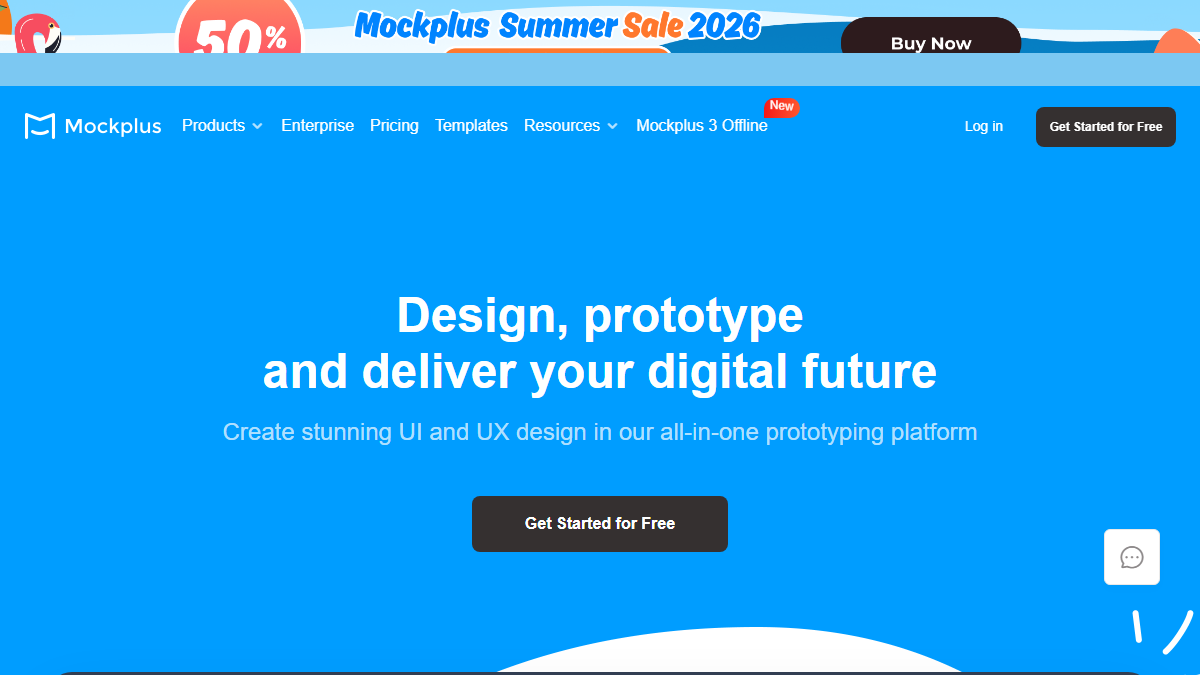
Mockplus is a one-stop design collaboration platform for UI/UX designers, product managers and development teams. It includes four product lines: Mockplus RP (interactive prototyping), Mockplus DT (UI design), Mockplus Cloud (design delivery and collaboration) and Mockplus DS (design system management). It is gradually incorporating AI-assisted capabilities to cover the entire link from design conception to development and delivery.
MockplusAI
Core parameters and statistics
Mockplus is not a single tool, but a set of platform-level product matrix covering the entire link of "design → prototype → collaboration → delivery". The official positioning is "Design, prototype and deliver your digital future". Its four product lines each assume different and specific responsibilities, and at the same time form synergy with the data layer through a unified account. AI capabilities are gradually being embedded in various product lines, currently with intelligent layout suggestions, automatic annotation generation and intelligent management of design assets as the main implementation forms.
| Projects | Public Information |
|---|---|
| Official positioning | Design, prototype and deliver your digital future |
| Product Matrix | Mockplus RP (prototype), Mockplus DT (UI design), Mockplus Cloud (collaborative delivery), Mockplus DS (design system) |
| Cumulative users | More than 2 million users and teams (official website readme) |
| Deployment form | Web client, desktop client (Windows/macOS), offline mode |
| Offline capability | Mockplus 3 Offline supports 100% offline design and prototyping |
| AI capability stage | Intelligent layout suggestions, intelligent management of design assets, automatic delivery annotation (continuous iteration) |
| Latest version | Mockplus 3 Offline (2025-09) |
| Supported platforms | Web, Desktop (Windows/macOS), iOS, Android |
| Template & Component Library | 500+ templates, 3000+ icons and components, continuously updated Widget library |
| Corporate customers | The official number of companies has not been disclosed. The official website displays customer case references such as UXtweak and Ramotion |
Product Matrix Logic: The core difference of Mockplus is that it does not make "prototype design" and "UI design" into two independent products, but connects the data flows of RP (interactive prototype), DT (visual design), and DS (design system) through the Cloud layer. After designers complete component design in DT, the components can be directly synchronized to DS as atomic assets of the design system. RP consumes these assets to build interactive prototypes, which are finally delivered to the development team through Cloud with one click. This link of "design assets are created once and consumed on multiple terminals" is the key architectural difference between Figma (centered on a single design file) and Sketch (centered on local files).
Market Significance of Offline Strategy: The launch of Mockplus 3 Offline targets Figma’s weaknesses in security-sensitive industries (government affairs, military industry, finance). Figma is cloud-based and has limited offline capabilities; Mockplus 3 allows design, prototyping, and delivery to be completed entirely locally, and the data does not leave the intranet. This is a viable alternative for teams with data sovereignty compliance requirements.
User and market recognition
Mockplus's market recognition is mainly reflected in user scale, industry customer cases and positive mentions in third-party reviews. The official has not disclosed specific revenue data or the number of active paying users.
User volume: The official website states "Join over 2M users and teams", indicating that the cumulative number of registered users/teams exceeds 2 million. For reference, Figma (about 4 million MAU in 2024) and Sketch (about 1 million+ users) in the same track are in a similar order of magnitude, and Mockplus has a relatively higher penetration rate in the Asia-Pacific region, especially the Chinese market.
Customer Cases: The official website publicly cites the following customer reviews - the UX design and research team of UXtweak (UX research platform) uses Mockplus for prototyping and collaboration; the CEO of Ramotion (brand design agency) publicly evaluates Mockplus as "a key tool in its design tool stack", especially in design system projects. The smoothness of development handover is highly evaluated; UX architect and writer Nick Babich said that Mockplus "makes design work easier and the real-time collaboration experience is smooth". These cases focus on design service organizations and product teams, reflecting Mockplus’s stable reputation in design delivery.
Third Party Coverage: Mockplus is included by G2, Capterra, Product Hunt and other platforms, but the official score details or ranking data are not disclosed. In the Chinese community, Mockplus has a large number of user tutorials and template resources on platforms such as Zokuu and Zhihu, and its ecological richness is higher than the localization level of most overseas design tools in the Chinese market.
Competitive benchmarking: Mockplus officially provides a comparison page with Axure (Mockplus vs Axure), emphasizing "any level of interactive design can be achieved without writing code" and "collaborative design through URLs". This suggests that its direct competition is locked between Axure’s high-complexity prototyping market and Figma’s online collaboration market.
Cost advantage
- C-side/Individual: Usually a free version is provided to experience the core functions, and high-frequency use requires a paid package subscription.
- API/Developer: Billed by call volume, suitable for development teams that can be flexibly integrated into their own systems.
- Enterprise/Privatized: Contact the business owner for customized quotation and deployment plan. The specific price is subject to the official real-time pricing page.
Main functions
Mockplus's functional system is carried by four product lines, and AI capabilities are gradually being embedded in each of them. The following sorts out the core functions by product line, and marks the AI enhancement points that have been implemented or are planned.
Mockplus RP (interactive prototyping)
- Drag-and-drop interaction prototype: You can add interactive links, animations, timeline transitions, and mobile gestures (click, slide, swipe) to components by dragging and dropping without writing code. AI enhancement direction: intelligently identify artboard elements and recommend common interaction modes (such as navigation jumps, pop-up window triggers).
- 500+ templates and 3000+ component libraries: Covers prototype templates and UI components for multiple platforms such as Web, iOS, Android, Material Design, etc., and supports custom component libraries. AI enhancement direction: Automatically recommend matching templates and component combinations based on product descriptions.
- One-click import of Axure files: Supports the import of Axure files and keeps 95% of UI and interaction details editable, reducing the migration cost of tool switching.
- Responsive Prototyping: Built-in responsive design toolset, once created, it can automatically adapt to desktop, tablet and mobile screen sizes.
- Flow chart and user flow mapping: Connect drawing boards in a single-screen bird's-eye view through connections to display user jump logic and processes. AI enhancement direction: Automatically generate a draft user flow chart based on the content of the artboard.
- Sidebar annotation: Add requirement descriptions, dimensioning and interaction instructions next to the design area to shorten the communication link between design and development.
Mockplus DT (UI visual design)
- Auto Layout + Smart Layout: Components and containers automatically adapt to content changes, reducing the repetitive work of manual layout adjustment. This is the closest thing to an AI-assisted feature in DT, implemented through a rules engine rather than traditional machine learning.
- Vector drawing tools: Built-in vector drawing capabilities such as pen tool and pencil tool, supporting free drawing and Boolean operation to combine arbitrary shapes.
- Multi-artboard design: Supports the creation of multiple artboards within the same project, covering different pages and screen sizes.
- Real-time multi-person collaborative editing: Multiple designers can edit the same file at the same time, changes are synchronized in real time, and there are no conflict merge issues.
- Design asset reuse: Design assets such as colors, fonts, components, etc. can be saved to the team library and reused across projects.
Mockplus Cloud (Design Collaboration and Delivery)
- Automatically generate design deliverables: Open the design file to automatically generate annotations, dimensions, red lines and CSS code snippets, covering Web, iOS and Android terminals. AI enhancement direction: Use visual recognition to automatically identify component types and hierarchical relationships to improve the accuracy of annotation.
- Design review and feedback collection: You can add comments on the drawing board by sharing a link, support @ notification to team members, and the comments are bound to the design version.
- Version Comparison: Supports comparing any two design pages or versions in 4 ways to track all changes.
- PRD and design association: Embed PRD document references in design files to achieve two-way traceability of requirements and design.
- Developer Delivery: All design assets, code snippets, interaction notes and version history are delivered through a single link so development teams can directly view and export the resources they need.
Mockplus DS (Design System Management)
- Centralized management of design atomic assets: Colors, fonts, components, layer styles and other design atomic assets are stored centrally, and all design projects share the same design language.
- Component variable and code mapping: Supports defining variable specifications for components and mapping design components to front-end code snippets to maintain consistency in design and development.
- Version evolution tracking: Every change in the design system has a version record, and the team can trace back the historical status.
Expert view – Hidden synergies:
Mockplus's four product lines do not operate independently. They form three key collaborations through a unified data layer:
-
"Design → System → Prototype" is closed: The designer creates a button component in DT, which is automatically synchronized to DS and becomes an atomic asset of the design system; RP consumes the components in DS to build an interactive prototype, and all components used in the prototype are automatically version consistent with the design system. This means that when the design system is updated (such as a brand color adjustment), all prototypes and design files that reference that color will be automatically synchronized, eliminating the need to manually modify each one.
-
"Delivery → Feedback → Iteration" is closed: Designers deliver prototypes and design drafts to the development team with one click through Cloud, and developers view annotations and code snippets in Cloud; problems discovered during testing or acceptance are directly linked to specific design elements through Cloud's comment function, and feedback automatically notifies designers; designers update the version in Cloud after modification, and the development team quickly locates change points through the version comparison function. This link eliminates the fragmented communication of "screenshot → email → chat tool" in the traditional process.
-
"Offline design → Cloud collaboration → Intranet delivery" elastic architecture: Designers complete the design work in offline mode, and the data is completely stored locally; when collaboration is required, switch to online mode, and the data is synchronized to the Cloud; for security-sensitive projects, it can always remain in offline mode and be delivered through the intranet or physical media. This flexible architecture allows the same tool chain to cover the completely different compliance needs of Internet companies and confidential organizations at the same time.
Model and version evolution
The version evolution of Mockplus is divided into two dimensions: one is the version iteration of the overall platform (with Mockplus 3 Offline as the latest milestone), and the other is the independent function update of each product line (RP, DT, Cloud, DS).
Mainline release
-
Mockplus 3 Offline (2025-09): The current latest major version. The core change is to support 100% offline design and prototyping, and the entire design process can be completed locally without uploading data to the cloud. This version directly responds to the controversy over the applicability of cloud tools such as Figma in security-sensitive industries, and also meets the needs of some designers working under unstable network conditions. The offline version retains compatibility with the cloud version, and users can switch to the online mode at any time for collaboration and delivery.
-
Mockplus 2.5 (~2024-12): Introducing one-click import of Axure files, a core feature designed for users migrating from Axure. The batch creation of Symbols function improves the efficiency of component reuse, and the customization of artboard colors further improves the visual management workflow.
-
Mockplus 2.0 (~2024-06): Major UI reconstruction, comprehensive upgrade of product interface. The PRD version comparison function is online, supporting version association and difference viewing between requirements documents and design drafts. Customized sharing links and sub-artboard visibility control enhance the refined management capabilities of design delivery.
-
Mockplus 1.0 (~2023-06): The new generation platform architecture is released, integrating Mockplus RP, Mockplus DT, and Mockplus Cloud into a unified platform for the first time, forming an integrated product matrix of "Design → Prototype → Collaboration → Delivery". Previously, Mockplus RP and Mockplus Cloud were independent products, while DT was a newly launched UI design tool.
Candidate Verification
Mockplus's "What's New" page maintains a monthly or bi-monthly update frequency, and continues to launch incremental features between mainline versions. Key additions in recent years include: email notification system QR code sharing project, batch replacement of missing fonts, sketch mask mode, eyedropper tool enhancement, focus mode (focused work mode in Storyboard), one-click frame sorting management to embed design draft references in PRD content, etc. These incremental updates focus on optimizing product details and experience, reflecting Mockplus’s strategy in the product polishing stage—not pursuing large version number jumps, but reducing users’ adaptation costs through continuous small steps.
AI capability evolution route (inference)
The official has not yet released a roadmap for an independent version of AI functionality. Based on public information and industry trends, the following directions can be deduced:
- Short-term (already partially implemented): Intelligent layout (Auto Layout) based on rules engine, automatic generation of design annotations and code snippets, and intelligent component recommendations.
- Mid-term (speculative): Initial text-to-prototype generation capabilities ("Describe product requirements → automatically generate wireframes"), AI-driven design system consistency checks, intelligent design review summaries.
- Long term (speculative): Design decision suggestions based on user behavior data, adaptive interface generation, AI-driven user testing simulation.
The above deduction is an unofficial commitment, and the actual progress is subject to the official release of Mockplus.
Technical advantages
The technical advantage of Mockplus lies not in its performance leadership for general-purpose large models (it does not provide APIs or model services), but in its architectural design choices for design workflows.
Offline-First architecture: The core technology of Mockplus 3 Offline is a data model of "local data as the main component and cloud synchronization as the supplement". Design files, component libraries, and interaction definitions are all stored in local formats, and the cloud only plays the role of collaboration synchronization and delivery distribution. This is fundamentally different from Figma's "cloud-based, cache-assisted" model. The direct effects of the offline-first architecture are:
- Data sovereignty is controlled by the user, eliminating the need to upload design assets to third-party servers
- Design work will not be interrupted even if the network is unstable
- Intranet deployment scenarios do not require modification of the product architecture
- Startup speed is not affected by network delay
Full-link data consistency: The real technical barrier of Mockplus is that the four product lines share the same set of data protocols. When a designer changes the color of a component in DT, this change is automatically synchronized to DS (the design system), RP (all instances of the component that reference the component in the prototype), and Cloud (the design version to be delivered). This consistency is not achieved through file links or plug-ins, but an atomic-level synchronization mechanism built into the platform data layer. In contrast, Figma's design system and design files are synchronized through "Style Link", but the consistency of the design system across files still needs to be managed manually; Sketch relies on third-party plug-ins (such as Abstract, Plant) to achieve similar capabilities.
Code independence of the interaction engine: Mockplus RP's interaction engine allows designers to add interactive behaviors to components through "Link Points" without writing any code. Interaction definitions are stored as structured metadata rather than script code, which allows interaction logic to remain editable and transformable during file import/export (such as Axure file import). 95% of UI and interaction details of Axure files are editable after import, which indirectly reflects the level of metadata compatibility of its interaction engine.
Performance Boundary: The performance of Mockplus under very large design files (more than 100 artboards, thousands of components), official undisclosed benchmark test data. For complex enterprise-level design systems (dozens of component libraries, thousands of atomic assets), the response speed and synchronization delay of Mockplus DS need to be verified in actual projects. At the same time, the official technical details of the multi-designer version conflict resolution strategy (based on LWW or CRDT) in fully offline mode have not been disclosed, which is directly related to the reliability of data merging after multi-person offline editing.
How to use
- Web client: You can use it by visiting the official website and registering an account. Most functions do not require installation.
- API access: Provides RESTful API, developers can obtain the API Key and integrate it into their own applications.
Product Pricing
The pricing model is subject to the official real-time page. Usually a freemium or subscription system is used, and basic functions can be used for free. Advanced functions or high-frequency use require paid subscriptions, and users are advised to evaluate the optimal solution based on actual usage.
Application scenarios
Mockplus’s four product lines cover the entire product design chain. The following is based on three typical scenarios.
Scenario 1: Start-up team builds product MVP from 0 to 1
Task composition: The founding team needs to quickly transform product ideas into visual interactive prototypes for internal alignment, investor presentations, and early user testing. Teams often don’t have full-time designers, and the product or development leader needs to have both design skills.
Mockplus's adaptation method: Use Mockplus RP's 500+ templates to quickly build a prototype framework, starting with industry-matching templates instead of a blank canvas. Complete interactive demonstrations of core user flows in hours using drag-and-drop interactive connections. Collect internal and external feedback by sharing links to verify product direction before formal development.
Expected earnings:
- The time from product idea to interactive prototype is shortened from 2-3 days traditional (Sketch/Axure) to 4-6 hours (starting based on templates)
- No need to learn complex design tools, non-designers can master the basic operations of RP in 1-2 days
- Collect feedback through prototype links to avoid wasted investment in early development stages
Acceptance focus: Whether the industry coverage of the template meets the product type (especially non-standard categories such as IoT management backend B2B complex forms); whether the fidelity of the interactive prototype is sufficient to support investor demonstration scenarios.
Scenario 2: Design system construction and maintenance for medium and large design teams
Task composition: A design team of 10-50 people needs to establish and maintain a unified design system to ensure visual consistency across projects and products, and to achieve efficient docking of design and development.
Mockplus adaptation method: Use Mockplus DS to create a centralized design system library and define atomic assets such as colors, fonts, components, and layer styles. The design team creates and updates components in Mockplus DT, and changes are automatically synced to DS. The development team uses Mockplus Cloud to view the code mapping and design annotations of components to ensure consistency between implementation and design.
Expected earnings:
- The creation and distribution of design system assets changes from "file sharing → manual update" mode to "define once, automatically synchronize"
- Visual consistency between multiple projects is moved from the "Manual Review" section to "System Enforcement"
- Improve the standardization of design delivery and reduce rework caused by irregular marking
Acceptance concerns: The mapping accuracy of DS's component variables and the front-end code framework (React/Vue/Angular); the real-time reference of the design system in different projects; the response speed and synchronization stability of DS under a large design system (hundreds of components).
Scenario 3: Design delivery in security-sensitive industries
Task composition: Digital product teams in finance, government affairs, military industry and other industries need to complete product design on the premise of meeting data sovereignty and network security compliance, and design assets must not be uploaded to third-party clouds.
Mockplus adaptation method: Use Mockplus 3 Offline to complete all design and prototype work in a completely offline environment. Design files are stored locally or on an intranet server and do not go through any third-party cloud services. After completing the internal review, it is delivered to the development team through the intranet or compliance channels. Selectively use limited capabilities of the Cloud only when you need to collaborate with external partners and control data exposure by setting permissions.
Expected earnings:
- Meet the compliance requirements of data not leaving the country and avoid compliance risks caused by using overseas cloud design tools
- Design work is not interrupted despite network isolation
- The data audit and access control of the intranet deployment version are consistent with the enterprise's security policy
Acceptance focus: Collaboration mechanism in offline mode (how multiple people can synchronize design changes in a purely offline environment); compatibility of the enterprise version deployment plan with existing IT infrastructure (AD/LDAP, firewall policies, backup solutions); version upgrade deployment process and downtime in the intranet environment.
Scenario 4: Design outsourcing or cross-organizational collaboration
Task composition: Party A outsources design work to an external design team and needs to achieve review, feedback and confirmation of design deliverables without exposing internal system authority.
Mockplus adaptation method: After the external design team completes the design using Mockplus, the sharing link is generated through Cloud and the access password and validity period are set. Party A's team can view the design draft, prototype and markup directly on the linked page and give feedback through the comment function. After the design is modified, Cloud automatically updates the content in the delivery link, eliminating the need to repeatedly upload files.
Expected earnings:
- Outsourcing delivery changes from "multiple rounds of file transfer → manual merging of feedback" to "one link → real-time updates"
- Feedback is directly related to specific design elements, reducing the communication loss of "screenshot → description → confirmation"
- All version changes are automatically recorded to avoid the confusion of file management of "final version_final_real final version"
Acceptance concerns: Security control granularity of external links (whether to support specified IP whitelist, download permission restrictions); synchronization mechanism of offline comments (how Party A can view and provide feedback without a Cloud account).
Applicable people
Who is best suited to use Mockplus
- UI/UX Designer: Core user group. Mockplus DT + RP + Cloud covers the entire link from visual design to interactive prototype to development delivery, so designers don’t need to switch between multiple tools. For designers with experience in using Figma/Sketch/Adobe XD, the learning curve of Mockplus is within 1-3 days.
- Product Manager: Mockplus RP's low-code interactive prototyping capability allows product managers to independently complete high-fidelity prototypes without relying on designers to operate on their behalf. Axure import functionality also significantly reduces the cost of migrating from Axure.
- Front-end developers: Mockplus Cloud's automatic annotation and code snippet generation capabilities shorten developers' waiting time for design delivery from days to minutes. However, developers’ participation in design tools is usually low. Mockplus’s core value to developers lies in the delivery of measured efficiency improvements.
- Design System Administrator/Design Ops Team: Mockplus DS provides the infrastructure for centralized management of design systems and is suitable for medium to large organizations that need to maintain design consistency across product lines.
- Educational Users and Students: Mockplus DT’s free strategy and RP’s free plan allow students and educational users to get a near-complete professional design tool experience on a zero budget.
People who are not recommended to use Mockplus
- Design teams that require ultra-large-scale real-time collaboration (100+ designers collaborate online at the same time): The performance of Mockplus in ultra-large-scale real-time collaboration scenarios, official benchmark data has not been disclosed. Figma has more mature technical verification in this scenario.
- Designers relying on deep AI generation capabilities: Mockplus’s current AI capabilities (intelligent layout, automatic annotation) are in their early stages and are far from the maturity of Uizard (text generation prototypes), Galileo AI (text generation UI), or Midjourney (AI image generation). If the core requirement is to "generate design drafts directly through text description", Mockplus is not the best choice at this stage.
- Teams that need a complete ecological plug-in system: Mockplus’ plug-in and third-party integration ecosystem is far less rich than Figma (thousands of community plug-ins). If the workflow is highly dependent on specific Figma plug-ins (such as automatic layout plug-ins, design draft annotation tools, user flow tools), migrating to Mockplus may encounter ecological gaps.
- Teams looking for pure API/developer infrastructure: Mockplus does not provide developer-oriented API services or model calling interfaces, and is not suitable for teams that need to embed design capabilities into self-developed tool chains.
Summary and Outlook
Core Competencies: The core value of Mockplus does not lie in the ultimate experience of a single function, but in the integrated coverage of the entire link of "design → prototype → collaboration → delivery" and the data sovereignty control brought by the offline-first architecture. For the Asia-Pacific market, especially Chinese enterprise users, Mockplus's localization degree (Chinese interface, Chinese community, localized templates) and offline capabilities are two significant differentiating advantages. In the context of Figma’s inconsistent experience in the Chinese market due to network and compliance issues, Mockplus’s offline-first strategy gained a clear market entry point.
Current Limitations:
- AI capabilities are still in the early stages: Mockplus’ currently implemented AI capabilities are mainly focused on rule engine-based automation (automatic layout, automatic annotation), and have not yet launched capabilities similar to Uizard’s “Text Generation Prototype” or Galileo AI’s “Text Generation UI”. The "upcoming AI tool" mentioned in the official blog post indicates that the AI function is still under development, and the actual delivery schedule and capability boundaries are not yet clear.
- Limited global ecosystem scale: Compared with Figma’s thousands of community plug-ins and templates, Mockplus’s third-party ecosystem is still in its early stages of growth. For design teams that are highly dependent on a specific plug-in ecosystem, the cost of switching may be higher than the expected benefits.
- Insufficient performance verification for very large projects: The performance of Mockplus under complex enterprise-level projects (hundreds of drawing boards, thousands of components, and dozens of people collaborating simultaneously) lacks third-party public benchmark testing or large-scale case verification.
- Insufficient Price Transparency: The specific pricing of the Pro and Enterprise plans has not been disclosed. Business communication is required before companies can complete budget evaluations before purchasing, which increases the uncertainty of the selection process.
Procurement/Adoption Risk Assessment:
- Pilot Suggestion: Use a small product team of 3-5 people as a pilot and use the Mockplus Free solution to run a complete iteration cycle (Design → Prototype → Review → Delivery). Key nodes for verification include: data synchronization consistency between product lines, collaboration alternatives in offline mode, and integration compatibility with existing development workflows (Git, project management tools, code repositories).
- Expansion Conditions: After the pilot team passes acceptance, it can be gradually expanded to more teams and projects. The threshold for upgrading to the Pro plan is usually "more than 3 active projects" or "verification that Mockplus can indeed shorten the design delivery cycle." The conditions for enterprise procurement include: compliance assessment of privatized deployment, confirmation of AI functions through SLA terms, and clear billing plan.
- Uncertain items that require continued attention: Mockplus AI function delivery roadmap (whether core AI capabilities such as text generation prototypes will be launched in 2026-2027); the progress of AI functions of competing products such as Colorful; whether Mockplus DT's free strategy will be adjusted (commercialization time point and method).
- Verification Terms: Must be confirmed before purchasing - the details of the license model for privatized deployment (whether it is renewed annually, the pricing tier for the number of users), the data encryption standard (whether it supports the national secret algorithm), the version upgrade strategy (whether manual migration of large versions is required, historical version compatibility), and the availability commitment for offline mode in the SLA.
Related tools:  Midjourney, stable-diffusion
How to use Mockplus
The usage portal of Mockplus is divided into four categories according to different roles and tasks. Users can choose a starting point according to their own positioning.
Select entrance by role
| Role | Recommended Products | Typical Tasks | Entrance |
|---|---|---|---|
| UI/UX designer | Mockplus DT + RP | Visual design, interactive prototyping | Visit dt.mockplus.com to start designing, or download the desktop client |
| Product Manager | Mockplus RP + Cloud | Wireframes, product prototype PRD associations | Visit rp.mockplus.com to create prototypes and manage delivery through Cloud |
| Front-end developer | Mockplus Cloud + DS | View annotations, export code, use the design system | View deliverables through links shared by designers |
| Design system administrator | Mockplus DS | Define atomic assets, manage component libraries, and version control | Enable the DS module in the Cloud and create a design system library |
| Team/Enterprise Manager | Enterprise Plan | Rights Management SSO Configuration, Audit Trail | Contact Sales to Get Enterprise Edition Deployment Plan |
Typical steps (taking personal designers as an example)
Step 1: Register and create a project — Visit mockplus.com and register using your email or third-party account. Select the design type (web, mobile, tablet) and artboard size when creating a new project, or choose a preset template directly from the template library.
Step 2: Use DT to complete the visual design — Use vector tools and component libraries to complete the page visual design in Mockplus DT. Reduce manual adjustments with Auto Layout and Smart Layout. Colors, fonts, and components can be saved to personal or team asset libraries during the design process.
Step 3: Use RP to build an interactive prototype — Import the design draft in DT into Mockplus RP (or create a prototype directly in RP), and add interactive behaviors (click to jump, pop-up window, sliding switch, etc.) by dragging the link points connecting the components. Use "Main Artboard + Sub-Artboard" mode to create pop-ups and overlay content.
Step 4: Share and collect feedback — Click the share button to generate a prototype link and set access permissions (public/password protected/specified members). Send the link to a team member or stakeholder, and the recipient adds a comment directly on the artboard. Designers can track changes through version comparison functionality.
Step Five: Development Delivery — After the design is confirmed, release the design version through Mockplus Cloud. Automatically generated annotations, dimensions, redlines, and CSS snippets are delivered to the development team along with a shared link. Development teams can view and export needed assets without opening a design tool.
Use in offline mode
After downloading the Mockplus 3 Offline desktop client, designers can complete all the above steps 1 to 5 entirely locally (except for the collaboration function). When switching to online mode, local projects can be synchronized to Mockplus Cloud through the account to achieve data sharing with the team.
Version Info
- Mockplus 3 Offline :Supports 100% offline design and prototyping. The entire design process can be completed locally without uploading data to the cloud, while retaining online collaboration options. There is no official precise date yet.
- Mockplus 2.5 :Introducing functions such as Axure file import, batch creation of Symbols, and artboard color customization to enhance the reuse of design assets. There is no official precise date yet.
- Mockplus 2.0 :Major UI reconstruction, new functions such as PRD version comparison, custom sharing links, sub-artboard visibility control, etc. There is no official precise date yet.
- Mockplus 1.0 :The new generation platform architecture was released, integrating the three product lines of Mockplus RP, Mockplus DT, and Mockplus Cloud to form an integrated design collaboration platform. There is no official precise date yet.
User Reviews