 ModelHub
Free
ModelHub
Free
ModelHub is a native macOS menu bar application developed by Conscious Engines. It allows developers to browse Hugging Face, download models, and manage local LLM without leaving the current workflow. It is seamlessly compatible with Ollama, MLX, LM Studio, and llama.cpp.
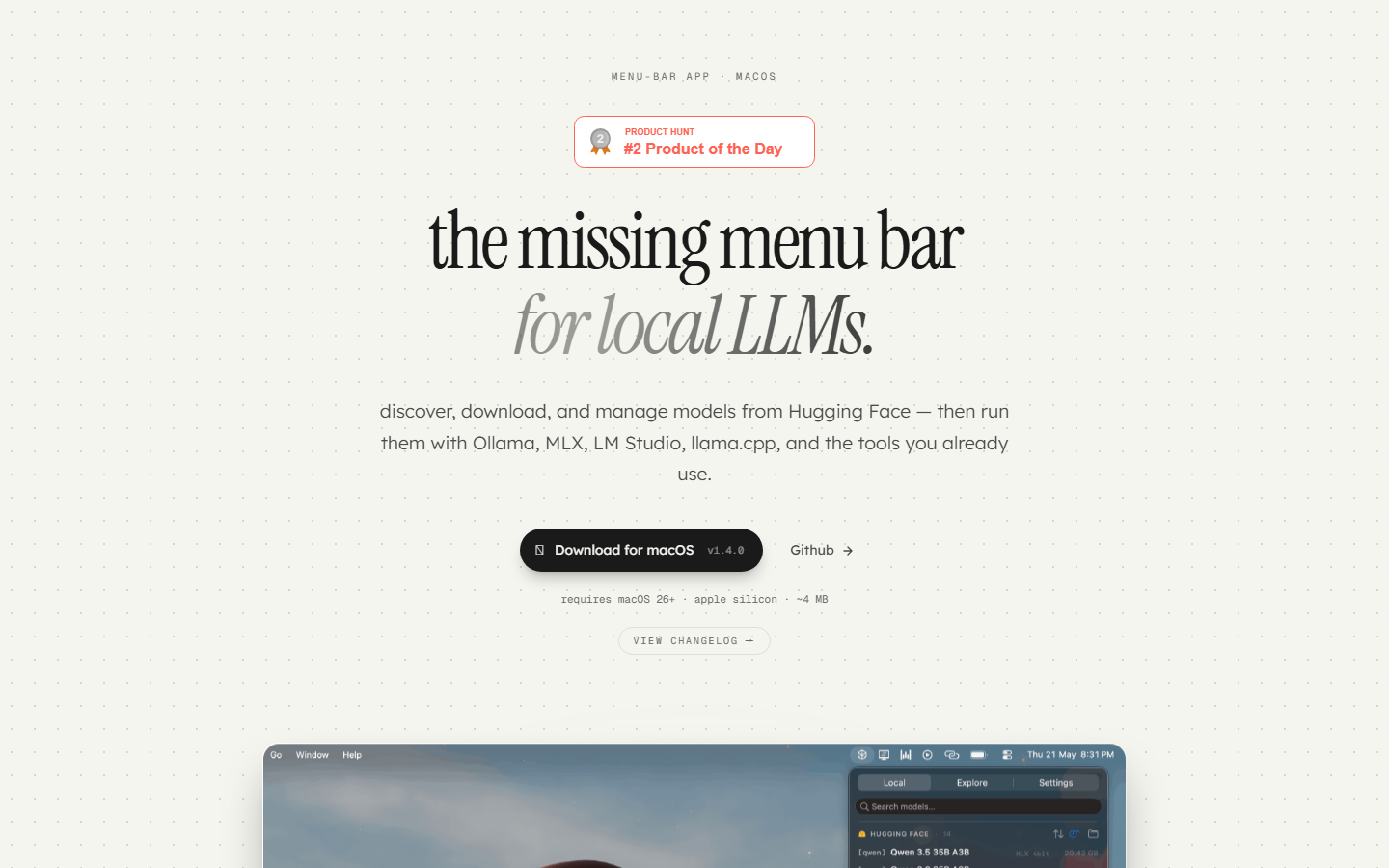
ModelHub
Core parameters and statistics
ModelHub is positioned as the "menu bar control center of local LLM": it is not another model running engine, but a model discovery and orchestration layer that is responsible for bridging the gap between Hugging Face's millions of models and the macOS native multi-tool environment. It does not run the model directly, but allows users to complete the entire process of "browse → download → locate → delete" on a unified interface, and then call it freely using tools such as Ollama, MLX, and LM Studio.
| Dimensions | Key facts |
|---|---|
| Official positioning | macOS menu bar native application - local LLM discovery, download and management entrance |
| Developer | Conscious Engines (Founder Sabesh Bharathi) |
| Open Source License | MIT |
| Technology stack | Swift native, 100% Swift code |
| Installation package body | ~4 MB |
| System Requirements | macOS 26+, Apple Silicon (M series chips) |
| Run mode | Menu Bar Agent, no Dock icon |
| Latest version | v1.4.0 (2026-05-26) |
| GitHub Stars | ~120 (as of 2026-07) |
| GitHub Forks | 12 |
| Product Hunt #2 Product of the Day |
The core concept of ModelHub is zero lock-in: it uses the Hugging Face standard cache layout (~/.cache/huggingface/hub/) to write model files. The downloaded model byte level is equivalent to the direct download of huggingface-cli, so all models remain in place after uninstalling ModelHub, and other tools can be used as usual. This design decision completely eliminates user concerns about "tool binding".
User and market recognition
Since ModelHub released v1.0.0 on April 24, 2026, it iterated to v1.4.0 within two months, with an intensive rhythm. As of July 2026, the GitHub warehouse has received about 120 stars and 12 Forks, and feedback from the developer community is mainly "solving real pain points".
Community Recognition:
- Product Hunt: #2 Product of the Day, gaining high exposure among macOS developers and AI enthusiasts.
- GitHub Community: 3 contributors (including the founder), the warehouse is moderately active, and Issues and Pull Requests are maintained in a timely manner.
- Developer reputation: Third-party directory sites such as aistart.ai and AI Tool Navigation have been included, and the ratings are based on practicality and completion.
B-side adoption: ModelHub has not yet launched an enterprise version or team version, with individual developers/independent researchers as the main audience. Conscious Engines also doesn’t disclose any paying customer cases.
Market benchmarking: Compared with similar tools, ModelHub's differentiation lies in the trinity of "extremely lightweight + menu bar + zero locking". Similar  Ollama focuses on model operation and API services,
  LM Studio focuses on graphical dialogue and experimentation, while ModelHub focuses on model management, appearing as a "model supply station" for each tool.
Cost advantage
ModelHub has a simple cost structure - completely free with no in-app purchases, subscriptions or hidden pay points.
C client/individual users:
- Download
.dmgfrom the official page, install it and use it, no registration or login required. - All functions are fully open within the free scope: Hugging Face browsing, search, download, local model management, multi-tool compatibility.
- The only cost is local disk space - the model files themselves are downloaded by the user on demand, and ModelHub itself only takes up ~4 MB.
API/Developer:
- ModelHub itself does not provide an API or cloud service. It is a "local tool". After developers download the model from ModelHub, they can connect it to tools such as Ollama, LM Studio, MLX, llama.cpp, and Transformers for inference or fine-tuning.
- There are no hidden API fees for this part, but you need to bear the inference hardware cost of the model (local GPU / CPU computing power).
Enterprise/Privatization:
- No enterprise version. Team usage can deploy personal versions directly to each member's Mac, with model files distributed via shared storage or manually.
- For enterprise scenarios that require unified policy RBAC permission control and audit logs, ModelHub currently does not have these capabilities.
Cost comparison with competing products:
| Tools | Pricing model | C-side costs | Enterprise costs | Lock-in risks |
|---|---|---|---|---|
| ModelHub | Totally Free | Free | No Enterprise Edition | Zero Lock-In (Standard Cache) |
| Ollama | Open source and free | Free | Community version free, enterprise support undisclosed | Requires management via Ollama CLI |
| LM Studio | Free + optional sponsorship | Free | No enterprise version | Independent management of model files |
| Hugging Face CLI | Free | Free | Free (API paid separately) | Standard caching, zero lock-in |
| RunPod / Cloud GPU | Pay-as-you-go | ~$0.5-5/hour | Pay-as-you-go/reserved instance | Depends on cloud platform |
The hidden benefit of ModelHub lies in man-hours saved by reducing management friction: For a developer who uses Ollama, MLX, and LM Studio at the same time, in the past, he needed to repeatedly switch between the respective directories of the three tools, terminal commands, and browser tabs. ModelHub converges all operations into the same pop-up window in the menu bar. Judging from the deduction, each model search or deletion can save 30-60 seconds. Based on 5-10 operations per day, an average of 3-10 minutes of productivity can be recovered per day.
Main functions
-
Unified local model view: Automatically scan the LM Studio model directory (
~/.lmstudio/models/) and Hugging Face standard cache (~/.cache/huggingface/hub/), and aggregate and display all local models in the menu bar drop-down list. Supports searching by name, sorting by size or date, copying model ID, locating in Finder, and moving to Trash with one click. The model currently loaded in LM Studio is identified by a green pulse point. -
Hugging Face embedded browsing and search: Directly access the Hugging Face model library in the Explore tab, load popular text generation model lists by default, and support real-time search. Click on any model row to jump to the Hugging Face page for details, and the download button works independently.
-
One-click download and transfer management: Click to download to start, and the model is directly written to the standard Hugging Face cache directory. A progress bar is displayed in the menu bar during the transfer process, and pause and resumption are supported. After the download is completed, the model will be immediately visible on the Local tab without manual refresh.
-
Multi-Tool Compatibility Layer: All downloaded models are stored in
~/.cache/huggingface/hub/standard layout (blobs / snapshots / refs),Ollama, MLX, LM Studio, llama.cpp, vLLM, Transformers and other tools can be read directly without additional import steps. -
Smart Filtering and Compatibility Tips: The "Runs on this Mac" filter automatically filters out formats that support Apple Silicon (MLX, GGUF, llama.cpp) and checks whether the model size exceeds the unified memory capacity of the current Mac to avoid downloading unrunnable models.
Expert view: The function chain of ModelHub forms a relationship of "browse→decision→download→application". In the past, users had to search for Hugging Face in the browser → copy the model name → open the terminal → ollama pull or huggingface-cli download → wait for completion → then load it in LM Studio, which spanned at least 3–4 applications and 5–6 steps. ModelHub condenses this into 2–3 clicks in the menu bar. A deeper synergy lies in "source switching": when a user switches from Ollama to MLX or llama.cpp, ModelHub's unified storage means there is no need to re-download the model, eliminating the biggest friction in migrating between tools.
Model and version evolution
ModelHub does not provide models per se, but rather a model management tool. Its version evolution reflects the expansion of capabilities from a "basic directory scanning tool" to a "complete Hugging Face client".
Mainline release
-
v1.0.0 (2026-04-24): First release. Implement local model directory scanning (LM Studio + Hugging Face cache), model list display, and basic management functions (copy ID, Finder positioning, deletion). Established the MIT license and zero-lock design direction.
-
v1.1.0 (2026-04-27): Added Explore tab. This is the version with the largest functional span. It integrates Hugging Face search, browsing, and one-click downloading into the menu bar, upgrading ModelHub from a "local management tool" to an "integrated discovery + management tool." Supports download progress display and pause/resume downloading.
-
v1.2.0 (2026-04-27): Experience optimized version. Added menu bar indicator points to improve discoverability, improved long text scrolling, type/size column display, and fixed download status synchronization delays.
-
v1.3.0 (2026-05-18): Introducing the settings panel (Settings tab). Users can independently switch Hugging Face / LM Studio sources; Explore adds cache acceleration, and the loading state will no longer flicker when opening the menu repeatedly; the "Runs on this Mac" filter is online, filtering runnable models based on machine computing power.
-
v1.4.0 (2026-05-26): Added automatic update manager (OTA), subsequent versions can be updated through in-app instead of manual download. At the same time, we continue to polish Explore performance and filtering experience.
Version rhythm analysis
It only took 32 days from v1.0.0 to v1.4.0, with an average of one version every 8 days. This high frequency shows that the product is in a rapid iteration cycle. The core functional framework has been basically finalized in v1.1.0, and subsequent versions focus on experience polishing and infrastructure (update mechanism). For enterprise users evaluating adoption, it is recommended to wait for the v2.x stable version - the current version number is still in the 1.x stage, and the functional boundaries and API surface have not yet been finally locked.
Technical advantages
Standard cache compatibility mechanism: ModelHub completely reuses the Hugging Face official cache layout when downloading the model - the directory structure blob file name snapshot reference path is exactly the same as huggingface-cli. This means that from the moment the model is downloaded, it is natively recognized by all tools that use this standard cache, without conversion, file copying, or soft links. This is the technical basis for the "zero lock-in" promise.
Menu Bar Agent Architecture: ModelHub runs in macOS Menu Bar Agent mode, without a Dock icon, and only occupies a small icon space on the right side of the menu bar in the foreground workflow. Click to expand the drop-down pop-up window. After completing the operation, press Esc or click on a blank area to retract, which is extremely intrusive to the workflow. Swift native development ensures a very small package size of ~4 MB and an extremely low memory footprint.
Automated scanning and status synchronization: Automatically scan ~/.lmstudio/models/ and ~/.cache/huggingface/hub/ when the application starts, and automatically refresh when the menu is opened. LM Studio's active models are identified in real time by green pulse points, a detail that reduces the cognitive overhead of "what model is currently in use?"
Deep Adaptation for Apple Silicon: The entire application is natively compiled for ARM64 without Rosetta translation loss. The "Runs on this Mac" filter automatically determines whether the current machine can load a certain model by reading the unified memory capacity (such as 16GB / 32GB / 64GB) and model file metadata, so as to avoid the "unable to run" experience gap found after downloading.
Benefits of pure native development in Swift: Compared with cross-platform solutions such as Electron, Swift native applications have generational advantages in startup speed, memory usage and depth of menu bar integration on macOS. The ~4 MB package looms large among gigabyte-sized AI tools—a key experience element for a tool that is an "everyday menu bar".
How to use
The usage path for ModelHub is extremely short, and the entire link can be completed in 30 seconds:
| Steps | Action | Instructions |
|---|---|---|
| 1. Download and install | Download the .dmg file from the official website and drag it into the Applications folder |
The file is about 4 MB and can be completed in seconds |
| 2. Start | Start the application, the ModelHub icon (dot indicator) appears in the menu bar | No Dock icon, only the menu bar is visible |
| 3. Browse local models | Click the menu bar icon → Local tab to view all LLMs on this machine | Automatically scan HF cache + LM Studio directory |
| 4. Search for new models | Switch to the Explore tab and search for Hugging Face models | Real-time search, supports filtering by format/size |
| 5. Download the model | Click the download button next to the model, the progress bar will be displayed in real time | Download to the standard cache, and Local will be visible immediately after completion |
| 6. Use in tools | Open Ollama / MLX / LM Studio / llama.cpp, the model is ready | No additional import steps required |
Advanced operation:
- Switch the model source switch in the Setting tab (Hugging Face is turned on by default, LM Studio needs to be turned on manually).
- Use the "Runs on this Mac" switch to filter out models that are compatible with your machine.
- The download can be paused/resumed during the download process, and the download will continue in the background after closing the menu bar.
Uninstall instructions: Just delete ModelHub.app directly. Downloaded models remain in ~/.cache/huggingface/hub/ and can continue to be used by all compatible tools without data migration.
Product Pricing
| Pricing dimensions | Details |
|---|---|
| Basic product | Completely free (FOSS, MIT license) |
| How to obtain | Download the .dmg installation package for free from the official website |
| Registration requirements | No registration or login required |
| In-app purchases/subscriptions | None |
| Enterprise Edition | Not yet launched |
| Paid support | Undisclosed |
| Donation channels | Undisclosed |
The current pricing strategy is consistent with the product stage - ModelHub is in a period of rapid growth, maximizing the user base and community feedback by being completely free + open source. For enterprise users, there is currently no SLA guarantee or paid support channel, and you need to evaluate the stability by yourself before using it in large-scale production.
Application scenarios
-
Local LLM development and experiment: AI developers need to frequently switch between different models for comparative evaluation. ModelHub's Explore search + one-click download + multi-tool compatible links shorten the cycle of "discover new models → download → test in Ollama/MLX" from 5-10 minutes to 30-60 seconds. Verification key: Confirm that the model format used in the project is compatible with the target inference tool (GGUF → llama.cpp, MLX format → MLX).
-
Multi-tool mixed model management center: When developers use Ollama to run 7B models at the same time to quickly verify MLX and fine-tune LM Studio on Mac for conversational testing, the three tools each maintain independent model directories. ModelHub's unified view solves the confusion of "which tool is my model in?" Verification key: After downloading, check whether the layout of
~/.cache/huggingface/hub/is natively recognized by each tool. -
Model storage space cleaning and auditing: Local LLM files can easily range from several GB to dozens of GB, and disk space is frequently in short supply. ModelHub's Local tab page is sorted by size and has one-click deletion functions, making cleaning much more efficient than manually locating directories in the terminal. Key points of verification: Confirm the model ID and name before deleting to avoid accidentally deleting active models in use.
-
Team model distribution (lightweight solution): Within a small team, senior members download a specific version of the model through ModelHub, and after confirming compatibility, distribute it to
~/.cache/huggingface/hub/of other members through shared storage or AirDrop. This method does not require a central warehouse, but version consistency is guaranteed manually. Not suitable for boundaries: For teams of more than 10 people or production environments that require version locking, it is recommended to use a dedicated model registry. -
CI/CD pipeline assistance: When pre-downloading models on macOS CI Runner, ModelHub's cache compatibility means that CI scripts can be loaded directly using the standard
transformers.from_pretrained(), without the need for additional configuration of the MODEL_PATH context variable. Note: CI context should be downloaded automatically throughhuggingface-cliorcurl. ModelHub's graphical interface is not suitable for headless context.
Applicable people
-
macOS native LLM developer: AI engineers or researchers who need to frequently experiment with different models and switch between multiple inference frameworks. ModelHub consolidates "model management" from fragmented operations into a unified experience, making it an ideal complementary tool for Ollama / MLX / LM Studio users.
-
AI Content Creators and Independent Developers: Individual creators who use local LLM for content generation, code assistance, or data analysis, need to quickly download and switch models, but are unwilling to invest time in learning terminal commands and file system structures. ModelHub's graphical menu bar reduces the operating threshold to nearly zero.
-
Technical Evaluation and Procurement Personnel: Technical selectors responsible for evaluating local LLM implementation solutions can use ModelHub to quickly download candidate models and test them locally without building additional infrastructure.
Does not fit boundaries:
- Non-macOS users: ModelHub currently only supports macOS 26+ Apple Silicon and is not available for Windows/Linux users.
- Intel Mac users: M-series chips are a hard requirement and Intel Macs will not run.
- Scenarios that require cloud model hosting: ModelHub is a purely local tool and does not provide cloud inference, model hosting or API gateway functions. Such needs should be evaluated against
 Hugging Face Inference Endpoints or cloud GPU services.
 - Enterprise-level control requirements: No RBAC, no audit logs, and no unified policy management. It is not suitable for enterprises that require strict compliance control.
- CI/CD headless: ModelHub relies on the macOS graphical interface and cannot be used in headless servers or SSH sessions.
Summary and Outlook
ModelHub accurately cuts into a gap that is ignored by most tools - the "management" of local LLM. Its design philosophy (menu bar, standard cache compatibility, zero locking, extremely lightweight) fits seamlessly with the existing ecosystem: it does not reinvent the wheel of the "running engine", but allows existing tools such as Ollama, MLX, and LM Studio to collaborate better. The intensive iteration from v1.0.0 to v1.4.0 proved that the team was very responsive to user feedback.
Current Limitations and Uncertainties:
- macOS only + Apple Silicon only is the biggest geographical/hardware ceiling, Linux and Windows users are completely excluded.
- The project is still in the 1.x phase, with core functionality stable but feature boundaries (APIs, plugins, enterprise features) not locked.
- The model source is currently limited to Hugging Face, and other model warehouses such as ModelScope and Kaggle are not yet supported.
- The community is still small (~120 Stars), and long-term maintenance sustainability depends on team investment and community growth.
Procurement and Adoption Risk Assessment:
- Personal developer recommendation: ★★★★★ (free, lightweight, solving real pain points, zero risk)
- Team/studio recommendation: ★★★☆☆ (You need to solve the model version consistency problem by yourself, there is no official team function)
- Enterprise recommendation: ★☆☆☆☆ (lack of compliance control and SLA guarantee, it is recommended to wait for the enterprise version or adopt a business model registry solution)
For users who decide to adopt it, it is recommended to start from the "single Mac auxiliary tool" role, install it on a development machine first, and run it in parallel with the existing Ollama / MLX workflow for 1–2 weeks to verify whether the cache compatibility and operational efficiency improvements meet expectations. At this stage, it is not recommended as the only model management solution for team infrastructure.
Comparison of competing products
| Comparison dimensions | The tool | Competitor A | Competitor B |
|---|---|---|---|
| Core Differences | — | — | — |
| Price | — | — | — |
| Target User | — | — | -- |
Version Info
- ModelHub 1.4.0 :Added automatic update manager to support OTA updates. Improved Explore tab loading performance and added "Runs on this Mac" filter. Added source switch (Hugging Face/LM Studio) to the Settings panel. MIT license, developed natively in Swift.
- ModelHub 1.3.0 :Added a new settings tab to support source switching; Explore result caching acceleration; click on any model to jump to the Hugging Face page; support Apple Silicon running format filtering. There is no official precise date yet.
- ModelHub 1.2.0 :Multiple experience optimizations: Added menu bar indicator points; fixed long text scrolling and type/size column display; models are immediately visible after downloading. There is no official precise date yet.
- ModelHub 1.1.0 :Added a new Explore tab that supports Hugging Face search, author information, model size, one-click download and progress management (pause/resume download). There is no official precise date yet.
- ModelHub 1.0.0 :The first publicly released version supports local directory scanning, model list display, and basic management functions. There is no official precise date yet.
User Reviews