 Msty
Free
Msty
Free
Msty is an AI-powered meeting assistant that automatically records meeting content and generates structured summaries and action items. It integrates with Zoom, Google Meet and Teams to help teams reduce the time cost of recording meetings. Msty's differentiation lies in its "focus on action item extraction" - automatically identifying who is doing what and when.
Msty
Msty’s core parameters and statistics
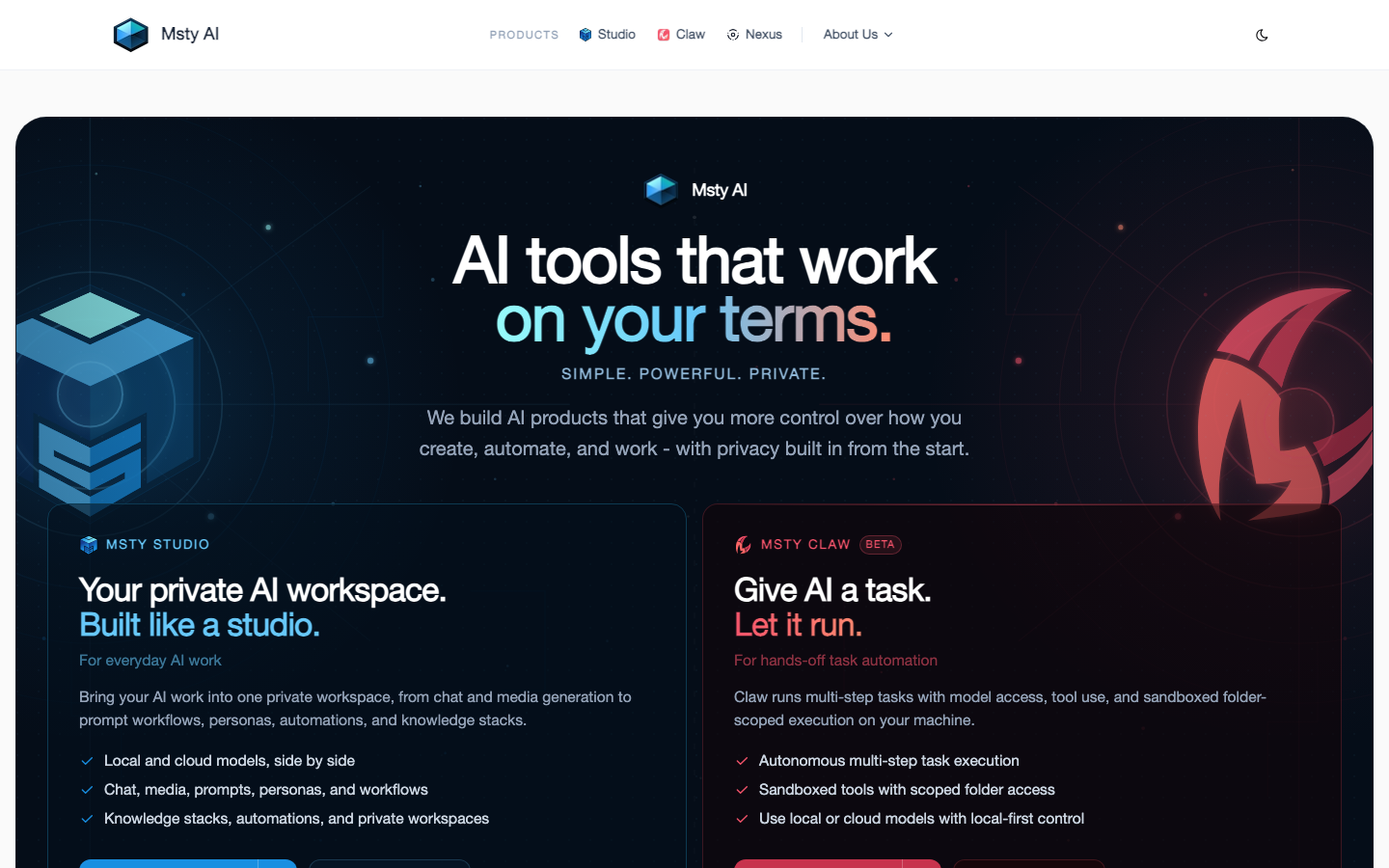
Msty has evolved from its original AI conferencing assistant into a complete matrix of local-first AI workstation products. The current product line covers four major sectors: Msty Studio (AI workstation), Msty Claw (autonomous AI agent), Msty Nexus (centralized AI gateway) and Msty Stack (team knowledge base, soon to be launched), and has also derived the Msty Law vertical product for law firms. Its core positioning is no longer a "meeting recording tool", but "providing users with unified control over models, tools, context and automation."
| Projects | Public Information |
|---|---|
| Product positioning | Local-first AI workstation + autonomous agent + AI gateway |
| Product Matrix | Msty Studio, Msty Claw, Msty Nexus, Msty Stack (coming soon) |
| Core capabilities | Multi-model chat RAG knowledge base, prompt word/personality/skills studio, media generation, agent automation MCP tool, workflow orchestration |
| Attribution | US (CloudStack, LLC) |
| Business Model | Freemium + Subscription (Aurum $149/year) + Buyout (Aurum Lifetime $349) + Enterprise Subscription |
| Supported platforms | macOS, Windows, Linux (desktop); Web (Studio Web, Aurum subscription required); iOS/Android (Claw Go) |
| Latest desktop version | Studio 2.9.0 (2026-07-07) |
| Local Inference Engine | Ollama, Llama.cpp, MLX (Apple Silicon) |
| Online model support | OpenAI, Anthropic, Gemini, OpenRouter, Azure, Bedrock and dozens more |
Brief review in one sentence: Msty is not a tool, but a set of "AI infrastructure" - it allows you to run local models, connect to cloud models, connect MCP tools, write prompt word templates, build automated flows, create knowledge base RAG, and even run autonomous agents, all in one desktop application. Its opponent is not Otter.ai, but a combination of AnythingLLM + Open WebUI + n8n + LangFlow.
Product family relationship: Studio is the "daily AI workbench" (chatting, writing, media, knowledge base), Claw is "let AI do it" (autonomous task execution, multi-step agent), Nexus is the "middle layer" (unified management model/credentials/presets are shared among all applications), Stack is the "team knowledge layer" (knowledge base collaboration of multiple people). The four can be used independently or connected in series to form a complete link.
Msty’s users and market recognition
Msty's user base spans three levels: individual AI heavy users (local model enthusiasts, prompt word engineers), technical creators (building tool chains through MCP and workflow automation), and enterprise teams (managing team AI resources through the Enterprise plan).
Community Activity: Msty has omni-channel communities such as Discord, X, YouTube, LinkedIn, Facebook, Instagram, TikTok, etc. Discord is its main home for user feedback and early version distribution. Judging from the recurring community acknowledgments in the Changelog (such as OpenRouter's default community contributions), Msty has a high level of community participation and users are willing to provide feedback for feature iterations.
Market positioning: Msty is in the "AI desktop tools" category, and its direct competitors include local model management tools such as AnythingLLM, Open WebUI, LM Studio, and Ollama, as well as automation/AI workflow platforms such as n8n and Dify. Msty's differentiation lies in end-to-end coverage from individuals to teams, from chat to automation - it does not do a "pure chat UI", nor does it do a "pure workflow engine", but integrates everything into a desktop application.
Enterprise Adoption: The Enterprise plan ($300/user/year, minimum 5 seats) supports SSO, RBAC, shared knowledge base/prompt words/personality, audit logs and other functions, indicating that a certain scale of enterprise customers are already adopting it. The specific customer list and number of users are subject to official disclosure.
Cost advantage: Tiered coverage from free desktop to enterprise teams
Msty's cost structure presents an obvious three-tiered ladder of "free for individuals + advanced subscription + annual enterprise fee", covering the complete link from personal exploration to large-scale use by organizations.
-
C client/individual users: Msty Studio Desktop is completely free and includes core functions such as local and online model chat Agent Mode, knowledge base RAG, MCP tools Persona Studio, Prompt Studio, Skills Studio, and Media Studio. This is one of the most generous free tiers currently on the market - free versions of competing products such as AnythingLLM usually limit the number of models or document size, while the free version of Msty only sets limits on the number of Persona/Crew conversations and some advanced features (such as Shadow Persona, Turnstiles, Studio Web). The true cost of the free tier is functional breadth for depth: Frequent users will find the free version sufficient for daily use, but must upgrade when they need automation and team collaboration.
-
Advanced User (Aurum): $149/year (or $349 lifetime buyout). Unlock advanced features such as Studio Web (browser access), Azure/Bedrock enterprise model provider Shadow Persona (parallel verification assistant), Turnstiles (workflow automation), Insights (usage analysis), Forge Mode (focused editing mode), Live Contexts (dynamic context injection), and more. Cost-performance analysis: The pricing of $149/year is compared to AnythingLLM’s $20/month ($240/year) and the third-party hosting cost of Open WebUI. Msty’s Aurora is significantly higher in functional density. The lifetime buyout of $349 is equivalent to 2.3 years of annual fees, which is suitable for users who plan to use it for a long time.
-
API/Developer: Msty does not provide API billing directly. Developers can manage model credentials and API Keys by themselves through Nexus, and use their own OpenAI/Anthropic/OpenRouter accounts. This means that the model calling costs are borne by the developer's own API Key, and Msty itself does not take a commission from it. Nexus’ OpenAI-compatible gateway lets developers expose Msty-managed models to third-party tools like Cursor, VS Code, and more, but Nexus itself is free.
-
Enterprise/Team: $300/user/year, minimum 5 seats. Contains SSO (Azure Entra ID, etc.), RBAC, shared resources (knowledge base, prompt words, personality), audit logs. For a team of 50 people, the annual fee is about $15,000 – considering that it replaces the operational cost of building a self-built AnythingLLM + n8n + small model inference service, this price is competitive for medium-sized teams. Hidden costs: Enterprise deployment still needs to manage the underlying model API fees by itself (through the user's respective Key or Nexus centralized configuration). Msty's $300/person does not include model inference fees.
The free truth: The functional gap between the free version of Msty and the paid version is mainly reflected in the two dimensions of "automation" and "team collaboration" - the free version can use chat, knowledge base, and media generation MCP tools normally, but it cannot use Turnstiles automated flow, Shadow Persona verification assistant, Studio Web browser, and does not have enterprise management capabilities. This is a free strategy that is front-end friendly and back-end restrained: let users use it first, and then upgrade naturally after becoming dependent on it.
Compliance and Risk: Msty focuses on Privacy First - the local inference engine (MLX/Llama.cpp/Ollama) allows users to complete inference without relying on any cloud. Claw's agent tasks are executed in the sandbox folder. Data is stored on the local device, and a Workspace Lock can add a layer of protection. However, for SaaS-level data (synchronized data of Studio Web's online session Cloud Sync), the privacy policy is subject to official disclosure. Claw's remote channels (Discord/Telegram/WhatsApp) involve data transfer on third-party platforms and require additional evaluation.
Msty’s main functions
Msty's functional system is divided into four modules according to product lines, and each module solves different levels of AI work needs.
Msty Studio: Personal AI workstation
Studio is Msty's core product, positioned as an "AI IDE" - putting chat, model management, prompt word engineering, knowledge base, media creation, and tool integration all into one desktop.
-
Model Hub & Multi-Model Chat: Use local models (Ollama/Llama.cpp/MLX) and cloud models (OpenAI/Anthropic/Gemini/OpenRouter/Azure/Bedrock, etc.) simultaneously within the same interface. The Split Chats feature allows side-by-side comparison of responses from multiple models, suitable for prompt tuning and model selection. Hidden linkage: Model selection, parameter presets and prompts can be synchronized between Split Chats. After adjusting a prompt, compare the output style and accuracy of different models with one click.
-
Prompt Studio / Persona Studio / Skills Studio: The three "studio" manage prompt word templates, AI personality presets and reusable skill packages respectively. Prompt Studio supports variable injection, structured testing, and AI-assisted rewriting; Persona Studio can define moods, instructions, tool mounting, and context constraints; Skills Studio packages a set of instructions and workflows into reusable execution units. Hidden linkage: Persona can reference Skills, Skills can call MCP Tools, and Turnstiles automation flow can connect Persona + Skills + Knowledge Stacks in series to form a complete link from "Preset → Execution → Automation".
-
Knowledge Stacks (RAG): Supports file upload, folder monitoring, web scraping and YouTube transcription. The Next Gen version introduces folder synchronization mode reranking sorting optimization, chunked visual PII scrubbing and on-demand pull mode. Expert View: Knowledge Stacks’ Pull Mode (which allows the model to decide independently whether to retrieve from the knowledge base, rather than always injecting context) is an underestimated design - it ensures the accuracy of answers while preventing the context window from being occupied by unnecessary content, and has a significant token-saving effect in long dialogue scenarios.
-
Media Studio: Built-in AI image and video concept generation. Supports GPT-Image-2, xAI image/video OpenRouter video model, etc. Boundary Statement: Media Studio is designed for rapid iteration and concept exploration. It is not a professional-level image editing tool - suitable for matching images, thumbnails, and social media materials, but not suitable for high-precision commercial design.
-
Agent Mode & Turnstiles: Agent Mode supports multi-step tool call task planning; Turnstiles provides visual automated flow orchestration (supporting conditional branches, loops, checkpoints, and approval nodes). This is the real "hidden linkage": Turnstiles can call Persona + Skills + Knowledge Stacks + MCP Tools as nodes of the automated flow, upgrading the "chat conversation" into a "reusable, approvalable automated pipeline".
-
Shadow Persona: Runs a secondary AI alongside the main conversation, automatically verifying the factual accuracy of the main answers, digging into deeper information, or synthesizing the results of multiple Split Chats. It is equivalent to having a "fact checker" built into the chat interface.
-
Toolbox & MCP: Supports MCP (Model Context Protocol) tool mounting, including remote HTTP MCP server. Toolbox manages toolset Live Contexts (dynamic context injection, such as real-time API data). The significance of MCP: There is no need to manually copy and paste API data into the chat box - the model can directly query the database, call external APIs, and operate the file system through the MCP tool. The MCP ecosystem of Claude Desktop is also applicable to Msty.
Msty Claw: Let the AI do it
Claw is Msty’s autonomous agent product, currently in beta and available for free.
-
Agent Definition and Sandbox: Set up independent workspace (project folder), runtime (local/Docker/Podman) and security boundaries (folder range restrictions, network access control PII scrubbing) for each agent. Tool open list: Tool behaviors exposed by Claw to large models include file search, code execution, web search, MCP tool calls, folder operations, external API calls, etc. The model completes operation closures through Mission Control's approval mechanism.
-
Mission Control: Central console for mission distribution. It supports splitting large tasks into multiple Helpers (sub-agents) for parallel execution. Approval requests are visible in real time, and the execution results of each agent are traceable. Architecture Link:
User → Mission Control → Agents (with sandboxed runtimes) → Tools/MCP/File System → Approval Gates → Output. -
Memory Bank: Distinguish between "work briefing" (short-term context of the currently active task) and "persistent memory" (preference retention, historical decision-making) to avoid repeatedly injecting all history for each task.
-
Playbooks: Save successfully executed processes as reusable scripts, supporting starting from examples, manual teaching mode and automatic optimization based on real running results.
-
Channel Integration: Supports Discord, Telegram, and WhatsApp channel access, running through local priority + remote routing mode. Paired with Msty Claw Go (mobile app), you can approve tasks and check status on your mobile phone.
-
Token optimization mechanism: Context Scout (pre-run context pre-check), Side Chat (temporary questions do not pollute the main context), Caveman Talk (concise mode saves tokens). Guidelines for engineering pitfalls (at least 3 items):
- Dead-end loop and token explosion: Claw may fall into a retry loop when executed autonomously. Solution: Control Token consumption through
max_steps, timeout settings, repeated action detection (to avoid calling the same tool repeatedly) and step budget.- Sandbox permissions are too wide: Agent file operations may exceed authority. Solution: Enable the Airlock policy, limit each agent to only access specified folders, and set a confirmation point or dry-run mode for irreversible operations (delete, publish, pay).
- Remote channel security risk: When triggering the agent through Telegram/Discord, the input source is uncontrollable. Solution: Set trigger keyword whitelist, sender permission group PII outbound scrubbing.
Msty Nexus: Centralized AI Gateway
Nexus is Msty's middleware product, which is free to use and will be open source.
- Unified Runtime: Unify local engines such as Ollama, Llama.cpp, MLX and cloud providers such as OpenAI and Anthropic into a single runtime, exposed through OpenAI compatible APIs.
- Credential Management: Vendor API Keys are centralized at Nexus and applications access them via client tokens issued by Nexus. The token is revocable and the access scope can be limited.
- Model Presets: Parameter presets such as temperature and max_tokens can be defined once in Nexus and shared by all connected applications.
- Quick Start Configuration: Download Nexus → Add provider/model → Get a local API endpoint (e.g.
http://localhost:12434/v1) → Configure an OpenAI compatible provider for that endpoint in Studio, Claw or a third party tool.
Msty’s model and version evolution
Msty has undergone a major product reconstruction: from v1.x (the original Msty App, the original conference assistant product) to v2.x (a complete rewrite of Msty Studio), and then entered a high-frequency iteration cycle.
v1.x era: Meeting Assistant (~2024-06 to 2025-06)
- Msty App v0.1 (~2024-06): Launched in the form of an AI conference assistant. The core capabilities are conference transcription AI summary and action item extraction. This is the "old Msty" described in most introduction articles on the Chinese Internet.
- Msty App v1.x (~2024-09 to 2025-06): Continuously iterate the meeting scene function and accumulate an early user base.
v2.x era: AI workstation reconstruction (2025-06 to present)
Msty Studio 2.x is a complete rewrite - the product positioning has shifted from "conference tool" to "AI workstation", and the functional volume has been expanded by more than an order of magnitude.
Alpha Phase (2025-06 to 2025-09)
| Version | Date | Key Changes |
|---|---|---|
| 2.0.0-alpha.6 | 2025-07-14 | Application information settings, automatic updates, data path management |
| 2.0.0-alpha.7 | 2025-07-18 | Msty App to Studio Desktop data migration |
| 2.0.0-alpha.9 | 2025-07-31 | Studio Desktop free Knowledge Stacks 2.0, Amazon Bedrock support |
| 2.0.0-alpha.10 | 2025-08-07 | MLX support, keyboard shortcuts GPT-5 model support |
| 2.0.0-alpha.11 | 2025-08-18 | Quick Commands, Knowledge Stacks embedded model remapping |
| 2.0.0-alpha.12 | 2025-09-16 | Mini Map, clickable references, intelligent model usage detection PowerPoint support |
| 2.0.0-alpha.13 | 2025-09-17 | Chat input area scrolling Azure OpenAI repair |
| 2.0.0-alpha.14 | 2025-09-20 | Insights, Hugging Face model search, local model download status |
Beta to official release (2025-09 to 2025-11)
| Version | Date | Key Changes |
|---|---|---|
| 2.0.0-beta.1 | 2025-09-23 | Officially entered the Beta stage, Minimap batch operations, default folder |
| 2.0.0-beta.2 | 2025-09-25 | Dialog export (Markdown/JSON), model selection UX reconstruction |
| 2.0.0-beta.3 | 2025-09-27 | RTD scrollable Live Contexts, Knowledge Stacks fixed |
| 2.0.0-beta.4 | 2025-09-30 | Ollama archive version import Knowledge Stacks error readability improvement |
| 2.0.0-beta.5 | 2025-10-14 | Recent/Top Folders, Custom Logo, Brave/Google RTD, Live Logs |
| 2.0.0-beta.6 | 2025-10-16 | MLX model compatibility greatly improved VLM visual model support |
| 2.0.0-beta.7 | 2025-10-20 | Model Matchmaker sharing page, code block folding |
| 2.0.0-beta.8 | 2025-10-27 | Z AI model supplier support, floating action bar |
| 2.0.0-beta.9 | 2025-10-31 | Streaming rendering repair, message deletion/collapse repair |
| 2.0.0 | 2025-11-14 | Official version released, enterprise functions enhanced Pull Mode knowledge base, German support |
Intensive iteration after the official version (2025-11 to present)
| Version | Date | Key Changes |
|---|---|---|
| 2.0.1 | 2025-11-19 | Model Hub supplier detection improvements |
| 2.1.0 | 2025-11-24 | Llama.cpp inference engine Shadow Persona, workspace encryption lock, automatic archiving |
| 2.2.0 | 2025-12-17 | Default RTD, dynamic Live Contexts, GPU acceleration (Local AI/Llama.cpp), attachment management, remote MCP HTTP |
| 2.3.0 | 2026-01-13 | VibeCLI agent Branch Explorer, security tensor support Icon Finder |
| 2.4.0 | 2026-01-22 | Prompt Studio, personality priority chat mode, Brazilian Portuguese support |
| 2.4.1 | 2026-01-29 | MLX 2.3.0 updates MLX-VLM visual model |
| 2.5.0 | 2026-02-18 | Knowledge Stacks Next Gen (folder synchronization reranking, web crawling), Crew Mode, enterprise SSO |
| 2.5.3 | 2026-02-23 | Ollama cloud model hides LM Studio thinking tags |
| 2.5.4 | 2026-02-27 | Knowledge Stacks Partial failure continues OpenRouter embedding model |
| 2.5.5 | 2026-03-09 | LM Studio API supports Qwen 3.5 selected models |
| 2.5.6 | 2026-03-17 | MLX parallel streaming Anthropic prompt caching |
| 2.6.0 | 2026-03-24 | Agent Mode, Skills Studio, Persona Studio - major upgrades in workflow capabilities |
| 2.6.2 | 2026-03-31 | Ollama MLX Support |
| 2.6.3 | 2026-04-08 | Claude/Agent Mode reliability fix Knowledge Stacks fix |
| 2.6.4 | 2026-04-20 | Italian/Taiwanese language support Qwen 3.6 Featured models |
| 2.7.0 | 2026-04-29 | Media Studio, Turnstiles vNext, Enterprise Desktop |
| 2.7.1 | 2026-05-04 | Vendor Compatibility Fixes Media Studio Fixes |
| 2.7.3 | 2026-05-12 | Anthropic Adaptive Thinking OpenRouter Shadow Persona Reliability |
| 2.7.4 | 2026-05-20 | MiniMax supplier Media Studio upgrade, Zen mode stability |
| 2.8.0 | 2026-06-11 | Discover Hub, One Model Hub, Native Supplier Tool Presets |
| 2.8.3 | 2026-06-23 | Crew Mode rounds improve Agent Mode control stability |
| 2.9.0 | 2026-07-07 | Context Studio (Attachment Manager overhaul), Dynamic Mode, Model Squad AI metadata processing |
Claw version context
Claw is currently in beta and available for free. The first public release will be in the first half of 2026 (the specific date is subject to the official announcement). The released features include Agent definition Mission Control, Memory Bank, Playbooks, channel integration (Discord/Telegram/WhatsApp), Context Scout, Token optimization, and mobile Claw Go.
Nexus version history
Nexus was officially released on 2026-06-11, and the current version is an early public version. Key milestones: Provide unified OpenAI compatible API, centralized management of credentials/presets, and hybrid routing of local and cloud models. Nexus has announced that it will be open source. The specific time is subject to the official GitHub repository.
Technical advantages
Msty's technical architecture is built around the three principles of "local first + model agnostic + tool extensibility". It is not bound to any single model, does not rely on any single cloud, and does not limit any single use.
Local-first architecture: Msty is one of the few desktop applications that natively supports the three major local inference engines Ollama, Llama.cpp and MLX (Apple Silicon). This means that users can complete the entire process of AI work without being disconnected from the Internet - from chat conversations to knowledge base RAG to agent task execution. MLX's Apple Silicon optimization allows M1/M2/M3/M4 Mac users to run 7B-70B parametric models natively, while Llama.cpp's GPU acceleration (CUDA/Vulkan) allows Windows/Linux users to take advantage of local graphics cards as well. Mechanism → Effect → Applicable Scenarios: Local reasoning eliminates network latency and API costs, and is suitable for privacy-sensitive scenarios (legal/medical document analysis) and high-frequency low-latency scenarios (code completion recommendations).
Model-agnostic Model Hub: Model Hub supports dynamic access to any OpenAI-compatible API endpoint. Users do not need to rely on Msty's preset provider list - as long as the target service provides an OpenAI-compatible interface, it can be added through a custom provider. The engineering value of this design lies in decoupling model supply and application logic: use Claude API today, switch to self-hosted Llama 3 tomorrow, and try Grok the day after tomorrow - prompt words, knowledge base, personality presets, and automation flows all remain the same, just switch model selection in Model Hub.
MCP native integration: Msty is one of the few desktop AI applications with built-in MCP tool support. MCP (Model Context Protocol) allows models to directly call external tools (database queries, file operation API requests) without requiring users to manually copy and paste. Toolbox supports tool set management. Multiple MCP tools can be combined into tool sets and switched according to scenarios. Engineering value: The significance of MCP is to upgrade AI from a "chatbot" to an "operating system of executable tools" - the model no longer just "says the answer", but "performs the operation and returns the result".
Context Studio and Dynamic Mode: Context Studio introduced in 2.9.0 replaces the original attachment manager and supports tree view, folder management, drag and drop operations, batch export and AI-driven metadata processing (Model Squad automatically generates tags/summaries/descriptions). Dynamic Mode allows folders to be attached in "dynamic pull" mode - the tool first searches for metadata and reads files on demand to avoid injecting too much context at once and overwhelming the token budget. This is an important design in terms of engineering details: A common pain point of the RAG system is to stuff all documents into context regardless of priority. Dynamic Mode uses a two-stage strategy of "search first and then read" to greatly reduce context expansion while ensuring the quality of answers.
Turnstiles Automation Engine: Unlike general fixed process automation, Msty's Turnstiles supports conditional branches, loops, checkpoints and manual approval nodes, and can be connected in series with Persona + Skills + Knowledge Stacks + MCP Tools to form a complete AI workflow pipeline. Applicable scenarios: A multi-step process from "automatically summarizing Slack messages daily and writing them into Notions" to "customer consultation → knowledge base search → Persona drafting reply → manual approval → sending".
Privacy by Design: Workspace Lock provides workspace-level encryption, Claw supports sandboxed folders and Airlock policies (limit network/file/system permissions for agents), and PII Scrubbing scrubs sensitive information before data leaves the device. These capabilities combine to form an auditable AI security perimeter—enterprises can precisely control what files each agent can access, what networks it can call, and what operations it can trigger.
How to use
Msty's products have different usage paths and entrances, which are described below by product line.
Msty Studio Quick Start
- Visit msty.ai → Download Studio Desktop (Windows/macOS/Linux).
- First launch after installation: Select the local inference engine (Ollama/Llama.cpp/MLX) and/or add the cloud model provider (fill in the API Key).
- After downloading or connecting the model from Model Hub, you can start chatting, create Knowledge Stacks, and use Persona/Prompt/Skills Studio.
- If you need web access: Upgrade to Aurum subscription and log in at web.msty.ai.
Typical usage path:
- Pure local users: Download Studio → Install Ollama → Pull the model (such as Qwen 3.6/Llama 3) → Automatically detect in Model Hub → Start the conversation.
- Hybrid Users: Add OpenAI API Key → Switch local/cloud model in chat interface → Use Split Chats to compare output.
- Knowledge Base Users: Create a Knowledge Stack → Upload documents/Add web pages/Connect folders → Reference the Knowledge Stack in chat.
Msty Claw Quick Start
- Download Claw from msty.ai/claw (currently free in beta).
- Create Agent → Set workspace folder, runtime (local/Docker), and permission scope.
- Assign tasks through Mission Control, or run preset processes through Playbook.
- (Optional) Configure remote channels (Discord/Telegram/WhatsApp) → trigger agent tasks through messages.
- (Optional) Download the Claw Go mobile app → approve and view task status on your phone.
Configuration Reference (taking MCP tool mounting as an example): Add the MCP Server address (such as http://localhost:8080/mcp) in Toolbox, and Studio/Claw can call the tool. For detailed configuration, please refer to docs.msty.ai.
Msty Nexus Quick Start
- Download Nexus from msty.ai/nexus.
- Add local engines (Ollama/Llama.cpp/MLX) and cloud providers (OpenAI/Anthropic, etc.) after startup.
- Get the local API endpoint (such as
http://localhost:12434/v1). - Add the endpoint as an OpenAI compatible provider in Studio/Claw or a third-party tool such as Cursor.
- Manage and switch multiple models under the same endpoint.
3 Minute Quick Start Code Block (Nexus OpenAI Compatible Endpoint Example):
# Test Nexus connection in terminal
curl http://localhost:12434/v1/models \
  -H "Authorization: Bearer <YOUR_CLIENT_TOKEN>"
Product Pricing
Msty’s pricing system is divided into two product lines: Studio and Claw. Nexus and Stack are currently free or will be launched soon.
Msty Studio Pricing
| Plans | Pricing | Eligibility | Core Limitations/Differences |
|---|---|---|---|
| Free | $0 | Individual users | Desktop full functionality, Persona/Crew dialogue limited, no Studio Web, no Turnstiles, no Shadow Persona, no enterprise features |
| Aurum (paid annually) | $149/user/year | Advanced Personal User | Unlocks all features: Studio Web, Turnstiles, Shadow Persona, Insights, Forge Mode, Azure/Bedrock Provider |
| Aurum Lifetime | $349 one-time | Long-term users | Lifetime updates, same features as Aurum annual payment |
| Enterprise/Teams | $300/user/year (minimum 5 seats) | Enterprise Teams | All Aurum features + SSO, RBAC, shared resources, audit logs |
Free version vs. paid version decision guide: If you only use daily AI chat and occasionally use knowledge base and MCP tools, the Free version is completely sufficient. If you need browser-side access (Studio Web), want to have fact-checking built into chats (Shadow Persona), or need to build automated workflows (Turnstiles), you need Aurum. Team collaboration scenarios (shared knowledge base/personality/prompt word SSO login, permission management) must use Enterprise.
Msty Claw Pricing
| Plan | Price | Applicable objects | Core features |
|---|---|---|---|
| Free | $0 (Beta) | Individual users | Agent definition Mission Control, Memory Bank, Playbooks, channel integration, mobile terminal Claw Go |
| Teams | Coming soon | Small teams | Team user management, shared workflows and resources |
| Enterprise | Coming soon | Large organizations | Teams features + advanced governance, security and compliance support |
Claw is currently completely free in beta. The Teams and Enterprise plans will have clear pricing and functional divisions after they are launched, to be officially announced.
Cost comparison: Msty vs competing product construction solutions
| Dimension | Msty Studio + Claw | AnythingLLM + Open WebUI + n8n combination |
|---|---|---|
| Installation complexity | Single installation package, zero configuration startup | 3 services need to be deployed separately and configuration integration |
| Free function density | High (chat + knowledge base + media + MCP + agent) | Medium (each tool is free but the functions are scattered) |
| Enterprise functions | SSO, RBAC, shared resources, audit logs | Additional configuration or paid plug-ins required |
| Automation capabilities | Built-in Turnstiles + Claw agent | Dependent on external automation tools such as n8n |
| Annual fee (individual) | $0-$149 | $0-$240 |
| Annual fee (50-person team) | ~$15,000 | Depends on self-built operation and maintenance costs |
Application scenarios
Msty's product matrix enables it to cover a much wider range of scenarios than a single AI tool. Below, we select four scenarios that have mature implementation paths to expand.
-
Personal AI knowledge management workflow: Use Msty Studio as your daily AI hub - switch local/cloud models for writing assistance and code generation in chat, use Knowledge Stacks to build a personal knowledge base (technical documents, reading notes, project records), and compare the quality of answers to the same question from different models through Split Chats. Implementation Tips: It is recommended to turn on the Pull Mode of Knowledge Stacks to avoid injecting all knowledge base content in each round of dialogue, save Tokens and improve response speed.
-
Automated content operation and social media management: Use Claw to configure the social media operation agent - set the format and frequency that need to be published on specific channels (such as Discord, Telegram), and Claw automatically executes the content collection → AI rewriting → multi-platform publishing process through Playbook. Mission Control can handle the operational tasks of multiple social media accounts in parallel, and the Airlock policy ensures that agents cannot access irrelevant internal documents. Deduction: Traditionally, a social media matrix that requires one person to maintain full-time can be reduced from "2-3 hours per day" to "15 minutes per day for approval" through Claw.
-
Enterprise Knowledge Base and Compliance Review: Use Msty Studio Enterprise to build a team-level RAG knowledge base - import compliance documents, policy documents, and contract templates into Knowledge Stacks, and employees can query "whether a certain business is compliant" in natural language during chat. SSO and RBAC ensure that different departments can only access corresponding document libraries, and audit logs record every query and answer. Implementation Tip: Knowledge Stacks’ PII Scrubbing is not optional but required in financial and medical scenarios – it is recommended to always turn it on before sending a query to the model.
-
AI agent-driven development and operation and maintenance: Use Claw to configure the development assistant agent - the agent can perform code search, document generation, test execution and other operations in the specified project folder. Context Scout automatically collects relevant context and allows the model to do code review. Turnstiles can organize "PR submission→automatic review→automatic running of tests→notification of results" into an automated flow. Human-machine collaboration boundary: Code modification and deployment operations must be manually approved (Claw supports setting approval points in Mission Control), and irreversible production operations require additional dry-run mode.
-
Cross-model comparison and model selection: Use Studio's Split Chats + Shadow Persona combination for systematic model evaluation - ask the same question to GPT-5, Claude Opus, Gemini 3.1 and local Llama 3 at the same time, and Shadow Persona automatically synthesizes the differences between multiple answers. The Model Matchmaker tool helps determine which models are best suited for specific task types. Suitable for the crowd: AI application developers, technology selection decision makers and Prompt engineers.
Applicable people
Msty’s user profile is broader than that of a single AI tool, but the population stratification is also clearer.
-
AI heavy individual user: Use multiple AI models frequently on a daily basis, and hope to manage local and cloud models, prompt word templates, and knowledge bases in one application. Applicable scenarios cover everything from writing, programming to research and analysis. Value Point: Split Chats model comparison Prompt Studio template management Knowledge Stacks personal knowledge base - avoid frequent switching between multiple chat windows and tabs.
-
Technical Creators and Builders: Use the MCP toolchain, build automated workflows, write custom skills and personalities. Value Point: MCP integration of Turnstiles visual orchestration Claw Playbook reusable process Toolbox. This group of people will see Msty as an "AI operating system" rather than an "AI chat tool" - they assemble AI-driven business processes.
-
Small and medium-sized team managers: To manage a team of 5-50 people, it is necessary to provide members with a unified entrance to AI tools while controlling model usage rights and costs. Value Point: The Enterprise plan’s SSO integrates RBAC permissions management, shared knowledge bases, and puppet presets—IT admins don’t need to configure the AI toolchain individually for each member.
-
Enterprise IT and Compliance Department: Responsible for the selection, deployment and auditing of enterprise AI tools. Value Points: Privacy First architecture (local inference + workspace encryption), Airlock security policy, audit logs. For data sovereignty-sensitive industries (finance, healthcare, government affairs), Msty’s local-first design is a core selling point.
Does not fit boundaries:
- Not suitable for scenarios requiring professional-grade media creation - Media Studio is positioned for rapid iteration and concept exploration, and is not a replacement for Photoshop or DaVinci Resolve.
- Not suitable for industrial scenarios that require large-scale distributed agent clusters - Claw's Mission Control is suitable for medium-level parallel tasks (dozens of agents). For large-scale production-level task orchestration, it is recommended to evaluate professional workflow engines (such as Temporal, Airflow).
- Not suitable for teams that don't need a desktop application at all - While Studio Web provides browser-side access, Studio's core functionality (native models, high-performance desktop experience) is limited on the web side. If the team works 100% on Chromebooks or iPads, Msty is not the best choice.
- Not suitable for Chinese-based workflows - Msty's UI and community ecology are mainly in English, and the Chinese support is less complete than domestic AI tools. Knowledge Stacks’ Chinese document parsing, Chinese voice input and other scenarios require self-verification of performance.
Summary and Outlook
Msty is one of the most complete product matrix options in the current AI desktop tool category. It uses a desktop application to cover the eight capabilities of "chat + knowledge base + model management + personality preset + prompt word engineering + media generation + automated flow + autonomous agent" - these eight capabilities usually require 3-5 independent tool combinations in competing product systems to achieve.
Core competitiveness lies in three points: ① Local-first architecture selection, allowing privacy-sensitive scenarios and offline scenarios to have feasible AI tool solutions; ② Model-independent design philosophy, users will not be locked into a single model supplier; ③ Complete pricing coverage from individuals to enterprises, the functions of the free version are not ambiguous, and the functions of the enterprise version are not emasculated.
Current limitations and uncertainties: ① Claw’s Teams/Enterprise plan has not been officially released, and team collaboration scenarios can currently only be implemented through Studio Enterprise, lacking agent task sharing and management at the Claw level; ② Msty Stack (team knowledge base) is still in the "coming online" status, and enterprise-level knowledge collaboration needs to wait for the product to be launched; ③ Nexus announced open source but GitHub The warehouse has not yet been made public, and the expansion speed of open source community contributions and third-party ecosystem remains to be seen; ④ Studio Web requires an Aurum subscription and cannot be used independently as a pure SaaS product - which means users must manage the desktop to configure core functions.
Procurement/Adoption Risk Assessment: The following terms need to be evaluated before adopting Msty as the team's AI infrastructure: ① Confirm whether the launch timeline of Claw Teams/Enterprise and Msty Stack matches the team's demand window; ② If the team uses Studio Web instead of desktop, confirm the ROI of the Aurum subscription fee ($149/person/year vs competing product portfolio plans); ③ The minimum number of seats for the enterprise version (5 (minimum order per person) for small teams; ④ For industries with strict compliance requirements for data residency (such as financial EU customers), it is recommended to confirm the physical location of the data center and data processing agreement with Msty before deployment; ⑤ It is recommended to start with a pilot group of 2-3 people and first use the free version to verify the document recall accuracy of Knowledge Stacks and the reliability and security of the Claw agent in the team's specific scenarios, and then decide whether to expand to the entire team.
Related tools:  Notion AI, google-workspace
Version Info
- current :Current version.
- launch :Product goes online.
User Reviews